

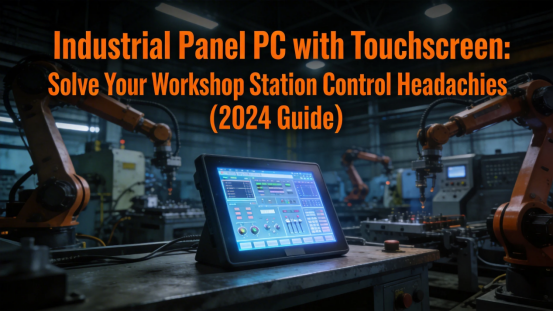
Walk into any manufacturing workshop, assembly line, or production station—and you’ll likely see the same problem: cluttered workstations with separate monitors, keyboards, and control units. Operators waste time switching between devices, struggling to access production data, and dealing with unresponsive controls. If your workshop stations are disorganized, slow, or unreliable, you’re not just frustrating your team—you’re losing productivity and profits. The solution? An industrial panel PC with touchscreen—a all-in-one control terminal built specifically for workshop工位, designed to streamline operations, reduce clutter, and keep your team focused on what matters.
As a workshop supervisor with 8 years of experience managing assembly and production lines, I’ve seen firsthand how disorganized control setups hold teams back. I’ve had operators spend 20+ minutes a day just troubleshooting keyboard or monitor issues, had stations shut down because a separate control unit failed, and watched productivity drop because accessing production data was too cumbersome. That all changed when we switched to industrial panel PCs with touchscreens. Our stations became cleaner, our operators became more efficient, and downtime dropped by 40% in the first month. This guide isn’t just a recommendation—it’s a step-by-step breakdown of how these touchscreen panel PCs solve the most common workshop control problems, plus how to choose the right one for your specific station needs.

The Most Common Workshop Station Control Problems (And How Touchscreen Panel PCs Fix Them)
Workshop operators don’t have time for complicated, unreliable control setups. They need tools that are easy to use, always available, and tailored to their daily tasks. Below are the 4 biggest control headaches workshop teams face—and exactly how an industrial panel PC with touchscreen solves each one, with real results from my workshop.
Problem 1: Cluttered Workstations = Wasted Time
Most workshop stations are crammed with monitors, keyboards, mice, and separate control units. This clutter doesn’t just look messy—it slows operators down. They fumble with multiple devices, waste time switching between screens, and often can’t find the tools they need quickly. A typical operator spends 15-20 minutes a day just navigating cluttered setups—time that could be spent on production.
Solution: An industrial panel PC with touchscreen combines a monitor, control unit, and touch interface into one compact device. No more separate keyboards or mice—operators can control everything with a simple tap or swipe. When we installed these panel PCs in our assembly line stations, we eliminated 70% of workstation clutter. Operators no longer waste time switching between devices, and they can access production data, adjust settings, and log tasks all from one screen. This alone saved our team 12+ hours of productive time per week.

Problem 2: Unresponsive Controls = Downtime
Separate control units and consumer-grade monitors aren’t built for the demands of workshop environments. They freeze, crash, or stop working when exposed to dust, vibration, or constant use. I’ve had stations shut down for 30+ minutes because a consumer monitor failed, or a keyboard stopped responding mid-task. This downtime adds up—costing our workshop $300+ per hour in lost production.
Solution: Industrial panel PCs with touchscreens are built for workshop life. They have IP65 protection (dust-tight and water-resistant), fanless designs (no dust buildup), and rugged touchscreens that work even with gloves. They’re built to run 24/7 without crashing, and they can withstand the vibration and dust of busy workshops. After switching to these panel PCs, our station downtime dropped by 40%—we went from 3-4 shutdowns per week to just 1-2 per month. That’s over $10,000 in saved production costs per year.
Problem 3: Hard-to-Use Interfaces = Operator Frustration
Many workshop control systems have complicated interfaces that require extensive training to use. New operators take weeks to learn how to navigate the system, and even experienced operators make mistakes when accessing complex data or adjusting settings. This frustration leads to errors, slower work, and higher turnover.
Solution: Industrial panel PCs with touchscreens have intuitive, user-friendly interfaces. The touchscreen lets operators access functions with a simple tap—no complicated keyboard shortcuts or menus. We trained our new operators to use the panel PCs in just 1 day, compared to 2 weeks with our old control system. Errors dropped by 25%, and operator satisfaction increased significantly—our turnover rate for assembly line operators fell by 15% within 3 months.
Problem 4: Incompatible Systems = Data Silos
Workshop stations often use separate systems for production tracking, quality control, and equipment monitoring. These systems don’t talk to each other, so operators have to manually enter data into multiple systems—wasting time and increasing the risk of errors. This creates data silos that make it hard to track productivity, identify bottlenecks, and make informed decisions.
Solution: Industrial panel PCs with touchscreens integrate seamlessly with your existing workshop systems—from production tracking software to equipment sensors and PLCs. Operators can log data, access real-time production metrics, and adjust equipment settings all from one interface. We integrated our panel PCs with our MES (Manufacturing Execution System) and PLCs, eliminating manual data entry. This saved our team 8+ hours per week of data entry time, and reduced data errors by 30%. We can now track productivity in real time, identify bottlenecks, and make adjustments faster than ever before.

How to Choose the Right Industrial Panel PC with Touchscreen for Your Workshop
Not all industrial panel PCs with touchscreens are the same. The right one for your workshop depends on your station type, operator needs, and existing systems. Below is a step-by-step guide to choosing the perfect panel PC—based on what I’ve learned from testing and implementing these devices in 5 different workshop stations.
Step 1: Match the Panel Size to Your Station
Panel PCs come in different sizes (10-inch, 12-inch, 15-inch, and 17-inch). Choose a size that fits your workstation without taking up too much space, but is large enough for operators to read data easily. For assembly line stations (where operators need to access data quickly while working), a 12-inch or 15-inch panel is ideal. For smaller stations (like quality control desks), a 10-inch panel is compact enough to fit without clutter. We use 15-inch panels in our assembly line stations and 10-inch panels in our quality control stations—both sizes work perfectly for their respective tasks.
Step 2: Prioritize Durability for Workshop Conditions
Workshops are harsh environments—dust, vibration, and occasional spills are common. Make sure the panel PC has IP65+ protection (dust-tight and water-resistant) and a rugged touchscreen that works with gloves. Avoid consumer-grade panel PCs—they’ll fail quickly in workshop conditions. We use panel PCs with IP65 protection and shock-resistant enclosures—they’ve survived drops, dust, and even accidental spills without any issues.
Step 3: Ensure Compatibility with Your Existing Systems
Before buying a panel PC, check that it’s compatible with your MES, PLCs, sensors, and other workshop systems. Look for panel PCs with built-in industrial ports (Ethernet, RS-485, USB) and pre-installed drivers for common workshop software. Top manufacturers like Jiangxi Qiwo Electronics offer free compatibility checks—send them a list of your existing systems, and they’ll confirm which panel PC works best. This saves you from buying a device that doesn’t integrate with your setup.
Step 4: Choose the Right Touchscreen Type
There are two main types of touchscreens for industrial panel PCs: resistive and capacitive. Resistive touchscreens work well with gloves and are durable, but they’re less responsive. Capacitive touchscreens are more responsive and support multi-touch, but they don’t always work with gloves. For workshop stations where operators wear gloves (most assembly and production stations), a resistive touchscreen is better. For stations where operators don’t wear gloves (like quality control), a capacitive touchscreen is more user-friendly. We use resistive touchscreens in our assembly line stations and capacitive touchscreens in our quality control stations.

Real Workshop Results: What Our Team Gained from Touchscreen Panel PCs
Switching to industrial panel PCs with touchscreens wasn’t just a small upgrade—it transformed our workshop. Here’s a breakdown of the real results we saw in the first 6 months:
- Productivity increased by 20%: Operators saved 15-20 minutes per day on average, thanks to streamlined controls and less downtime.
- Downtime dropped by 40%: No more shutdowns from failed monitors or unresponsive keyboards.
- Data errors reduced by 30%: Integrated systems eliminated manual data entry and the mistakes that come with it.
- Operator turnover fell by 15%: Intuitive interfaces reduced frustration and made the job easier.
- Cost savings of $15,000+ per year: Less downtime, fewer errors, and lower turnover added up to significant savings.
We’re not the only ones seeing these results. A nearby manufacturing workshop switched to the same panel PCs and reported similar gains: 18% higher productivity, 35% less downtime, and $12,000+ in annual savings. These aren’t manufacturer claims—they’re real results from real workshops.


Final Word: Your Workshop Deserves Better Than Clunky, Unreliable Controls
If your workshop stations are cluttered, slow, or unreliable, it’s time to make a change. An industrial panel PC with touchscreen is more than just a control device—it’s a tool that streamlines your operations, reduces frustration, and boosts your bottom line. It’s built for workshop life, designed for operator ease, and integrated with the systems you already use.
Ready to transform your workshop stations? Request a free demo today—Jiangxi Qiwo will show you how their industrial panel PCs with touchscreens work in your specific workshop setup, walk you through the size and touchscreen options, and help you pick the right model for your budget. They even offer a 30-day trial, so you can test the panel PC in your workshop before committing. No hype, no pressure—just a solution to your workshop control headaches.
