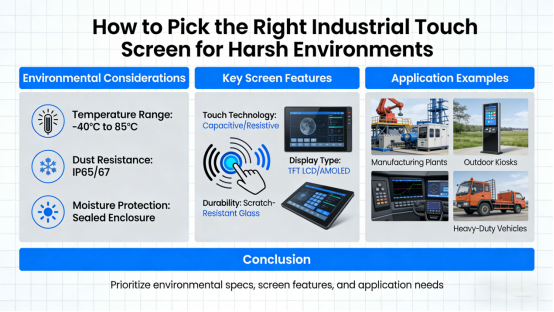
Many engineers, buyers, and factory managers face a frustrating, costly problem: Why do regular touch screens fail so quickly in factories, workshops, and outdoor equipment? Frequent replacements, unplanned downtime, and equipment malfunctions slow production and eat into profits — and it’s often avoidable with the right knowledge.
The solution starts with understanding one key difference: Most standard touch panels are built for home or office use, not industrial harshness. They can’t withstand dust, moisture, vibration, or wide temperature swings — which is why they break down so often.
In this article, we’ll break down what makes a touch screen truly industrial-grade, the key specs to check before buying, and how to avoid wasting money on low-quality, short-lived products. All information comes from real product standards and technical manuals — no marketing fluff, no exaggerated claims, just practical guidance to help you make the right choice.
What Is an Industrial-Grade Touch Screen? (And Why It Matters)
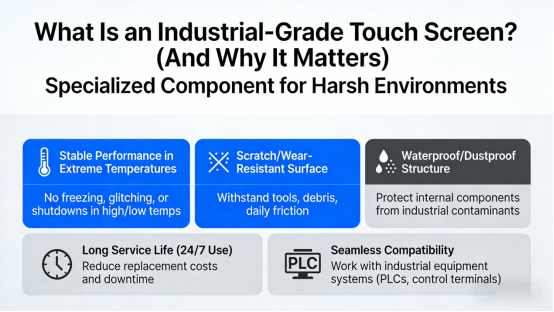
An industrial touch screen isn’t just a “tougher” consumer screen — it’s a specialized component engineered to work stably in harsh environments for years, even with 24/7 use. For factories, warehouses, and outdoor equipment, this stability isn’t a luxury; it’s a necessity to keep operations running smoothly.
Compared with ordinary touch panels, industrial-grade screens must meet several non-negotiable requirements:
- Stable performance in extreme high or low temperatures (no freezing, glitching, or shutdowns)
- Scratch-resistant, wear-resistant surface (to withstand tools, debris, and daily friction)
- Waterproof and dustproof structure (to protect internal components from industrial contaminants)
- Long service life under 24/7 continuous use (to reduce replacement costs and downtime)
- Seamless compatibility with industrial equipment systems (PLCs, control terminals, etc.)
These non-negotiable features ensure the screen won’t fail when you need it most — keeping your production line, control system, or outdoor equipment running without costly interruptions.
Capacitive vs. Resistive Touch: 5 Key Specs You Must Check Before Buying (Avoid Costly Mistakes)
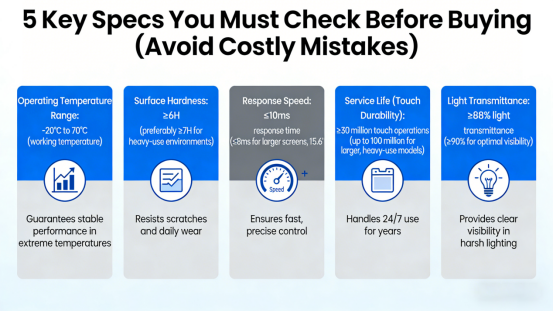
Not all “industrial” touch screens are created equal. To avoid wasting money on products that don’t live up to their claims, focus on these 5 critical specs — they’re the difference between a screen that lasts 5 years and one that breaks in 6 months.
1. Operating Temperature Range
Ordinary consumer screens only work reliably between 0°C and 40°C — useless for cold warehouses, hot foundries, or outdoor equipment in extreme weather. A genuine industrial touch screen should support a working temperature range of:
-20°C to 70°C (working temperature)
This range guarantees stable performance in freezing winters, sweltering workshops, and everything in between — no more screen freezes or shutdowns due to temperature extremes.
2. Surface Hardness
Factory floors, warehouses, and job sites are rough — tools, debris, and accidental bumps are inevitable. A durable industrial screen needs a surface hardness of:
≥6H (preferably ≥7H for heavy-use environments)
Higher hardness resists scratches, fingerprints, and daily wear — reducing costly replacements and ensuring clear visibility for years.
3. Response Speed
Slow, laggy touch screens hurt work efficiency — especially for industrial control systems, where quick, accurate inputs are critical. Look for an industrial touch screen with a response time of:
≤10ms response time (≤8ms for larger screens, 15.6”+)
This ensures fast, precise control without lag — whether you’re navigating complex software, adjusting settings, or inputting data.
4. Service Life (Touch Durability)
Cheap touch screens wear out quickly — some fail after just 1-2 million touches, requiring frequent, costly replacements. A reliable industrial screen should support:
≥30 million touch operations (up to 100 million for larger, heavy-use models)
This durability handles 24/7 use for years — cutting down on replacement costs and unplanned downtime.
5. Light Transmittance
Industrial settings often have bright overhead lights, direct sunlight (for outdoor equipment), or dim workspaces — clear visibility is non-negotiable. Choose a screen with:
≥88% light transmittance (≥90% for optimal visibility)
Higher transmittance means clearer, brighter displays — even in harsh lighting — reducing eye strain and operational errors.
Which Do You Actually Need?
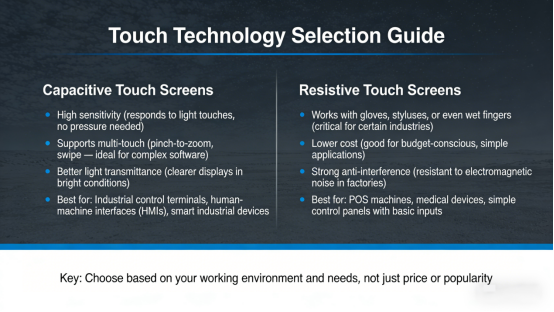
One of the most common mistakes buyers make is choosing the wrong touch technology — not because one is “better,” but because it doesn’t fit their specific environment. Here’s a simple breakdown to help you decide:
Capacitive Touch Screens
- High sensitivity (responds to light touches, no pressure needed)
- Supports multi-touch (pinch-to-zoom, swipe — ideal for complex software)
- Better light transmittance (clearer displays in bright conditions)
- Best for: Industrial control terminals, human-machine interfaces (HMIs), smart industrial devices
Resistive Touch Screens
- Works with gloves, styluses, or even wet fingers (critical for certain industries)
- Lower cost (good for budget-conscious, simple applications)
- Strong anti-interference (resistant to electromagnetic noise in factories)
- Best for: POS machines, medical devices, simple control panels with basic inputs
The key: Choose based on your working environment and needs, not just price or popularity. A capacitive screen is overkill for a simple POS terminal, while a resistive screen will frustrate users of complex industrial software.
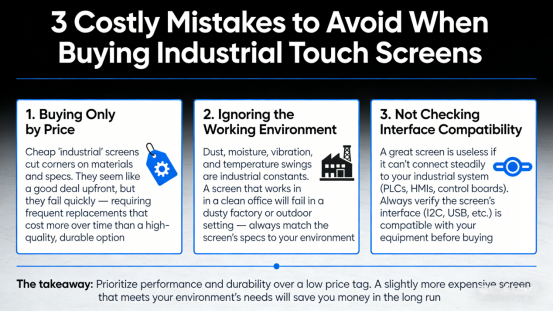
3 Costly Mistakes to Avoid When Buying Industrial Touch Screens
Based on real-world industrial experience, these three common mistakes lead to wasted money and headaches. Avoid them, and you’ll save time, reduce downtime, and get a screen that lasts:
1. Buying Only by Price
Cheap “industrial” screens cut corners on materials and specs. They seem like a good deal upfront, but they fail quickly — requiring frequent replacements that cost more over time than a high-quality, durable option.
2. Ignoring the Working Environment
Dust, moisture, vibration, and temperature swings are industrial constants. A screen that works in a clean office will fail in a dusty factory or outdoor setting — always match the screen’s specs to your environment.
3. Not Checking Interface Compatibility
A great screen is useless if it can’t connect steadily to your industrial system (PLCs, HMIs, control boards). Always verify the screen’s interface (I2C, USB, etc.) is compatible with your equipment before buying.
The takeaway: Prioritize performance and durability over a low price tag. A slightly more expensive screen that meets your environment’s needs will save you money in the long run.
Conclusion: Choose Smart, Save Money, Reduce Downtime
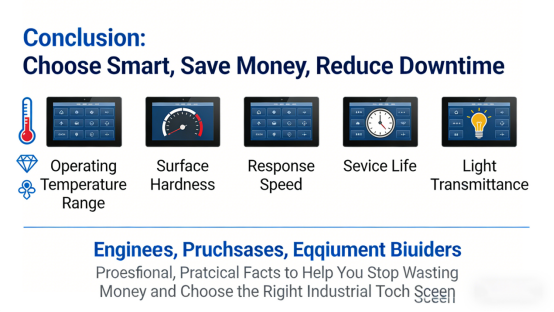
Choosing the right industrial touch screen doesn’t have to be complicated — focus on five key specs: operating temperature range, surface hardness, response speed, service life, and light transmittance.
By prioritizing these features and avoiding common mistakes, you’ll pick a screen that works reliably in your harsh industrial environment — reducing failures, lowering maintenance costs, and keeping operations running smoothly.
This article is designed to help engineers, purchasers, and equipment builders make informed decisions — no promotion, no sales pitch, just professional, practical facts to help you stop wasting money and choose the right industrial touch screen.