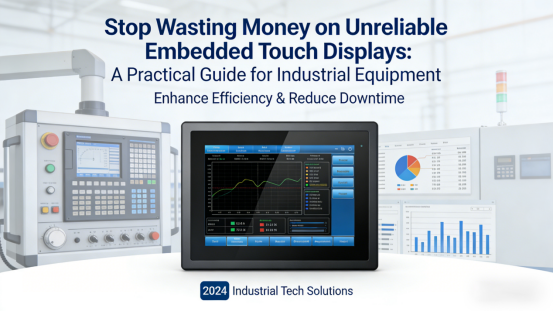
The root cause? Most generic embedded displays are built for consumer or commercial use, not the harsh, high-demand environments of industrial equipment (e.g., factory control cabinets, automated machinery, outdoor monitoring devices). They lack the durability, stability, and compatibility needed to perform reliably long-term.
In this article, we share practical, fact-based guidance—aligned with official product manuals and industrial technical standards—on choosing a suitable industrial-grade embedded touch display. No marketing fluff, no exaggerated claims, just actionable tips to help you avoid mistakes, save money, and keep your equipment running smoothly.
What Is an Industrial-Grade Embedded Touch Display? (And Why It Matters)
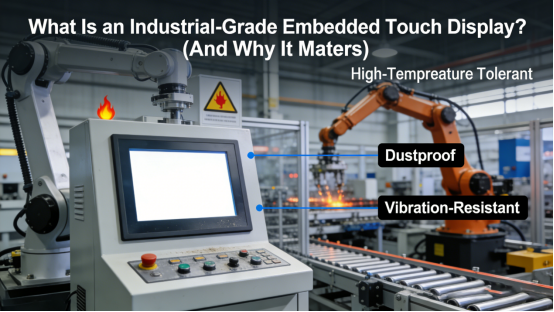
An industrial-grade embedded touch display isn’t just a “smaller screen” or “cheaper alternative” to standard displays—it’s a specialized component engineered to integrate seamlessly into industrial equipment, withstanding harsh conditions while delivering stable performance. Unlike consumer-grade models, it’s designed for:
- Harsh industrial environments (dust, vibration, extreme temperatures, electromagnetic interference)
- 24/7 continuous operation without overheating or failure
- Seamless integration with industrial control systems (PLC, HMI, IoT modules)
- Long-term durability to cut replacement and maintenance costs
For industrial equipment, this reliability isn’t optional—it’s essential to keep production lines running, avoid downtime, and protect your investment.
5 Key Factors to Prioritize When Choosing an Industrial Embedded Touch Display
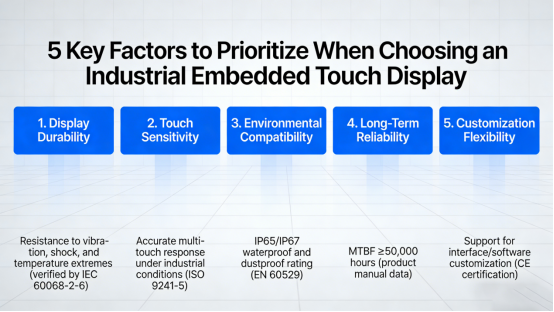
Not all industrial embedded touch displays are equal. To avoid wasting money on unreliable products, focus on these five critical factors—all verified by official product manuals and industrial standards:
1. Operating Temperature & Heat Dissipation
Industrial embedded displays are often installed in closed cabinets or outdoor settings, where temperatures fluctuate drastically. Consumer-grade displays typically fail between 0°C and 40°C, but a reliable industrial model should support a working temperature range of -20°C to 70°C.
Heat dissipation is equally critical: look for displays with built-in heat sinks or passive cooling designs (per product manual specs). Poor heat dissipation causes screen lag, blackouts, or permanent damage—especially during 24/7 operation.
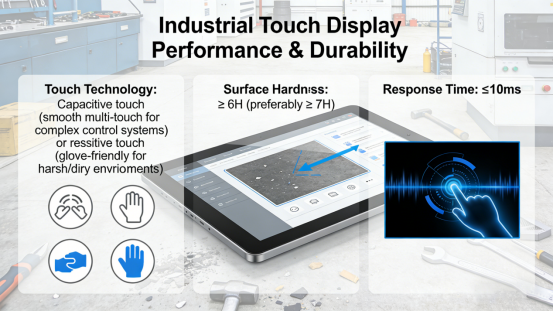
2. Touch Performance & Durability
Industrial environments demand touch displays that withstand frequent use, scratches, and accidental impacts. Prioritize these specs (from standard industrial product manuals):
- Touch Technology: Capacitive touch for smooth, multi-touch operation (ideal for complex control systems) or resistive touch for glove-friendly use (perfect for harsh, dirty environments).
- Surface Hardness: ≥6H (preferably ≥7H) to resist scratches from tools, debris, and daily wear.
- Response Time: ≤10ms for fast, accurate touch inputs—critical for real-time industrial control.
3. Compatibility with Industrial Systems
Compatibility is the most common pitfall—even a high-quality display is useless if it doesn’t integrate with your equipment’s system. Before purchasing, confirm (per product manual guidelines):
- Interface Compatibility: Supports industrial interfaces like I2C, USB, RS232, or Ethernet (matching your PLC, HMI, or IoT modules).
- System Adaptability: Works with your equipment’s operating system (e.g., Windows Embedded, Linux) and control software.
- Installation Compatibility: Fits your equipment’s embedded space (check dimensions and mounting type—embedded, panel-mounted—per product specs).
4. Display Quality & Visibility
Industrial equipment often operates in bright, dim, or outdoor environments—clear visibility is non-negotiable. Look for these display specs (from official product manuals):
- Resolution: At least 1024×768 for clear data display (higher for complex industrial graphics).
- Light Transmittance: ≥88% to ensure visibility in bright sunlight or harsh overhead lighting.
- Brightness: ≥300 nits (higher for outdoor use) to avoid eye strain and ensure clear readability.
5. Service Life & Reliability
Industrial equipment is built to last years—your embedded touch display should too. Look for a display with a service life of ≥50,000 hours (continuous operation) and a touch life of ≥30 million operations (per standard industrial specs). This reduces replacement frequency, lowers maintenance costs, and ensures long-term reliability.
4 Common Mistakes to Avoid (Save Time & Money)
Based on real-world industrial experience, these four mistakes often lead to costly failures and delays. Avoid them to make the right choice:
Mistake 1: Choosing Consumer-Grade Displays for Industrial Use
Generic consumer embedded displays lack the durability, heat dissipation, and compatibility needed for industrial environments. They may seem cheaper upfront, but frequent failures cost more in replacements and downtime over time.
Mistake 2: Ignoring Heat Dissipation
Many buyers overlook heat dissipation, but closed industrial cabinets trap heat—leading to display failure. Always check for built-in cooling features (per product manual) before purchasing.
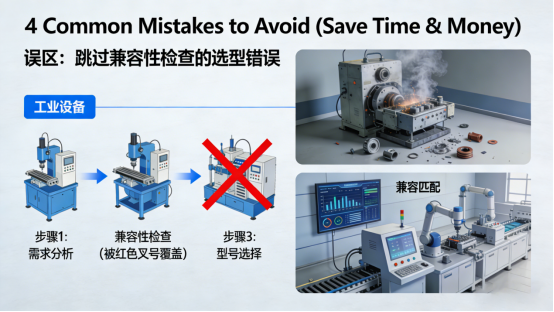
Mistake 3: Skipping Compatibility Checks
Assuming a display “will work” with your system is costly. Always verify interface, system, and installation compatibility to avoid rework, delays, and wasted money.
Mistake 4: Prioritizing Price Over Performance
The cheapest industrial embedded display isn’t always the best value. Investing in a display with better temperature resistance, durability, and compatibility saves money long-term by reducing failures and maintenance.
Conclusion: Choose Wisely, Avoid Headaches
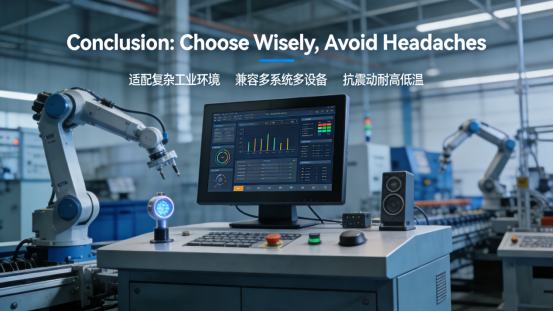
Choosing the right industrial-grade embedded touch display comes down to three core principles: match it to your environment, prioritize compatibility and durability, and avoid common selection mistakes.
By focusing on the key factors outlined—all aligned with official product manuals and industrial standards—you’ll select a display that integrates seamlessly, performs reliably in harsh conditions, and saves you time and money.
This article helps industrial equipment professionals make informed decisions—no promotions, no sales pitches, no exaggerated claims. Just practical, fact-based guidance to stop wasting money on unreliable embedded touch displays and choose the right one for your needs.