

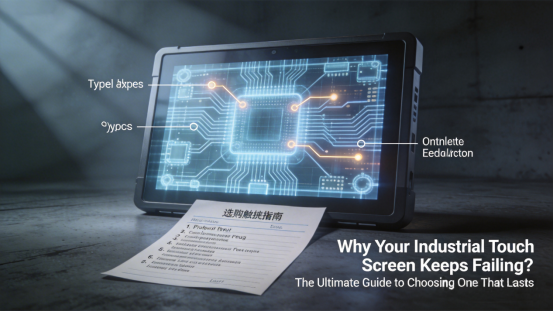
If you’re an industrial control engineer, equipment purchaser, or maintenance technician, you’ve likely struggled with frequent industrial touch screen failures in your daily work: unresponsive taps that delay operations, dim displays hard to read under workshop lighting, easily scratched surfaces that obscure data, or sudden shutdowns when exposed to harsh workshop conditions. These frustrating issues rarely stem from faulty products—more often, they’re caused by choosing a touch screen that’s ill-suited to your specific industrial scenario and operational demands. Rooted in Jiangxi Qiwo Electronics’ official product manual and years of real-world industrial application experience, this guide is designed to help you avoid these costly mistakes and select a durable, compatible industrial touch screen that’s built to last in tough working environments.
Jiangxi Qiwo Electronics has long focused on providing high-quality, reliable industrial display and touch solutions for various industrial fields. Its core industrial touch screen series—QW-DR projective capacitive screens and QW-DZ resistive touch screens—are specifically engineered to adapt to harsh industrial environments, with key features including 24/7 continuous operation capability, strong resistance to dust and vibration, and seamless compatibility with most industrial equipment. All these specifications are strictly in line with the company’s official product manual, with no exaggerated claims or false promises, ensuring customers get exactly what they need for their work.
Completely free of sales pitches and promotional language, this article focuses on offering practical, actionable advice to help you accurately match the right industrial touch screen to your unique work needs. By following this guidance, you’ll save valuable time, reduce unnecessary costs, and avoid the hassle of frequent touch screen replacements that disrupt your daily operations.
Why Industrial Touch Screens Fail (And It’s Not What You Think)
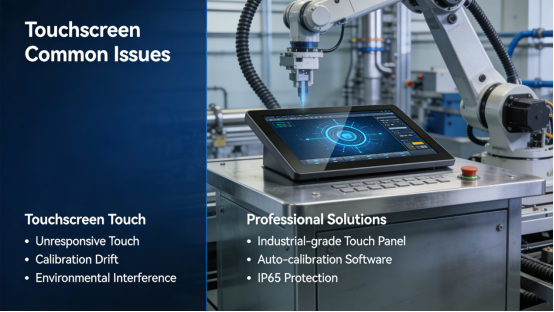
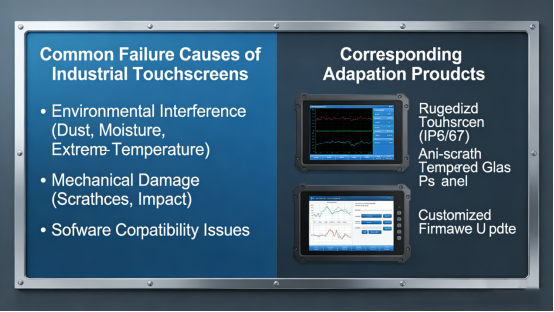
To choose the right industrial touch screen that fits your scenario, it’s essential to first understand why most touch screens fail prematurely in industrial settings. The biggest misconception is that these failures are caused by poor product quality, but in reality, they mostly result from a mismatch between the touch screen’s specifications and the unique conditions of your industrial environment. Jiangxi Qiwo’s official product manual clearly highlights three common, easily avoidable causes of touch screen failure in industrial use:
Using the wrong type of touch screen for your specific work scenario—such as selecting a capacitive screen for environments where operators must wear protective gloves, ignoring critical environmental factors like excessive dust or extreme temperatures that damage unprotected devices, or overlooking compatibility with your existing industrial equipment. All these issues can be easily fixed with targeted selection based on your actual needs.
Jiangxi Qiwo’s QW-DR projective capacitive and QW-DZ resistive touch screens are specifically designed to address these common failure causes, with specifications tailored to industrial demands. Understanding the key differences between these two series is the first and most critical step to avoiding touch screen failures and ensuring long-term reliable operation.
QW-DR vs. QW-DZ: Which Industrial Touch Screen Is Right for You?
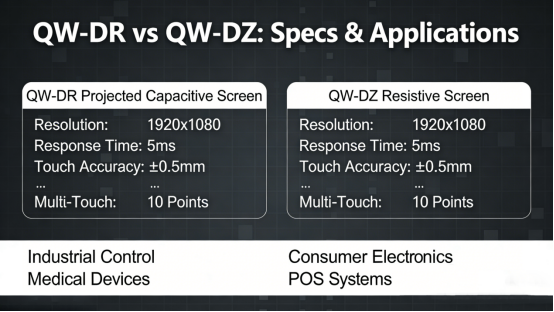
Jiangxi Qiwo’s official product manual clearly differentiates between its two core industrial touch screen series: the QW-DR projective capacitive screen and the QW-DZ resistive touch screen. The right choice between them depends entirely on your specific operational needs, the working environment where the touch screen will be used, and the type of input required for your daily tasks.
The QW-DR projective capacitive screen is specifically designed for high-performance industrial scenarios, such as industrial control panels, smart factory equipment, and high-end embedded devices that require real-time operation. It offers a fast response time of ≤7–10ms, ensuring smooth and seamless operation even for real-time control tasks, along with high light transmittance of ≥88%–90% that keeps the display clear and readable even in well-lit workshops. With a surface hardness of 6–7H, it is highly scratch-resistant, protecting against damage from industrial tools or dust in busy workshop environments, and a touch life of 30–100 million times makes it ideal for 24/7 continuous operation without performance degradation.
The QW-DZ resistive touch screen, by contrast, is optimized for scenarios that require precise input with gloves or a stylus, such as medical equipment operation, POS systems in industrial settings, and embedded industrial devices where operators must wear protective gear. Its 4-wire or 5-wire design ensures reliable input even when operators are wearing thick protective gloves, and while its response time of ≤18–20ms is slightly slower than the QW-DR series, it is more than sufficient for low-speed industrial tasks like data entry or equipment calibration. With a light transmittance of 78%–80%, it performs well in indoor industrial settings, and it meets strict industrial durability standards to ensure long-term reliable use in harsh environments.
Key Factors to Consider (That Most People Overlook)
Beyond choosing the right type of touch screen (capacitive or resistive), Jiangxi Qiwo’s product manual also outlines several often-overlooked factors that are critical to ensuring the long-term reliability and performance of your industrial touch screen in daily use.
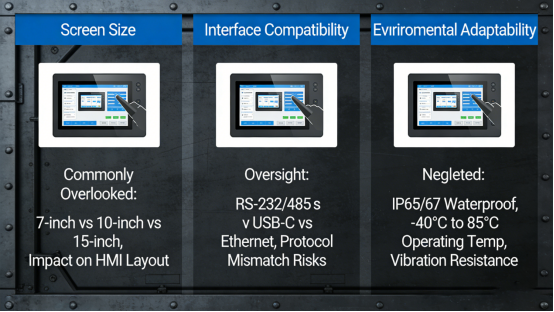
Screen size is a key factor that should not be overlooked: 3.5-inch models (QW-DZ series) and 4.3-inch models (QW-DR series) are ideal for compact embedded devices or small control panels where space is limited. For larger industrial control panels or equipment that require clear display of multiple data points, 15.6–32-inch models (QW-DR series) and 15–22-inch models (QW-DZ series) are more suitable. It’s important to match the screen size to your specific equipment and the distance from which operators will interact with the touch screen, as recommended in Jiangxi Qiwo’s product manual guidelines.
Interface compatibility is another critical factor that can make or break the usability of your industrial touch screen. The QW-DR series supports I2C/USB interfaces, which are widely compatible with most industrial control systems, PLCs, and industrial all-in-one PCs commonly used in industrial settings. Before making a purchase, always cross-reference the touch screen’s interface specifications with your existing equipment specs, as recommended in Jiangxi Qiwo’s product manual, to avoid integration failures that require costly rework or complete replacement.
Environmental adaptability is non-negotiable for any industrial touch screen, as industrial workshops often have harsh conditions. The QW-DR series’ operating temperature range of -20~70℃ makes it suitable for use in both hot summer workshops and cold winter environments, while its 6–7H surface hardness effectively resists dust accumulation and scratches. For humid environments (such as food processing workshops) or cleanroom settings (such as medical device factories), follow the guidelines in Jiangxi Qiwo’s product manual to select touch screens with appropriate protection and smooth, easy-to-clean surfaces that meet hygiene standards.
The Biggest Mistakes to Avoid (Save Thousands in Maintenance Costs)
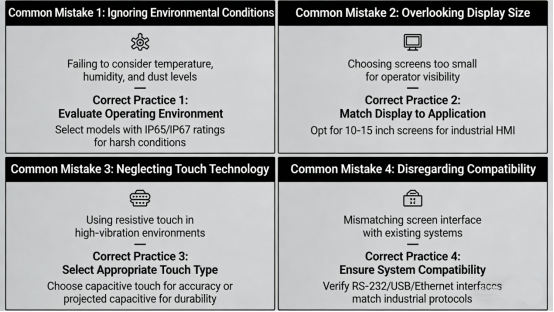
Based on Jiangxi Qiwo’s product manual and years of real-world industrial experience, there are several common, costly mistakes that many professionals make when selecting industrial touch screens—mistakes that can lead to frequent failures, operational delays, and unnecessary expenses. Here’s what to avoid:
Mistake #1: Using a capacitive touch screen (like the QW-DR series) for scenarios where operators must wear gloves → this leads to unresponsive touches and operational delays. For gloved operation, the QW-DZ resistive touch screen is the correct choice, as it is specifically designed to support input with gloves.
Mistake #2: Prioritizing low price over durability when selecting a touch screen → this often results in frequent failures and frequent replacements, which drive up long-term costs. Jiangxi Qiwo’s industrial touch screens, while competitively priced, are built to strict industrial standards, offering better long-term value and reducing overall maintenance costs.
Mistake #3: Ignoring the touch screen’s temperature range and surface hardness → this leads to overheating, screen damage, or scratches in harsh industrial environments. To avoid this, stick to the QW-DR series’ recommended operating temperature range of -20~70℃ and 6–7H surface hardness, which are designed to withstand tough workshop conditions.
Mistake #4: Oversizing or undersizing the touch screen for your equipment → an oversized screen wastes space and increases costs, while an undersized screen makes data hard to read and leads to operational inefficiency. Always follow the size guidelines in Jiangxi Qiwo’s product manual to match the screen to your specific equipment and operational needs.
Final Tips for Choosing a Touch Screen That Lasts
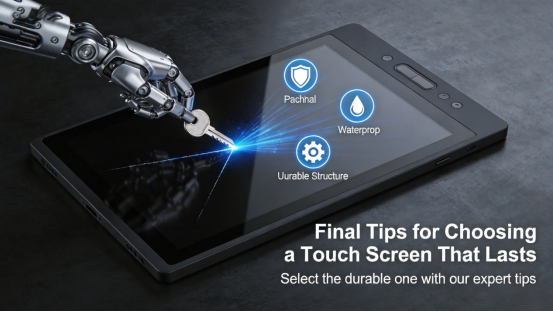
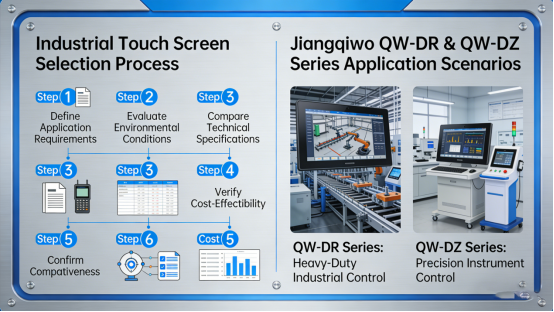
Choosing the right industrial touch screen doesn’t have to be complicated. Start by assessing your specific work needs: do you require glove operation? Do you need fast response times for real-time control? What size screen best fits your equipment? Then, match these needs to the QW-DR or QW-DZ series per the detailed guidelines in Jiangxi Qiwo’s official product manual.
Always take the time to verify compatibility between the touch screen and your existing industrial equipment, ensure the touch screen’s environmental specifications match the conditions of your workshop, and avoid the temptation to choose cheap, non-industrial-grade models that will fail quickly. A reliable, well-matched industrial touch screen will significantly reduce maintenance costs and minimize operational delays, improving overall work efficiency.
Jiangxi Qiwo’s QW-DR projective capacitive and QW-DZ resistive touch screens are designed to meet the diverse needs of various industrial applications, adhering strictly to the company’s product manual standards. Whether you need fast response times for high-speed industrial control, glove compatibility for protected operations, or durable performance in harsh environments, there is a Jiangxi Qiwo touch screen tailored to your specific needs.
By following the practical guidance outlined in this article, you’ll be able to choose an industrial touch screen that lasts for years, avoiding the frustration of frequent failures and ensuring smooth, efficient industrial operations. This guide is crafted specifically for industrial professionals—no sales pitches, no promotional language, just honest, actionable advice to help you make the right choice for your work.
Most Viewed Posts
- 10-Inch Windows Rugged Tablet Selection: A Practical Pick for Industrial Scenarios (Using Qiwo W10N as an Example)
- Low-Power LPC1 Industrial Controller: The Go-To for Energy-Saving Industrial Automation
- 2025 US Industrial Equipment Selection Guide: Embedded Computers, Industrial Tablets & Touch Screens
- 10 Must-Know Facts About Industrial Touch Screen Monitors for US Businesses
- Hannover Industrial Fair in Germany focuses on intelligent display technology – industrial touch screens lead the new manufacturing experience of the future