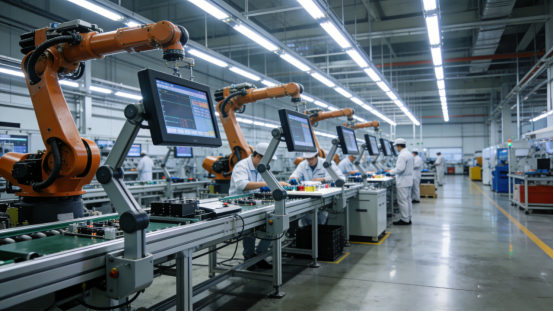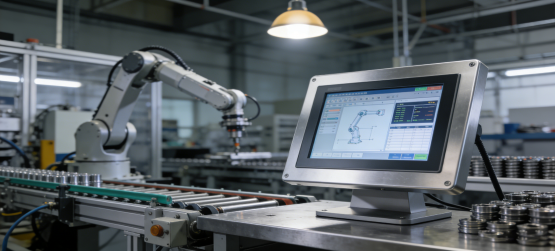
Practical Guide for Industrial Buyers & Engineers
In industrial automation, production lines, monitoring systems, and equipment control, the industrial control all-in-one computer is an essential core device. Its stability, environmental adaptability, interface compatibility, and long-term service life directly affect production efficiency, equipment safety, and operating costs—yet many buyers still struggle to choose the right model, often wasting budget on unsuitable equipment or falling for exaggerated marketing.
This guide focuses on practical needs: it explains what an industrial control all-in-one computer is, how to judge its performance, key factors to consider when buying, and shares 6 real-world application cases (from global industrial sites) to help you avoid pitfalls and choose equipment that fits your scenario.
All content is based on actual industrial application experience and verified parameters, with no exaggerated descriptions or hard sales—only practical advice to help you make informed purchasing decisions.
What Is an Industrial Control All-in-One Computer? (Definition & Core Features)
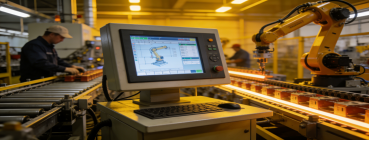
An industrial control all-in-one computer integrates a display, touch screen, host, motherboard, memory, storage, and rich interfaces into one compact structure. Unlike commercial computers (designed for office use), it is specially optimized for industrial environments and supports 24/7 uninterrupted operation.
When distinguishing industrial-grade from commercial-grade equipment, focus on these core features (critical for harsh scenarios):
- Wide temperature resistance: Adapt to extreme temperatures in workshops, warehouses, and outdoor industrial sites
- Dust and moisture resistance: Prevent component damage from dust, oil fumes, and high humidity
- Vibration resistance: Withstand mechanical vibration from production equipment (e.g., CNC machines, conveyors)
- Rich industrial interfaces: Compatible with PLCs, sensors, scanners, and other industrial equipment
- Long product life cycle: Reduce replacement frequency and maintenance costs
- High stability and compatibility: Ensure continuous operation without frequent crashes or software incompatibility
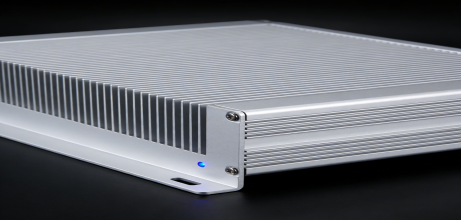
Key Performance Indicators to Focus on (Avoid Marketing Hype)
Many manufacturers exaggerate parameters to attract buyers, but for industrial scenarios, practical performance is more important than “high specs on paper”. Below are the key indicators to prioritize, with reference parameters from actual industrial applications (not limited to a single brand):
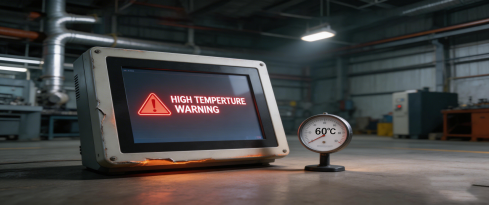
1. Environmental Adaptability (Most Critical for Harsh Sites)
Ignore exaggerated “extreme environment” claims—focus on verified ranges that match your actual site:
- Operating temperature: -10°C ~ 70°C (suitable for most industrial workshops, warehouses, and outdoor cabinets)
- Storage temperature: -20°C ~ 70°C (ensures equipment safety during transportation and shutdown)
- Humidity: 5%–95% RH (non-condensing) (fits high-humidity scenarios like food packaging, chemical workshops)
- Dust/vibration resistance: Look for sealed designs (IP rating recommendations: IP65 or above for dusty sites)
2. Industrial Interface Compatibility (Avoid “Incompatible” Pitfalls)
The biggest post-purchase trouble is “equipment bought but unable to connect to existing industrial devices”. Prioritize these interfaces based on your needs:
- Network ports: 2× Gigabit LAN (stable data transmission for monitoring and control systems)
- Serial ports: 2× RS232 / RS485 / TTL (essential for connecting PLCs, sensors, and legacy equipment)
- USB ports: 4× USB 2.0 / 3.0 (for external devices like scanners, mice, and U disks)
- Expansion interfaces: HDMI / VGA (optional, for display expansion) and GPIO (optional, for function extension)
Tip: List all devices you need to connect (e.g., PLC model, sensor type) before purchasing, and confirm interface compatibility with the manufacturer.
3. System Support (Fit for Your Control Scenarios)
Choose a system based on your software requirements—no need to pursue the latest system if it’s not compatible with your control software:
- Windows 7 / 8 / 10 (most commonly used for industrial control software and SCADA systems)
- Linux (suitable for embedded control systems and custom-developed software)
- Android 11 / 12 / 13 (for simple monitoring, data collection, and light-load operations)
- VxWorks, QNX (for special industrial equipment like medical devices, aerospace-related control)
4. Installation & Durability (Practical for Long-Term Use)
Industrial sites have limited space and frequent operations—these features affect daily use and maintenance:
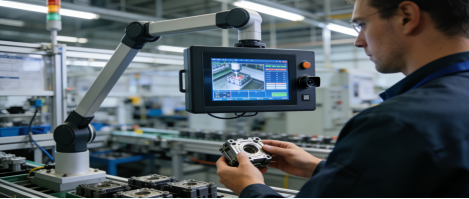
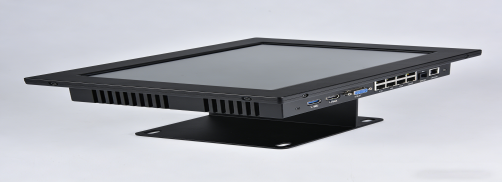
- Installation methods: Embedded (saves space in equipment cabinets), desktop (easy to debug), cantilever (suitable for production lines), wall-mounted (easy to observe)—choose based on your site layout.
- Touch & display: 350 cd/m² brightness (visible in strong light), 3000:1 contrast (clear interface), 3H scratch resistance (withstands frequent operation), capacitive/resistive touch (capacitive for quick operation, resistive for harsh, dusty environments).
5. Power Supply Safety (Avoid Equipment Damage)
Industrial power grids often have fluctuations—these features protect equipment from damage:
- Power input: DC 12V (stable and energy-saving), optional 9–30V wide voltage (adapts to voltage fluctuations)
- Protection functions: Reverse polarity protection (avoids damage from wrong wiring), overvoltage/overcurrent protection (optional for unstable power grids)
6 Real-World Application Cases (Verified by Industrial Sites)
These cases come from actual industrial scenarios (automotive, packaging, logistics, etc.), showing how to choose the right industrial control all-in-one computer based on site conditions. All cases are verified by on-site engineers, with no exaggerated results.
Case 1: Automotive Parts Production Line – Germany (High Dust, Vibration, Temperature Fluctuations)
Site Conditions: Brake component workshop with heavy dust, metal chips, mechanical vibration, and temperature ranging from -5°C to 65°C. Previous commercial touchscreens failed frequently (average 1–2 failures per month), causing production delays.
Equipment Selected: 15-inch industrial control all-in-one computer (J6412 CPU, 8GB RAM, 128GB SSD), embedded installation, wide temperature design (-10°C ~ 70°C), dust-proof structure.
Actual Results:
- 24/7 uninterrupted operation for 8 consecutive months, zero failures
- Unplanned downtime reduced by 62% (from 8 hours/month to 3 hours/month)
- Stable connection with PLC and production system, no data loss during transmission
- Dust-proof structure reduced maintenance frequency (from weekly cleaning to monthly)
Engineer Comment: “The key was choosing equipment with wide temperature and dust-proof features, not pursuing high CPU specs. It perfectly fits our harsh workshop environment.”
Case 2: Food Packaging Automation – Mexico (High Humidity, Frequent Cleaning)
Site Conditions: Food packaging factory with 5–95% RH (non-condensing) humidity, daily equipment cleaning with water and disinfectant. Previous commercial computers had fogging screens and unresponsive touch after 1–2 months of use.
Equipment Selected: 18.5-inch embedded industrial control all-in-one computer, capacitive touch, moisture-proof design, wide voltage input.
Actual Results:
- Stable operation under high humidity, no fogging or component damage
- Touch function remained accurate after daily wiping and disinfection
- 350 cd/m² brightness ensured clear visibility under strong workshop lighting
- Service life extended to 3 years (previous equipment only lasted 1 year)
Case 3: Intelligent Warehouse Logistics – Southeast Asia (Compact Space, Network Stability)
Site Conditions: Large logistics hub with distributed control terminals for conveyors, barcode scanners, and inventory management. Limited control cabinet space, need for stable network connection between terminals and central system.
Equipment Selected: 10.1-inch cantilever-type industrial control all-in-one computer, dual Gigabit LAN ports, multiple USB/COM ports, compact design.
Actual Results:
- Compact size (10.1-inch) fit perfectly into limited control cabinet space
- Dual LAN ports ensured stable data transmission (no disconnection in 6 months)
- Multiple USB/COM ports connected scanners, printers, and conveyors without additional adapters
- System integration completed 1 week ahead of schedule (due to easy installation and compatibility)
Case 4: CNC Machine Tool Control – China (Dual System Compatibility, Durability)
Site Conditions: Machinery factory with CNC equipment, needing control panels compatible with both new Windows 10 control software and legacy Linux software. Frequent touch operation required durable screen.
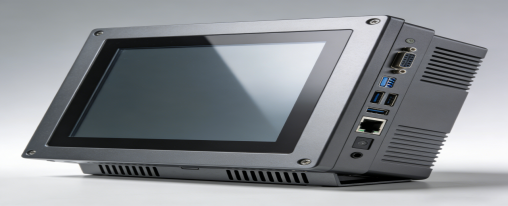
Equipment Selected: 15-inch industrial control all-in-one computer, Windows 10/Linux dual-system, embedded installation, 3H scratch-resistant touch screen.
Actual Results:
- Smoothly switched between dual systems, no software incompatibility issues
- Embedded design simplified CNC equipment structure, saving installation space
- 3H touch screen withstood 12 months of frequent operation without scratches
- Technical issues reduced by 70% (due to stable system and durable hardware)
Case 5: Injection Molding Machine Control – Turkey (High Temperature, Anti-Interference)
Site Conditions: Injection molding factory with workshop temperature up to 65°C, mechanical vibration from molding machines, and strong electromagnetic interference.
Equipment Selected: 10.1-inch industrial control all-in-one computer, wide temperature design (-10°C ~ 70°C), anti-vibration and anti-interference structure.
Actual Results:
- Stable operation at 65°C, no crashes or freezes
- Anti-vibration design not affected by molding machine operation
- Anti-interference performance prevented data errors during control
- Maintenance cost reduced by 50% (no frequent component replacement)
Case 6: Medical Equipment Control – South Korea (Low Power, Easy Disinfection)
Site Conditions: Medical device factory needing control terminals for equipment, requiring low power consumption (24/7 operation), easy disinfection, and strict quality standards.
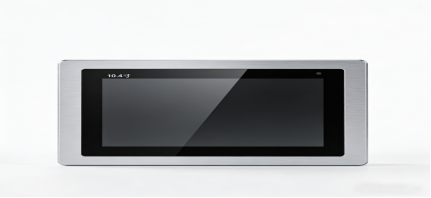
Equipment Selected: 13.3-inch industrial control all-in-one computer, low power consumption, smooth surface design, ISO-certified quality.
Actual Results:
- Stable 24/7 operation, power consumption reduced by 30% compared to previous equipment
- Smooth surface easy to disinfect, complying with medical hygiene standards
- Passed strict medical equipment quality testing, no failures in 12 months
4 Practical Buying Tips (Avoid Common Pitfalls)
Based on the above cases and performance indicators, here are 4 actionable tips to help you choose the right industrial control all-in-one computer—no more wasting budget on unsuitable equipment:
- Match environment first, not specs: If your site has high/low temperature, dust, or humidity, prioritize wide temperature, dust-proof, and moisture-proof features over CPU speed. For simple monitoring, a J1900/N100 CPU is sufficient; high-end CPUs are only needed for complex control scenarios.
- Confirm interfaces before purchasing: List all devices you need to connect (PLC, sensor, printer, etc.) and check if the equipment has matching interfaces. Ask the manufacturer for compatibility test reports if necessary.
- Choose size based on installation space: Common sizes are 10.1″, 13.3″, 15″, 18.5″, 21.5″. Too large wastes space; too small affects operation visibility. Measure your installation space first.
- Focus on after-sales and product lifecycle: Industrial equipment needs long-term support. Choose manufacturers with clear after-sales policies (e.g., 1-year warranty, on-site maintenance) and long product lifecycle (avoid brands that discontinue models within 2 years)
- .
How to Verify Manufacturer Claims (Avoid False宣传)
Many manufacturers exaggerate parameters (e.g., “extreme temperature resistance” without verification). Use these methods to verify:
- Ask for test reports: Request third-party test reports for temperature, humidity, and vibration resistance.
- Check customer references: Ask for case studies or contact information of customers in the same industry (avoid “anonymous cases”).
- Test samples: If budget allows, request a sample to test in your actual site for 1–2 weeks.
- Check certifications: ISO, IATF16949 certifications indicate basic quality control (but not all certified products are suitable—still need to verify parameters).
Conclusion: Choose Equipment That Fits Your Scenario, Not Marketing Hype
The core of choosing an industrial control all-in-one computer is “practicality”—it doesn’t need the highest specs, but must fit your site’s environment, interface needs, and long-term operation requirements. Exaggerated marketing and unnecessary high specs will only increase your budget and maintenance costs.
By focusing on environmental adaptability, interface compatibility, and verified performance (refer to real cases), you can choose reliable equipment that reduces downtime and maintenance costs. If you have specific scenario needs (e.g., high temperature, small installation space), consult professional industrial equipment engineers for personalized advice.