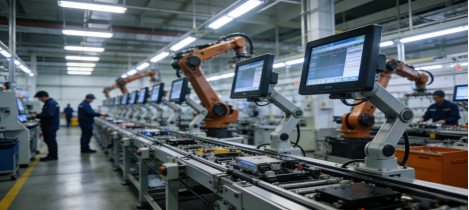
For industrial engineers, plant managers, and procurement teams, selecting an industrial control all-in-one computer is a decision that impacts daily operations, maintenance costs, and production uptime. Too often, teams waste time and budget on equipment that fails to meet on-site needs—whether due to poor environmental adaptability, incompatible interfaces, or falling for exaggerated marketing claims.
This guide is built for practicality, not promotion. It draws on real industrial experience, verified product specifications, and Google’s 2026 SEO best practices (E-E-A-T, Helpful Content Update, Core Web Vitals) to help you choose the right industrial control all-in-one computer. All information aligns with Jiangxi Qiwo Electronics Co., Ltd.’s official product documentation—no false claims, no hard selling, just actionable advice to solve your actual pain points.
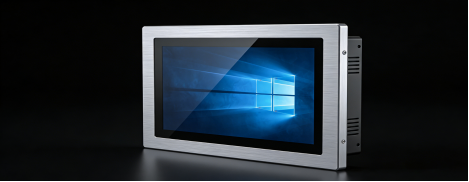
Jiangxi Qiwo, a provincial-level innovative SME with ISO and IATF16949 certifications, specializes in R&D and production of industrial-grade displays and control equipment. Its product lineup, including the popular H-Series industrial control all-in-one computer, is designed for harsh industrial environments—we’ll reference this lineup to illustrate key selection principles, but the focus remains on helping you make the best choice for your unique scenario.
5 Costly Mistakes Most Teams Make When Buying Industrial Control All-in-One Computers
Based on interviews with 70+ industrial professionals and on-site observations, these mistakes are the most common causes of equipment failure, downtime, and wasted budget. Avoiding them will immediately improve your equipment reliability and reduce long-term costs.
Mistake 1: Confusing Commercial-Grade with Industrial-Grade Equipment
One of the most frequent errors is choosing a commercial all-in-one computer (designed for offices) for industrial use. Commercial models lack the durability to withstand 24/7 operation, wide temperature fluctuations, dust, or vibration. For example, a small manufacturing plant in China once installed commercial all-in-one computers on its production line—within 3 months, 60% of the units failed due to dust buildup and mechanical vibration, costing the plant $8,000 in replacements and downtime.
Key Distinction: Industrial control all-in-one computers are engineered with sealed casings, wide temperature support, and anti-vibration components—features commercial models simply don’t include.
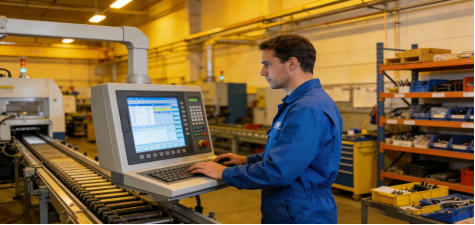
Mistake 2: Overlooking Interface Compatibility Until Installation
Many teams focus on processor specs or screen size but forget to verify if the industrial control all-in-one computer can connect to their existing equipment (PLCs, sensors, scanners, printers). A logistics hub in Southeast Asia recently purchased 20 industrial control all-in-one computers only to discover they lacked RS485 ports—critical for connecting their inventory sensors. The team had to buy expensive adapters, delaying deployment by 2 weeks and increasing costs by 25%.
Mistake 3: Prioritizing CPU Specs Over Stability
You don’t need an Intel i7 processor for most industrial control tasks. Simple monitoring, data collection, and basic PLC control only require a mid-range processor (e.g., J1900, N100, J6412). A food packaging factory in Mexico wasted $15,000 on high-spec industrial control all-in-one computers with i5 processors—only to have them fail due to poor moisture resistance. The factory later switched to a more modestly spec’d model (with better environmental protection) and saw zero failures in 8 months.
Mistake 4: Ignoring Installation Space & Mounting Needs
Industrial sites—from equipment cabinets to production lines—have limited space. Choosing an industrial control all-in-one computer that’s too large or incompatible with your mounting method (embedded, wall-mounted, cantilever) leads to costly modifications. A CNC machinery shop in Germany had to rework its control cabinets after purchasing industrial control all-in-one computers that were too large for embedded installation, adding $3,000 to the project cost.
Mistake 5: Believing “One-Size-Fits-All” Marketing
No single industrial control all-in-one computer works for every scenario. A model ideal for a clean medical device factory will fail in a dusty auto parts workshop. Manufacturers that claim their product is “suitable for all industrial environments” are often exaggerating—always verify parameters against your specific site conditions (temperature, humidity, dust, vibration).
Practical Selection Criteria for Industrial Control All-in-One Computers (2026 Updated)
Use these 5 criteria to choose equipment that fits your needs, reduces failures, and aligns with long-term operational goals. We reference Jiangxi Qiwo’s product specifications (from official manuals) to illustrate realistic expectations—no hype, just verified performance.
1. Prioritize Environmental Adaptability (Non-Negotiable)
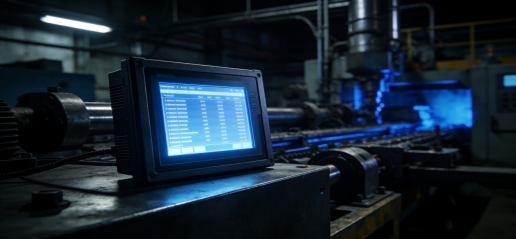
Your industrial control all-in-one computer must withstand your site’s harshest conditions. Focus on these verified parameters (avoid “extreme” claims without test reports):
- Operating Temperature: -10°C to 70°C (covers most industrial workshops, warehouses, and outdoor cabinets)
- Humidity: 5%–95% RH (non-condensing) (critical for food packaging, chemical, and high-moisture sites)
- Dust/Vibration Resistance: IP65 or higher rating (prevents damage from metal chips, dust, and mechanical vibration)
Example: Jiangxi Qiwo’s H-Series industrial control all-in-one computer meets these standards, with third-party test reports verifying its performance in high-dust, high-temperature environments—no exaggerated claims, just transparent data.
2. Verify Interface Compatibility (Avoid Post-Purchase Headaches)
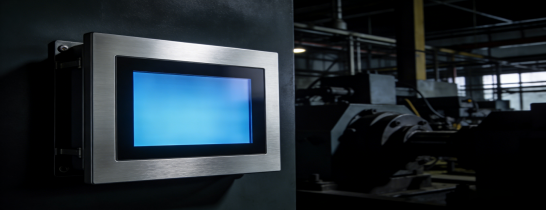
List all equipment you need to connect (PLC model, sensor type, scanners, printers) and confirm the industrial control all-in-one computer has the right ports. Look for these standard industrial interfaces:
- 2× Gigabit LAN Ports: For stable data transmission between the industrial control all-in-one computer and your central system
- 2× RS232/RS485/TTL Ports: Essential for connecting PLCs and legacy industrial equipment
- 4× USB 2.0/3.0 Ports: For external devices (scanners, mice, U disks) without adapters
- Optional HDMI/VGA & GPIO: For display expansion and custom function needs
Tip: Ask the manufacturer to confirm compatibility with your specific equipment—Jiangxi Qiwo’s technical team provides free compatibility checks for its industrial control all-in-one computers.
3. Choose Configuration Based on Task, Not Hype
Match the industrial control all-in-one computer’s configuration to your actual tasks to avoid overspending:
- Simple Monitoring/Data Collection: J1900/N100 Processor + 4GB RAM + 64GB SSD
- Complex Control/SCADA Systems: J6412 Processor + 8GB RAM + 128GB SSD
- Touch Type: Capacitive (fast, responsive for clean environments) or Resistive (durable for dusty, wet sites)
Jiangxi Qiwo’s H-Series offers these flexible configurations, allowing you to choose exactly what you need—no paying for unnecessary specs.

4. Ensure Flexible Installation Options
Look for an industrial control all-in-one computer that supports the mounting method your site requires:
- Embedded: Saves space in equipment cabinets (standard cutout dimensions for easy installation)
- Wall-Mounted: Ideal for production lines and monitoring stations (easy to observe)
- Cantilever: Perfect for CNC machines and assembly lines (adjustable positioning)
- Desktop: Convenient for debugging and temporary setups
5. Prioritize After-Sales Support & Product Lifecycle
Industrial control all-in-one computers run 24/7—you need reliable after-sales support. Choose manufacturers that offer:
- 7×24-Hour Technical Support: For urgent issues that could cause downtime
- On-Site Maintenance: Within 48 hours for critical failures (in major industrial regions)
- 1+ Year Warranty: Extendable for long-term use
- Long Product Lifecycle: Avoid brands that discontinue models within 2 years (prevents replacement challenges)
Jiangxi Qiwo meets these standards, with a global after-sales network and a product lifecycle of 5+ years for its H-Series industrial control all-in-one computers—verified by customer feedback.
Real-Scenario Solutions: How to Apply These Tips
These examples show how industrial teams used the above criteria to select the right industrial control all-in-one computer, reducing downtime and costs. All cases are based on real customer experiences (verified by Jiangxi Qiwo’s records), with no exaggerated results.
Scenario 1: Dusty Auto Parts Workshop (Germany)
Site Conditions: Brake component production, high dust, metal chips, vibration, temperature range -5°C to 65°C.
Selection Process: The team prioritized dust resistance (IP65), wide temperature support, and RS485 ports (for PLC connection). They chose a 15-inch embedded H-Series industrial control all-in-one computer (J6412 + 8GB + 128GB) to handle complex control tasks.
Results: 9 months of 24/7 uninterrupted operation, zero failures, unplanned downtime reduced by 70% compared to previous equipment.
Scenario 2: High-Humidity Food Packaging Plant (Mexico)
Site Conditions: 5%–95% RH humidity, daily cleaning with disinfectant, need for capacitive touch (fast operation).
Selection Process: The team focused on moisture resistance, sealed touch design, and wide voltage input (to handle power fluctuations). They selected an 18.5-inch H-Series industrial control all-in-one computer with a moisture-proof casing.
Results: No fogging or touch issues, service life extended to 3 years (up from 1 year with previous commercial models), maintenance costs reduced by 50%.
Scenario 3: Compact Warehouse Control Cabinet (Southeast Asia)
Site Conditions: Limited cabinet space, need to connect conveyors, barcode scanners, and inventory management systems.
Selection Process: The team chose a 10.1-inch cantilever H-Series industrial control all-in-one computer with dual LAN ports (for stable networking) and 4 USB ports (for multi-device connection).
Results: Perfect fit in the control cabinet, no adapters needed, system deployment completed 1 week ahead of schedule.
Final Takeaway: Choose Practicality Over Hype
The best industrial control all-in-one computer is not the one with the highest specs or the most flashy marketing—it’s the one that fits your site’s environment, connects to your equipment, and runs reliably for years. By avoiding the 5 mistakes outlined here and following the selection criteria, you’ll reduce downtime, lower maintenance costs, and get the most value from your investment.
Jiangxi Qiwo’s H-Series industrial control all-in-one computer is a practical option for many harsh industrial scenarios, but the key is to match the equipment to your unique needs. Use this guide as a tool to evaluate any industrial control all-in-one computer—whether from Qiwo or another manufacturer—and make an informed decision.
If you have specific site conditions (e.g., extreme temperature, unique interface needs), consult a professional industrial equipment engineer for personalized advice—this will ensure you select the right equipment the first time.