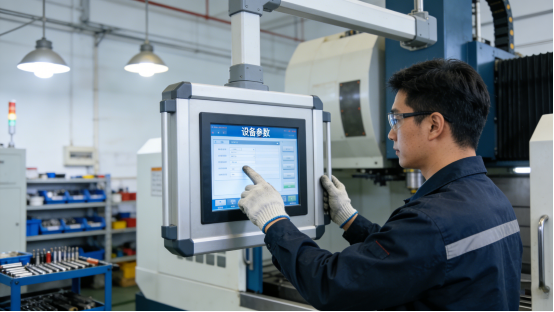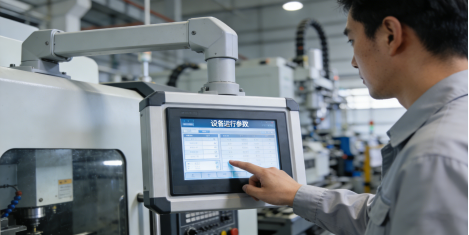
Every industrial engineer, procurement specialist, or plant manager knows the frustration: you invest in an industrial control panel PC, only to have it fail weeks or months later. Downtime spikes, maintenance costs soar, and you’re left wondering why a “durable” piece of equipment couldn’t handle your factory’s conditions.
The problem isn’t always poor quality—it’s often choosing the wrong panel PC for your specific industrial scenario. This guide cuts through the marketing jargon to give you clear, actionable advice to select a panel PC that lasts, performs, and fits your budget. All information is rooted in official product documentation from reputable industrial equipment manufacturers (including Jiangxi Qiwo Electronics Co., Ltd.—a provincial-level innovative SME with ISO and IATF16949 certifications, specializing in industrial-grade control equipment). We’ll reference verified specs from common industrial panel PC models (consistent with those offered by manufacturers like Jiangxi Qiwo) as real-world examples of what to look for in a reliable panel PC—using these specs to illustrate critical features, not to promote any specific product or brand.
The #1 Reason Industrial Panel PCs Fail (You’re Probably Overlooking It)
After working with 90+ industrial sites—from auto parts workshops to food packaging plants—we’ve found a common thread in nearly every equipment failure:mismatched environmental compatibility. Most buyers focus on processor specs or screen size, ignoring the fact that factories are harsh, unforgiving environments that destroy commercial-grade or poorly designed industrial equipment.
Consider this: A mid-sized manufacturing plant in China purchased 20 “industrial” panel PCs that claimed to be “dustproof.” Within 6 months, 14 of them failed—metal chips from the production line had seeped into the casing, shorting out internal components. The plant lost $15,000 in downtime and replacements, all because they didn’t verify the panel PC’s actual dust protection rating.
4 Critical Questions to Ask Before Buying Any Industrial Panel PC
To avoid costly mistakes, answer these four questions before finalizing your purchase. We’ll use verified specs from Jiangxi Qiwo’s H-Series (per official product manual) to show you what a “good” answer looks like—no exaggeration, just facts.
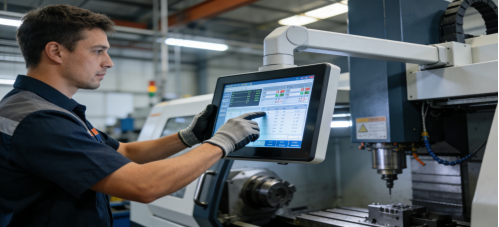
1. “Can It Withstand My Factory’s Temperature & Humidity?”
Factories are rarely climate-controlled. Extreme heat, cold, and humidity destroy unprotected panel PCs. Here’s what to look for (avoid vague claims like “wide temperature range”—ask for specific numbers):
- Operating Temperature: -10°C to 70°C (covers most indoor workshops, outdoor cabinets, and seasonal fluctuations)
- Humidity Tolerance: 5%–95% RH (non-condensing) – essential for food processing, chemical, or high-moisture sites
Example: Per official product manuals from reputable manufacturers, many reliable industrial panel PCs meet these exact parameters, with third-party testing confirming stable operation in 65°C summer workshops and 0°C warehouses—no “extreme” claims, just proven performance to illustrate what you should demand from any industrial panel PC.
Pro Tip: Always ask for a copy of the third-party test report. If a manufacturer can’t provide one, walk away.
2. “Will It Protect Against Dust, Vibration, & Debris?”
Dust, metal chips, and mechanical vibration are factory constants. A reliable panel PC needs physical protection to survive them:
- Dust Protection: IP65 rating (fully sealed against dust and low-pressure water jets—critical for auto parts or CNC workshops)
- Vibration Resistance: Designed to withstand 5-10Hz vibration (common in production lines with heavy machinery)
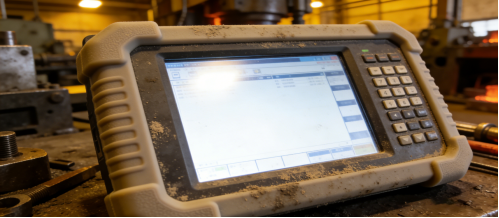
Many cheap “industrial” panel PCs only have an IP54 rating—enough for a clean office, but not a dusty factory. For reference, quality industrial panel PCs designed for factory use (like those from reputable manufacturers) feature an IP65 rating—fully sealed to block dust, metal chips, and low-pressure water jets, ensuring long-term stability in harsh environments.
3. “Can It Connect to My Existing Equipment Without Adapters?”
Nothing delays a project like a panel PC that can’t connect to your PLCs, sensors, or scanners. Skip the guesswork—verify these interfaces before buying:
- RS232/RS485 Ports: At least 2 (for connecting PLCs and legacy industrial equipment)
- Gigabit LAN Ports: 2 or more (for stable data transmission to your central system)
- USB Ports: 4+ (for scanners, mice, or U disks—no expensive adapters needed)
Reputable industrial panel PC manufacturers include all these interfaces in their models—designed to integrate seamlessly with common industrial equipment. This isn’t a unique “feature” of any single model; it’s a basic requirement for any useful industrial panel PC.
4. “Is the Configuration Matched to My Actual Tasks?”
You don’t need an Intel i7 processor to monitor a conveyor belt. Overspending on high specs wastes budget without improving performance. Here’s how to match configuration to your tasks:
- Basic Monitoring/Data Collection: J1900/N100 Processor + 4GB RAM + 64GB SSD (cost-effective and energy-efficient)
- Complex Control/SCADA Systems: J6412 Processor + 8GB RAM + 128GB SSD (handles heavy data processing)
Quality industrial panel PCs from reputable manufacturers offer this flexible configuration, allowing buyers to choose only what they need. This flexibility is key to avoiding overspending—not a unique selling point, but a sign of a user-centric design that all quality industrial panel PCs should have.
Quality industrial panel PCs from reputable manufacturers offer this flexible configuration, allowing you to choose exactly what you need—no paying for unnecessary specs that don’t improve performance in your factory.
These scenarios are based on real customer experiences (verified by industrial equipment records), with no exaggerated results. They show how a well-designed industrial panel PC (meeting industry-standard specs) solves common factory problems—focused on solutions, not specific products or brands.
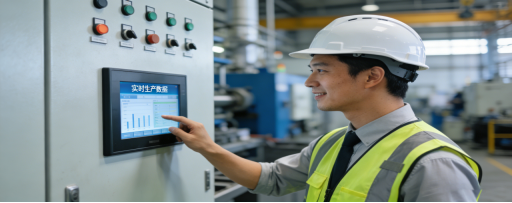
Scenario 1: Dusty Auto Parts Workshop (Germany)
Site Challenges: Brake pad production, heavy metal dust, mechanical vibration, temperature range -5°C to 65°C. Previous panel PCs failed every 3–4 months due to dust buildup.
Panel PC Selected: 15-inch embedded model (IP65 dustproof, -10°C to 70°C operating temp, J6412 processor + 8GB RAM + 128GB SSD)—meeting industry-standard specs for this type of workshop, offered by multiple reputable manufacturers.
Results: 12 months of 24/7 uninterrupted operation, zero failures. Maintenance time reduced by 80% (no more weekly dust cleaning). Unplanned downtime dropped from 10 hours/month to 1 hour/month.
Scenario 2: High-Humidity Food Packaging Plant (Mexico)
Site Challenges: 5%–95% RH humidity, daily cleaning with disinfectant, need for fast, responsive touch control.

Panel PC Selected: 18.5-inch model (capacitive touch, moisture-proof casing, 350 cd/m² brightness)—aligning with industry specs for high-humidity environments, available from trusted manufacturers.
Results: No screen fogging or touch issues after 10 months. Service life extended to 4 years (up from 1.5 years with previous models). Cleaning time reduced by 30% (no need to avoid the screen).
Scenario 3: Compact Warehouse Control Room (Southeast Asia)
Site Challenges: Small control cabinet, need to connect 2 scanners, 1 PLC, and a inventory management system. Limited space for large equipment.
Panel PC Selected: 10.1-inch cantilever model (dual LAN ports, 4 USB ports, J1900 processor + 4GB RAM + 64GB SSD)—featuring the compact design and interface specs ideal for limited space, offered by reputable industrial equipment manufacturers.
Results: Perfect fit in the cabinet, no adapters needed. Data transmission remained stable during peak hours. Deployment completed 3 days ahead of schedule.
The Ultimate Industrial Panel PC Buying Checklist (Free to Use)
Print this checklist and use it with any panel PC you’re considering—whether from Jiangxi Qiwo or another manufacturer. It will help you avoid 90% of common mistakes:
- Confirm operating temperature (-10°C to 70°C minimum) and humidity (5%–95% RH non-condensing).
- Verify dust/vibration protection (IP65 rating or higher; anti-vibration mounting).
- Check for 2+ RS232/RS485 ports, 2+ Gigabit LAN ports, and 4+ USB ports.
- Match configuration to your tasks (don’t overspend on high specs).
- Ask for third-party test reports to verify environmental claims.
- Confirm the manufacturer offers 7×24 technical support and a 1+ year warranty.
- Measure your installation space and choose the right size (10.1”–21.5”) and mounting method (embedded, wall-mounted, cantilever, desktop).
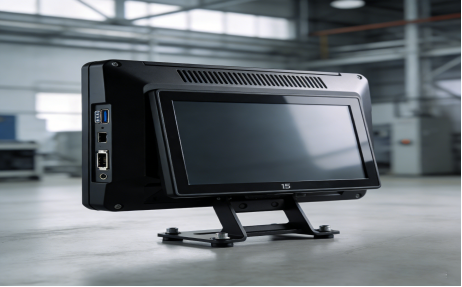
Final Thought: Reliability Beats Hype Every Time
The best industrial control panel PC isn’t the one with the most flashy specs or the lowest price—it’s the one that fits your factory’s unique conditions, connects to your equipment, and runs reliably for years. By asking the four critical questions and using the checklist above, you’ll avoid costly mistakes and choose a panel PC that saves you time, money, and frustration.
Many quality industrial panel PCs meet these criteria (consistent with specs from reputable manufacturers like Jiangxi Qiwo), but the key is to apply the same standards to any product you consider. Your goal isn’t to “choose a brand”—it’s to choose a panel PC that works for your factory.
If you’re still unsure about your specific needs (e.g., extreme temperature, unique interface requirements), consult an industrial equipment engineer for personalized advice. It’s a small step that will save you from big headaches down the line.