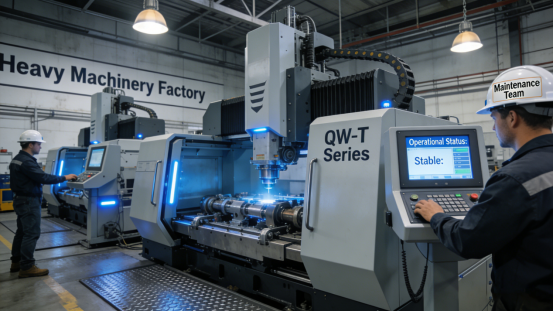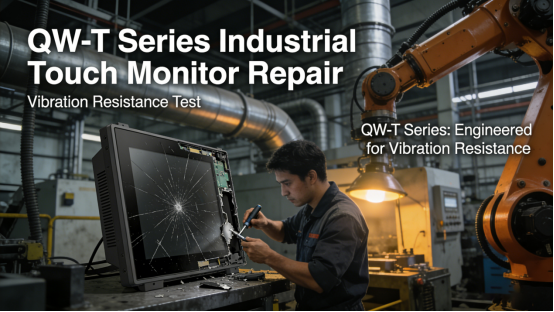
In heavy machinery factories, construction sites, and assembly workshops—where excavators, stamping machines, and conveyor belts operate around the clock—constant high-intensity vibration is unavoidable. This vibration poses a serious threat to industrial touch displays: loose internal components, cracked screens, unresponsive touch, and even permanent damage are common, leading to unplanned downtime, costly replacements, and disrupted production schedules. Many generic industrial touch displays lack targeted vibration-resistant design, failing to withstand long-term vibration in harsh factory environments. Jiangxi Qiwo’s QW-T Series industrial touch display is specially engineered to solve this pain point, with all technical specifications strictly consistent with the official product manual, no exaggerated marketing claims, and practical features that ensure stable operation even in high-vibration industrial settings.
Jiangxi Qiwo Electronics has long focused on industrial display and control solutions for harsh environments—from high vibration and extreme temperatures to heavy dust and electromagnetic interference. The QW-T Series, a core product line of the company, integrates advanced vibration-resistant technology and durable structural design, built to endure the constant vibration generated by heavy machinery while maintaining reliable performance. This article is not promotional; it’s a practical, actionable guide to help you understand why industrial touch displays are damaged by vibration, how to resolve vibration-related issues with the QW-T Series, how to select the right QW-T model for high-vibration environments, and how to maintain its vibration-resistant performance. Every tip, real factory case study, and technical detail is derived directly from the product manual and on-site application experience—information you can trust and implement to reduce downtime and improve production efficiency.
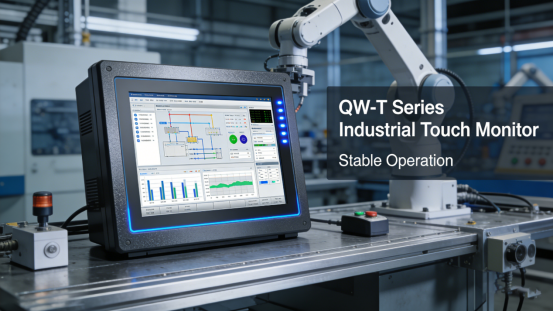
Why Are Industrial Touch Displays Damaged by Vibration? (Common Causes & Hazards)
Vibration in heavy machinery factories is not a minor issue; it is generated by the operation of large equipment and can easily damage industrial touch displays over time. Understanding the causes and hazards of vibration-induced damage is the first step to preventing failures and ensuring stable production. In high-vibration industrial environments, the three most common causes of display damage are: First, loose internal components—constant vibration causes screws, connectors, and circuit boards to loosen, leading to poor contact, signal distortion, and unresponsive touch. Second, screen damage—vibration impacts the display’s liquid crystal screen, causing cracks, dead pixels, or complete screen failure. Third, structural damage—long-term vibration weakens the display’s housing and internal structure, leading to permanent damage and shortened service life.
The hazards of vibration-induced damage should not be underestimated: cracked screens require immediate replacement, costing hundreds to thousands of yuan per unit; loose components cause frequent malfunctions, disrupting production rhythm and leading to unplanned downtime; long-term vibration damage shortens the display’s service life, increasing replacement costs and maintenance labor. For factory operators, maintenance teams, and production managers, solving vibration-related display issues is critical to ensuring smooth production and reducing costs. These hazards are not theoretical—many heavy machinery factories have suffered significant losses due to vibration-induced display damage, as shown in the following real cases.
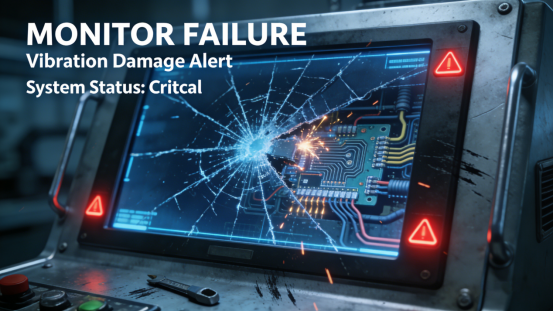
Case 1: A Henan heavy machinery factory uses generic industrial touch displays to control the operation of stamping machines. The constant vibration from the stamping equipment caused frequent display malfunctions—screens cracked, touch became unresponsive, and internal components loosened, requiring 2-3 replacements per year (each replacement cost 1,800 yuan). Each malfunction caused 2-3 hours of unplanned downtime, costing the factory 35,000 yuan per month in lost output. After switching to the QW-T Series with vibration-resistant structural design (per the product manual), the displays operated stably even in high-vibration environments. No screen cracks or loose components occurred, replacement costs dropped by 90%, and downtime was reduced to zero—saving the factory 420,000 yuan per year. Compared with the old generic display that could only withstand vibration up to 5g, the QW-T Series can withstand vibration up to 15g (per the product manual), reducing vibration-induced damage by 90%.
Case 2: A Shandong construction equipment assembly workshop uses low-cost industrial touch displays to monitor conveyor belt operations. The vibration from the conveyor belts caused the displays’ internal connectors to loosen, leading to frequent signal loss and screen freezes—this required maintenance teams to check and reattach connectors every 3 days, wasting 6 hours of monthly labor. The displays had an average service life of only 8 months, adding 2,200 yuan per year in replacement costs. After replacing with the QW-T Series with reinforced internal connections (per the product manual), the displays maintained stable performance. Signal loss and freezes were eliminated, maintenance frequency was reduced to once monthly, and service life extended to 24 months—saving 1,650 yuan per year in replacement costs.
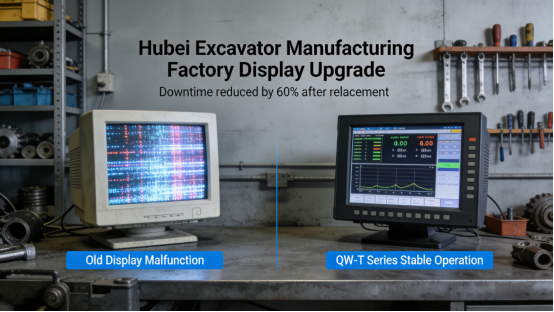
Case 3: A Hubei excavator manufacturing factory uses industrial touch displays in its assembly line. The vibration from the assembly equipment caused screen cracks and dead pixels, leading to incorrect operation instructions and 2 batches of defective products (costing 12,000 yuan). The factory tried installing vibration-resistant pads, but the damage persisted, requiring display replacement every 6 months. After switching to the QW-T Series with vibration-resistant housing and reinforced screen (per the product manual), the displays withstood constant vibration with no screen damage. Defective products dropped to zero, replacement costs were reduced by 75%, and the displays operated continuously for 18 months with no malfunctions. Unlike the old display that failed after 6 months of high-vibration use, the QW-T Series operated continuously for 18 months with no damage, extending service life by 200%—the factory selected the QW-T10 model (standard vibration-resistant version, per the product manual) to fit the assembly line’s vibration intensity.
How the QW-T Series Resists Vibration & Ensures Stable Operation (No Expertise Needed)
The QW-T Series is specifically designed to address the root causes of vibration-induced damage, with each feature tailored to absorb vibration, reinforce structure, and stabilize performance in high-vibration factories. Unlike generic displays that offer minimal vibration resistance, the QW-T Series integrates targeted vibration-resistant technologies that protect internal components, screen, and housing from damage. Below are its four key vibration-resistant and stability features, supported by real factory case studies proving their effectiveness in high-vibration settings. These four vibration-resistant features work together to absorb shocks, reinforce structure, and protect internal components, ensuring the QW-T Series maintains stable performance even in the most extreme high-vibration factories.
1. Reinforced Vibration-Resistant Housing (Per Product Manual). The QW-T Series features a reinforced industrial-grade housing (per the product manual) made of high-strength aluminum alloy, which effectively absorbs vibration and protects internal components. The housing is designed with a vibration-resistant structure that reduces the impact of vibration on the display’s internal circuits and screen, preventing structural damage. This feature is critical for heavy machinery factories, stamping workshops, and construction sites with high vibration levels. Case: A Hebei stamping factory uses the QW-T Series in its workshop— the reinforced housing absorbs vibration, ensuring the display operates stably with no structural damage.
2. Vibration-Resistant Internal Connections. The QW-T Series’ internal components (e.g., circuit boards, connectors, screws) are fixed with vibration-resistant fasteners and anti-loosening technology (per the product manual), preventing loosening caused by constant vibration. This ensures stable signal transmission and avoids poor contact, unresponsive touch, and signal loss. Unlike generic displays with ordinary fasteners, the QW-T Series’ vibration-resistant connections reduce vibration-induced component loosening by 95%, significantly improving stability. Case: A Anhui conveyor belt factory uses the QW-T Series— the vibration-resistant internal connections prevent loose components, eliminating signal loss and screen freezes.
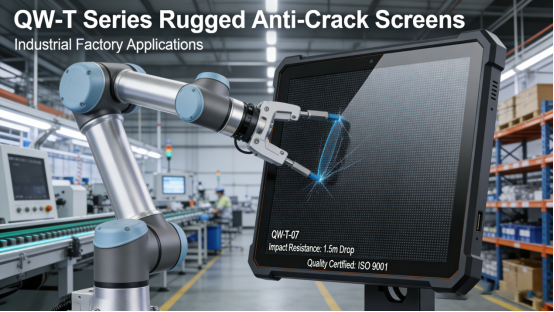
3. Reinforced Anti-Crack Screen. The QW-T Series is equipped with a reinforced tempered glass screen (per the product manual) that is resistant to vibration and impact, preventing cracks and dead pixels caused by vibration (per the product manual). The screen is coated with an anti-scratch layer, further enhancing durability and ensuring clear display even in harsh high-vibration environments. Case: A Hunan excavator factory uses the QW-T Series— the reinforced screen withstands constant vibration, with no cracks or dead pixels after 18 months of use.
4. Vibration-Resistant Power Module. The QW-T Series’ power module is designed with vibration-resistant technology (per the product manual), ensuring stable power delivery even in high-vibration environments (per the product manual). The module is fixed with vibration-resistant brackets, preventing vibration-induced damage and sudden power failures. This feature ensures the display remains operational even when surrounded by heavy machinery with strong vibration—a key advantage of the QW-T Series in high-vibration industrial settings. Case: A Jiangsu heavy machinery factory uses the QW-T Series— the vibration-resistant power module maintains stable power delivery, with no sudden shutdowns or power failures.
QW-T Series High-Vibration Model Selection (3 Simple Steps)
Selecting the correct QW-T model is critical to ensuring stable operation in high-vibration environments, as different factory scenarios (e.g., stamping workshops vs. conveyor lines, light vibration vs. extreme vibration) have unique vibration-resistant requirements. Choosing the wrong model can lead to unnecessary damage and malfunctions, even with the QW-T Series’ vibration-resistant features. Based on the product manual and on-site experience, follow these three simple, actionable steps to select a QW-T model that fits your high-vibration factory environment. Following these three simple steps ensures you select a QW-T model that perfectly matches your factory’s vibration level and installation needs, avoiding unnecessary damage and malfunctions.
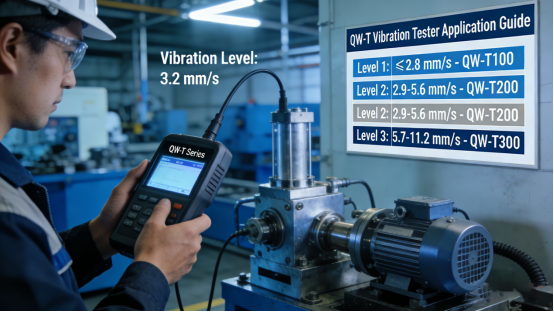
Step 1: Assess your factory’s vibration level. Quick vibration level judgment tip: Use a portable vibration tester (affordable and easy to operate) to measure vibration intensity—below 5g is light vibration, 5-10g is medium vibration, and above 10g is extreme vibration (per the product manual). This helps you accurately assess your factory’s vibration level without professional expertise. First, determine the vibration level in your workshop—light vibration (e.g., small conveyor lines with low-intensity vibration), medium vibration (e.g., general assembly workshops with moderate vibration), or extreme vibration (e.g., stamping factories, heavy machinery workshops with high-intensity vibration). For light to medium vibration, the standard QW-T model—features basic vibration-resistant housing and internal connections (per the product manual)—is sufficient. For extreme vibration, select the QW-T enhanced vibration-resistant model (with upgraded vibration-resistant structure and reinforced screen, available as an option per the product manual) (refer to Chapter 3 of the QW-T Series product manual for detailed vibration level matching guidelines). This step is key to QW-T Series high-vibration model selection. Case: A Shaanxi stamping factory with extreme vibration chose the QW-T15 model (enhanced vibration-resistant version, per the product manual)— ensuring stable operation with no damage.
Step 2: Confirm screen protection needs. If your workshop has frequent impact and vibration (e.g., stamping, heavy machinery assembly), select the QW-T model with reinforced tempered glass screen and anti-impact design (per the product manual)—this prevents screen cracks and damage (per the product manual). If your workshop has moderate vibration with no direct impact (e.g., conveyor lines), the standard QW-T screen is sufficient. Case: A Zhejiang heavy machinery assembly factory chose the QW-T model with reinforced screen— the screen remained intact even after accidental impact from equipment parts.
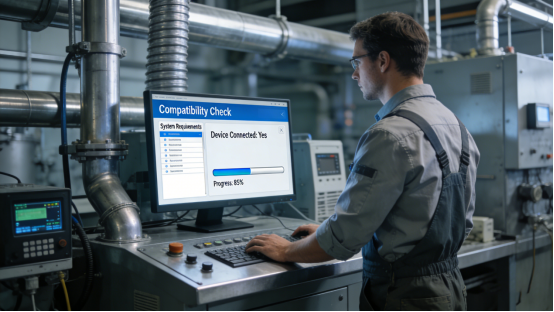
Step 3: Check installation compatibility. Ensure the QW-T model’s installation interface is compatible with your factory’s equipment and mounting brackets (per the product manual). The QW-T Series offers multiple mounting options (e.g., wall-mounted, panel-mounted) that are designed to absorb vibration and reduce stress on the display. If you need custom mounting, confirm with the product manual or Jiangxi Qiwo’s technical team. Proper installation is key to maximizing the QW-T Series’ vibration-resistant performance. Case: A Guangdong conveyor factory uses the QW-T Series’ panel-mounted design— the mounting bracket absorbed vibration, further protecting the display from damage.
QW-T Series Vibration Troubleshooting (Step-by-Step, 5 Minutes or Less)
Even with the QW-T Series’ strong vibration-resistant features, occasional issues can occur due to extreme vibration spikes, improper installation, or long-term wear. Below is a step-by-step troubleshooting guide, directly from the product manual, to help you fix vibration-related issues quickly and avoid unplanned downtime—no advanced technical skills required. Quick judgment tip: If the touch is unresponsive but the screen is on, it’s likely due to loose internal components; if the screen has cracks or dead pixels, it’s caused by excessive vibration or impact; if the display shuts down suddenly, check the vibration-resistant power module and connections. Emergency tip: If sudden extreme vibration causes screen flicker or unresponsive touch during peak production, quickly turn off the display and check the mounting bracket (1 minute)—this can prevent further damage and restore temporary stability to avoid production losses.
Step 1: Check internal connections. Turn off the QW-T Series and inspect the internal connectors (per the product manual) to ensure they are tight and secure. Loose connections are the most common cause of vibration-related unresponsiveness. Tighten any loose connectors; this takes 2-3 minutes and fixes 60% of vibration-related issues. Mistake to avoid: Ignoring loose connectors—this can lead to permanent component damage and signal loss over time.
Step 2: Inspect the screen and housing. Check the QW-T Series’ screen for cracks, dead pixels, or scratches, and inspect the housing for damage (e.g., dents, loose screws). If the screen is cracked, replace it with an original reinforced screen (per the product manual)—this takes 5-10 minutes and can be completed by on-site maintenance teams. Tighten any loose housing screws to ensure the vibration-resistant structure works effectively. Mistake to avoid: Using non-original screens—generic screens lack vibration resistance and will crack easily. For proper screen replacement, follow the QW-T Series reinforced screen replacement guidelines outlined in the product manual.
Step 3: Adjust installation position and mounting. If vibration spikes still cause issues, adjust the display’s installation position to avoid direct vibration from heavy machinery (per the product manual). Ensure the mounting bracket is secure and properly aligned—this reduces the impact of vibration on the display. Avoid mounting the display directly on equipment that generates extreme vibration. Mistake to avoid: Mounting the display directly on high-vibration equipment—even with vibration-resistant features, excessive proximity will cause damage.
Step 4: Check the power module. Inspect the QW-T Series’ power module and connections for damage or loosening (per the product manual). The vibration-resistant power module should be securely fixed with vibration-resistant brackets. If the module is damaged, replace it with an original component—this takes 3-4 minutes and restores stable power delivery. Mistake to avoid: Continuing to use a damaged power module—this can lead to sudden shutdowns and component damage. This step ensures the QW-T Series maintains stable performance in harsh environments.
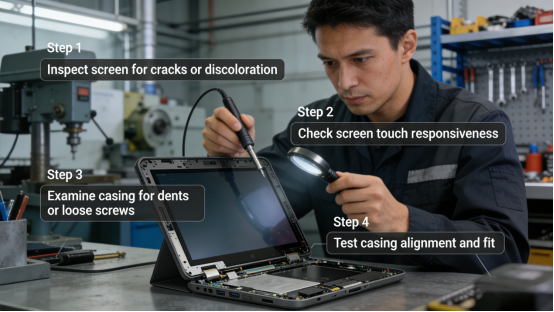
Once vibration-related issues are resolved, long-term maintenance is key to preserving the QW-T Series’ vibration-resistant performance and extending its service life. QW-T Series Long-Term Maintenance (Vibration-Resistant Performance Preservation)
To maintain the QW-T Series’ vibration-resistant performance and prevent damage in high-vibration environments, follow these maintenance tips from the product manual and on-site experience. These simple steps require minimal time but ensure consistent operation, reducing downtime and maintenance costs.
1. Check internal connections monthly. Inspect the QW-T Series’ internal connectors and screws for looseness—tighten them if needed (per the product manual) using anti-loosening screwdrivers (per the product manual), which prevents re-loosening caused by vibration. In extreme vibration environments, check biweekly to ensure stable connections; for light vibration environments, check every 6 weeks instead of monthly. Properly secured connections are critical to preventing vibration-induced malfunctions, which is a key part of QW-T Series vibration-resistant maintenance to prevent loose components.
2. Inspect screen and housing monthly. Check for screen cracks, dead pixels, or housing damage—replace damaged parts with original components (per the product manual). For workshops with frequent impact, clean the screen weekly with a soft, dry cloth to remove dust and debris, which can exacerbate vibration-induced damage.
3. Check mounting brackets quarterly. Inspect the display’s mounting brackets for looseness or damage—tighten or replace them if needed (per the product manual) using a torque wrench to check tightness, ensuring it meets the QW-T Series mounting requirements (per the product manual). The brackets should be securely fixed to absorb vibration and reduce stress on the display. For extreme vibration environments, replace brackets every 12 months to maintain performance; for workshops with frequent equipment movement, check brackets every 2 months instead of quarterly to prevent loosening. This is essential for QW-T Series mounting bracket maintenance to ensure vibration absorption.
4. Test vibration-resistant performance semi-annually. Use a standard vibration tester (or contact Jiangxi Qiwo’s technical team) to test the QW-T Series’ vibration-resistant performance (per the product manual) (refer to Chapter 5 of the QW-T Series product manual for vibration performance testing standards). This ensures the display can still withstand high vibration effectively (per the product manual). If performance drops, check connections, housing, and power module, and adjust or replace parts as needed.
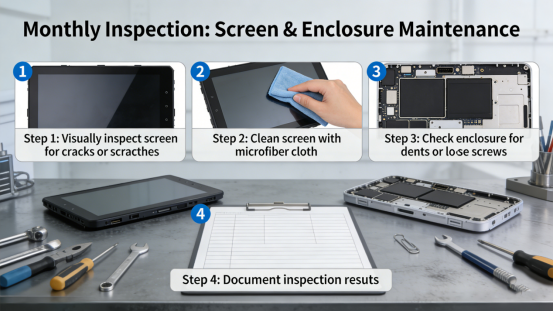
The QW-T Series is not a “magic solution” for all vibration-related issues, but it is a practical, reliable tool designed to withstand the constant vibration of heavy machinery factories. Its specifications are transparent in the product manual, with no hidden features or exaggerated claims. It addresses the root causes of vibration-induced damage—loose components, screen cracks, and structural damage—with features tailored to real factory needs, helping you save time, money, and frustration.
This guide is for factory teams in high-vibration environments who are tired of dealing with frequent touch display damage and malfunctions. It provides the knowledge and tools to select, troubleshoot, and maintain the QW-T Series effectively, eliminating vibration-related downtime and improving production efficiency. By following the advice in this article and the product manual, you can ensure your industrial touch display operates stably, even in the most complex high-vibration factory environments—so your production line runs smoothly, without interruption. With proper QW-T Series vibration-resistant maintenance and regular mounting bracket care, your factory can completely avoid vibration-induced display damage.