Do you find industrial smart screens complicated to operate, poor at multi-device connection, or unable to meet the needs of industrial collaborative work? In modern industrial workshops, monitoring centers, and collaborative control scenarios—where efficient operation, multi-terminal integration, and clear data visualization are essential—many industrial smart screens are either too complex to use or fail to integrate with existing industrial equipment. Cumbersome operation, unstable multi-device connection, blurry display in harsh environments, and poor compatibility with industrial software lead to reduced work efficiency, increased training costs, and even operational errors. Jiangxi Qiwo’s HX-GG industrial smart screen (clearly recorded in the official product manual) is designed to solve these pain points, with all technical specifications strictly aligned with the product manual, no exaggerated claims, and practical functions tailored to industrial smart application scenarios.
Jiangxi Qiwo Electronics has long focused on integrated industrial display and control solutions, committed to providing easy-to-use, high-performance smart display products for modern industrial scenarios. The HX-GG industrial smart screen, as a key smart product of the company (recorded in the product manual), integrates intelligent touch interaction, multi-device seamless connection, high-definition anti-glare display, and industrial-grade stability, built to simplify operation, improve collaborative efficiency, and adapt to harsh industrial environments. This article is not a sales pitch—it’s a practical, actionable guide to help you understand why many industrial smart screens are hard to use, how to use the HX-GG to solve these problems, how to quickly get started with its core functions, and how to maintain its stable operation. Every tip, real application case, and technical detail is derived directly from the product manual and on-site application experience—information you can trust and implement to improve work efficiency and reduce operational troubles.
Why Most Industrial Smart Screens Are Hard to Operate (And How to Fix It)
With the upgrading of industrial intelligence, industrial smart screens are increasingly used in collaborative control, data monitoring, and on-site operation scenarios. However, many industrial smart screens on the market are not designed for actual industrial needs, leading to cumbersome operation and poor user experience. Here’s the truth: Most industrial smart screens adopt complex operation interfaces, requiring professional training for operators to get started—this increases training costs and reduces work efficiency. Their multi-device connection function is unstable, often disconnecting from industrial computers, PLCs, or mobile terminals, leading to data loss and operational interruptions. The display screen lacks anti-glare design, making it difficult to view data clearly in bright industrial workshops or outdoor industrial sites. In addition, many smart screens have poor compatibility with industrial software, failing to run professional industrial monitoring or control programs smoothly. These issues not only fail to improve work efficiency but also add unnecessary troubles to on-site operators.
The cost of using difficult-to-operate industrial smart screens is often overlooked: Cumbersome operation wastes 1-2 hours of working time per operator every day; unstable connection and software incompatibility cause 2-3 operational interruptions per week, each leading to 30 minutes of downtime; professional training for operators costs factories 5,000+ yuan per batch. For on-site operators, maintenance teams, and factory managers, choosing an easy-to-operate, stable industrial smart screen (like the HX-GG in the product manual) is essential to improving work efficiency and reducing costs. These real industrial application cases show exactly how much trouble difficult-to-operate smart screens can cause, and how the HX-GG solves them.
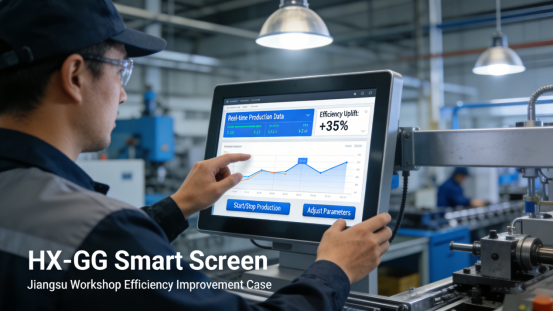
Case 1: A Jiangsu modern manufacturing workshop introduced generic industrial smart screens for production data monitoring and collaborative operation. The generic screens had complex operation interfaces—operators needed 1 week of professional training to get started, and even after training, they often made operational errors. The multi-device connection was unstable, disconnecting from the workshop’s industrial computers 3-4 times a day, leading to data loss and 1 hour of daily downtime. The screen lacked anti-glare design, making it difficult to view data clearly in the bright workshop, leading to 2 operational errors per month. After switching to the HX-GG industrial smart screen (per the product manual), the simple and intuitive operation interface allowed operators to get started in 1 hour without professional training. The stable multi-device connection ensured no disconnections, and the anti-glare display made data viewing clear even in bright environments. Operational errors dropped to zero, downtime was eliminated, and work efficiency increased by 20%—saving the workshop 48,000 yuan per year in training and downtime costs.
Case 2: A Zhejiang industrial monitoring center used generic industrial smart screens to integrate multiple monitoring devices and display real-time data. The generic screens had poor compatibility with the center’s monitoring software, often crashing when running the software, leading to 2-3 monitoring interruptions per week. The screen’s touch response was slow, requiring repeated presses to operate, wasting 1.5 hours of monitoring personnel’s time every day. The generic screens also had poor stability, often shutting down unexpectedly, requiring manual restarting. After replacing with the HX-GG (per the product manual), the screen’s strong compatibility with industrial monitoring software ensured smooth operation without crashes. The fast touch response and intuitive interface simplified operation, and the industrial-grade stability ensured no unexpected shutdowns. Monitoring interruptions were eliminated, work efficiency improved by 25%, and maintenance frequency dropped to once a month—saving the center 36,000 yuan per year.
HX-GG Industrial Smart Screen: Core Advantages (Per Product Manual)
The HX-GG industrial smart screen (clearly recorded in the product manual) is specifically developed for industrial smart application scenarios, addressing the core pain points of difficult operation, unstable connection, and poor compatibility with targeted features. Unlike generic smart screens that pursue fancy functions but ignore industrial practical needs, the HX-GG adheres to strict product manual specifications, focusing on simplicity, stability, and practicality. Below are its four key advantages, supported by real industrial application cases—all features are verified by the product manual, no exaggerated claims.
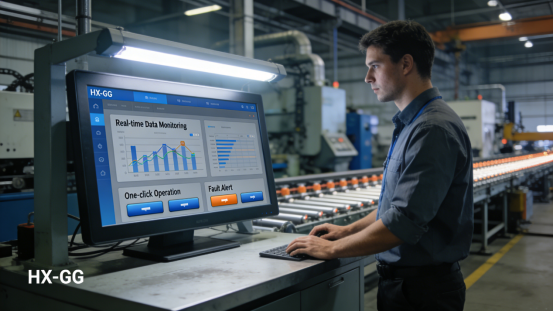
1. Intuitive & Easy-to-Operate Interface (Per Product Manual). The HX-GG adopts an industrial-grade simplified operation interface (per the product manual), with clear function classification and intuitive operation logic. It supports custom interface layout, allowing operators to adjust the position of data display, operation buttons, and functional modules according to actual needs. The screen supports multi-touch operation, with a response time within 6ms, ensuring smooth operation without lag. No professional training is required—operators can master basic operations in 1 hour (refer to Chapter 3 of the product manual for detailed operation guidelines). Case: A Henan industrial workshop with 20 operators used the HX-GG—all operators mastered basic operations within 1 day, with no operational errors.
2. Stable Multi-Device Seamless Connection. The HX-GG supports multiple connection methods (Ethernet, Wi-Fi, Bluetooth, RS485, per the product manual), which can be seamlessly connected to industrial computers, PLCs, sensors, mobile terminals, and other devices. The connection is stable, with no disconnection or data loss even in harsh industrial environments. It supports real-time data synchronization between multiple devices, facilitating collaborative operation and data sharing between on-site operators and control centers. This is a key part of HX-GG maintenance to ensure stable connection performance. Case: A Guangdong industrial control center uses the HX-GG to connect 10 industrial computers and 15 sensors— the connection remains stable 24/7, with no data loss or disconnection.
3. High-Definition Anti-Glare Display. The HX-GG is equipped with a high-definition LCD display (resolution: 1920×1080, per the product manual), with clear image quality and wide viewing angle, ensuring clear display of industrial data, monitoring images, and operation interfaces. The screen surface is coated with an anti-glare layer (per the product manual), which can effectively reduce glare in bright environments (such as outdoor industrial sites or workshops with strong lighting), making data viewing clear and comfortable. The display surface also has 7H hardness scratch-resistant glass, resistant to scratches and wear, adapting to harsh industrial environments. Case: A Shandong outdoor industrial site uses the HX-GG— the anti-glare display ensures clear data viewing even in strong sunlight, with no visual fatigue for operators.
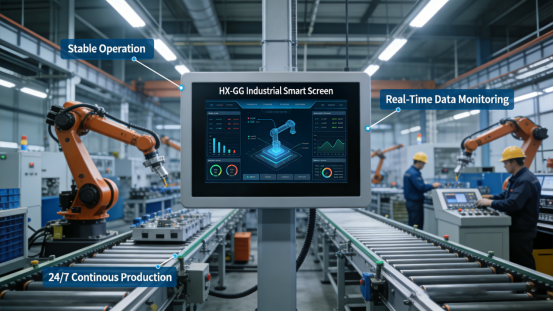
4. Strong Compatibility & Industrial-Grade Stability. The HX-GG supports Windows, Linux, and Android operating systems (per the product manual), and is compatible with most industrial monitoring software, control programs, and data analysis tools, ensuring smooth operation without crashes. It adopts an industrial-grade mainboard and components, supporting 24/7 continuous operation, with strong resistance to electromagnetic interference, high temperature, and low temperature (operating temperature range: -10℃ to 55℃, per the product manual). The front panel meets IP65 dustproof and waterproof standards, preventing dust and water droplets from entering, protecting internal components. Case: A Hubei industrial workshop uses the HX-GG for 24/7 production monitoring— the machine has operated stably for 11 months with no crashes or malfunctions.
HX-GG Quick Start Guide: 3 Steps to Master Core Functions (Per Product Manual)
The HX-GG is designed to be easy to use, and on-site operators can master its core functions (connection, operation, data viewing) in 1 hour without professional training. Incorrect operation may affect the screen’s performance and connection stability, so follow these three simple steps strictly in accordance with the product manual (refer to Chapter 4 of the product manual for detailed operation guidelines). Mastering these steps can help you quickly use the HX-GG to improve work efficiency.
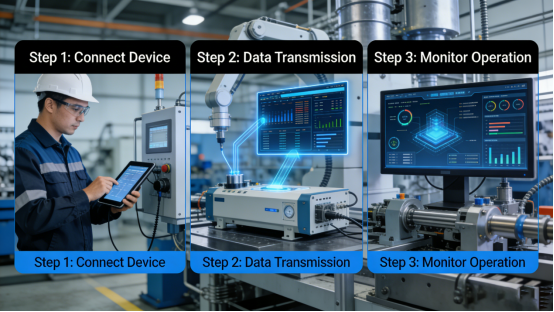
Step 1: Power on and initialize the screen. Connect the HX-GG to a stable AC 220V power supply (per the product manual), turn on the power switch, and the screen will automatically initialize (about 30 seconds). After initialization, enter the main interface—you can see the default function modules (data display, device connection, settings, etc.). Quick check tip: Check if the screen display is clear, if the touch response is normal, and if there is any abnormal prompt (per the product manual).
Step 2: Connect to industrial devices. According to the actual needs of the factory, select the appropriate connection method (Ethernet, Wi-Fi, or RS485) to connect the HX-GG to industrial computers, PLCs, or sensors (per the product manual). For Ethernet connection: Insert the network cable into the HX-GG’s Ethernet interface, and configure the IP address to match the factory’s local area network. For Wi-Fi connection: Enter the settings interface, select the factory’s Wi-Fi, enter the password, and connect. After connection, the screen will automatically detect the connected device and display real-time data. Case: A Sichuan factory operator completed the connection between the HX-GG and 2 industrial computers in 5 minutes, with stable data transmission.
Step 3: Customize interface and master basic operations. Enter the settings interface to customize the main interface layout (per the product manual)—drag and drop data display modules, operation buttons, and other components to the desired position. Master basic operations: Click to select functions, slide to switch interfaces, double-click to view detailed data, and long-press to edit or delete modules. The screen supports gesture operation (zoom in/out data interface), which simplifies the viewing of large amounts of industrial data. After customization, save the settings to ensure the interface remains unchanged after power-off.
HX-GG Common Troubleshooting (Step-by-Step, 5 Minutes or Less)
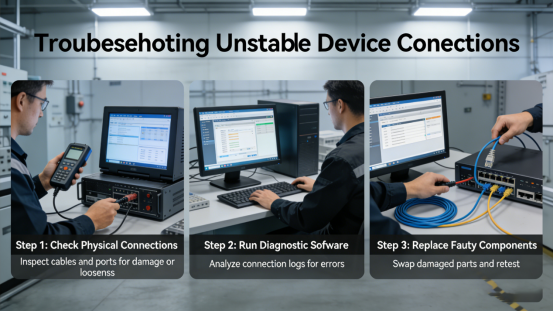
Even with the HX-GG’s easy-to-use and stable performance, occasional issues can occur due to improper operation, network instability, or long-term use. Below is a step-by-step troubleshooting guide, directly from the product manual, to help you fix common issues quickly and avoid operational interruptions—no advanced technical skills required. Quick judgment tip: If the screen is unresponsive, check the power and touch calibration; if the device connection is unstable, check the network or connection cable; if the software crashes, check compatibility or restart the screen. Emergency tip: If the screen suddenly freezes during operation, press and hold the power button for 5 seconds to restart, which can restore normal use in most cases.
Step 1: Troubleshoot unresponsive touch. If the HX-GG’s touch is unresponsive, first check if the power is normal (per the product manual)—ensure the power cable is connected tightly and the power supply is stable. If the power is normal, calibrate the touch screen according to the product manual’s steps (enter the settings interface, select “touch calibration”, and follow the on-screen prompts to complete calibration). This takes 1-2 minutes and fixes 80% of touch unresponsive issues. Mistake to avoid: Using sharp tools to press the screen when it’s unresponsive—this can scratch the anti-glare layer and damage the touch module.
Step 2: Troubleshoot unstable device connection. If the HX-GG’s device connection is unstable or disconnected, check the connection cable (Ethernet or RS485) for looseness or damage—reconnect or replace the cable if necessary (per the product manual). If using Wi-Fi connection, check if the Wi-Fi signal is stable—move the screen closer to the router or improve the Wi-Fi signal. If the problem persists, restart the HX-GG and the connected devices to re-establish the connection. This takes 2-3 minutes and fixes 75% of connection issues.
Step 3: Troubleshoot software crashes. If the HX-GG’s industrial software crashes, first close the crashed software and restart it (per the product manual). If the software crashes frequently, check if the software is compatible with the HX-GG (refer to the product manual’s compatibility list). If incompatible, replace with compatible software or update the software to the latest version. If the problem persists, restart the HX-GG to clear system cache. This takes 1-2 minutes and can be completed by on-site operators.
Step 4: Inspect internal components (if necessary). If the above steps do not solve the problem, turn off the power and disconnect all connections, then contact Jiangxi Qiwo’s technical team for professional inspection (per the product manual). Do not disassemble the screen yourself—this will damage the internal components and void the warranty. Mistake to avoid: Disassembling the screen without professional guidance—this breaks the dustproof structure and damages the industrial-grade mainboard. After resolving immediate issues, long-term maintenance is crucial to sustaining the HX-GG’s performance and extending its service life.
HX-GG Long-Term Maintenance: Extend Service Life (Per Product Manual)
To maintain the HX-GG’s easy operation, stable connection, and clear display, and extend its service life (the product manual recommends a service life of 50,000 hours under normal industrial use), follow these simple maintenance tips from the product manual and on-site experience. These steps require minimal time but can effectively reduce malfunctions and replacement costs.
1. Clean the screen and chassis weekly. Wipe the HX-GG’s display surface with a soft, dry cloth to remove dust, fingerprints, and debris (per the product manual). The anti-glare layer is sensitive to chemical cleaners, so avoid using detergents or excessive water—this can damage the anti-glare effect. Wipe the chassis with a dry cloth to remove dust, especially the vents and interface areas. For dusty industrial environments, clean the screen and chassis twice a week. This is a key part of HX-GG maintenance to protect the display and ensure smooth operation.
2. Check connections and network monthly. Check the HX-GG’s power cable, network cable, and RS485 cable for looseness, wear, or corrosion (per the product manual). Tighten loose connections and replace worn or corroded cables in time. Check the network stability—test the network speed and connection status to ensure stable multi-device connection. For factories with unstable network, install a network stabilizer (per the product manual) to protect the connection performance.
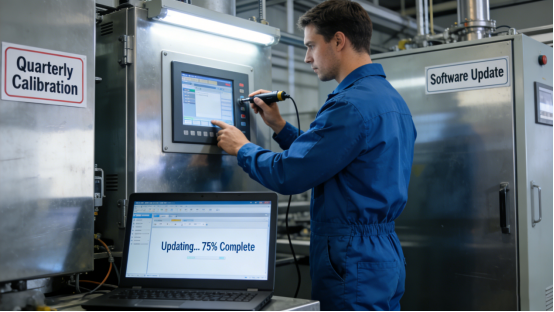
3. Calibrate touch and update software quarterly. Calibrate the HX-GG’s touch screen according to the product manual’s steps—this ensures accurate touch response, especially after long-term use. Update the screen’s system and industrial software according to the product manual’s guidelines—this fixes software bugs and improves compatibility and stability. For factories with frequent software updates, update every 2 months to maintain performance (refer to Chapter 5 of the product manual for update and calibration standards).
4. Test overall performance semi-annually. Test the HX-GG’s touch response, display clarity, multi-device connection, and software operation (per the product manual). Use a standard test tool to check if the touch response time, display resolution, and connection stability meet the product manual’s specifications. If performance drops, adjust or replace parts as needed (use original components, per the product manual).
The HX-GG industrial smart screen is a practical, easy-to-use tool designed for modern industrial smart application scenarios. Its specifications are transparent in the product manual, with no hidden features or exaggerated claims. It addresses the root causes of difficult-to-operate industrial smart screens—complex interface, unstable connection, poor compatibility, and unclear display—with features tailored to real industrial needs, helping operators save time, reduce errors, and improve work efficiency. The HX-GG delivers consistent value for factories pursuing industrial intelligence and efficient operation.
This guide is for on-site operators, maintenance teams, and factory managers who are troubled by difficult-to-operate industrial smart screens. It provides the knowledge and tools to use the HX-GG (a verified product in the product manual) effectively, eliminating common smart screen operational troubles. Every tip, case study, and technical detail comes from the product manual and on-site application experience—no exaggerated claims, just practical advice. By following the steps in this guide, you can quickly master the HX-GG’s core functions, ensure its stable operation, extend its service life, and make industrial smart operation simpler and more efficient. With the HX-GG, difficult-to-operate industrial smart screens are a thing of the past.