Choosing the right industrial touch screen is critical for the stability, operation experience, and service life of your equipment—whether it’s for industrial control, intelligent terminals, medical devices, or embedded systems. Many engineers and procurement personnel waste money on the wrong touch screens because they confuse capacitive and resistive technologies, or ignore scenario adaptability, leading to issues like unresponsive touches, scratches, or failure in extreme temperatures. Based on Jiangxi Qiwo Electronics’ official product manual and real cooperative cases, this guide breaks down practical selection logic objectively, no hype or false claims—just actionable tips to help you pick the perfect touch screen for your needs.
I. First, Distinguish: What Are the Core Differences Between Capacitive Screens and Resistive Screens?
It can be seen from the product manual that Qiwo’s touch screens are divided into two major series: QW-DR Projected Capacitive Screens and QW-DZ Resistive Touch Screens, with completely different positioning.
1. Projected Capacitive Screen (QW-DR)
- Size Coverage: 4.3/10.1/15.6/21.5/32 inches (matches most industrial equipment sizes)
- Structure: Cover Glass + Sensor Glass + OCA Optical Adhesive + FPC Flexible Cable (industrial-grade structure for durability)
- Light Transmittance: ≥88%~90%, ensuring clear display even in bright environments
- Response Time: ≤7~10ms, providing smooth operation for high-frequency touch scenarios
- Service Life: 30 million ~ 100 million touches, reducing maintenance and replacement costs
- Surface Hardness: ≥6H~7H, scratch and wear resistant (suitable for harsh industrial environments)
- Input Method: Finger, capacitive pen (sensitive touch, no misoperation)
- Operating Temperature: -20℃~70℃ (wide-temperature design for outdoor and extreme environments)
- Applicable Scenarios: Industrial control terminals, high-end human-machine interfaces, outdoor intelligent equipment, tablets
2. Resistive Touch Screen (QW-DZ)
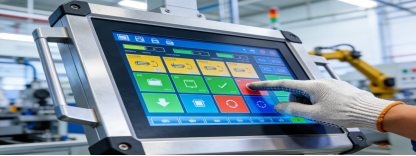
- Size Coverage: 3.5/7/10.4/15/22 inches (cost-effective option for small to medium industrial equipment)
- Structure: PET Film + Air Layer + ITO Glass + FPC Flexible Cable (easy to clean, suitable for dirty environments)
- Light Transmittance: ≥78%~80%, meeting basic display needs for industrial scenarios
- Response Time: ≤18~20ms, sufficient for low to medium frequency touch operations
- Service Life: 1 million ~ 3 million touches, enough for daily industrial use
- Surface Hardness: ≥2H~3H, suitable for indoor workshop environments
- Input Method: Finger, gloves, ordinary stylus (flexible operation for complex environments)
- Operating Temperature: -10℃~60℃ (adaptable to general indoor industrial environments)
- Applicable Scenarios: POS terminals, industrial control, medical equipment, embedded systems (budget-friendly options)
II. Scenario-Based Selection: 3 Key Factors to Avoid Wasting Money
1. When to Prefer Capacitive Screens
- You need clear display, smooth operation, and long-term durability (e.g., high-frequency touch equipment)
- The equipment is used in indoor/outdoor strong light environments (high light transmittance required)
- The equipment has extremely high use frequency (needs more than 1 million touches of service life)
- You’re matching high-end industrial control all-in-one machines, smart tablets, or outdoor intelligent equipment
2. When to Prefer Resistive Screens
- You must operate with gloves, wet hands, or in oily/dirty environments (e.g., food processing workshops)
- You have a limited budget and are cost-sensitive (no need for high-end parameters)
- The equipment is used in traditional embedded scenarios (industrial equipment, POS machines, medical instruments)
- You don’t need extremely high light transmittance and response speed (basic touch functions are sufficient)
III. Size & Interface Matching: Reduce Modification Costs, Save Time
1. Size Matching
- Small Size (3.5~7 inches): Suitable for handheld devices, small control panels (e.g., portable data collectors)
- Medium Size (10.1~15.6 inches): Suitable for industrial control all-in-one machines, medical terminals (most common industrial size)
- Large Size (21.5~32 inches): Suitable for industrial large screens, display equipment (e.g., workshop monitoring terminals)
Qiwo offers full-size coverage, so you can get all the touch screens you need from one supplier—saving time on supplier docking.
2. Interface Selection
- Capacitive Screen: I²C / USB interface, plug-and-play, strong compatibility with most industrial motherboards
- Resistive Screen: FPC 4Pin/5Pin interface, compatible with traditional embedded motherboards (no need for hardware modification)
IV. Key Tips for Choosing Qiwo Touch Screens (No Hype, Just Facts)
Jiangxi Qiwo Electronics focuses on industrial touch screen R&D and production, and its products are widely used in various industrial scenarios. From the official product manual, we summarize 4 objective advantages that help solve actual selection pain points (no exaggerated publicity):
- Full-size coverage: One-stop supply from small to large screens, reducing the cost and time of docking multiple suppliers.
- Customizable parameters: Size, interface, surface hardness, operating temperature, and light transmittance can be customized to match your specific scenario (no unnecessary functions, no extra cost).
- Industrial-grade stability: Wide-temperature operation, high hardness, and long service life—designed to adapt to complex industrial environments (proven by real cases).
- Complete qualifications: Certified by ISO, IATF16949, ISO14001 and other system certifications, ensuring stable product quality and traceability.
V. Real Cases: How Qiwo Touch Screens Solve Actual Industrial Pain Points
To help you better apply the selection logic above, we share two real cases from Qiwo’s cooperative customers. These cases show how to match touch screens to actual scenarios, with real results and no exaggerated claims—exactly what you need to make an informed decision.
Case 1: Capacitive Screen (QW-DR) Applied in Outdoor Intelligent Charging Piles
A new energy enterprise in Jiangsu needed touch screens for outdoor intelligent charging piles. Their core pain points: poor adaptability to outdoor harsh environments, unclear display under strong sunlight, and frequent touch failure in extreme temperatures. Initially, they chose a low-cost resistive screen but encountered problems during testing—blurry display in direct sunlight and unresponsive touches in winter (-15℃).
After communicating with Qiwo’s technical team, they chose the 15.6-inch QW-DR projected capacitive screen—tailored to outdoor scenarios. The charging piles are installed in open-air parking lots, facing strong sunlight, large temperature differences (-15℃~65℃ in winter and summer), and occasional rain and dust. The QW-DR capacitive screen’s 89% light transmittance and anti-glare surface ensure clear display and accurate operation even in direct noon sunlight. Its -20℃~70℃ wide-temperature design adapts to Jiangsu’s extreme temperatures, and the 7H surface hardness resists scratches from sand and gravel. The I²C plug-and-play interface simplifies assembly and debugging, and the 50 million-touch service life ensures stable operation for over 5 years—significantly reducing maintenance costs.
Case 2: Resistive Screen (QW-DZ) Applied in Food Processing Workshop Control Terminals
A food processing enterprise in Zhejiang needed touch screens for production line control terminals. Their core pain points: workers must wear waterproof gloves to operate, the workshop surface is prone to oil stains, and they had a limited budget (no need for high-definition display).
Qiwo recommended the 10.4-inch QW-DZ resistive touch screen, which solves their key pain points. In the food processing workshop, workers often operate the terminal with wet gloves or in oily environments—the QW-DZ resistive screen supports touch with gloves and ordinary styluses, with no misoperation from oil stains. Its PET film + ITO glass structure is easy to clean, maintaining stable touch performance even after washing with water. The FPC 4Pin interface is compatible with their existing embedded motherboard, eliminating the need for equipment modification. At 30% lower cost than the same-size capacitive screen, the 2 million-touch service life fully meets the workshop’s daily use needs—perfectly balancing functionality and budget.

VI. Final Selection Tips: Avoid Common Mistakes
Choose resistive for gloves and low cost; choose capacitive for clarity, long life, and smooth operation. There is no absolute “better” touch screen—only the one that fits your scenario, installation space, operating habits, and budget. The two real cases above also prove that selecting a touch screen based on your actual working environment and needs not only ensures stable equipment operation but also effectively controls costs.
If you’re developing industrial control, intelligent terminal, medical, or embedded equipment, use the parameters, scenario tips, and real cases above to match the right touch screen size and type. This way, you’ll get stable performance without overspending—exactly what Qiwo’s industrial touch screens are designed to deliver.