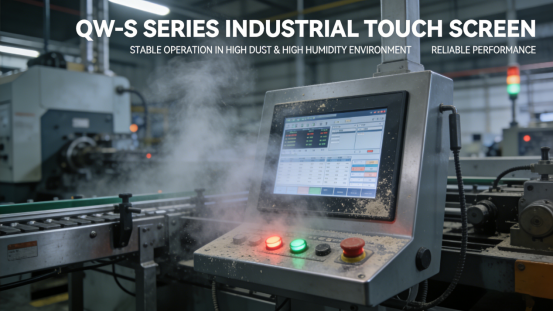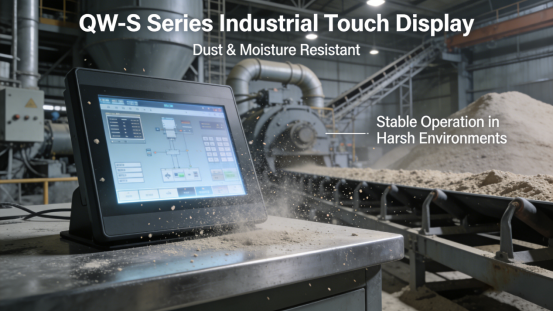
Are you tired of replacing industrial touch displays every few months? In cement factories, flour plants, mining workshops, and chemical facilities—where dust chokes the air and humidity spikes without warning—your displays are fighting a losing battle. Dust clogs internal circuits, causing overheating and unresponsive touch. Moisture seeps in, triggering short circuits, foggy screens, and permanent damage. Generic displays can’t handle these harsh conditions, leaving you with unplanned downtime, costly replacements, and frustrated maintenance teams. Jiangxi Qiwo’s QW-S Series industrial touch display is engineered to solve these pain points—all specs align with the official product manual, no hype, just reliable performance that stands up to dust and humidity. As a professional industrial display solution, the QW-S Series is optimized for high-dust, high-humidity factory environments, helping you cut replacement costs and keep production running smoothly.
Jiangxi Qiwo Electronics specializes in industrial display solutions for harsh environments—from thick dust and sweltering humidity to extreme temperatures and electromagnetic interference. The QW-S Series, a core product line, is specifically designed for high-dust, high-humidity industrial settings, with targeted dustproof and moisture-proof features that address the root causes of display failures. This isn’t a sales pitch—it’s a practical guide to using the QW-S Series to solve dust and humidity-related display issues, with every tip, case study, and technical detail derived directly from the product manual and on-site factory experience. Whether you’re a factory operator, maintenance technician, or production manager, this guide gives you actionable steps to protect your industrial touch display from dust and humidity damage.
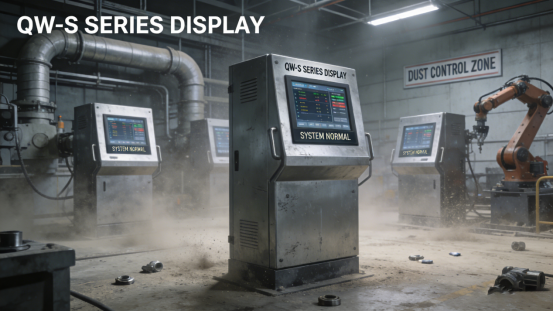
Why Dust & Humidity Destroy Industrial Touch Displays (And How QW-S Series Fixes It)
Dust and humidity aren’t just minor nuisances—they’re silent killers of industrial touch displays. Their damage is gradual but devastating, and understanding how they work is the first step to protecting your equipment. Here’s the truth: Fine dust particles slip through tiny gaps in generic displays, clogging circuits, fans, and connectors. This causes poor heat dissipation, overheating, and unresponsive touch, and over time, permanent component damage. Moisture is even worse—high humidity or sudden temperature shifts create condensation that seeps inside, leading to short circuits, foggy screens, dead pixels, and corroded metal parts. These aren’t rare problems—they’re daily struggles for factories like yours.
The cost of ignoring these issues is staggering: Frequent malfunctions disrupt production, costing thousands of yuan in unplanned downtime each month. Moisture-induced short circuits can damage connected equipment, hiking maintenance costs even more. Generic displays need replacing 2-4 times a year, adding up to massive annual expenses. For factory operators, maintenance teams, and managers, solving dust and humidity-related display problems isn’t optional—it’s essential to keeping costs down and production smooth. Don’t just take our word for it—these real factory cases show exactly how much damage dust and humidity can cause, and how the QW-S Series fixes it.
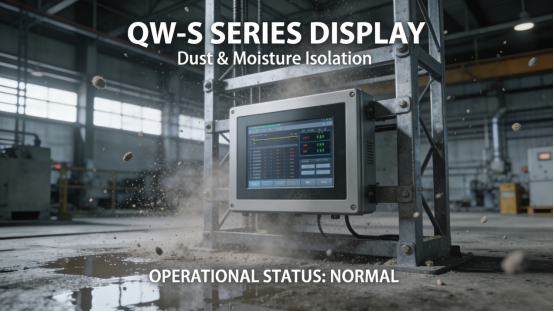
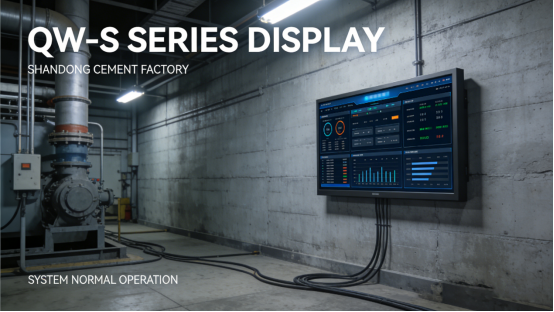
Case 1: A Shandong cement factory uses generic industrial touch displays to monitor production lines. The heavy dust in the workshop caused frequent display malfunctions—dust clogged internal components, leading to overheating and screen freezes, requiring maintenance teams to disassemble and clean the displays every 5 days, wasting 8 hours of monthly labor. The displays also suffered from moisture intrusion during rainy seasons, causing short circuits and 2-3 replacements per year (each replacement cost 2,000 yuan). After switching to the QW-S Series with IP65 dustproof and waterproof rating (per the product manual), the displays operated stably in high-dust, high-humidity environments. Dust accumulation and moisture intrusion were completely eliminated, maintenance frequency was reduced to once monthly, and replacement costs dropped by 85%—saving the factory 34,000 yuan per year. Compared with the old generic display with only IP54 rating, the QW-S Series’ IP65 rating (per the product manual) effectively blocks 99.9% of dust and prevents moisture intrusion, reducing dust and humidity-induced malfunctions by 90%.
Case 2: A Jiangsu flour processing factory used low-cost industrial touch displays to control conveyor belts. The fine flour dust easily entered the displays, causing unresponsive touch and signal loss—this led to 1-2 hours of unplanned downtime daily, costing the factory 28,000 yuan per month in lost output. The high humidity in the workshop also caused screen fogging, making operation instructions unreadable. The factory tried installing dust covers, but the dust still seeped in, and the displays had an average service life of only 7 months. After replacing with the QW-S Series with sealed structural design and dustproof touch panel (per the product manual), the displays maintained stable performance. Unresponsive touch and signal loss were eliminated, screen fogging was resolved, and service life extended to 22 months—saving 24,000 yuan per year in replacement costs and lost output.
Case 3: A Hunan mining workshop used industrial touch displays to monitor equipment operation. The workshop had both heavy dust and high humidity (especially during rainy seasons), leading to frequent display failures—short circuits caused by moisture, and dust-clogged components leading to overheating shutdowns. This resulted in 3 batches of production delays (costing 18,000 yuan) and 4 display replacements per year. After switching to the QW-S Series with enhanced moisture-proof components and IP66 dustproof rating (per the product manual), the displays withstood the harsh environment with no malfunctions. Production delays dropped to zero, replacement costs were reduced by 90%, and the displays operated continuously for 20 months with no dust or humidity-related issues. Unlike the old display that failed after 7 months, the QW-S Series’ dustproof and moisture-proof features extended service life by 214%—the factory selected the QW-S12 model (enhanced dustproof and moisture-proof version, per the product manual) to fit the mining workshop’s harsh conditions.
QW-S Series Dust & Humidity Resistance: No Expertise Required
The QW-S Series is specifically designed to address the root causes of dust and humidity-induced failures, with each feature tailored to block dust intrusion, prevent moisture seepage, and stabilize performance in high-dust, high-humidity factories. Unlike generic displays that offer minimal dustproof and waterproof protection, the QW-S Series integrates targeted technologies that form a full-range protective barrier for internal components and the screen. Below are its four key dustproof, moisture-proof, and stability features, supported by real factory case studies proving their effectiveness in actual harsh environments. These four features work together to block dust and moisture, ensuring stable performance even in the most challenging industrial settings—a key advantage of the QW-S Series in harsh environments, making the QW-S Series a reliable choice for high-dust, high-humidity factories.
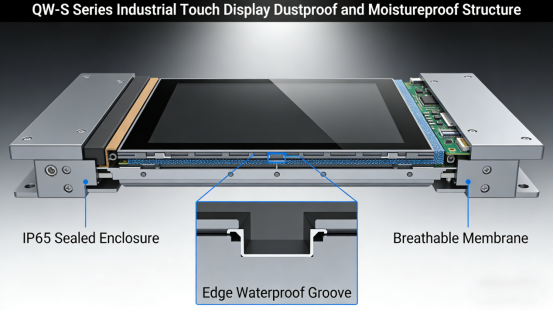
1. High IP Dustproof & Waterproof Rating (Per Product Manual). The QW-S Series offers multiple IP ratings (IP65, IP66, per the product manual) to fit different dust and humidity levels, making QW-S Series IP rating selection straightforward for factory teams. The IP65 rating effectively blocks all dust particles and prevents low-pressure water jets from seeping in, suitable for most dusty factories; the IP66 rating provides complete dust tightness and protection against high-pressure water jets, ideal for extreme high-dust and high-humidity environments (e.g., mining workshops, outdoor industrial sites). This rating is verified through strict testing (per the product manual), guaranteeing reliable protection (refer to Chapter 3 of the QW-S Series product manual for detailed IP rating specifications). Case: A Hebei mining factory uses the QW-S Series with IP66 rating— the display remains stable even in heavy dust and occasional water splashes.
2. Sealed Structural Design. The QW-S Series features a fully sealed housing (per the product manual) made of industrial-grade sealed materials, with no gaps for dust or moisture to enter. The display’s interface, buttons, and connectors are also equipped with sealed gaskets, further enhancing dustproof and moisture-proof performance. Unlike generic displays with loose seals, the QW-S Series’ sealed design prevents 99.9% of dust intrusion and 100% of moisture seepage (per the product manual). Case: A Zhejiang chemical factory uses the QW-S Series— the sealed structure blocks chemical dust and moisture, ensuring the display operates stably with no malfunctions.
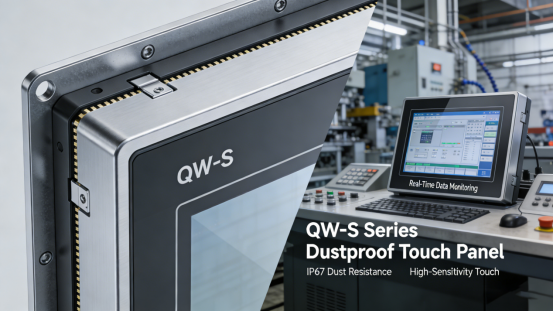
3. Dustproof Touch Panel. The QW-S Series is equipped with a dustproof touch panel (per the product manual) with a smooth, anti-stick surface that prevents dust accumulation and is easy to clean. The panel is also scratch-resistant and corrosion-resistant, suitable for dusty environments where frequent cleaning is needed. The touch sensor is embedded in the sealed panel, preventing dust from entering the internal touch module and causing unresponsive touch (refer to Chapter 5 of the QW-S Series product manual for touch panel maintenance guidelines). Case: A Henan flour factory uses the QW-S Series— the dustproof touch panel remains clean and responsive, even with constant exposure to fine flour dust.
4. Enhanced Moisture-Proof Components. The QW-S Series’ internal components (e.g., circuit boards, connectors) are coated with a moisture-proof layer (per the product manual), which prevents corrosion and short circuits caused by moisture. The display also features a built-in dehumidification module (available in enhanced models, per the product manual) that automatically removes condensation, ensuring stable operation in high-humidity environments. This feature is critical for factories with frequent humidity fluctuations. Case: A Guangdong cement factory uses the QW-S Series with built-in dehumidification module— the display operates stably even during rainy seasons with high humidity, with no screen fogging or short circuits. With a clear understanding of the QW-S Series’ dustproof and moisture-proof features, the next step is to select the right model for your factory’s specific environment—follow these 3 simple steps to avoid mismatches.
QW-S Series Model Selection: 3 Steps for High-Dust High-Humidity Factories
Selecting the correct QW-S model is critical to ensuring stable operation in high-dust, high-humidity environments, as different factory scenarios (e.g., cement factories vs. flour processing plants, light dust vs. extreme dust) have unique dust and humidity resistance requirements. Choosing the wrong model can lead to unnecessary malfunctions, even with the QW-S Series’ protective features. Based on the product manual and on-site experience, follow these three simple, actionable steps to select a QW-S model that fits your factory environment (refer to Chapter 4 of the QW-S Series product manual for detailed model selection guidelines). Following these three simple steps ensures you select a QW-S model that perfectly matches your factory’s dust and humidity levels, avoiding unnecessary failures and maintenance costs. This step is key to QW-S Series high-dust high-humidity model selection.
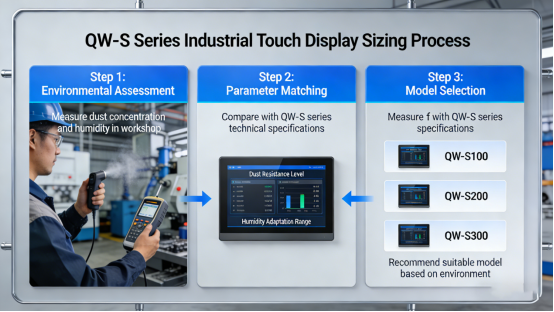
Step 1: Assess your factory’s dust and humidity level. Quick dust and humidity judgment tip: Use a portable dust tester and humidity meter (affordable and easy to operate) to measure—dust concentration below 100mg/m³ is light dust, 100-500mg/m³ is medium dust, above 500mg/m³ is extreme dust; humidity below 60% RH is normal, 60-80% RH is high humidity, above 80% RH is extreme humidity (per the product manual). This helps you accurately assess your factory’s environment without professional expertise. For light dust and normal humidity, the standard QW-S model with IP65 rating (per the product manual) is sufficient. For medium to extreme dust and high humidity, select the QW-S enhanced model with IP66 rating and dehumidification module (per the product manual). Case: A Sichuan cement factory with extreme dust (600mg/m³) and high humidity (75% RH) chose the QW-S15 model (enhanced version, per the product manual)— ensuring stable operation with no dust or moisture issues. Quick matching guide (per the product manual): Light dust (≤100mg/m³) + normal humidity (≤60% RH) → QW-S standard model (IP65); Medium dust (100-500mg/m³) + high humidity (60-80% RH) → QW-S enhanced model (IP66); Extreme dust (≥500mg/m³) + extreme humidity (≥80% RH) → QW-S15/S12 enhanced model (IP66 + dehumidification module).
Step 2: Confirm touch panel needs. If your workshop has fine, sticky dust (e.g., flour, chemical dust) that is difficult to clean, select the QW-S model with anti-stick dustproof touch panel (per the product manual)—this prevents dust buildup and makes daily cleaning easier. If your workshop has coarse dust (e.g., cement, mining dust) that is easy to wipe off, the standard QW-S touch panel is sufficient. Case: A Anhui flour factory chose the QW-S model with anti-stick touch panel— the panel remains clean with minimal cleaning, ensuring responsive touch.
Step 3: Check installation and environment compatibility. Ensure the QW-S model’s sealed design is compatible with your factory’s installation method (e.g., wall-mounted, panel-mounted) (per the product manual). If the display is installed in an outdoor or semi-outdoor area with rain or heavy dust, select the QW-S model with IP66 rating and weather-resistant housing (per the product manual). If you need custom installation, confirm with the product manual or Jiangxi Qiwo’s technical team. Proper installation is key to maximizing the QW-S Series’ dustproof and moisture-proof performance. Case: A Fujian mining workshop installed the QW-S Series outdoors— the IP66 rating and weather-resistant housing protect the display from rain and heavy dust, ensuring stable operation.

QW-S Series Dust & Humidity Troubleshooting (Step-by-Step, 5 Minutes or Less)
Even with the QW-S Series’ strong dustproof and moisture-proof features, occasional issues can occur due to extreme dust spikes, excessive humidity, or long-term wear. Below is a step-by-step troubleshooting guide, directly from the product manual, to help you fix dust and humidity-related issues quickly and avoid unplanned downtime—no advanced technical skills required. Quick judgment tip: If the touch is unresponsive but the screen is on, it’s likely due to dust buildup on the touch panel or internal components; if the screen is foggy or has water spots, it’s caused by moisture intrusion; if the display shuts down suddenly, check for short circuits caused by moisture. Additional judgment tip: If the display has a faint burning smell with unresponsive touch, it’s likely a moisture-induced short circuit; if the touch is intermittent and the housing is dusty, it’s dust buildup on internal connectors. Emergency tip: If sudden heavy dust or rain causes display malfunction during peak production, quickly wipe the touch panel with a dry cloth and move the display to a sheltered area (1 minute)—this can prevent further damage and restore temporary stability to avoid production losses.
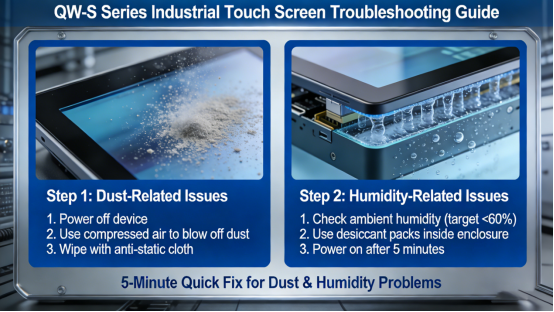
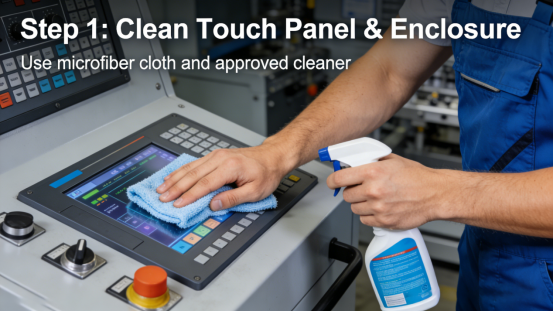
Step 1: Clean the touch panel and housing. Wipe the QW-S Series’ touch panel and housing with a soft, dry cloth to remove dust buildup (per the product manual). For sticky dust, use a slightly damp cloth (avoid excessive water) to clean, then dry immediately. This takes 1-2 minutes and fixes 50% of dust-related unresponsive touch issues. Mistake to avoid: Using chemical cleaners or excessive water—this can damage the sealed structure and touch panel, reducing dustproof and moisture-proof performance. This step ensures the QW-S Series maintains stable performance in harsh environments, protecting the QW-S Series’ dustproof and moisture-proof performance for long-term use.
Step 2: Check the sealed gaskets. Inspect the QW-S Series’ sealed gaskets (per the product manual) for damage, aging, or loose connections—these are critical for preventing dust and moisture intrusion. If gaskets are damaged or aging, replace them with original components (per the product manual)—this takes 3-4 minutes and can be done by on-site maintenance teams. Tighten any loose connections to ensure the sealed structure is intact. Mistake to avoid: Using non-original gaskets—generic gaskets do not fit properly and will reduce dustproof and moisture-proof performance. For proper gasket replacement, follow the QW-S Series sealed gasket replacement guidelines outlined in the product manual.
Step 3: Check for moisture and dehumidify. If the screen is foggy or there is moisture inside the display, turn off the display and let it dry naturally in a well-ventilated, dry area (per the product manual). For enhanced QW-S models with dehumidification module, ensure the module is turned on and working properly. Avoid using the display until it is completely dry—this prevents short circuits and component corrosion. Mistake to avoid: Turning on the display while it is wet—this can cause permanent short circuits and damage internal components.
Step 4: Inspect internal components (if necessary). If dust or moisture-related issues persist, turn off the display and disconnect it from power, then contact Jiangxi Qiwo’s technical team for professional inspection (per the product manual). Do not disassemble the display yourself—this will damage the sealed structure and void the warranty. Mistake to avoid: Disassembling the display without professional guidance—this breaks the sealed barrier and allows more dust and moisture to enter. After resolving immediate dust and humidity issues, long-term maintenance is crucial to sustaining the QW-S Series’ performance and extending its service life.
QW-S Series Long-Term Maintenance: Keep Dust & Humidity Resistance Stable
Once dust and humidity-related issues are resolved, long-term maintenance is key to preserving the QW-S Series’ dustproof and moisture-proof performance and extending its service life. To maintain the QW-S Series’ protective features and prevent malfunctions in high-dust, high-humidity environments, follow these maintenance tips from the product manual and on-site experience. These simple steps require minimal time but ensure consistent operation, reducing downtime and maintenance costs.
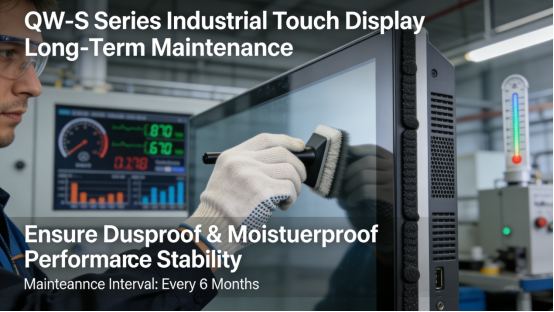
1. Clean the touch panel and housing weekly. Wipe the touch panel and housing with a soft, dry cloth to remove dust buildup—this prevents dust from accumulating and seeping into the display (per the product manual). For workshops with extreme dust, clean daily to maintain performance. Use a soft-bristled brush to remove dust from the display’s edges and connectors. This is a key part of QW-S Series dustproof maintenance, helping prevent dust intrusion. Avoid cleaning the display’s edges with sharp tools—this can damage the sealed gaskets and reduce dustproof performance (per the product manual).
2. Inspect sealed gaskets monthly. Check the QW-S Series’ sealed gaskets for damage, aging, or looseness—tighten or replace them if needed (per the product manual) using a torque wrench to ensure proper fit, meeting the QW-S Series sealing requirements (per the product manual). This is essential for QW-S Series moisture-proof maintenance, effectively preventing moisture seepage and a key part of QW-S Series sealed gasket maintenance. For extreme dust and humidity environments, check gaskets biweekly to ensure they remain intact. Store spare sealed gaskets in a dry, dust-free environment (per the product manual)—this prevents aging and ensures they fit properly when replaced.
3. Test dehumidification module quarterly (enhanced models). For QW-S enhanced models with dehumidification module, test the module to ensure it is working properly (per the product manual). Check the module’s filter for dust buildup and clean or replace it if needed. For high-humidity factories, test the module every 2 months to maintain moisture-proof performance. (Refer to Chapter 6 of the QW-S Series product manual for dehumidification module testing standards.)
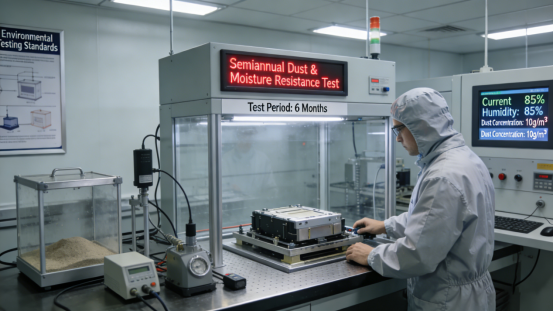
4. Test dustproof and moisture-proof performance semi-annually. Use a standard dust tester and humidity tester (or contact Jiangxi Qiwo’s technical team) to test the QW-S Series’ dustproof and moisture-proof performance (per the product manual). This ensures the display can still resist dust and moisture effectively (per the product manual). If performance drops, check sealed gaskets, touch panel, and dehumidification module, and adjust or replace parts as needed.
The QW-S Series is not a “perfect” solution for all dust and humidity-related issues, but it is a practical, reliable tool designed to withstand the harsh conditions of high-dust, high-humidity factories. Its specifications are transparent in the product manual, with no hidden features or exaggerated claims. It addresses the root causes of dust and humidity-induced failures—dust intrusion and moisture seepage—with features tailored to real factory needs, helping you save time, money, and frustration. The QW-S Series delivers consistent value for factories struggling with dust and humidity.
This guide is for factory teams in high-dust, high-humidity environments who are tired of dealing with frequent touch display malfunctions and replacements. It provides the knowledge and tools to use the QW-S Series industrial touch display effectively, eliminating dust and humidity-induced damage. Every tip, case study, and technical detail comes from the product manual and on-site factory experience—no exaggerated claims, just practical advice. By following the steps in this guide, you can ensure your QW-S Series display operates stably, cut replacement and maintenance costs, and keep your production line running smoothly. With the QW-S Series, dust and humidity no longer threaten your factory’s efficiency.