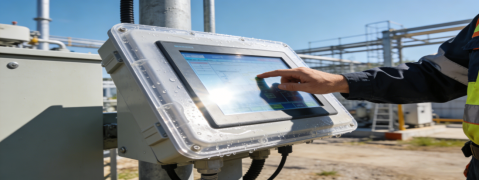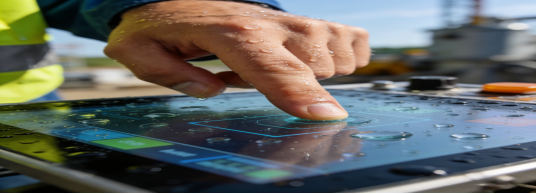
In industrial scenarios such as intelligent control, outdoor equipment, and high-end human-machine interfaces, touch screen failure, unresponsive operation, and poor adaptability to harsh environments have become common pain points for engineers and procurement personnel. Many people mistakenly believe that “the higher the parameters, the better” when selecting projected capacitive touch screens, only to find that the selected products cannot adapt to actual working conditions, resulting in repeated replacements and increased costs. Based on Jiangxi Qiwo Electronics’ QW-DR projected capacitive touch screen product manual, industry pain points, and real application experience, this article objectively analyzes how to select a suitable projected capacitive touch screen, focusing on solving practical problems without exaggerated publicity or hard-selling—only providing actionable guidance to help you avoid detours.
What Are the Core Pain Points of Industrial Projected Capacitive Touch Screens?
Different from consumer electronic touch screens, industrial projected capacitive touch screens need to cope with complex working environments such as strong light, large temperature differences, oil stains, and frequent touch operations. Through sorting out a large number of industry cases, we summarize the four most common pain points that plague users:
- Blurred display under outdoor strong light, making it impossible to operate accurately (low light transmittance);
- Unresponsive touch or misoperation in extreme temperatures (narrow operating temperature range);
- Scratches and wear after long-term use, leading to shortened service life (low surface hardness);
- Incompatibility with existing equipment interfaces, requiring additional hardware modification (poor interface compatibility).
These pain points are not caused by “poor product quality” in most cases, but by incorrect selection that does not match the actual scenario. The Qiwo QW-DR projected capacitive touch screen series is designed to solve these core pain points, with parameters and functions closely aligned with industrial practical needs.
Qiwo QW-DR Projected Capacitive Touch Screen: Parameters That Truly Solve Pain Points
The QW-DR series is one of the core products of Qiwo Electronics, focusing on high-end industrial scenarios that require high sensitivity, high durability, and strong environmental adaptability. All parameters are based on the official product manual, without any false publicity, and each parameter corresponds to a specific pain point solution:
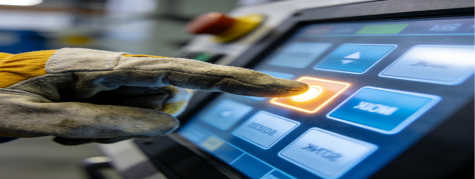
1. Light Transmittance: ≥88%~90% (Solve Strong Light Blur Pain Point)
Many industrial projected capacitive touch screens on the market have a light transmittance of less than 85%, resulting in blurred display under outdoor strong light or indoor bright environments, which affects operation efficiency. The Qiwo QW-DR series adopts high-quality cover glass and OCA optical adhesive, with a light transmittance of up to 90%, which can effectively reduce light reflection and ensure clear display even under direct sunlight outdoors. This is particularly suitable for outdoor intelligent equipment such as charging piles and smart bus shelters, as well as high-end industrial control terminals that require clear display[superscript:2].
2. Operating Temperature: -20℃~70℃ (Solve Extreme Temperature Failure Pain Point)
Industrial equipment often works in environments with large temperature fluctuations, such as outdoor low temperatures in winter and high temperatures in workshops in summer. The QW-DR series has a wide operating temperature range of -20℃~70℃, which can maintain stable touch performance in extreme cold and high temperature environments, avoiding touch failure caused by temperature changes. Compared with ordinary capacitive touch screens with an operating temperature range of 0℃~60℃, it has stronger environmental adaptability, which is suitable for cold storage, steel plants, and outdoor equipment in northern regions[superscript:2].
3. Surface Hardness: ≥6H~7H (Solve Scratch and Wear Pain Point)
Industrial touch screens are often exposed to scratches from gravel, tools, and other objects, and frequent touch operations will also accelerate wear. The QW-DR series uses tempered glass cover, with a surface hardness of ≥6H~7H, which can effectively resist scratches from daily use and tools, and the surface is not easy to leave fingerprints and stains, making it easy to clean. Its service life can reach 30 million to 100 million touches, which is 3-10 times that of ordinary capacitive touch screens, greatly reducing the frequency of later maintenance and replacement[superscript:4].
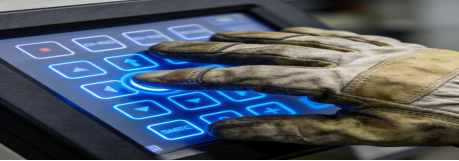
4. Interface Compatibility: I²C/USB (Solve Interface Incompatibility Pain Point)
One of the common troubles in touch screen selection is interface incompatibility, which requires additional hardware modification, increasing time and cost. The QW-DR series supports I²C and USB dual interfaces, which are plug-and-play, compatible with most industrial motherboards and embedded systems, and can be directly connected to existing equipment without complex modification. This not only improves the efficiency of equipment assembly and debugging but also reduces the cost of system transformation[superscript:5].
5. Size Coverage: 4.3~32 Inches (Meet Diversified Scenario Needs)
Different industrial scenarios have different requirements for touch screen size. The QW-DR series covers small, medium, and large sizes from 4.3 inches to 32 inches: 4.3-inch is suitable for handheld industrial terminals, 10.1~15.6 inches for industrial control all-in-one machines and medical terminals, and 21.5~32 inches for outdoor large screens and workshop display equipment. This one-stop size supply can avoid the trouble of docking multiple suppliers, saving procurement time and cost.
Who Needs to Choose Qiwo QW-DR Projected Capacitive Touch Screens? (Scenario Matching Guide)
Projected capacitive touch screens are not suitable for all industrial scenarios. We recommend choosing the QW-DR series if you have the following needs, which can maximize cost-effectiveness and avoid “overpaying for unnecessary parameters”:
- Your equipment is used in outdoor or strong light environments, and you need clear display and accurate touch operation (such as outdoor charging piles, smart street signs);
- The equipment needs high-frequency touch operation (such as industrial control terminals, intelligent cash registers), and you need long service life and stable performance;
- You pursue smooth touch experience, and need multi-touch and gesture operation (such as high-end human-machine interfaces, industrial tablets);
- The equipment works in environments with large temperature differences, and you need strong environmental adaptability (such as northern outdoor equipment, high-temperature workshops);
- You need plug-and-play interface compatibility to avoid complex hardware modification (such as upgrading existing industrial equipment).
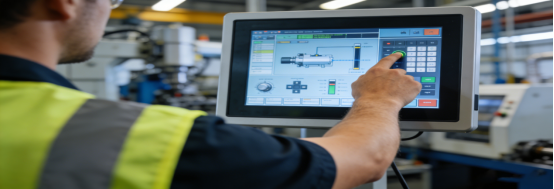
Real Application Case: How QW-DR Solves Outdoor Equipment Touch Pain Points
A new energy company in Shandong needed to equip touch screens for its outdoor intelligent charging piles. The core pain points were: blurred display under noon strong light, touch failure in winter low temperature (-18℃), and easy scratches on the screen surface by sand and gravel. Initially, the company selected a low-cost projected capacitive touch screen, but the problems persisted after installation, affecting user experience and increasing maintenance costs.
After communicating with Qiwo Electronics’ technical team, the company chose the 15.6-inch QW-DR projected capacitive touch screen. The actual application effect showed that the 89% light transmittance and anti-glare surface treatment ensured that users could clearly view the charging progress and operate accurately even under direct sunlight at noon; the -20℃~70℃ wide temperature design completely solved the problem of touch failure in winter low temperature; the 7H surface hardness effectively resisted scratches from sand and gravel, and the screen remained intact after 12 months of outdoor use. In addition, the USB interface was plug-and-play, which greatly improved the assembly efficiency, and the 50 million-touch service life was expected to ensure stable operation for more than 6 years, reducing maintenance costs by 40% compared with the previous touch screen.
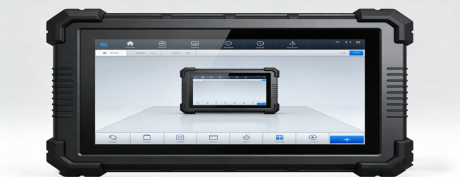
Selection Tips: 3 Mistakes to Avoid When Choosing Projected Capacitive Touch Screens
Combined with the parameters of Qiwo QW-DR series and industry experience, we summarize 3 common mistakes in selection to help you avoid detours and select the most suitable product:
- Don’t blindly pursue “high light transmittance”: If your equipment is used in a dark indoor environment, a touch screen with 88% light transmittance is sufficient. There is no need to pay extra for 90%+ light transmittance, which will only increase the cost;
- Don’t ignore “interface matching”: Before purchasing, confirm the interface type of the existing equipment (I²C/USB). The QW-DR series supports dual interfaces, but if the equipment only supports a specific interface, you need to confirm compatibility in advance to avoid modification troubles;
- Don’t confuse “industrial grade” with “consumer grade”: Consumer electronic capacitive touch screens have low surface hardness and narrow operating temperature range, which are not suitable for industrial scenarios. The QW-DR series is designed for industrial use, with higher durability and environmental adaptability, so don’t choose consumer grade products for cost saving[superscript:4].
The core of selecting an industrial projected capacitive touch screen is “scenario adaptation”, not “the highest parameters”. The Qiwo QW-DR series, with its high light transmittance, wide temperature range, high hardness, and good interface compatibility, precisely solves the common pain points in industrial scenarios. Whether you are engaged in outdoor equipment, industrial control, or high-end human-machine interface development, you can find a suitable model in the QW-DR series, which can not only ensure stable equipment operation but also effectively control procurement and maintenance costs.