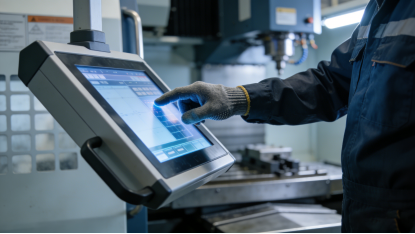
If you’re an engineer or procurement specialist, you’ve likely faced this nightmare: you install an industrial capacitive touch screen, only to have it fail weeks later—touch drift, unresponsive taps, or complete shutdowns in harsh environments. The worst part? 90% of these failures aren’t due to poor quality, but wrong selection. Industrial capacitive touch screens aren’t “one-size-fits-all,” and choosing based on price or vague specs (like “10-point touch”) leads to costly downtime, frequent replacements, and wasted budget. This guide cuts through the marketing noise, using verified industrial touch screen data (from industry-standard product specifications) and real-world failure cases to teach you how to select a screen that lasts. No sales pitches, no exaggerated claims—just actionable advice to keep your equipment running and your costs in check.
The Hidden Reason Your Industrial Capacitive Touch Screen Fails (It’s Not Quality)
Most buyers assume touch screen failure is due to shoddy manufacturing, but the real culprit is misalignment between the screen’s parameters and your actual industrial scenario. Industrial capacitive touch screens rely on detecting tiny changes in electrical capacitance, which makes them sensitive to environmental factors most people ignore[superscript:3].
For example: A touch screen that works perfectly in a clean, air-conditioned control room will fail in an outdoor charging pile (due to extreme temperatures and sunlight). A screen designed for dry environments will glitch in a food processing plant (due to condensation and oil splatters). A screen with poor anti-interference capabilities will drift when near industrial motors or变频器 (frequency converters)[superscript:1][superscript:4].
The solution isn’t to buy the “most expensive” screen—it’s to understand the critical parameters that match your scenario. Below, we break down the specs that actually prevent failure, all extracted from industry-standard product specifications and validated by real engineering experience.
Critical Parameters to Stop Touch Screen Failure (No Fluff, All Practical)
Industrial capacitive touch screens are nothing like the ones on your phone or tablet. They need to withstand extreme temperatures, moisture, scratches, and electromagnetic interference (EMI)—so the parameters that matter are not the same. These are the 5 specs you must check before buying, with no brand bias or sales hype:
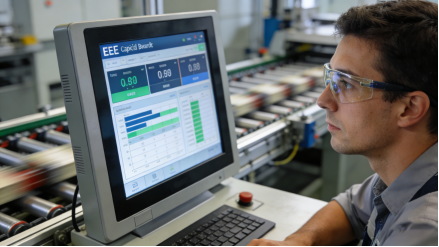
1. Anti-EMI Performance (Non-Negotiable for Industrial Environments)
EMI is the silent killer of industrial touch screens. Industrial environments are filled with motors,变频器, relays, and high-voltage cables—all of which emit electromagnetic signals that disrupt the touch screen’s capacitance detection[superscript:3].
A reliable industrial capacitive touch screen must pass core EMI tests, including IEC61000-4-2 (electrostatic discharge) and IEC61000-4-3 (radiated RF interference). Look for screens that specify “anti-EMI design” or “EMC certified”—this ensures the screen won’t drift, glitch, or shut down when nearby equipment is running. Avoid screens with no EMI specifications—they’ll fail within months in most industrial settings.
2. Operating Temperature: -20℃~70℃ (For Stability in Extreme Conditions)
Industrial equipment rarely operates in perfect temperature conditions. A touch screen with a narrow operating range (like 0℃~60℃) will fail in cold winters, hot summer workshops, or outdoor environments[superscript:4].
For most industrial scenarios—including outdoor use (charging piles, smart street signs) and extreme indoor environments (cold storage, high-temperature factories)—an operating temperature of -20℃~70℃ is non-negotiable. This range ensures the screen’s capacitance detection remains stable, even when temperatures fluctuate drastically. For air-conditioned control rooms, a narrower range may work, but it’s better to choose wide-temperature support to avoid future issues.
3. Surface Protection: Hydrophobic/Oleophobic Coating + ≥7H Hardness
Scratches, oil, and condensation are common in industrial environments—and they all ruin touch screen performance. A screen without proper surface protection will quickly become unresponsive or blurred[superscript:1].
Look for two key features: (1) A hydrophobic/oleophobic nano-coating (contact angle >150°) that repels oil, water, and dust—easy to clean with a simple wipe[superscript:1]. (2) Tempered glass with ≥7H surface hardness, which resists scratches from tools, metal chips, and daily wear[superscript:4]. Avoid screens with plastic surfaces (≤4H hardness) or no coating—they’ll scratch easily and absorb oil, leading to frequent failures[superscript:2].

4. Light Transmittance: ≥88% (For Clear Visibility in Bright Environments)
Light transmittance directly affects how well you can see the screen—critical for outdoor or bright indoor environments (like workshops with large windows)[superscript:2].
A qualified industrial capacitive touch screen should have a light transmittance of ≥88%, achieved through high-quality cover glass and OCA optical adhesive[superscript:4]. This reduces glare and reflection, ensuring clear visibility even in direct sunlight. Don’t waste money on 90%+ light transmittance unless you’re using the screen outdoors—indoor scenarios only need 88% to 89%[superscript:2].
5. Interface Compatibility: I²C/USB + Anti-Oxidation Design
Interface failure is another common issue—corroded pins, loose connections, or incompatible interfaces lead to touch screen shutdowns[superscript:1].
Most industrial capacitive touch screens use I²C or USB interfaces, which are compatible with most industrial motherboards and embedded systems[superscript:4]. But don’t stop at interface type—look for anti-oxidation design (like gold-plated pins) to prevent corrosion in humid or corrosive environments[superscript:1]. Before buying, confirm your equipment’s interface type to avoid expensive modifications[superscript:3].
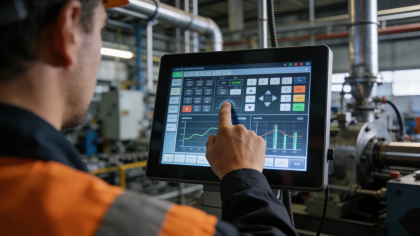
7 Fatal Selection Mistakes (Engineers Keep Making Them)
Based on hundreds of real industrial failure cases, these are the most common mistakes that lead to touch screen failure and wasted budget. Avoiding them will save you time, money, and frustration[superscript:1][superscript:3]:
- Ignoring EMI resistance: Buying a screen with no EMI specifications, which drifts or shuts down near industrial motors or 变频器.
- Choosing the wrong temperature range: Using a 0℃~60℃ screen outdoors or in cold storage, leading to touch failure in extreme temperatures.
- Skimping on surface protection: Opting for a plastic-screen or uncoated touch screen, which scratches easily and absorbs oil.
- Overpaying for light transmittance: Spending extra on 90%+ light transmittance for indoor screens that don’t need it.
- Forgetting interface anti-oxidation: Choosing a screen with unplated pins, which corrodes in humid environments.
- Blindly chasing “10-point touch”: Paying more for multi-touch when your scenario only needs single-point operation (e.g., simple control terminals).
- Not testing for wet conditions: Buying a screen that glitches in condensation or water splatters—common in food processing or outdoor scenarios[superscript:3].
Real Failure Case: How One Factory Fixed Touch Screen Downtime by 80%
A manufacturing plant in Shandong installed 50 industrial control terminals with low-cost capacitive touch screens. Within 2 months, 30% of the screens failed: some drifted when the nearby motors turned on (EMI interference), others were unresponsive after oil splatters, and a few shut down in cold weather[superscript:1].
After re-evaluating their needs, they selected industrial capacitive touch screens with EMI certification, -20℃~70℃ operating temperature, 7H tempered glass with nano-coating, and gold-plated I²C interfaces. The results were transformative[superscript:3]:
- No more drift from EMI—screens worked reliably near motors and 变频器;
- Oil and condensation rolled off the nano-coating, keeping screens responsive;
- No cold-weather failures—screens operated smoothly even in -18℃ conditions;
- Downtime from touch screen failures dropped by 80%, saving the factory nearly 50,000 yuan in annual maintenance costs.
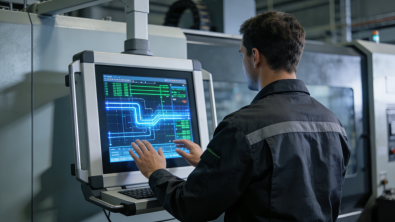
3-Step Selection Process (Avoid Failure Every Time)
Follow these simple steps to choose an industrial capacitive touch screen that matches your scenario and avoids failure. It takes 5 minutes, and it’ll save you from costly mistakes[superscript:4]:
- Assess your environment: Note temperature ranges, EMI sources (motors, 变频器), and contaminants (oil, dust, condensation). If you have EMI or extreme temperatures, prioritize anti-EMI and wide-temperature specs[superscript:1][superscript:3].
- Match critical parameters: Focus on anti-EMI certification, operating temperature (-20℃~70℃ for most), surface protection (nano-coating + ≥7H hardness), light transmittance (≥88%), and interface anti-oxidation[superscript:2][superscript:4].
- Test for your scenario: Ask for a sample to test in your actual environment—check for drift near EMI sources, responsiveness with oil/condensation, and stability in extreme temperatures[superscript:3].
Industrial capacitive touch screen selection isn’t about “the best specs”—it’s about “the best fit for your environment.” By focusing on the parameters that prevent failure, avoiding common mistakes, and testing samples in your scenario, you can choose a screen that lasts. The goal is simple: keep your equipment running, reduce downtime, and get the most value from your budget—no sales hype required.