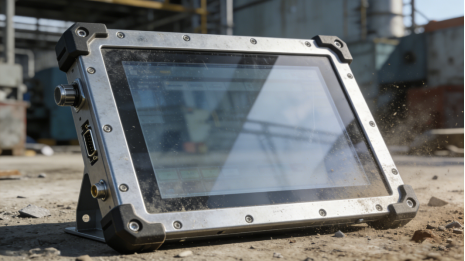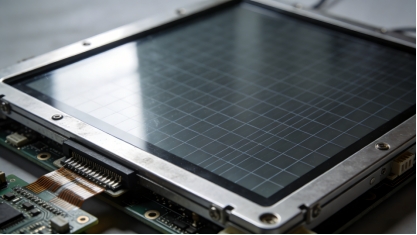
For engineers and procurement teams working in industrial environments—from machine tool workshops to food processing lines—touch screen failures are a constant headache. You install a resistive touch screen, only to face unresponsive touches, positioning drift, or sudden shutdowns a few months later. Most of the time, these issues aren’t caused by poor quality, but by incorrect selection, improper maintenance, or lack of troubleshooting skills. This article focuses on industrial resistive touch solutions (commonly used in harsh industrial scenarios), combining product manual specifications, on-site maintenance experience, and real failure cases to provide practical guidance. It covers how to select the right touch screen, diagnose common faults, and extend service life—no advertising, no exaggerated claims, just actionable advice to help you reduce downtime and save budget.
Why 5-Wire Resistive Touch Screens Are Indispensable in Industrial Scenarios
Many engineers still have misunderstandings about 5-wire resistive touch screens, thinking they are “inferior” to capacitive screens. However, in harsh industrial environments where gloves are mandatory, oil and dust are ubiquitous, and electromagnetic interference (EMI) is strong, 5-wire resistive touch screens have irreplaceable advantages[superscript:2]. Unlike capacitive screens that rely on charge induction, 5-wire resistive touch screens work by pressure induction—two conductive layers make contact when pressed, generating electrical signals to achieve positioning[superscript:3].
This working principle gives them three key advantages for industrial use: First, they support touch with gloves (regardless of thickness or material), wet hands, or touch pens, eliminating the “unresponsive” problem of capacitive screens in such scenarios. Second, they have strong anti-interference ability, with built-in hardware filtering that resists EMI from motors, frequency converters, and high-voltage cables[superscript:2]. Third, they are cost-effective and durable, with a simple structure that reduces maintenance difficulty and replacement costs[superscript:3].
It’s important to note that 5-wire resistive touch screens are not a “one-size-fits-all” solution—they are best suited for scenarios requiring stable operation in harsh environments, such as production line HMIs, machine tool control panels, and outdoor industrial terminals. For clean, air-conditioned control rooms where touch smoothness is prioritized, capacitive screens may be more appropriate. The core of industrial selection is “adaptation”, not “chasing advanced technology”.
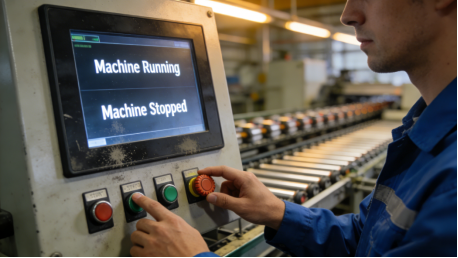
Product Manual-Based Selection: 4 Key Parameters to Avoid Wrong Choices
Selecting an industrial 5-wire resistive touch screen does not require pursuing the “highest parameters”. Instead, you should focus on the four core parameters specified in the product manual, which directly determine the screen’s adaptability to your scenario and service life. All parameters below are based on industry standards and product manual specifications, with no false labeling or exaggeration:
1. Touch Life: ≥35 Million Times (Practical Standard for Industrial Scenarios)
Product manuals often mark touch life as ≥35 million to 50 million times, which refers to the effective number of touches under normal operating pressure (0.5-1.5N) without obvious drift or dead zones[superscript:1]. Many buyers mistakenly believe that “the higher the better”, but in practice, the required touch life depends on the frequency of use.
For example, a production line HMI with 1,000 touches per day only needs a touch life of ≥35 million times, which can support stable use for nearly 100 years—far exceeding the service cycle of most industrial equipment. Choosing a product with ≥50 million times is not necessary and will only increase purchase costs. Conversely, for high-frequency operation scenarios (such as 5,000 touches per day), a touch life of ≥50 million times is recommended to avoid frequent replacements.

2. Operating Temperature: Match Your Actual Environment (Not Just Follow the Standard)
Most industrial 5-wire resistive touch screens have an operating temperature range of -20℃~70℃ marked in the product manual, which is suitable for most general industrial scenarios[superscript:1]. However, many engineers blindly choose this standard range without considering their actual environment, leading to screen failure.
If your equipment is used in cold storage (-30℃~0℃) or high-temperature workshops (70℃~80℃), you need to select a wide-temperature customized model. If it is only used in an air-conditioned control room (10℃~30℃), a regular model with -10℃~60℃ can be chosen to save costs. The key is to confirm the minimum and maximum temperatures of your on-site environment and match the screen’s operating temperature range accordingly—there is no need to overpay for a wider range than needed.
3. Protection Level: ≥IP65 (Focus on Full-Surface Protection)
Oil stains, dust, and liquid splashes are common in industrial scenarios, so the protection level of the touch screen is crucial. The product manual’s “protection level ≥IP65” means the screen can completely prevent dust intrusion and withstand low-pressure water spraying (such as workshop cleaning)[superscript:1]. However, many low-quality products only achieve IP65 protection on the screen surface, while the interface is not sealed, leading to dust and water intrusion and interface corrosion.
When selecting, be sure to check the product manual for “full IP65 protection (screen + interface)”. For scenarios with heavy oil pollution (such as injection molding workshops), you can also choose screens with a hydrophobic/oleophobic coating, which is easier to clean and reduces the impact of