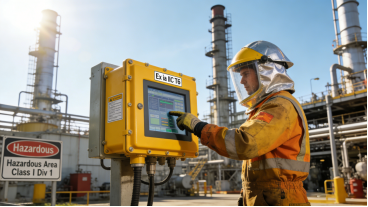
Industrial touch screens are the “human-machine interaction window” of automated equipment, but many engineers and procurement personnel often face a dilemma: clearly purchasing industrial-grade products, but they fail in a few months—some are unresponsive when wearing gloves, some drift in dusty environments, and others are damaged due to improper installation. In fact, 80% of these failures are not caused by poor product quality, but by wrong selection, ignoring key parameters, or irregular use. This article focuses on industrial 4-wire resistive touch screens (a cost-effective and widely used product in industrial scenarios), combining product manual specifications, real on-site failure cases, and professional maintenance experience. It provides practical guidance without any advertising, exaggerated claims, or brand promotion, helping you avoid common mistakes, select the right product, and extend the service life of the touch screen.
When to Choose Industrial 4-Wire Resistive Touch Screens? (No Jargon, Just Practical Judgment)
Many people have a one-sided understanding of 4-wire resistive touch screens, thinking they are “low-end” and not as good as 5-wire or capacitive touch screens. However, in industrial scenarios that are cost-sensitive and do not require high-frequency operation, 4-wire resistive touch screens are the most practical choice—their core advantages are derived from their simple and reliable pressure induction principle, which is also clearly recorded in product manuals[superscript:3][superscript:6].
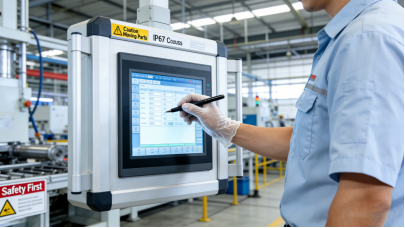
Unlike capacitive touch screens that rely on charge induction (which fail easily when wearing gloves or in dusty environments), 4-wire resistive touch screens realize positioning through the contact of two conductive layers. This design allows them to work stably with gloves, touch pens, or even blunt objects, and they have strong anti-interference ability against electromagnetic interference from motors and frequency converters common in industrial sites[superscript:1][superscript:5].
According to product manual specifications and industry practical experience, 4-wire resistive touch screens are most suitable for these scenarios[superscript:7][superscript:6]:
- Small and medium-sized PLC control cabinets, single-machine monitoring equipment, and low-frequency operation terminals (daily touch times ≤1,000 times);
- Indoor industrial environments such as workshops and control rooms (no extreme high or low temperatures, light dust);
- Cost-sensitive projects that require batch deployment, such as logistics inventory terminals and small production line kanbans;
- Scenarios that require simple operation and do not require high touch accuracy (such as basic parameter setting and status monitoring).
It should be emphasized that 4-wire resistive touch screens also have clear limitations: their touch life is shorter than that of 5-wire models, and they are not suitable for high-frequency operation (such as 5,000+ touches per day) or extreme temperature environments[superscript:4][superscript:1]. Industrial selection is never about “chasing high specs”, but about “matching scenarios”—choosing the right product for the right scenario is the key to avoiding failures.
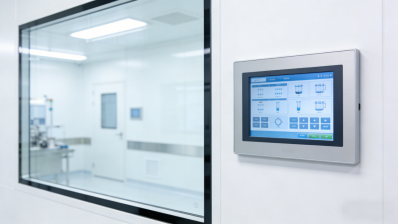
4 Key Parameters in Product Manuals (Avoid Wasting Budget and Causing Failures)
When selecting an industrial 4-wire resistive touch screen, do not be misled by “low prices” or “high specs”. Focus on these 4 core parameters clearly marked in the product manual—they directly determine the stability and service life of the product, and all descriptions are based on product specifications and industry standards, with no false labeling[superscript:6][superscript:7]:
1. Touch Life: ≥10 Million Times (Match Usage Frequency)
Product manuals uniformly specify that the touch life of industrial 4-wire resistive touch screens is ≥10 million times. This refers to the effective number of touches under normal operating pressure (0.5-1.5N) without obvious drift or dead zones, not the theoretical “maximum touch times”[superscript:4][superscript:2]. Many buyers blindly pursue higher touch life and choose 5-wire models (≥50 million times), which is a unnecessary waste.
Practical calculation: If the touch screen is used for 300 times a day (such as a logistics inventory terminal), a 4-wire resistive touch screen with ≥10 million touches can be used stably for nearly 92 years—far exceeding the service cycle of most industrial equipment (usually 5-10 years). Only when the daily touch frequency exceeds 1,000 times, it is necessary to consider upgrading to a 5-wire model[superscript:4].

2. Operating Temperature: -10℃~60℃ (For Indoor Moderate Environments)
Most industrial 4-wire resistive touch screens have an operating temperature range of -10℃~60℃ (non-condensing humidity 0-90%) marked in the product manual[superscript:2][superscript:6]. This range is designed for indoor industrial environments and is not suitable for extreme scenarios such as cold storage (-20℃ or lower) or high-temperature workshops (70℃+).
Real warning: A manufacturing plant once used 4-wire resistive touch screens (rated -10℃~60℃) in an outdoor workshop where the winter temperature dropped to -15℃. As a result, 80% of the screens failed within 1 month, because the internal conductive layer froze and lost signal transmission capacity[superscript:1][superscript:5]. For extreme temperature scenarios, it is necessary to choose wide-temperature customized models or 5-wire resistive touch screens with better temperature adaptability.
3. Protection Level: ≥IP64 (Basic Industrial Dustproof and Waterproof)
Industrial workshops are inevitably dusty, so the protection level of the touch screen is crucial. The product manual specifies that the protection level of industrial 4-wire resistive touch screens is ≥IP64, which means they can completely prevent dust intrusion and resist light water splashes (such as daily workshop cleaning)[superscript:1][superscript:6]. For scenarios with heavy oil pollution (such as injection molding workshops), it is necessary to choose models with IP65 or higher protection level, but the cost will increase accordingly.
Avoid low-cost traps: Some low-priced 4-wire resistive touch screens on the market do not have a formal IP protection rating. Dust will enter the screen within a short time, damage the conductive layer, and cause touch failure. According to on-site statistics, such screens usually fail within 3-6 months[superscript:5][superscript:3].
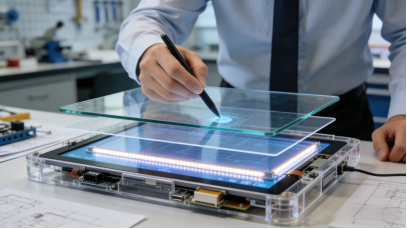
4. Interface Compatibility: Focus on Plug-and-Play to Avoid Modification Costs
Interface mismatch is one of the most common and costly mistakes in touch screen selection. Most industrial 4-wire resistive touch screens use FPC 4Pin/5Pin interfaces or RS232/RS485 serial ports, which are compatible with most industrial motherboards and PLC controllers[superscript:6][superscript:7]. However, many buyers ignore this parameter and directly purchase screens with mismatched interfaces, resulting in the need for additional hardware modification, which increases costs and delays the installation progress[superscript:3][superscript:8].
Practical suggestion: Before purchasing, confirm the interface type and pin definition of the existing equipment. If it is compatible with FPC 4Pin/5Pin or RS232/RS485, you can choose a standard 4-wire resistive touch screen to realize plug-and-play; if the interface is special, confirm whether the manufacturer can provide custom interface services[superscript:3][superscript:6].
3 Real On-Site Cases (No Fiction, No Hype—Learn from Mistakes)
The following cases are from actual industrial maintenance records (relevant enterprise names are omitted to protect privacy). They are all real failure cases caused by wrong selection or improper use, and provide actionable solutions to help you avoid similar mistakes[superscript:3][superscript:8][superscript:5]:
Case 1: Wrong Protection Level Causes Oil Pollution Failure
An injection molding workshop installed 20 industrial 4-wire resistive touch screens (IP64 protection level) for machine tool control panels. After 4 months, 14 screens had touch failure or erratic response. The workshop initially thought it was a quality problem and planned to replace all screens.
Root Cause: The injection molding workshop has heavy oil pollution, and the IP64 protection level can only resist light water splashes and dust, but cannot prevent oil mist from entering the screen. The oil mist adhered to the conductive layer, causing poor contact and touch failure. According to the product manual, IP64 is not suitable for heavy oil pollution scenarios[superscript:1][superscript:6].
Solution: Replace the screens with 4-wire resistive touch screens with IP65 protection level (which can resist low-pressure water spraying and oil mist intrusion), and formulate a weekly screen cleaning plan (wipe with neutral detergent to remove oil stains). After improvement, the failure rate of the screens dropped to less than 5% in 1 year, and no large-scale failures occurred.
Key Takeaway: The protection level must match the on-site environment. Do not choose a low-protection model for cost savings—otherwise, you will face higher replacement costs and downtime losses.

Case 2: Ignoring Interface Compatibility Leads to Wasted Budget
A logistics company purchased 50 4-wire resistive touch screens for inventory management terminals. After receiving the goods, it was found that the screens used USB interfaces, while the existing terminal motherboards only supported FPC 5Pin interfaces. The screens could not be connected normally, and the company had to spend an additional $2,000 to modify the hardware and customize the interface cables.
Root Cause: The buyer did not confirm the interface type of the existing equipment before purchasing, and only focused on the price and size of the screen. He mistakenly believed that “the same size can be used directly”, ignoring the interface compatibility problem[superscript:3][superscript:8].
Solution: For the next batch of purchases, the company first confirmed the interface type of the terminal motherboard, and purchased 4-wire resistive touch screens with FPC 5Pin interfaces, which realized plug-and-play and avoided additional modification costs. At the same time, it was stipulated that the interface parameters must be confirmed before purchasing any industrial touch screen.
Key Takeaway: Interface compatibility is as important as touch life and protection level. Always confirm the interface type of existing equipment before purchasing to avoid unnecessary losses.
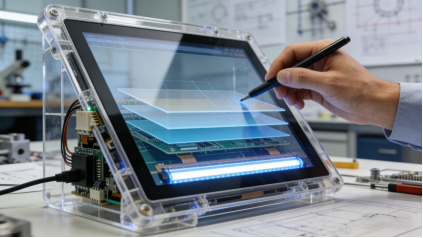
Case 3: Improper Installation and Calibration Causes Touch Drift
A small manufacturing plant installed 30 4-wire resistive touch screens for small production line kanbans. After installation, operators reported severe touch drift—touching one area registered input in another. The plant thought the screens were faulty and contacted the supplier for replacement.
Root Cause: The installation personnel did not follow the product manual’s installation guidelines—they installed the screen too tightly, causing the conductive layer to be pressed and deformed; at the same time, they did not recalibrate the screen after installation. According to the product manual, 4-wire resistive touch screens need to be recalibrated after installation and debugging to ensure touch accuracy[superscript:3][superscript:5].
Solution: The installation personnel loosened the screen fixing screws (according to the product manual’s torque requirements), and recalibrated all screens using the built-in calibration tool. Within 2 hours, all touch drift issues were resolved, and no screen replacement was needed. Cost Saved: $1,500 (avoiding 30 screen replacements).
Key Takeaway: Improper installation and lack of calibration are common causes of touch drift. Always follow the product manual’s installation and calibration guidelines to avoid unnecessary trouble.
Common Troubleshooting (Fix Issues Without Replacing Screens)
Most 4-wire resistive touch screen failures do not require replacement—they can be fixed with simple troubleshooting, based on product manual guidelines and on-site maintenance experience[superscript:5][superscript:3][superscript:8]:
- Touch Drift: First, check if the screen is installed too tightly (adjust the fixing screws); if not, recalibrate the screen using the built-in tool (per product manual). If drift persists, check if there is electromagnetic interference from nearby motors or frequency converters (move the screen away from the interference source).
- Unresponsive Touch: Clean the screen surface with a soft, lint-free cloth and neutral detergent (remove dust and oil stains). If unresponsive, check the interface cable (ensure it is tight and free of corrosion). If the cable is intact, reinstall the touch driver according to the product manual.
- Partial Dead Zones: This is usually caused by physical damage (such as scratches from sharp objects) or conductive layer wear. If the dead zone is small and does not affect normal operation, it can be used continuously; if the dead zone is large and affects operation, the screen needs to be replaced (this is the only case where replacement is necessary).
- Interface Corrosion: If the interface is corroded due to dust or moisture, clean the interface with a dry cotton swab; if corrosion is severe, replace the interface cable (which is cheaper than replacing the entire screen)[superscript:8].
Cost-Free Maintenance Tips (Extend Service Life by 50%)
Based on product manual maintenance guidelines and real on-site experience, these 4 simple and cost-free tips can effectively extend the service life of industrial 4-wire resistive touch screens, reducing failure rates and maintenance costs[superscript:6][superscript:5][superscript:7]:
- Regular Calibration: Recalibrate the screen every 3 months, or after changing the display settings or mounting position, to prevent touch drift.
- Gentle Cleaning: Wipe the screen surface and interface with a soft, damp cloth (neutral detergent) every 1-2 weeks. Avoid using corrosive cleaners (such as alcohol and gasoline), which will damage the conductive layer and screen coating[superscript:1][superscript:5].
- Proper Installation: Follow the product manual’s installation guidelines, do not install the screen too tightly, and keep the screen away from strong interference sources (such as motors and frequency converters) with a distance of ≥1m[superscript:5].
- Avoid Extreme Pressure: Operate the screen with moderate force (0.5-1.5N), and do not use sharp objects (such as screwdrivers and nails) to press the screen, which will scratch the conductive layer and cause permanent damage[superscript:6][superscript:3].

Final Practical Summary (No Hype, Just Actionable Advice)
Industrial 4-wire resistive touch screens are not “low-end products”, but cost-effective solutions suitable for specific industrial scenarios. The core of selection is to “match parameters to scenarios”, not to chase high specs or low prices. To avoid failures and waste, remember these three points:
- Confirm the scenario first: Choose 4-wire resistive touch screens for low-frequency, indoor, and cost-sensitive industrial scenarios; choose 5-wire models for high-frequency or extreme temperature scenarios[superscript:4][superscript:1].
- Check parameters carefully: Focus on 4 core parameters in the product manual—touch life ≥10 million times, operating temperature -10℃~60℃, protection level ≥IP64, and interface compatible with existing equipment[superscript:6][superscript:7].
- Standardize use and maintenance: Follow the product manual’s installation and calibration guidelines, clean and maintain regularly, and avoid improper operation[superscript:3][superscript:5].
For industrial equipment, the stability of the touch screen directly affects production efficiency and maintenance costs. By following the guidelines in this article, you can select the right 4-wire resistive touch screen, fix common failures, and extend its service life—reducing downtime and saving budget. This is the core of industrial product selection: practicality first, scenario matching first, and avoiding unnecessary waste.