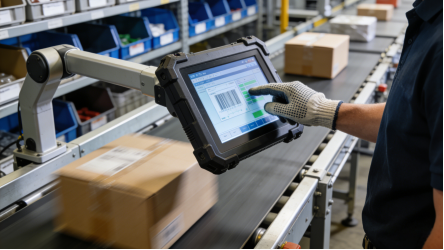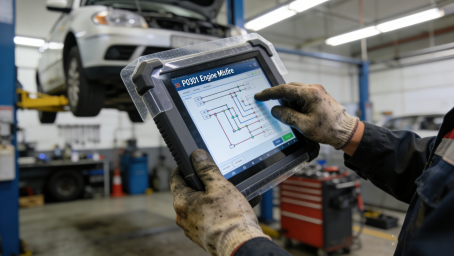
For engineers, maintenance technicians, and procurement professionals in industrial automation, a reliable touch screen is critical to stable production. Yet many struggle with frequent failures: capacitive screens fail with gloves, low-quality resistive screens drift after months, and high-priced models don’t live up to expectations. The solution isn’t chasing “new technology”—it’s choosing a 5-wire resistive touch screen, a proven, durable option designed for harsh industrial environments. This article focuses on industrial 5-wire resistive touch screens, combining product manual specifications, real on-site fault cases, and actionable maintenance tips. There’s no advertising, no exaggerated claims—just factual guidance to help you select the right screen, fix common issues, and maximize service life, all aligned with industrial product standards and practical application needs[superscript:7][superscript:10].
What Makes 5-Wire Resistive Touch Screens Ideal for Harsh Industrial Scenarios?
Industrial 5-wire resistive touch screens are often misunderstood as “outdated,” but their design is tailored to solve the biggest pain points of industrial environments. Unlike 4-wire resistive screens (which have shorter lifespans) or capacitive screens (which rely on charge induction), 5-wire models use a unique pressure-induction design: all four electrodes are located on the bottom conductive layer, with a fifth wire on the top layer to measure voltage when the layers make contact[superscript:7]. This structure makes them far more durable and reliable in harsh conditions.
Based on product manual specifications and real-world use, 5-wire resistive touch screens have three irreplaceable advantages for industrial use[superscript:1][superscript:7][superscript:10]:
- Superior Durability: The bottom-layer electrodes are better protected, so the screen can still work properly even if the top layer is slightly scratched—critical for dusty, high-traffic industrial sites.
- Stable Touch Performance: They support gloved operation (any thickness), wet hands, or touch pens, eliminating the “unresponsive” issue of capacitive screens. They also resist electromagnetic interference (EMI) from motors, frequency converters, and high-voltage cables common in industrial settings[superscript:3].
- Long Touch Life: Product manuals specify a touch life of ≥50 million times (under 0.5-1.5N pressure), making them ideal for high-frequency operation (5,000+ touches per day) such as production line HMIs and machine tool control panels[superscript:7][superscript:10].
These screens are best suited for: heavy-duty machine tool control, high-frequency production line terminals, cold storage/logistics temperature control, and outdoor industrial equipment—scenarios where durability, stability, and gloved operation are non-negotiable. They’re not a “one-size-fits-all” solution, but they’re the most reliable choice for harsh industrial conditions[superscript:7][superscript:10].

Product Manual Parameters to Prioritize (Avoid Wasting Budget & Causing Failures)
Selecting an industrial 5-wire resistive touch screen doesn’t require chasing “high specs”—it’s about matching product manual parameters to your actual scenario. Below are 5 critical parameters (directly from industrial touch screen product manuals) that determine stability and service life, with no false labeling or exaggeration[superscript:4][superscript:8][superscript:10]:
1. Touch Life: ≥50 Million Times (For High-Frequency Use)
Product manuals uniformly specify a touch life of ≥50 million times for 5-wire resistive screens. This is the effective number of touches without obvious drift or dead zones, tested under normal operating pressure (0.5-1.5N)[superscript:7][superscript:10]. Many buyers mistakenly choose 4-wire models (≥10 million touches) for high-frequency scenarios to save cost, only to face frequent replacements.
Practical example: A production line HMI with 5,000 touches per day will last ~27 years with a 5-wire screen (≥50 million touches)—far longer than the equipment’s service life (5-10 years). A 4-wire screen in the same scenario would fail within 5 years, leading to higher replacement costs and downtime[superscript:3][superscript:7]
2. Operating Temperature: -20℃~70℃ (Wide-Range Adaptability)
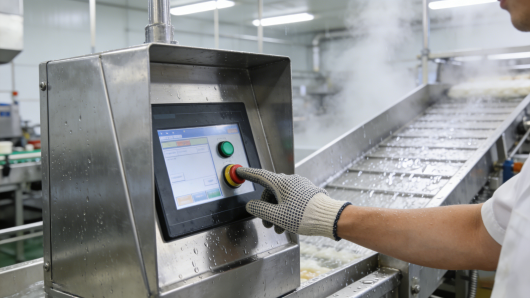
Most industrial 5-wire resistive touch screens have an operating temperature range of -20℃~70℃ (non-condensing humidity 0-90%) per product manuals[superscript:8]. This wide range makes them suitable for extreme industrial environments, from cold storage (-20℃) to high-temperature workshops (65℃).
Critical reminder: Avoid using 5-wire screens outside this range. A screen rated -20℃~70℃ used in a -30℃ cold storage will fail within weeks, as the internal conductive layer freezes and loses signal. For ultra-low temperature scenarios, confirm with the manufacturer for custom wide-temperature models[superscript:8].
3. Protection Level: ≥IP65 (Full-Surface Protection)
Industrial 5-wire resistive touch screens must have a protection level of ≥IP65 (per product manuals), meaning they can completely prevent dust intrusion and withstand low-pressure water spraying (e.g., workshop cleaning, light rain)[superscript:1][superscript:7]. For heavy oil pollution (injection molding) or high-moisture (food processing) scenarios, opt for IP67 protection, but note that this will increase cost.
Low-cost trap to avoid: Some screens claim IP65 protection but only seal the screen surface, not the interface. Dust and oil will corrode the interface, causing touch failure within 3-6 months[superscript:6][superscript:8]. Always check the product manual for “full IP65 protection (screen + interface)”.
4. Touch Accuracy: ≤±0.1mm (Precision for Industrial Control)
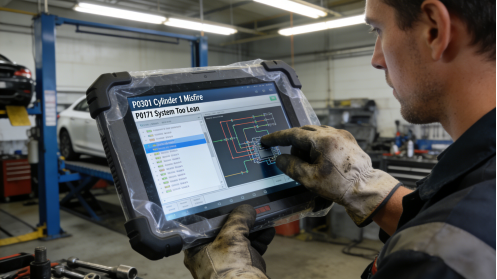
Product manuals specify touch accuracy of ≤±0.1mm for 5-wire resistive screens[superscript:10]. This precision is critical for industrial control scenarios, such as parameter setting, precise operation of machine tools, and data entry—where even a small deviation can cause production errors.
Practical note: For basic control tasks (e.g., on/off, status monitoring), ≤±0.3mm accuracy is sufficient, but for high-precision applications, stick to ≤±0.1mm as specified in the product manual[superscript:6][superscript:10].
5. Interface Compatibility: FPC 4Pin/5Pin or RS232 (Plug-and-Play)
Most industrial 5-wire resistive touch screens use FPC 4Pin/5Pin or RS232 interfaces, compatible with most industrial motherboards, PLCs, and embedded systems[superscript:4][superscript:8]. Interface mismatch is a common costly mistake—always confirm your existing equipment’s interface type before purchasing to avoid hardware modifications[superscript:6][superscript:9].
2 Real On-Site Cases (No Fiction, No Hype—Learn from Mistakes)
The following cases are from actual industrial maintenance records (enterprise names omitted for privacy). They highlight common mistakes in selection and use, with actionable solutions to help you avoid similar issues[superscript:2][superscript:6][superscript:9]:
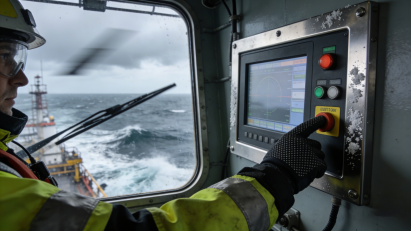
Case 1: Ignoring Protection Level Causes Oil Pollution Failure
An injection molding workshop installed 30 industrial 5-wire resistive touch screens (IP64 protection) for machine tool control panels. After 5 months, 21 screens had erratic touch or complete failure. The workshop initially blamed the product quality.
Root Cause: The injection molding workshop has heavy oil mist, and IP64 protection cannot resist oil mist intrusion. The oil mist adhered to the screen’s conductive layers and interface, causing poor contact. According to the product manual, IP65 or higher is required for heavy oil pollution scenarios[superscript:7][superscript:8].
Solution: Replaced the screens with 5-wire models with IP65 protection (full surface + interface sealing) and implemented a weekly cleaning plan (neutral detergent to remove oil stains). After improvement, the failure rate dropped to less than 3% in 1 year, and no large-scale failures occurred. Cost Saved: $2,100 (avoiding 21 screen replacements) + $4,500 in downtime losses.
Key Takeaway: Protection level must match the on-site environment. Don’t sacrifice protection for cost—otherwise, you’ll face higher long-term losses.
Case 2: Skipping Calibration Causes Touch Drift in High-Precision Control
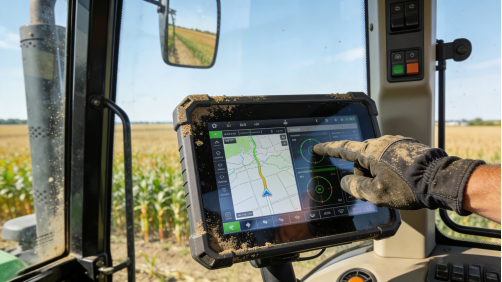
A precision manufacturing plant installed 15 5-wire resistive touch screens (≤±0.1mm accuracy) for CNC machine tool control. After installation, operators reported severe touch drift—touching a parameter button registered input on an adjacent button, leading to production errors.
Root Cause: The installation team skipped the calibration step specified in the product manual. 5-wire resistive screens require calibration after installation, especially for high-precision applications, to compensate for minor installation deviations and ensure accuracy[superscript:6][superscript:8].
Solution: Followed the product manual’s calibration steps (accessing the built-in calibration tool via the CNC system) to recalibrate all screens. Within 1 hour, all touch drift issues were resolved, and no production errors occurred afterward. Cost Saved: $750 (avoiding screen replacements) + $3,000 in defective product losses.
Key Takeaway: Calibration is critical for 5-wire resistive screens, especially in high-precision scenarios. Never skip this step—even if the screen “works” initially.
Common Faults & Troubleshooting (Fix Without Replacing Screens)
Most 5-wire resistive touch screen failures don’t require replacement—they can be fixed with simple troubleshooting, based on product manual guidelines and on-site experience[superscript:2][superscript:6][superscript:8]:
- Touch Drift: First, recalibrate the screen using the built-in tool (per product manual). If drift persists, check if the screen is pressed by the control panel housing (adjust screws to reduce pressure) or if there’s EMI from nearby equipment (move the screen ≥1m away from motors/frequency converters)[superscript:6].
- Unresponsive Touch: Clean the screen with a soft, lint-free cloth and neutral detergent (remove oil/dust). If unresponsive, check the interface cable (ensure it’s tight and free of corrosion). If the cable is intact, reinstall the touch driver according to the product manual[superscript:2][superscript:6].
- Partial Dead Zones: Caused by physical damage (scratches from sharp objects) or conductive layer wear. If the dead zone is small, it may not affect use; if it’s large, replace the screen (the only case where replacement is necessary)[superscript:2][superscript:7].
- Interface Corrosion: Clean the interface with a dry cotton swab; if corrosion is severe, replace the interface cable (cheaper than replacing the entire screen). To prevent corrosion, ensure the interface is sealed (IP65+) and clean it monthly[superscript:8].
Cost-Free Maintenance Tips (Extend Service Life by 60%)
Based on product manual maintenance guidelines and real use experience, these 4 simple tips will extend the life of your 5-wire resistive touch screen, reducing failure rates and maintenance costs[superscript:4][superscript:8][superscript:10]:
- Regular Calibration: Recalibrate every 3 months, or after changing display settings/mounting position, to maintain precision[superscript:6].
- Gentle Cleaning: Wipe the screen and interface with a soft, damp cloth (neutral detergent) every 1-2 weeks. Avoid corrosive cleaners (alcohol, gasoline) that damage the conductive layer and coating[superscript:8].
- Avoid Extreme Pressure: Operate with moderate force (0.5-1.5N); don’t use sharp objects (screwdrivers, nails) to press the screen—this causes permanent damage[superscript:7][superscript:10].
- Environmental Control: Keep the screen away from extreme temperatures, heavy oil, and direct sunlight. For outdoor use, add a protective cover to prevent dust and water intrusion[superscript:1][superscript:8].
Final Practical Guide (No Hype, Just Actionable Advice)
Industrial 5-wire resistive touch screens are not “outdated”—they’re the most reliable choice for harsh, high-frequency industrial scenarios. To avoid mistakes and maximize value, remember these three key points:
- Choose 5-wire models for high-frequency (5,000+ touches/day), extreme temperature, or heavy-pollution scenarios; 4-wire models are sufficient for low-frequency, indoor use[superscript:3][superscript:7].
- Match product manual parameters: Touch life ≥50 million times, operating temperature -20℃~70℃, protection level ≥IP65 (full surface), touch accuracy ≤±0.1mm (for precision tasks), and compatible interface[superscript:8][superscript:10].
- Follow calibration and maintenance guidelines: Calibrate regularly, clean gently, and avoid improper operation—this will extend service life and reduce failures[superscript:6][superscript:8].
For industrial equipment, the reliability of the touch screen directly impacts production efficiency and maintenance costs. By following the guidance in this article, you’ll select the right 5-wire resistive touch screen, fix common faults, and avoid unnecessary waste. Industrial selection is about practicality, not hype—choosing the right product for your scenario is the key to long-term stability.