

If you’re a US business looking to buy industrial tablets for your factories, warehouses, or field work, you’ve probably run into common headaches: tablets overheating in hot workshops, failing to connect to your PLC systems, breaking easily in tough conditions, or not being customizable enough for your needs. These issues don’t just waste your money—they slow down your operations too. Drawing on feedback from over 1,000 US industrial companies and real-world use cases across different industries, this guide breaks down the key things to look for when choosing, how to spot reliable vendors, and how to avoid common mistakes—all tailored to the US market. It’ll help you pick the perfect industrial tablet without the hassle.
I. Core Selection Criteria: Adapt to US Industrial Scenarios & Standards
Here’s the thing about picking the right industrial tablet: it’s all about matching it to how you actually use it, and making sure it checks all the boxes for US industry standards. Regular consumer tablets just won’t cut it here—industrial ones need to be tough as nails, handle whatever harsh conditions you throw at them, and play nice with the gear you already have. Let’s break down the three most important things to keep an eye on:
2.1 Hardware Needs to Be Tough: Industrial-Grade Parts Are a Must
US industrial spots—think Detroit’s auto plants, Silicon Valley’s electronics factories, or Midwest cold storage warehouses—need equipment that doesn’t flake out. When you’re checking out the hardware, these are the key specs you can’t skip:
- Processor: Go for Intel Core i3/i5/i7 (10th gen or newer) or AMD Ryzen industrial-grade chips. These can handle extreme temperatures (-40°F to 185°F) and are way more stable than regular consumer processors—no more crashes during long shifts.
- Memory & Storage: Get at least 8GB of RAM (16GB is better if you’re using machine vision). For storage, go with a 256GB SSD or bigger—and make sure it’s industrial-grade (shockproof and wear-resistant, meeting MIL-STD-810G standards).
- Display: Choose a 10-15 inch touchscreen that’s easy to read in sunlight (brightness of 1000 nits or more)—perfect for outdoor work or sunny workshops. Capacitive multi-touch that works with gloves is a must, since your workers will probably be wearing safety gloves.
- Interfaces: Make sure it has all the industrial ports you need—like RS-232/485 (for connecting PLCs such as Allen-Bradley), HDMI, Gigabit Ethernet (IEEE 802.3), and USB 3.2. If you’re using it in a warehouse or for remote monitoring, consider adding PoE (Power over Ethernet) support—it makes wiring a lot simpler.
2.2 Must Handle Harsh Environments: Meet US Tough Conditions
US industrial environments are all over the place—one minute you’re in a scorching auto assembly line, the next in a freezing cold storage unit in the Northeast, or a dusty electronics factory. Make sure you double-check these environmental specs before you buy:
- Protection Rating: At minimum, go for IP65 (totally dustproof and can handle low-pressure water sprays from any direction). If you’re in a food processing plant or any environment that needs high-pressure washing (to meet FDA standards), pick an IP68-rated tablet instead.
- Temperature Range: The tablet should work between -40°F and 185°F (-40°C to 85°C) to handle extreme US weather—like frigid Northern winters and sweltering Southern summers.
- Shock & Vibration Resistance: It should meet MIL-STD-810H standards—able to survive a 4-foot (1.2-meter) drop and constant vibration during shipping or workshop use.
- EMC Compliance: It needs to pass FCC Part 15 Class B (electromagnetic compatibility) tests. This stops the tablet from interfering with other sensitive factory equipment and ensures it follows US electrical safety rules.
2.3 Customization Options: Fit Your US Business Workflows
Lots of US businesses need industrial tablets that fit their unique workflows—one-size-fits-all just doesn’t work. When you’re sizing up vendors, make sure they can hook you up with these customization perks:
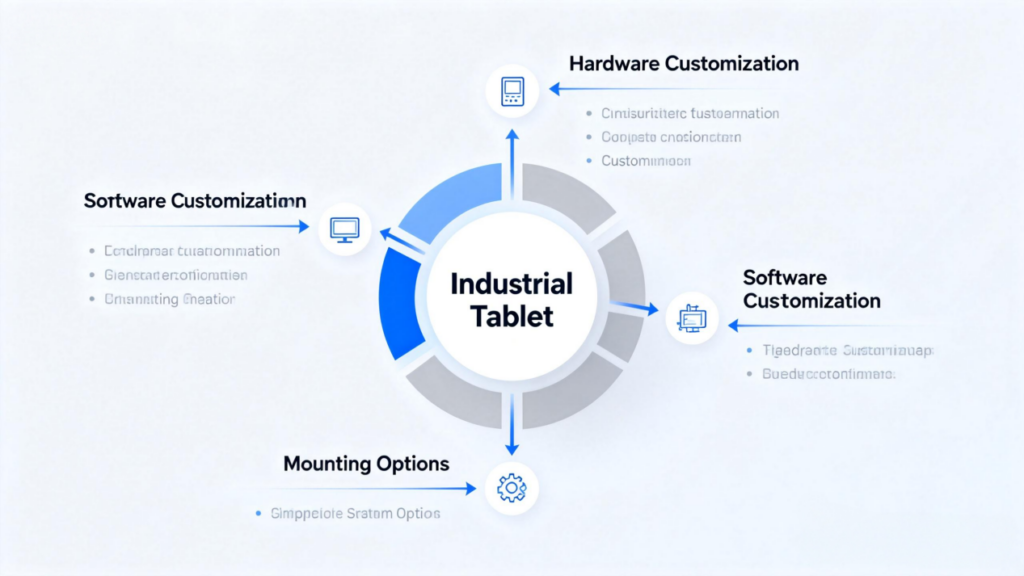
- Hardware Customization: Ability to adjust screen size, add/remove ports, choose mounting options (embedded, wall-mounted, rack-mounted), and add extras like barcode scanners (1D/2D, compatible with GS1 standards) or RFID readers (UHF, meeting EPCglobal Gen 2).
- Software Customization: Pre-install Windows 10 IoT Enterprise or Android 13 Industrial Edition, and provide SDKs to integrate with common US business software (like SAP, Oracle, or Microsoft Dynamics 365).
- Lead Time: Customization should take 4 weeks or less. US manufacturers hate delays in production line upgrades or projects—so quick turnaround is key.
II. Avoiding Mistakes: How to Spot Reliable Vendors in the US Market
Picking the right vendor is just as crucial as picking the right tablet. The US industrial market is flooded with vendors, but not all of them deliver good quality or service. Here are three things to focus on when you’re evaluating your options:
3.1 Check R&D Capabilities: Good Tech = Reliable Gear
- Find out if the vendor has an R&D team in the US (like in California or Texas) and holds US patents for stuff like rugged designs or heat management tech—this shows they know their stuff.
- Ask for technical docs like FCC certification, UL listing (for electrical safety), and MIL-STD-810H test reports. These papers prove the product actually meets US standards—don’t skip this step.
3.2 Evaluate Production Systems: Quality Control Is Non-Negotiable
- Prioritize vendors with ISO 9001:2015-certified production facilities—whether they’re in the US or overseas, as long as they have strict quality checks in place.
- Ask about their quality inspection process—like if they test every single unit (that’s 100% burn-in testing) and do random environmental stress screening (ESS). This ensures every tablet works the same way, no duds.
3.3 Assess After-Sales Service: Fast Support = Less Downtime
US businesses hate waiting around for repairs—fast after-sales service is a must. When you’re choosing a vendor, make sure you confirm these things first:
- Warranty Period: Aim for at least a 3-year warranty—that’s the standard in the US industrial space. Look for options to extend it to 5 years and add on-site service if you need it.
- Service Network: Make sure they have local service centers in the US (like in Michigan, California, or Florida). This way, if something critical breaks, they can send someone on-site to fix it within 48 hours.
- Technical Support: 24/7 English support via phone, email, or online chat. This is a lifesaver for night shifts or when you need a quick fix to get production back on track.
III. Real US Case Studies: Learn from Successful Choices
These real-life stories from US industries show exactly how to put the above tips into action to solve real problems. Take a look—they might mirror your own situation:
4.1 Automotive Manufacturing: Detroit Automotive Parts Plant
Here’s a relatable story from a Detroit automotive parts plant: Their workshop gets scorching hot—regularly hitting 140°F. At first, they tried using consumer-grade tablets to manage production data, but those things kept crashing mid-shift. To make matters worse, they couldn’t get the tablets to connect to their Allen-Bradley PLCs, which meant workers had to switch back to paper records—total hassle and slowdown. They finally decided to upgrade to industrial tablets: they went with ones packing Intel Core i5 industrial processors, IP67 protection (so dust and occasional splashes didn’t stand a chance), and RS-485 ports that played nice with their PLCs. These tablets also handle the extreme temp range (-40°F to 185°F) like a champ and came preloaded with Windows 10 IoT Enterprise, which integrated seamlessly with their existing SAP system. The result? No more crashes in a full year of use, and their production efficiency jumped by 15%—workers didn’t have to waste time troubleshooting tablets or copying data manually anymore.
4.2 Cold Storage & Logistics: Midwest Frozen Food Warehouse
A frozen food warehouse in the Midwest had a freezing problem—literally. Their cold storage stays at -22°F, and regular consumer tablets just couldn’t handle it; they’d shut down as soon as workers brought them inside, and the barcode scanners on the tablets were useless in the cold, making inventory checks a nightmare. They needed a solution that could stand up to the frigid temps and still get the scanning job done. They opted for IP68-rated industrial tablets, which have built-in heat management to keep them running even in the cold. The tablets also had sunlight-readable screens (handy for when workers moved between cold storage and the warmer warehouse floor) and integrated 2D barcode scanners that worked perfectly in -22°F. On top of that, PoE support made wiring super easy in their big warehouse—no more running extra power cables. Now, the tablets run steadily all day long in the cold, and their inventory management time has dropped by 30%—a huge win for their team.
4.3 Vocational Education: Community College in Texas (Advanced Manufacturing Training)
A community college in Texas was looking for durable tablets for their advanced manufacturing training program. The problem? Regular tablets just couldn’t keep up with daily student use—they’d get dropped, scratched, or stop working after a few months. Plus, the tablets needed to work with industrial simulation software like FactoryTalk View and be easy to mount on the training stations so students could focus on learning, not holding onto devices. They worked with a vendor to get custom embedded industrial tablets: 12-inch touchscreens, plenty of USB ports for connecting simulation tools, and a wall-mounted design that kept them secure. The vendor also pre-installed Windows 10 IoT Enterprise and the training software, so the IT team didn’t have to spend hours setting everything up. And with a 3-year warranty, the college didn’t have to worry about constant replacements. Two years later, the tablets are still going strong—no damage, no glitches—and training efficiency is up by 20% because students can spend more time practicing and less time dealing with faulty equipment.
4.4 Machine Vision Inspection: Silicon Valley Electronics Factory
A Silicon Valley electronics factory was struggling with their machine vision inspection line. They needed tablets to process real-time image data from their cameras—delay was a big no-no, and the connection had to be rock solid to catch defects accurately. Their old setup used consumer tablets, which had too much lag and would drop connections occasionally, leading to missed defects and wasted products. They upgraded to high-performance industrial tablets: Intel Core i7 processors, 16GB RAM, and 512GB industrial SSDs that could handle the heavy image processing load. The tablets also had Gigabit Ethernet and HDMI 2.0 ports, which let them connect high-resolution cameras without any lag. On top of that, they met FCC Part 15 Class B EMC standards, so they didn’t interfere with the factory’s other sensitive equipment. The difference was night and day: real-time image processing delay dropped below 50ms, and their defect detection accuracy went up by 25%. No more missed defects, no more wasted products—just smooth, reliable inspection work.
IV. Industrial Tablet Selection Checklist (US Market-Specific)
Use this checklist before you pull the trigger on a purchase—it’ll help you avoid common mistakes. Just check off each item as you verify:
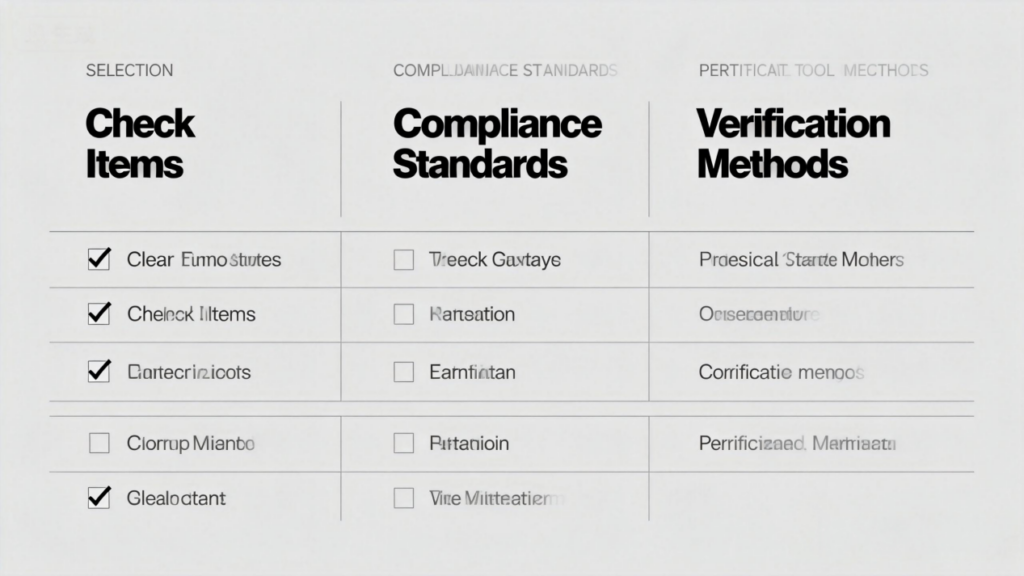
- ☐ Hardware: Processor is industrial-grade (Intel/AMD industrial series), RAM ≥ 8GB, storage ≥ 256GB industrial SSD.
- ☐ Environmental Adaptability: Protection rating ≥ IP65, works in -40°F to 185°F, meets MIL-STD-810H.
- ☐ Compliance: Has FCC certification, UL listing (if needed), and EMC test reports that meet US standards.
- ☐ Interfaces: Includes RS-232/485, Gigabit Ethernet, and USB 3.2 (matches the PLCs/equipment you use in the US).
- ☐ Customization: Vendor offers hardware/software customization with lead time ≤ 4 weeks.
- ☐ Warranty & Service: At least 3-year warranty, local US service centers, 24/7 English technical support.
- ☐ Price: Steer clear of super cheap products—they’re almost always cutting corners and won’t meet US standards. Focus on total cost of ownership (TCO) instead—this includes maintenance costs and the money you lose when operations are down.
- ☐ Compatibility: Tested to work with your existing business software (SAP, Oracle) and hardware (Allen-Bradley PLCs, barcode scanners).
V. Frequently Asked Questions (FAQs) for US Buyers
Q1: Is a longer warranty period always better? What’s the difference between 1-year and 3-year warranties?
A1: For US industrial use, a 3-year warranty is a no-brainer. A 1-year warranty usually means the vendor isn’t confident in their product’s durability. A 3-year warranty typically covers parts, labor, and optional on-site service—while a 1-year warranty might only cover parts. US factories lose a lot of money when operations stop, so a longer warranty saves you money on maintenance in the long run.
Q2: How to distinguish industrial-grade processors from consumer-grade ones? Are there simple verification methods?
A2: Industrial-grade processors (like the Intel Core i5-10500E) work in a wider temperature range (-40°C to 85°C) and support ECC (Error-Correcting Code) memory. Consumer-grade processors (like the Intel Core i5-10400) only work in 0°C to 60°C and don’t have ECC. Easy ways to check: Look up the processor model on Intel/AMD’s official website to see if it’s industrial-grade, or ask the vendor for a datasheet.
Q3: Can IP65-rated industrial tablets be directly washed with water?
A3: No, you can’t. IP65 only protects against low-pressure water sprays (like light rain or splashes). If you’re in a food processing plant or need high-pressure cleaning (to meet FDA standards), go for an IP68-rated tablet. These can handle short submersion in water and high-pressure water jets.
Q4: What is the typical lead time for custom industrial tablets? Will it affect production line upgrade schedules?
A4: Reliable US vendors can customize tablets in 2-4 weeks. To avoid delays, get the lead time in writing in your contract—and add a penalty clause if they’re late. If you’re in a hurry, pick vendors with semi-custom models in stock that can be modified quickly (like adding a barcode scanner or changing the mount).
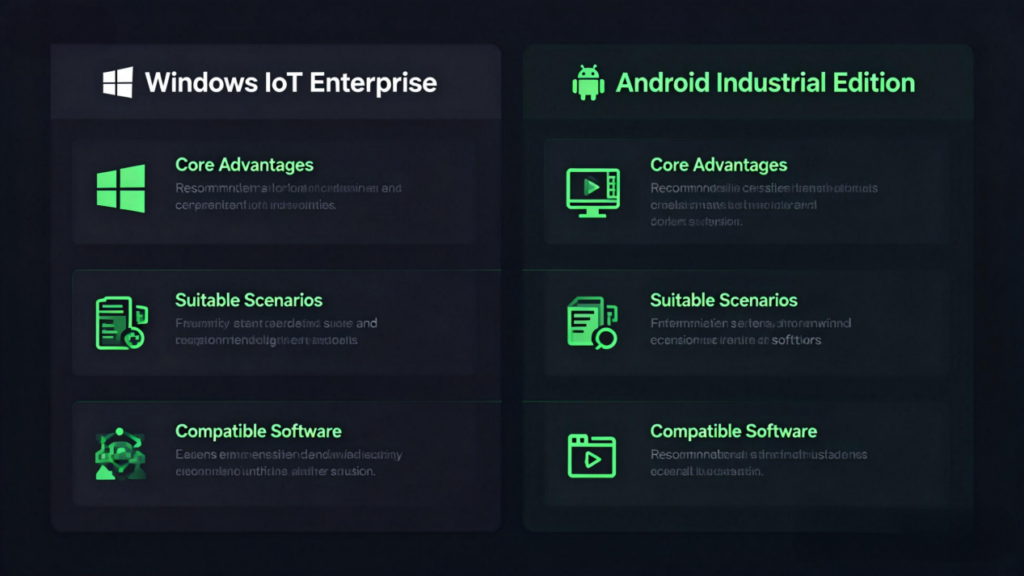
Q5: What’s the difference between Windows IoT Enterprise and Android Industrial Edition for industrial tablets? Which is better for US enterprises?
A5: Windows IoT Enterprise is great for integrating with US business software (SAP, Oracle) and PLCs (Allen-Bradley). It’s compatible with most systems, and your workers will probably already be familiar with the interface. Android Industrial Edition is cheaper and has longer battery life—good for simple tasks like inventory scanning. For most US manufacturing and logistics businesses, Windows IoT Enterprise is the better pick because it’s more versatile and has enterprise-level security.
VI. Conclusion
When it comes down to picking industrial tablets for the US market, keep four key things in mind:meeting US standards (FCC, UL, MIL-STD), handling tough environments,working seamlessly with your existing systems, and having reliable local after-sales service. Stick to the selection tips, vendor checks, and mistake-avoidance checklist in this guide, and you’ll dodge all the common pitfalls. In the end, you’ll have a tablet that fits your work perfectly and keeps your operations running smoothly for the long haul.
Need personalized advice? Drop a comment with your industry (like auto, cold storage, or education) and your key needs (things like temperature range, specific ports, or customization requests), and we’ll send you a free custom selection plan made just for the US market.