

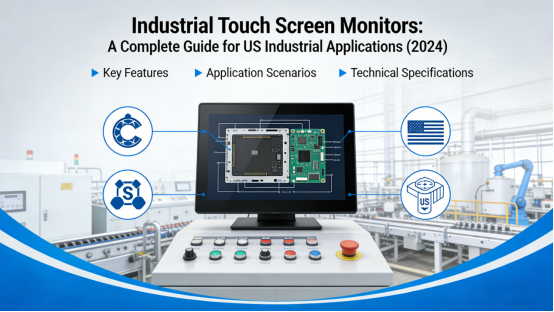
In today’s fast-paced industrial landscape, the demand for reliable, high-performance human-machine interface (HMI) solutions has never been greater. At the heart of these solutions lies theindustrial touch screen monitor—a critical component that bridges the gap between human operators and complex machinery. For businesses across the United States, from Detroit’s automotive assembly lines to offshore drilling platforms in the Gulf of Mexico, choosing the right touch screen technology isn’t just a matter of convenience; it’s a strategic investment in operational efficiency, safety, and long-term productivity.
This comprehensive guide is designed to help US-based industrial professionals navigate the complex world of touch screen technology. We’ll break down the key differences between consumer-grade and industrial-grade solutions, explore the core technologies powering modern touch screens, and provide actionable insights to help you select the best industrial touch screen monitor for your specific application. Whether you’re upgrading an existing system or building a new one from scratch, this article will equip you with the knowledge to make an informed decision.
1. What Is an Industrial Touch Screen Monitor?
Before diving into the details, it’s essential to understand what sets an industrial touch screen monitor apart from the consumer-grade touch screens found in smartphones, tablets, and retail kiosks. While both technologies rely on touch input, the design, materials, and performance characteristics of industrial touch screens are engineered to withstand the harshest operating conditions.
1.1 Defining Industrial Touch Screen Monitors
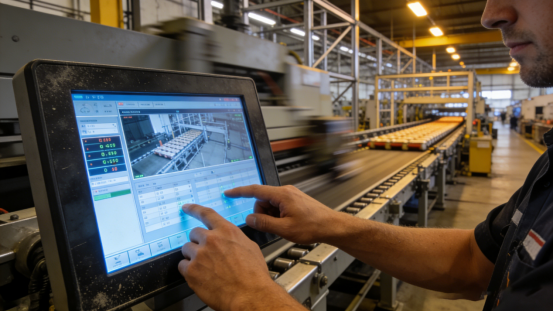
An industrial touch screen monitor is a ruggedized display device integrated with touch-sensitive technology, purpose-built for use in industrial environments. Unlike consumer touch screens, which are designed for indoor, climate-controlled settings, industrial touch screens are built to operate reliably in environments characterized by:
- Extreme temperatures (both hot and cold)
- High levels of dust, moisture, and chemical exposure
- Constant vibration and mechanical shock
- Prolonged operation (24/7/365)
- Exposure to direct sunlight or harsh artificial lighting
These monitors serve as the primary interface for operators in a wide range of industries, including manufacturing, oil and gas, transportation, healthcare, and food and beverage processing. They allow for intuitive control of machinery, real-time monitoring of production data, and seamless integration with SCADA (Supervisory Control and Data Acquisition) systems.
1.2 Key Distinctions from Consumer-Grade Touch Screens
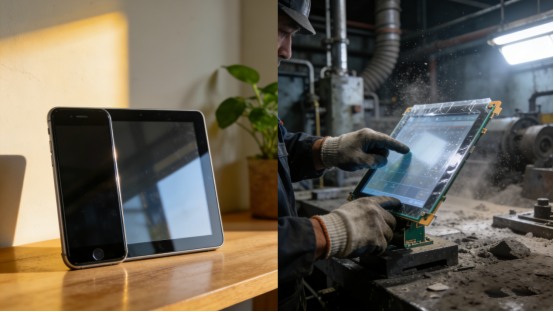
To fully appreciate the value of an industrial touch screen monitor, it’s important to understand how it differs from the touch screens we use in our daily lives:
| Feature | Consumer-Grade Touch Screens | Industrial Touch Screen Monitors |
| Durability | Designed for light use; susceptible to damage from impacts or harsh conditions | Rugged construction with reinforced glass, sealed enclosures, and resistance to shock, vibration, and chemicals |
| Environmental Tolerance | Limited to moderate temperatures and indoor use | Operates reliably in extreme temperatures (-20°C to 70°C), high humidity, and dusty environments |
| Touch Technology | Primarily capacitive, optimized for finger input | Supports multiple technologies (capacitive, resistive, infrared) and works with gloves, styluses, or even wet hands |
| Lifespan | Typically 2-3 years of consumer use | Designed for 5-10+ years of continuous industrial operation |
| Customization | Limited to pre-configured models | Highly customizable in terms of size, interface, mounting, and functionality |
This fundamental difference in design philosophy is why investing in a dedicated industrial touch screen monitor is non-negotiable for businesses operating in demanding environments. A consumer-grade touch screen would fail quickly in an industrial setting, leading to costly downtime, lost productivity, and potential safety hazards.
2. Core Touch Screen Technologies for Industrial Use
When selecting an industrial touch screen monitor, the choice of touch technology is one of the most critical decisions you’ll make. Each technology has its own strengths, weaknesses, and ideal use cases. The two most common technologies in industrial applications are resistive and capacitive touch screens.
2.1 Resistive Touch Screens: The Workhorse of Industrial Control
Resistive touch screens have long been the go-to choice for industrial applications, and for good reason. They are known for their durability, reliability, and ability to function in the most challenging conditions.
How Resistive Touch Screens Work
A resistive touch screen consists of two thin, flexible layers (typically polyester and glass) coated with a conductive material, separated by a thin air gap. When pressure is applied to the screen (e.g., by a finger, stylus, or gloved hand), the two layers make contact, creating a voltage drop that the controller detects and translates into a precise coordinate.
Key Advantages of Resistive Touch Screens
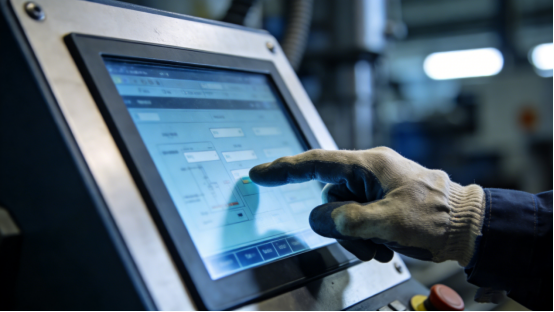
- Universal Input: Works with any input device, including fingers, gloves, styluses, and even credit cards. This makes them ideal for environments where operators must wear protective gear.
- Cost-Effectiveness: Generally more affordable than capacitive alternatives, making them a popular choice for budget-conscious projects.
- Environmental Resistance: Highly resistant to dust, moisture, and surface contaminants. They can even be operated through a protective overlay, making them suitable for food processing or medical environments.
- Proven Reliability: With a track record of over 30 years in industrial applications, resistive technology is a mature and well-understood solution.
Ideal Applications for Resistive Touch Screens
Resistive touch screens are particularly well-suited for:
- Manufacturing and Assembly Lines: Where operators wear heavy gloves and need precise control over machinery.
- Medical Devices: Where hygiene is critical and screens must be easily cleaned and disinfected.
- POS and Kiosk Systems: In retail and hospitality environments where durability and ease of use are paramount.
2.2 Capacitive Touch Screens: Precision and Responsiveness for Modern Industry
In recent years, capacitive touch screens have gained significant traction in industrial settings, driven by the demand for more intuitive, responsive, and visually appealing interfaces.
How Capacitive Touch Screens Work
Capacitive touch screens operate by detecting the electrical charge of the human body. A thin layer of conductive material (typically indium tin oxide, or ITO) is applied to the glass surface. When a finger touches the screen, it creates a disturbance in the electrostatic field, which the controller measures to determine the touch location.
Key Advances in Capacitive Touch Technology
Modernindustrial capacitive touch screen monitors have overcome many of the limitations of their consumer-grade counterparts, making them a viable option for industrial use:
- Projected Capacitive (PCAP) Technology: This advanced form of capacitive touch uses a grid of electrodes beneath the glass surface, enabling multi-touch gestures (pinch-to-zoom, swipe) and exceptional accuracy.
- Glove Compatibility: Newer PCAP screens are designed to work with thin latex or nitrile gloves, a critical feature for many industrial and medical applications.
- Enhanced Durability: Toughened glass surfaces with high surface hardness (up to 6H on the Mohs scale) resist scratches and impacts, while sealed enclosures provide protection against dust and water.
- Superior Image Quality: Capacitive screens offer higher transparency and better color reproduction, making them ideal for applications that require clear, detailed visual displays.
Ideal Applications for Capacitive Touch Screens
Capacitive touch screens are the preferred choice for:
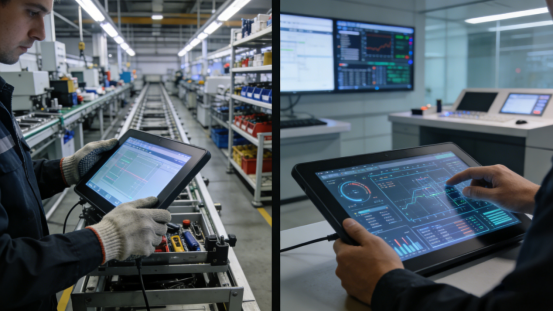
- HMI and SCADA Systems: Where operators need to interact with complex data visualizations and control panels.
- Medical Diagnostics Equipment: Where precision, hygiene, and ease of use are critical.
- Transportation and Automotive: In-vehicle infotainment and control systems that demand responsiveness and durability.
3. Key Considerations When Selecting an Industrial Touch Screen Monitor
Choosing the right industrial touch screen monitor for your application requires a systematic approach. It’s not just about picking the biggest or most expensive model; it’s about finding the solution that best aligns with your specific operational needs, environmental conditions, and long-term goals.
3.1 Environmental Requirements: The Foundation of Your Decision
The environment in which your touch screen will operate is the single most important factor to consider. A monitor that performs flawlessly in a climate-controlled office will fail catastrophically in a dusty manufacturing plant or a freezing outdoor construction site.
Temperature Tolerance
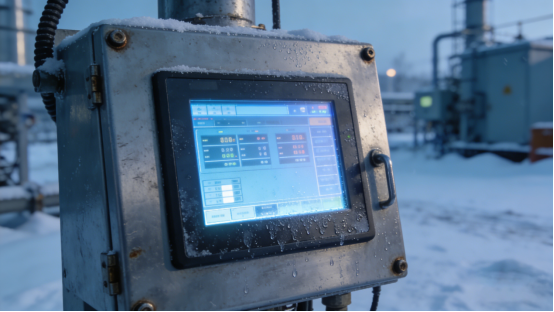
Industrial touch screens are rated for specific operating and storage temperatures. For applications in the northern US or Canada, you’ll need a monitor that can withstand sub-zero temperatures. For facilities in the Southwest, a monitor that can operate reliably in high heat is essential. Look for models with a wide temperature range, typically from -20°C to 70°C.
Ingress Protection (IP) Rating
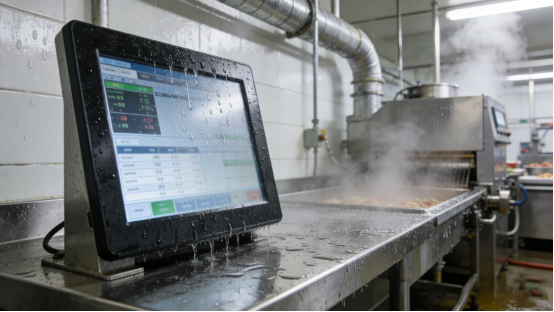
The IP rating of a touch screen indicates its resistance to dust and water. For industrial applications, an IP65 rating is the minimum standard, providing complete protection against dust and low-pressure water jets. For more demanding environments, such as food processing or marine applications, an IP67 or IP68 rating is recommended, offering protection against temporary or continuous immersion in water.
Shock and Vibration Resistance
Industrial environments are often characterized by constant vibration from heavy machinery. A touch screen must be able to withstand these conditions without failing. Look for monitors with reinforced mounting brackets and solid-state components that are resistant to mechanical shock.
3.2 Display Performance: Clarity and Visibility Matter
The primary function of a touch screen monitor is to display information clearly and accurately. In industrial settings, this means ensuring that the screen is visible even in challenging lighting conditions.
Brightness and Contrast Ratio
Brightness is measured in nits (candelas per square meter). For indoor applications, a brightness of 300-500 nits is usually sufficient. For outdoor or high-brightness environments, you’ll need a monitor with 1000+ nits of brightness to ensure visibility in direct sunlight. A high contrast ratio (1000:1 or higher) ensures that images are sharp and colors are vibrant, even in low-light conditions.
Viewing Angle
A wide viewing angle is essential for applications where multiple operators need to view the screen from different positions. Look for monitors with IPS (In-Plane Switching) technology, which provides consistent color and contrast across a 178-degree viewing angle.
Sunlight Readability
For outdoor applications, sunlight readability is a critical feature. This is achieved through a combination of high brightness, anti-reflective coatings, and optical bonding. Optical bonding involves laminating a protective cover glass directly to the display panel, eliminating the air gap and reducing glare, resulting in a clearer, more readable image.
3.3 Touch Performance: Responsiveness and Accuracy
The touch performance of a monitor directly impacts operator efficiency and user experience. A slow or unresponsive touch screen can lead to frustration, errors, and lost productivity.
Touch Response Time
The touch response time is the time it takes for the screen to register a touch input and translate it into an action. For industrial applications, a response time of 10ms or less is ideal, ensuring that the screen feels instantaneous and responsive.
Multi-Touch Capabilities
Multi-touch capabilities are becoming increasingly important in industrial HMI design. They allow operators to perform intuitive gestures like pinch-to-zoom and swipe, making it easier to interact with complex data visualizations and control panels.
Input Compatibility
Consider the type of input device that will be used with the touch screen. If operators will be wearing gloves, you’ll need a monitor that supports glove input. If precision is critical, a stylus-compatible screen may be the best choice.
3.4 Customization and Integration: Tailoring the Solution to Your Needs
One of the key advantages of working with a reputable industrial touch screen manufacturer like Jiangxi Qiwo Electronics is the ability to customize the solution to your exact specifications.
Size and Form Factor
Industrial touch screens are available in a wide range of sizes, from small 7-inch displays to large 21.5-inch panels. The size you choose will depend on the amount of information you need to display and the available space in your facility.
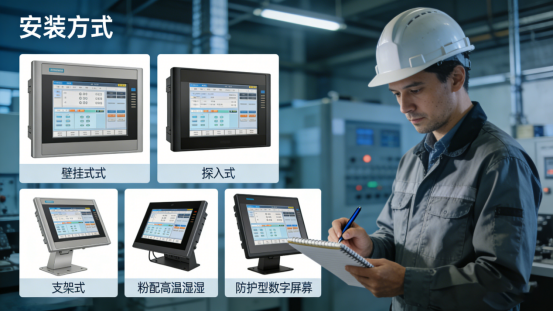
Mounting Options
Industrial touch screens can be mounted in a variety of ways, including:
- Embedded Mounting: Flush-mounted into a control panel or enclosure for a clean, integrated look.
- Panel Mounting: Secured to the front of a panel with screws or clamps.
- VESA Mounting: Attached to a standard VESA bracket for flexible positioning.
- Desktop or Rack Mounting: For use in office or control room environments.
Interface and Connectivity
The touch screen must be compatible with your existing hardware and software infrastructure. Look for monitors with a wide range of connectivity options, including:
- Video Interfaces: HDMI, DVI, VGA, and DisplayPort.
- Touch Interfaces: USB, RS-232, and I²C.
- Network Connectivity: Ethernet for remote monitoring and control.
Software Compatibility
Ensure that the touch screen is compatible with your operating system of choice, whether it’s Windows, Linux, Android, or a specialized industrial OS. Reputable manufacturers will provide drivers and support for a wide range of platforms.
4. Industrial Touch Screen Applications in the US Market
The versatility and reliability of industrial touch screen monitors make them an indispensable tool across a wide range of industries in the United States. Let’s explore some of the most common applications and how touch screen technology is transforming these sectors.
4.1 Automotive Manufacturing in Detroit, Michigan
The automotive industry is a cornerstone of US manufacturing, and industrial touch screen monitors are at the heart of modern assembly lines. At a major Ford plant in Detroit, a large touch screen monitor is integrated into the control system of a robotic welding line. Operators use the 21.5-inch projected capacitive touch screen to adjust welding parameters, monitor the status of individual robots, and receive real-time alerts for potential issues. The screen is designed to withstand the constant vibration of the assembly line and can be operated with heavy work gloves, ensuring that operators can maintain control even in the most demanding conditions. This implementation has reduced downtime by 15% and improved overall production efficiency.
4.2 Oil and Gas Exploration in the Gulf of Mexico
Offshore oil and gas platforms present some of the harshest operating conditions for industrial equipment. At a deepwater drilling platform in the Gulf of Mexico, a ruggedized industrial touch screen monitor is used to control the wellhead and riser systems. The monitor is sealed to IP68 standards, making it completely dust-tight and capable of withstanding temporary immersion in saltwater. It operates reliably in temperatures ranging from -10°C to 60°C and can be operated with wet hands or gloves, a critical feature in the constantly changing marine environment. This touch screen has become a vital part of the platform’s safety system, providing operators with real-time data to prevent equipment failure and ensure worker safety.
4.3 Medical Device Manufacturing in Minneapolis, Minnesota
The medical device industry demands the highest standards of precision, hygiene, and reliability. At a leading medical equipment manufacturer in Minneapolis, industrial touch screen monitors are used in the production of patient monitoring systems. The touch screens are integrated into the assembly line, allowing operators to input patient data, test device functionality, and generate quality control reports. The screens are designed to be easily cleaned and disinfected, with a smooth, non-porous surface that resists the buildup of bacteria and other contaminants. They can also be operated with latex gloves, ensuring compliance with strict hygiene standards. This implementation has reduced the risk of contamination and improved the overall quality of the final product.
4.4 Food Processing in Wisconsin Dairy Farms
The food and beverage processing industry requires equipment that can withstand exposure to moisture, chemicals, and high temperatures. At a large dairy processing plant in Wisconsin, a stainless steel industrial touch screen monitor is used to control the pasteurization and packaging lines. The monitor is sealed to IP69K standards, making it resistant to high-pressure, high-temperature water jets used for cleaning. It operates reliably in temperatures up to 50°C and can be operated with wet hands or gloves, a critical feature in the constantly wet environment of a dairy plant. This touch screen has streamlined the production process, reducing waste by 10% and improving overall efficiency.
4.5 Logistics and Fleet Management in Los Angeles, California
The logistics industry relies on real-time data to optimize routes, track deliveries, and improve customer service. At a major logistics hub in Los Angeles, industrial touch screen monitors are mounted in the cabs of delivery trucks, allowing drivers to receive real-time updates on delivery routes, traffic conditions, and customer requests. The touch screens are designed to withstand the constant vibration of the road and can be operated with one hand, ensuring that drivers can maintain focus on the road. This implementation has reduced delivery times by 20% and improved customer satisfaction.
5. Choosing the Right Industrial Touch Screen Manufacturer
When investing in an industrial touch screen monitor, the choice of manufacturer is just as important as the choice of technology. A reputable manufacturer will not only provide a high-quality product but also offer the support and expertise needed to ensure a successful implementation.
5.1 Key Factors to Consider When Selecting a Manufacturer
- Experience and Expertise: Look for a manufacturer with a proven track record in the industrial touch screen industry. A company with 17+ years of experience, like Jiangxi Qiwo Electronics, will have the knowledge and expertise to handle even the most complex projects.
- Customization Capabilities: The ability to customize the touch screen to your exact specifications is critical. Look for a manufacturer that offers a wide range of customization options, including size, form factor, touch technology, and connectivity.
- Quality and Reliability: Industrial touch screens are a long-term investment. Look for a manufacturer that uses high-quality materials and components, and that has a rigorous quality control process in place.
- After-Sales Support: A reliable after-sales support system is essential for minimizing downtime and ensuring the long-term performance of your touch screen. Look for a manufacturer that offers a comprehensive warranty, technical support, and repair services.
- Compliance and Certifications: Ensure that the manufacturer’s products comply with relevant industry standards and certifications, such as ISO 9001, ISO 13485, and IATF 16949.
5.2 Why Jiangxi Qiwo Electronics Stands Out for US Clients
Jiangxi Qiwo Electronics is a leading manufacturer ofindustrial touch screen monitors and related solutions, with a strong focus on serving the US market. Here’s why we’re the preferred choice for businesses across the country:
- Proven Expertise: With 17+ years of experience in the touch screen industry, we have the knowledge and expertise to handle even the most complex industrial applications.
- Customization at Scale: We offer a wide range of customization options, from small 7-inch displays to large 21.5-inch panels, and we can tailor the touch technology, mounting, and connectivity to your exact needs.
- Rugged and Reliable Products: Our touch screens are built to withstand the harshest industrial environments, with IP65/IP68 ratings, wide temperature ranges, and resistance to shock, vibration, and chemicals.
- Comprehensive Support: We provide a 3-year warranty on all our products, and our team of technical experts is available to provide support and assistance throughout the entire lifecycle of your touch screen.
- Global Reach, Local Support: While we’re based in China, we have a strong presence in the US market, with a network of distributors and partners that provide local support and service.
6. The Future of Industrial Touch Screen Technology
The industrial touch screen industry is constantly evolving, driven by advances in technology and the changing needs of businesses. Here are some of the key trends that are shaping the future of industrial touch screen monitors:
6.1 The Rise of Smart HMI Solutions
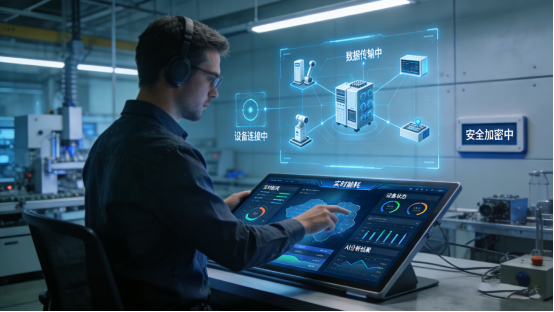
The future of industrial touch screens is not just about the hardware; it’s about the software and connectivity that enable smart, connected HMI solutions. Touch screens are increasingly being integrated with IoT (Internet of Things) platforms, allowing for real-time data collection, analysis, and remote monitoring. This enables businesses to make more informed decisions, optimize their operations, and reduce downtime.
6.2 Advances in Touch Technology
New touch technologies are constantly being developed, offering improved performance, durability, and user experience. For example, ultra-thin touch screens are becoming more common, allowing for slimmer, more lightweight designs. Flexible touch screens are also being developed, which can be bent or curved to fit into unique form factors.
6.3 Increased Focus on Cybersecurity
As touch screens become more connected, cybersecurity is becoming an increasingly important concern. Manufacturers are investing in advanced security features, such as encryption, authentication, and secure boot, to protect against cyber threats. This is especially critical in industries like healthcare and finance, where sensitive data is at stake.
6.4 The Impact of AI and Machine Learning
AI and machine learning are transforming the way we interact with touch screens. Touch screens are now able to recognize gestures, predict user intent, and adapt to individual preferences. This is making HMI systems more intuitive and user-friendly, reducing the learning curve for operators and improving overall efficiency.
7. Conclusion: Making the Right Investment for Your Business
In conclusion, the choice of an industrial touch screen monitor is a critical decision that can have a significant impact on the efficiency, safety, and profitability of your business. By understanding the key differences between consumer-grade and industrial-grade touch screens, evaluating your environmental requirements, and selecting a reputable manufacturer, you can ensure that you make an investment that will pay off for years to come.
At Jiangxi Qiwo Electronics, we’re committed to providing our US clients with the highest quality industrial touch screen monitors and solutions. Whether you’re looking for a standard off-the-shelf model or a fully customized solution, we have the expertise and experience to meet your needs. Request a free consultation to find the perfect industrial touch screen monitor for your application.
Blog Post Optimization Summary
- Meta Title: Industrial Touch Screen Monitors: A Complete Guide for US Industrial Applications | Jiangxi Qiwo Electronics
- Meta Description: Learn how to choose the right industrial touch screen monitor for your US-based operations. Explore key technologies, real-world applications, and why Jiangxi Qiwo Electronics is a trusted partner for rugged, customizable solutions.
- Key Keywords: industrial touch screen monitor, industrial touchscreen monitor, touch screen monitor, large touch screen monitor, touch screen kiosk, industrial touch screen
- CTA: Request a free consultation to find the perfect industrial touch screen monitor for your application.