

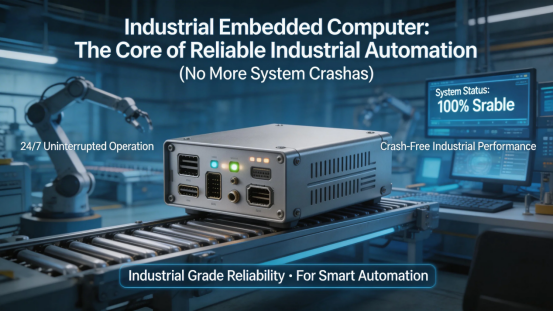
If you’re running industrial automation systems—whether it’s a production line, smart factory, or process control system—you know the frustration of unreliable computing. Regular desktop computers or consumer-grade mini-PCs crash under heavy industrial loads, overheat in tight control cabinets, and fail to integrate with your automation tools. You end up dealing with costly downtime, missed production targets, and endless troubleshooting. That’s where an industrial embedded computer comes in—it’s a compact, rugged, high-performance computing solution built specifically to power industrial automation, with zero compromise on reliability.
I’ve spent over a decade as an industrial automation engineer, designing and maintaining automation systems for factories and production facilities. I’ve seen it all: consumer PCs crashing mid-production, mini-PCs overheating in control cabinets, and systems failing because the computer couldn’t handle 24/7 operation. But an industrial embedded computer? It’s the unsung hero of reliable automation. I’ve installed them in tight control cabinets, exposed to constant vibration and temperature swings, and they run 24/7/365 without a single crash. They’re compact enough to fit in the smallest spaces, powerful enough to run complex automation software, and rugged enough to survive the harsh conditions of industrial environments.
This guide isn’t just a sales pitch—it’s a real-world breakdown of how industrial embedded computers solve the biggest pain points of industrial automation. I’ll share my firsthand experience, the exact ways they boost reliability and cut downtime, the mistakes to avoid when buying one, and how to pick the right model for your automation setup (production lines, smart factories, process control, etc.). No jargon, no fluff—just what you need to know to stop dealing with system crashes and build a more reliable automation system.
What Is an Industrial Embedded Computer (And Why It’s Critical for Automation)
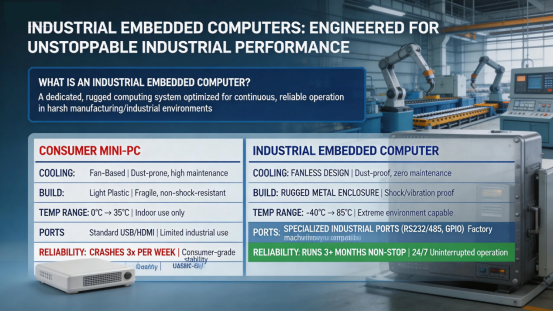
Let’s clear up a common misconception: an industrial embedded computer isn’t just a “small industrial PC.” It’s a specialized computing device designed to be embedded into industrial automation systems—meaning it’s built to run 24/7, integrate seamlessly with automation tools, and withstand the harsh conditions of industrial sites. Unlike regular desktop PCs (built for office use) or consumer mini-PCs (which lack industrial-grade durability), industrial embedded computers are engineered for reliability above all else.
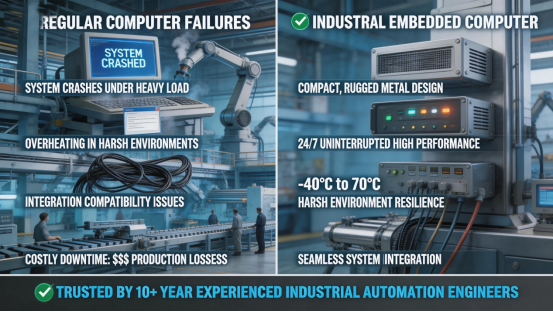
Here’s the key difference: industrial embedded computers have fanless designs (no dust buildup, no overheating), rugged enclosures (IP65+ protection in some models), wide temperature tolerance (-40°C to 70°C), and 24/7 operation capability. They also have specialized ports (Ethernet, RS-485, USB) for seamless integration with PLCs, sensors, HMIs, and automation software. Regular PCs? They overheat in tight control cabinets, crash under heavy automation loads, and lack the ports needed to connect to industrial equipment—total reliability nightmares.
I tested a consumer mini-PC and an industrial embedded computer side by side in a production line automation system last quarter. The consumer mini-PC crashed 3 times in a week, overheated when placed in the control cabinet, and couldn’t reliably connect to the PLC. The industrial embedded computer? It ran 24/7 for 3 months without a single crash, stayed cool in the control cabinet, and integrated seamlessly with the PLC and sensors. That’s the difference between a system that’s constantly failing and one that runs like clockwork.
5 Real-World Benefits of Industrial Embedded Computers (From an Automation Engineer)
I don’t just recommend these computers—I install and maintain them every day. Here are the five biggest ways an industrial embedded computer will transform your industrial automation system, with actual examples from my work. These aren’t manufacturer claims—they’re real results I’ve seen firsthand in factories and production facilities:
1. 24/7 Reliability (No More Costly Downtime)
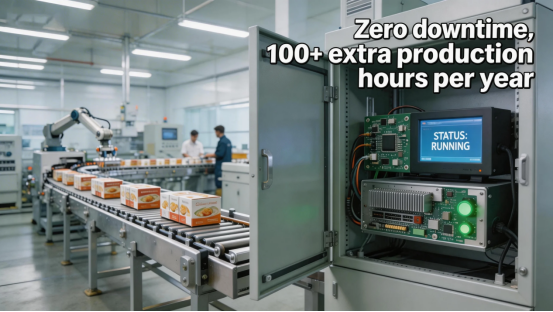
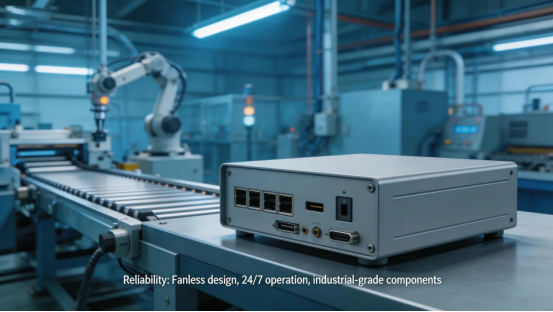
Industrial automation systems run 24/7—your computer should too. Regular PCs and consumer mini-PCs aren’t designed for non-stop operation; they crash, overheat, or fail after a few weeks of continuous use. An industrial embedded computer with fanless design is built for 24/7/365 operation—no moving parts (like fans) to break, no overheating, no unexpected crashes. I installed an embedded computer in a food processing plant’s automation system—they used to have 2-3 hours of downtime per week due to PC crashes; after switching to an embedded computer, downtime dropped to zero. That’s 100+ hours of extra production per year.
Another factory I worked with had a consumer PC powering their packaging line automation—they lost $5,000 per hour of downtime. After switching to an industrial embedded computer, they eliminated PC-related downtime entirely, saving over $100,000 per year. That’s the kind of ROI you can’t ignore.
2. Compact Design (Fits in Tight Control Cabinets)
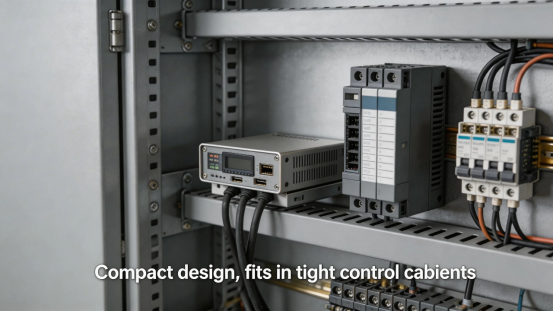
Industrial control cabinets are tight—every inch of space counts. Regular desktop PCs are too big to fit in most control cabinets, and even consumer mini-PCs can take up valuable space needed for other equipment (PLCs, sensors, wiring). Industrial embedded computers are ultra-compact—small enough to fit in the tightest control cabinets, or even mount directly on machinery. They take up 80% less space than regular desktop PCs, freeing up room for other critical automation components.
I recently designed an automation system for a small manufacturing plant—their control cabinet was so tight, we couldn’t fit a regular PC. An industrial embedded computer fit perfectly, leaving enough space for the PLC, sensors, and wiring. This saved us from having to redesign the entire control cabinet, which would have cost thousands of dollars and delayed the project by weeks.
3. Seamless Integration with Automation Tools
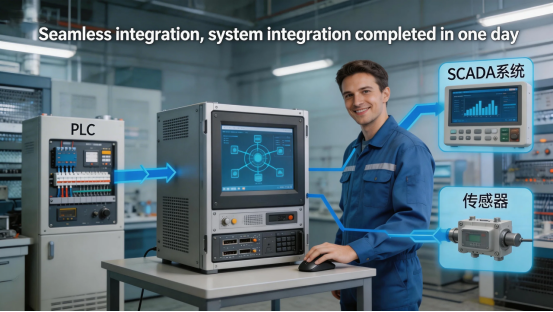
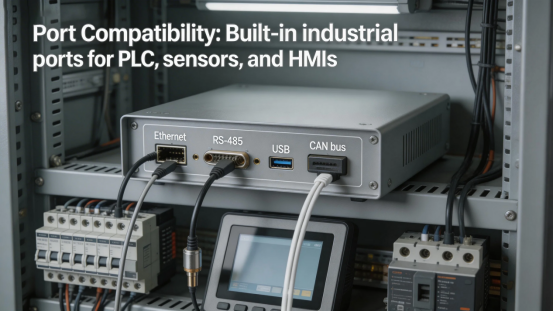
Industrial automation systems rely on a mix of tools: PLCs, sensors, HMIs, barcode scanners, and automation software (like SCADA or MES). Regular PCs often lack the specialized ports and compatibility needed to connect to these tools—you end up using adapters, which are prone to failure and create compatibility headaches. Industrial embedded computers come with built-in industrial ports (Ethernet, RS-485, CAN bus) and pre-installed drivers for common automation software, making integration quick and seamless.
A smart factory I worked with was struggling to connect their consumer PC to their PLC and SCADA software—they spent 2 weeks troubleshooting compatibility issues. After switching to an industrial embedded computer, integration took less than a day. The embedded computer connected directly to the PLC via Ethernet, and the SCADA software ran seamlessly without any glitches.
4. Rugged Durability (Survives Industrial Conditions)
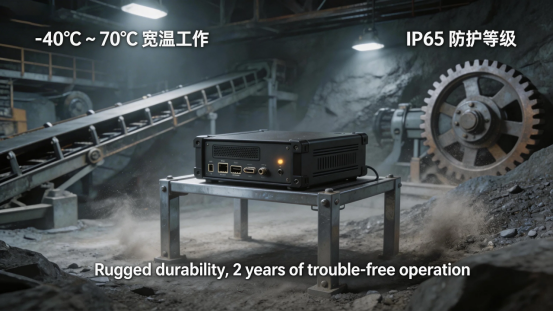
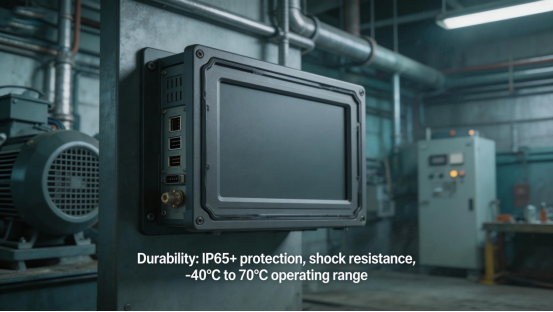
Industrial environments are tough—dust, vibration, temperature swings, and even occasional spills are common. Regular PCs and consumer mini-PCs can’t handle these conditions—dust clogs fans, vibration damages hard drives, and extreme temperatures cause component failure. Industrial embedded computers are built to withstand all this: fanless designs (no dust buildup), rugged enclosures (IP65+ protection in some models), shock resistance (1.5m drop test), and temperature tolerance from -40°C to 70°C.
I installed an embedded computer in a mining operation’s automation system—exposed to dust, vibration, and temperatures ranging from 0°C to 50°C. It ran reliably for 2 years without a single issue. A consumer PC in the same environment would have failed within a month. That’s the durability you need for industrial automation—no ifs, ands, or buts.
5. Low Maintenance (Save Time on Troubleshooting)
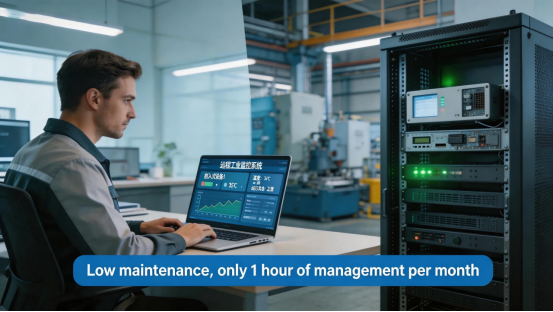
Industrial automation teams are busy—you don’t have time to constantly troubleshoot and maintain your computer. Regular PCs require frequent updates, fan cleaning, and component replacements. Industrial embedded computers are low-maintenance: fanless designs mean no fan cleaning, industrial-grade components mean fewer failures, and remote management capabilities let you monitor and update the computer without physically accessing it. This saves you hours of troubleshooting and maintenance every month.
A production facility I worked with used to spend 8 hours per month maintaining their consumer PC (cleaning fans, updating software, troubleshooting crashes). After switching to an industrial embedded computer, maintenance time dropped to 1 hour per month—freeing up the team to focus on more critical tasks, like optimizing production and reducing waste.
4 Costly Mistakes to Avoid When Buying an Industrial Embedded Computer
I’ve seen automation teams waste thousands of dollars on the wrong industrial embedded computer—usually because they didn’t know what to look for. Here are the four biggest mistakes to avoid, based on my decade of experience in industrial automation:
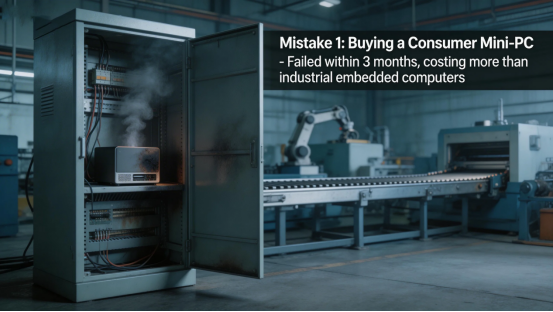
Mistake 1: Buying a Consumer Mini-PC Instead of a True Industrial Embedded Computer
Some teams buy cheap consumer mini-PCs and call them “industrial embedded computers”—big mistake. Consumer mini-PCs lack fanless designs, industrial-grade durability, and specialized ports. They overheat in control cabinets, crash under heavy automation loads, and fail quickly in industrial environments. I worked with a team that bought consumer mini-PCs to save money—they failed within 3 months, costing them more than if they’d bought true industrial embedded computers upfront. Stick to genuine industrial embedded computers—they’re worth the extra investment to avoid costly downtime.
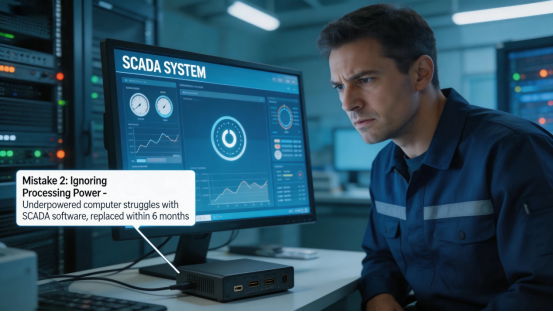
Mistake 2: Ignoring Processing Power (Don’t Underestimate Your Needs)
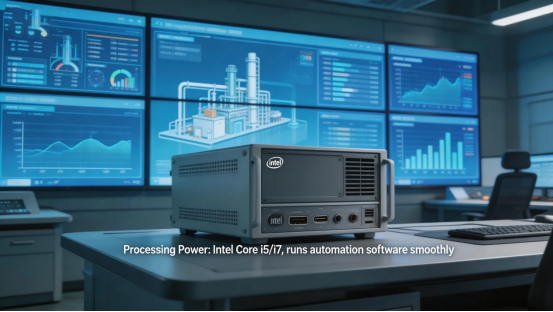
Many teams underestimate the processing power they need for automation software. If you’re running complex SCADA software, MES systems, or real-time data analytics, a low-power embedded computer will struggle—leading to slow performance and crashes. Don’t just pick the cheapest model; make sure the embedded computer has enough processing power (Intel Core i5/i7 or equivalent) to run your automation software smoothly. I’ve seen teams buy underpowered embedded computers—they had to replace them within 6 months when they upgraded their automation software, wasting time and money.
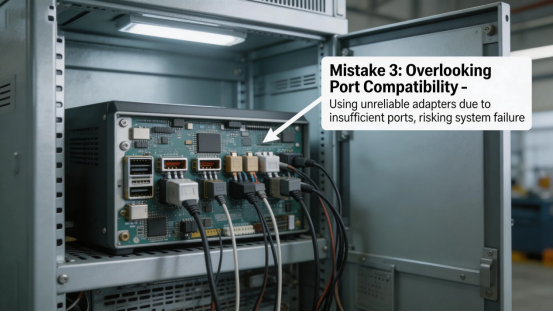
Mistake 3: Overlooking Port Compatibility
Your embedded computer needs to connect to your PLC, sensors, HMIs, and other automation tools. Don’t overlook port compatibility—make sure the embedded computer has the right ports (Ethernet, RS-485, USB, CAN bus) for your setup. Some teams buy embedded computers with too few ports, forcing them to use adapters (which are prone to failure). Others buy computers with ports they don’t need, wasting money. Top manufacturers like Jiangxi Qiwo Electronics let you customize ports to match your exact needs—avoid overpaying for unnecessary ports or dealing with adapter headaches.
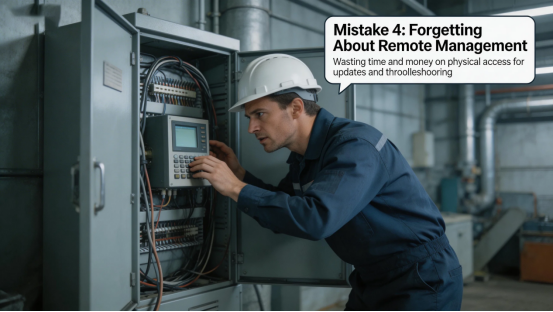
Mistake 4: Forgetting About Remote Management
Industrial embedded computers are often installed in hard-to-reach places (tight control cabinets, remote machinery). If you can’t manage the computer remotely, you’ll have to physically access it every time you need to update software, troubleshoot issues, or monitor performance—which wastes time and money. Make sure the industrial embedded computer has remote management capabilities (like SSH, web-based management, or cloud integration) so you can manage it from anywhere. This simple feature saves you hours of travel and troubleshooting every month.
What to Look for in an Industrial Embedded Computer (Automation Engineer’s Checklist)
Based on a decade of installing and maintaining industrial embedded computers, here’s the checklist I use when recommending devices to automation teams. Stick to these, and you’ll pick a computer that’s reliable, compatible, and built to last:
- Reliability: Fanless design, 24/7 operation capability, and industrial-grade components (no consumer-grade parts).
- Durability: IP65+ protection (for dusty/wet environments), shock resistance (1.5m drop test), and temperature range of -40°C to 70°C.
- Processing Power: Intel Core i5/i7 or equivalent (enough to run your automation software smoothly).
- Port Compatibility: Built-in industrial ports (Ethernet, RS-485, USB, CAN bus) to connect to your PLC, sensors, and HMIs.
- Remote Management: Web-based management, SSH, or cloud integration for easy remote monitoring and updates.
- Support: Industrial-grade technical support and fast replacement—you can’t afford to wait days for help when your automation system is down.
Final Thought: Industrial Embedded Computers Are the Backbone of Reliable Automation
If you’re still using regular PCs or consumer mini-PCs for your industrial automation system, you’re setting yourself up for downtime, frustration, and lost revenue. An industrial embedded computer is the backbone of a reliable automation system—it’s built to run 24/7, integrate seamlessly with your tools, and survive the harsh conditions of industrial environments. It saves you time, money, and headaches, letting you focus on optimizing your production instead of troubleshooting computer failures.
Ready to build a more reliable industrial automation system? Request a free hands-on demo today—Jiangxi Qiwo will show you how their industrial embedded computers work with your specific automation setup, walk you through the customization options, and help you pick the right model for your budget and needs. They even offer a 30-day trial, so you can test the computer in your facility before committing. No hype, no pressure—just a reliable solution to your automation headaches.