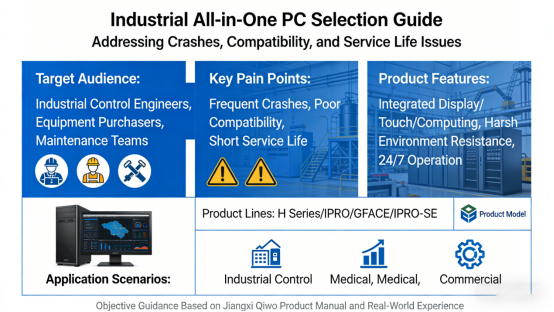
For industrial control engineers, equipment purchasers, and maintenance teams, industrial all-in-one PCs are the “brain” of industrial automation systems. Yet many professionals struggle with frequent crashes, poor compatibility, and short service life—issues that stem not from poor product quality, but from choosing a model that fails to match their on-site needs.
Unlike commercial desktops or ordinary tablets, industrial all-in-one PCs integrate display, touch, and computing functions into a single unit. They’re engineered to withstand harsh industrial environments and meet the high-reliability demands of 24/7 continuous operation. As a core product of Jiangxi Qiwo Electronics, its industrial all-in-one PCs (H Series/IPRO/GFACE/IPRO-SE) are fully customizable, widely used in industrial control, medical, and commercial scenarios—with all parameters strictly adhering to official product manuals.
This article offers objective, practical guidance based on Jiangxi Qiwo’s industrial all-in-one PC product manual and real-world industrial application experience. We’ll focus on selecting the right model for your scenario, key parameters to prioritize, and common pitfalls to avoid—no exaggerated promotions, no sales pitches, just actionable tips to help you choose a stable, durable industrial all-in-one PC and cut operational costs.
What Is an Industrial All-in-One PC, and Why Is It Critical?
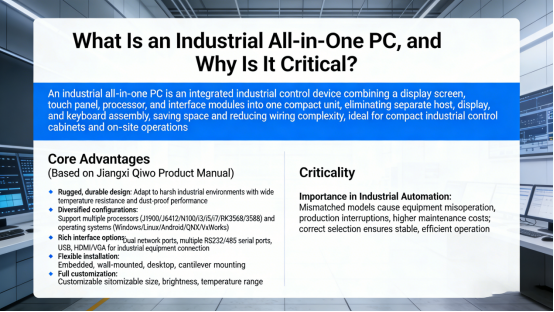
An industrial all-in-one PC is an integrated industrial control device that combines a display screen, touch panel, processor, and interface modules into one compact unit. It eliminates the need for separate assembly of a host, display, and keyboard, saving installation space and reducing wiring complexity—making it ideal for compact industrial control cabinets and on-site operation scenarios.
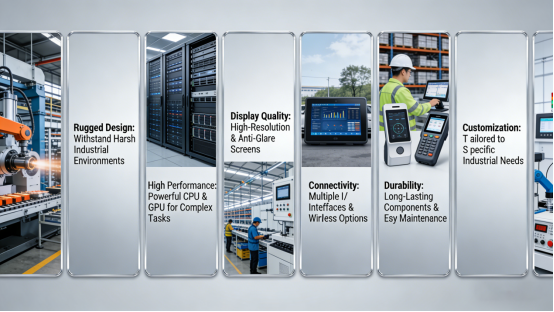
Compared to commercial desktops, Jiangxi Qiwo’s industrial all-in-one PCs offer core advantages tailored to industrial requirements (strictly based on product manual specifications):
- Rugged, durable design: Built to adapt to harsh industrial environments, with wide temperature resistance and dust-proof performance to prevent failures from dust, vibration, or temperature fluctuations.
- Diversified configurations: Support for multiple processors (J1900/J6412/N100/i3/i5/i7/RK3568/3588) and operating systems (Windows/Linux/Android/QNX/VxWorks) to match varying application complexity.
- Rich interface options: Equipped with dual network ports, multiple RS232/485 serial ports, USB, and HDMI/VGA to meet connection needs for industrial equipment like PLCs and sensors.
- Flexible installation: Supports embedded, wall-mounted, desktop, and cantilever mounting to adapt to different on-site spaces and operation habits.
- Full customization: Customizable size, brightness, interfaces, and temperature range to fully align with the unique needs of different industries.
In industrial automation systems, a mismatched industrial all-in-one PC can cause equipment misoperation, production interruptions, and higher maintenance costs—making the right model selection the first step toward stable, efficient operation.
6 Key Selection Criteria (Based on Jiangxi Qiwo’s Product Manual)
To choose an industrial all-in-one PC that fits your scenario and avoids costly mistakes, focus on these six core criteria—all verified by Jiangxi Qiwo’s product manual and real-world application experience. These parameters directly impact the device’s stability, compatibility, and service life:
1. Processor & Operating System Selection
The processor and operating system are the core of an industrial all-in-one PC; select them based on your application’s complexity (per product manual guidelines):
- Light-load scenarios (e.g., simple data monitoring, basic operation): Opt for entry-level processors like J1900 or RK3568, paired with Windows or Android for cost-effectiveness.
- Medium-load scenarios (e.g., industrial control, multi-device connection): Choose mid-range processors such as N100 or J6412, compatible with Windows/Linux for reliable performance.
- High-load scenarios (e.g., edge computing, complex data processing): Select high-performance processors like i3/i5/i7 or RK3588, supporting Windows/Linux/QNX/VxWorks to meet demanding computing needs.
2. Screen Size & Brightness
Screen size and brightness should align with your installation environment and operational needs (per product manual specifications):
- Size: 7–10.1 inches for compact control cabinets; 15.6–21.5 inches for on-site operation panels requiring clear display of multiple data points.
- Brightness: 350–500 cd/m² for indoor industrial workshops; customizable higher brightness for outdoor or high-light environments to ensure visibility.
3. Operating Temperature Range
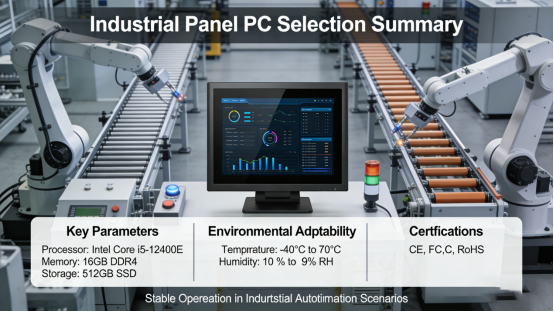
Industrial workshops often experience significant temperature fluctuations, making the industrial all-in-one PC’s operating temperature range critical. According to Jiangxi Qiwo’s product manual, the standard wide temperature range is -10~70℃, with customization available down to -30℃ for extreme low-temperature scenarios (e.g., outdoor industrial sites in cold regions).
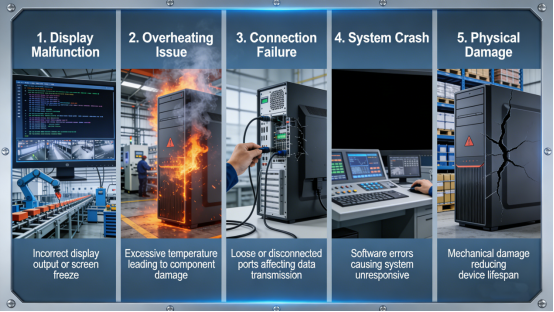
A model with insufficient temperature adaptability will likely suffer startup failures, screen blackouts, or system crashes in extreme conditions—disrupting production.
4. Interface Compatibility
Industrial all-in-one PCs must connect to various industrial equipment, so interface richness and compatibility are non-negotiable. Per the product manual, focus on these key interfaces:
- Network ports: Dual network ports are recommended for redundant backup, ensuring stable connectivity even if one port fails.
- Serial ports: Multiple RS232/485 serial ports to connect PLCs, sensors, and other industrial devices seamlessly.
- Expansion interfaces: USB and HDMI/VGA for connecting external devices (e.g., printers, monitors) to meet future expansion needs.
5. Installation Method
Jiangxi Qiwo’s industrial all-in-one PCs support multiple installation methods (embedded, wall-mounted, desktop, cantilever)—select based on on-site space and operational habits:
- Embedded installation: Ideal for control cabinets, saving space and protecting the device from accidental damage.
- Wall-mounted installation: Perfect for on-site operation panels, offering easy viewing and access.
- Cantilever installation: Flexible and adjustable, suited for scenarios where the operation position needs to be changed regularly.
6. Customization Requirements
Different industries have unique requirements, so choosing a model with full customization support is critical. Jiangxi Qiwo’s industrial all-in-one PCs allow customization of size, interfaces, brightness, temperature range, and even operating systems—ensuring the device perfectly matches your specific application (per product manual details).
5 Common Mistakes to Avoid (Save Time & Costs)
Based on real industrial application experience, these five mistakes are the most common causes of industrial all-in-one PC failures. Avoiding them will extend the device’s service life and reduce maintenance costs:
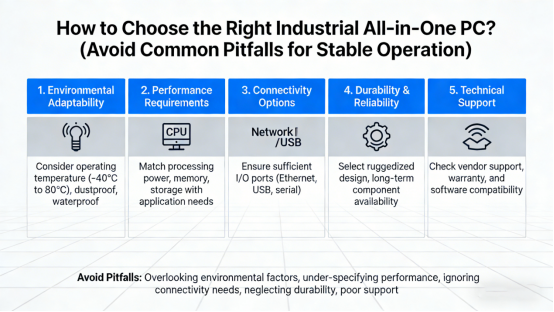
Mistake 1: Prioritizing Price Over Performance
Opting for a low-cost model with insufficient processor performance or low-quality components may save money upfront, but it will lead to frequent crashes, slow response times, and a short service life—driving up long-term maintenance and replacement costs.
Mistake 2: Ignoring Temperature Adaptability
Installing a model with a narrow temperature range (e.g., only 0~40℃) in a high-temperature or low-temperature workshop will result in frequent failures, delaying production progress.
Mistake 3: Neglecting Interface Compatibility
Failing to check if the device’s interfaces match your connected industrial equipment (e.g., insufficient serial ports, incompatible network ports) leads to integration challenges, requiring additional adapters that increase costs and reduce stability.
Mistake 4: Choosing the Wrong Installation Method
Selecting an inappropriate installation method (e.g., wall-mounted in a narrow space) makes operation cumbersome and may damage the device due to improper mounting.
Mistake 5: Overlooking Customization Needs
Blindly choosing a standard model without considering industry-specific needs (e.g., high brightness for outdoor use, special interfaces for medical equipment) results in a poor user experience and failure to meet on-site operational requirements.
Conclusion: Choose the Right Model for Stable Industrial Operation
Selecting an industrial all-in-one PC isn’t about choosing the most expensive option—it’s about matching the device to your application scenario, performance needs, and environmental conditions. As a core product of Jiangxi Qiwo Electronics, its industrial all-in-one PCs (H Series/IPRO/GFACE/IPRO-SE) prioritize industrial stability and offer full customization to meet the diverse needs of different industries.
By following the selection criteria and avoiding the common mistakes outlined here—all aligned with Jiangxi Qiwo’s product manual and industrial standards—you’ll choose an industrial all-in-one PC that operates stably, reduces failures, and ensures the smooth running of your industrial automation system.
This article provides objective, practical guidance for industrial professionals—no promotions, no sales pitches, just fact-based tips to help you choose the right industrial all-in-one PC and maximize operational efficiency.