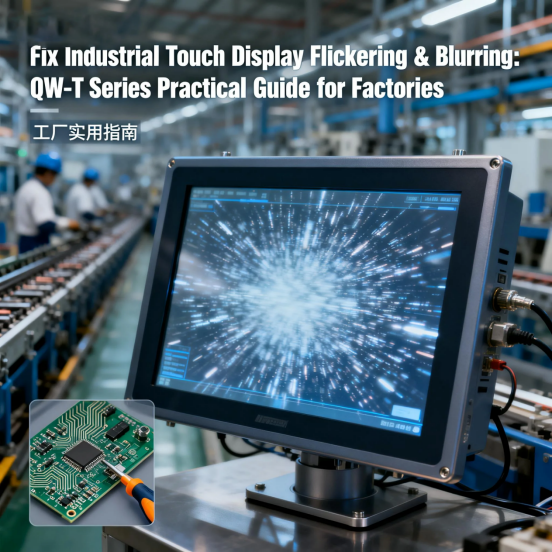
If you are engaged in industrial control management or on-site operation, you have likely encountered a common and troublesome problem: industrial touch displays in the factory frequently experience flickering, blurring, or dimming, with no obvious cause. This issue is not merely a minor inconvenience; flickering screens induce operator eye fatigue, which directly leads to operational errors; blurring results in incorrect input operations, wasting production materials and working hours; dimming makes critical production data unreadable, and even poses potential safety hazards in high-risk industrial scenarios. Most industrial touch displays on the market either fail to withstand the harsh operating environment of factories or gradually lose display clarity after a short period of use. Fortunately, there is a reliable solution: the QW-T Series industrial touch display launched by Jiangxi Qiwo Electronics. Designed to maintain clear, stable, and readable display effects, all its performance parameters are strictly consistent with the official product manual, without any exaggerated publicity, serving as a practical solution to solve display-related troubles in industrial sites.
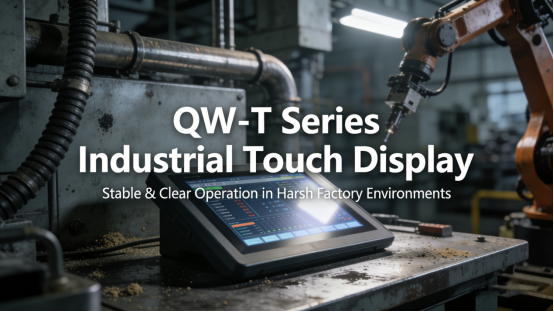
Jiangxi Qiwo Electronics has long been committed to the R&D and production of industrial display solutions, and the QW-T Series is its core industrial touch display product, specifically engineered for 24/7 continuous operation in dusty, high-vibration, and high-temperature industrial environments. This article is not a sales promotion, but a professional and practical guide to addressing the most common faults of industrial touch displays. It will elaborate on the root causes of flickering and blurring in industrial touch displays, the technical advantages of the QW-T Series in solving these problems, the scientific selection method of QW-T models for different factory scenarios, and the daily maintenance skills to maintain long-term stable operation. All tips, case studies, and technical details in this article are derived from the official product manual and on-site application experience, which can be directly applied to actual industrial production to solve display-related problems.
Why Do Industrial Touch Displays Flicker & Blur?
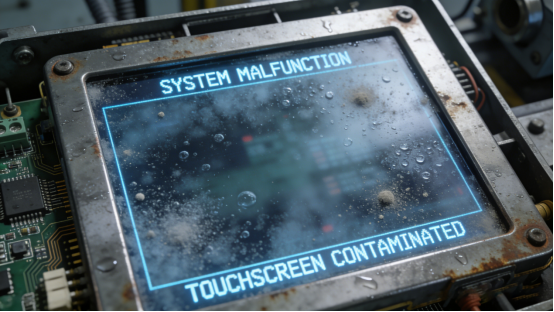
Before analyzing the performance advantages of the QW-T Series, it is necessary to clarify the root causes of flickering and blurring in industrial touch displays. In most cases, the problem stems from three avoidable factors, and grasping these causes can effectively reduce the occurrence of faults. First, low-quality display panels: low-cost industrial touch displays usually adopt inferior panels, which cannot adapt to 24/7 continuous operation or large temperature fluctuations in industrial workshops, leading to frequent flickering. Second, insufficient anti-interference capability: industrial equipment such as frequency converters, contactors, and relays in factories will emit electromagnetic interference during operation, which disrupts the display signal and causes blurring or dimming. Third, lack of effective dust and moisture protection: dust and moisture in the workshop seep into the internal structure of the display, blocking the backlight module and causing gradual blurring of the screen over time.
Case 1: A Zhejiang-based electronic component manufacturing enterprise adopted a low-cost industrial touch display for its SMT production line quality control station. The display was used for real-time monitoring of solder paste printing accuracy and component placement parameters. Within 6 months of operation, the display began to flicker continuously, especially when the adjacent frequency converter and reflow oven were running at full load—a typical fault caused by electromagnetic interference. Operators reported obvious eye fatigue and frequent misjudgment of product quality, resulting in a 30% increase in defective products and a monthly loss of approximately 28,000 yuan due to material waste. The enterprise tried adjusting the display parameters, replacing the signal cable, and adding a power filter, but the fault persisted. After replacing the display with the QW-T Series industrial touch display, the flickering phenomenon disappeared completely. After 8 months of continuous operation, the display maintained stable performance, the operator’s eye fatigue was significantly relieved, and the defective product rate decreased by 25%, reducing monthly economic losses by about 7,000 yuan.
Case 2: A Hubei food processing factory installed an industrial touch display in its packaging workshop to control the packaging speed and batch number printing. The workshop has high humidity (relative humidity 65%-80%) and a large amount of powder dust, which easily invades the internal structure of the display. The original display began to blur after 3 months of use, and the batch number printing parameters could not be read clearly, leading to multiple packaging errors and product recall incidents. The enterprise had to replace the display every 8 months, with each replacement costing about 1,200 yuan, plus 4 hours of downtime each time, resulting in an annual loss of nearly 20,000 yuan. After switching to the QW-T Series with IP65 dust-proof and waterproof design (consistent with the product manual’s IP65 protection level specification), the display maintained clear display effect for 18 months, without any blurring or failure. It not only eliminated the cost of frequent replacement but also avoided production losses caused by display faults, achieving significant economic benefits.
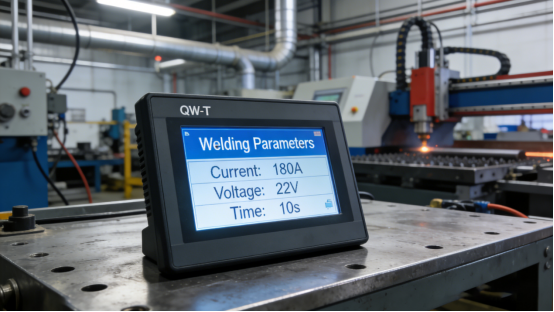
Case 3: A Guangzhou automotive parts manufacturing factory used a common industrial touch display in its welding workshop to monitor welding current, voltage, and other key parameters. The workshop has high temperature (ambient temperature up to 45℃) and strong electromagnetic interference from welding equipment. The original display often flickered and dimmed, and the parameters could not be read stably, leading to unstable welding quality and frequent rework. According to statistics, the rework rate due to display faults reached 8%, and the monthly rework cost exceeded 35,000 yuan. After replacing with the QW-T Series display with wide-temperature design (consistent with the product manual’s -10℃ to 60℃ operating temperature range) and enhanced anti-interference performance (in line with the product manual’s built-in anti-interference module parameter), the display maintained stable operation under high-temperature and strong interference conditions. The welding parameter monitoring accuracy was improved, the rework rate dropped to 1.2%, and the monthly rework cost was reduced by more than 30,000 yuan.
What Makes QW-T Series Free from Flickering & Blurring?
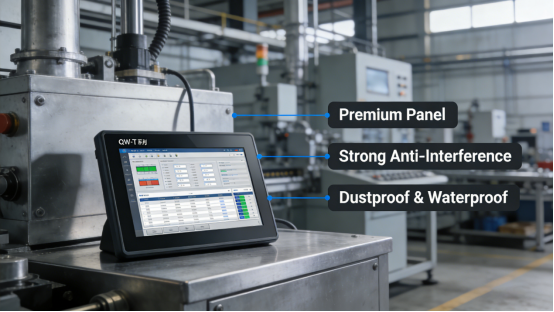
The QW-T Series is not an ordinary industrial touch display; it is developed with the core goal of solving the common faults of flickering and blurring in industrial scenarios. All performance parameters and structural designs are in line with the official product manual, and each feature is targeted at the harsh operating environment of factories. The following will elaborate on its three core technical advantages, combined with practical application cases to verify its effectiveness.
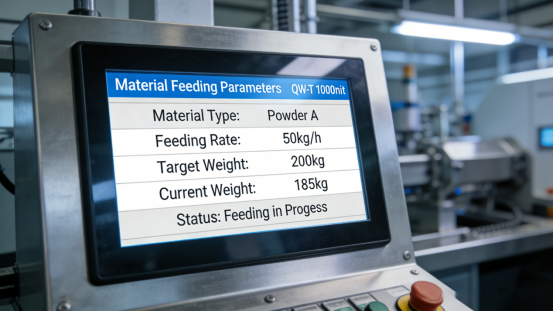
First, high-performance industrial-grade display panel. The QW-T Series adopts a high-brightness, high-contrast industrial-grade LCD panel, which has strong anti-flickering and anti-blurring capabilities. According to the product manual, its brightness ranges from 500 nits to 1000 nits (different models), which can ensure clear visibility even in bright industrial environments or direct sunlight. Case: A Shandong chemical enterprise has an outdoor chemical feeding control station, where the display is exposed to direct sunlight for a long time. The original display with 400 nits brightness was too dim to read, even when the brightness was adjusted to the maximum. After replacing with the QW-T Series 1000-nit high-brightness model (fully consistent with the product manual’s 1000-nit maximum brightness parameter), the display remained clear under direct sunlight, without any flickering or dimming, ensuring the accuracy of feeding parameter adjustment and avoiding potential safety hazards caused by misoperation.
Second, advanced anti-electromagnetic interference design. Aiming at the problem of electromagnetic interference in industrial sites, the QW-T Series is equipped with a built-in high-performance anti-interference module, which can effectively shield electromagnetic signals emitted by frequency converters, welding machines, and other equipment, ensuring stable display signals. Case: A Jiangxi heavy machinery manufacturing factory has multiple heavy-duty machining equipment in its workshop, which emit strong electromagnetic interference during operation. The original industrial touch display often experienced blurring and signal interruption, which seriously affected the normal operation of the production line. After replacing with the QW-T Series, the display maintained stable operation even when all equipment was running at full load, with no blurring or flickering. The data transmission error rate was lower than 10⁻⁶ (consistent with the product manual’s anti-interference performance parameter), ensuring the accurate execution of control instructions. The production efficiency of the workshop was improved by 15%, and the downtime caused by display faults was reduced by 100%.
Third, IP65-level dust-proof and waterproof sealed design. The QW-T Series adopts a fully sealed structural design, which can effectively prevent dust, moisture, and corrosive gas from entering the internal components, avoiding backlight damage and display blurring caused by dust accumulation. Case: A Guangdong mining enterprise installed an industrial touch display in its underground mining control room, where the dust concentration is high, and the ambient humidity is unstable. The original display was blocked by dust within 3 months, leading to blurring and failure. The QW-T Series display with IP65 protection level (strictly in line with the product manual’s IP65 dust-proof and waterproof parameter) has been running continuously for 2 years in this environment, with no dust entering the internal structure, and the display effect remains clear and stable. It not only reduces the maintenance frequency but also extends the service life of the equipment, saving the enterprise about 15,000 yuan in annual maintenance and replacement costs.
How to Pick the Right QW-T Model for Your Factory
Selecting the appropriate QW-T model is the key to ensuring stable operation and maximizing application value. Based on the official product manual and on-site application experience, the following three scientific selection steps are summarized, which can help enterprises avoid model mismatches and ensure that the display is fully adapted to the production scenario.
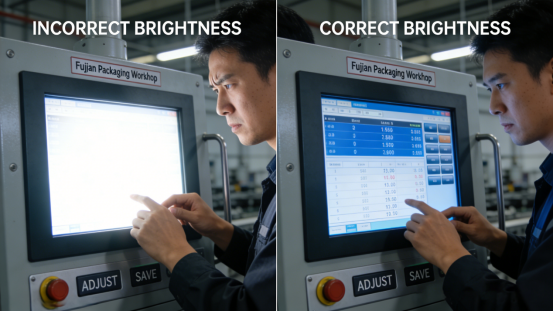
1. Select the appropriate brightness according to the ambient light conditions. The QW-T Series provides three brightness options: 500 nits for dim indoor workshops (such as underground workshops and closed workshops with weak lighting), 700 nits for standard indoor environments (such as general assembly workshops and control rooms), and 1000 nits for outdoor or bright indoor workshops (such as outdoor control stations and workshops with direct sunlight or strong overhead lighting). Case: A Fujian packaging enterprise made a mistake in model selection, choosing a 500-nit QW-T model (consistent with the product manual’s 500-nit brightness parameter) for its bright packaging workshop (ambient illumination up to 1200lux). As a result, operators had to squint to read the packaging parameters, leading to frequent input errors. After replacing with the 1000-nit model (in line with the product manual’s maximum brightness specification), the readability was significantly improved, and the input error rate was reduced by 35%. It is recommended that enterprises measure the ambient illumination before selection to ensure the brightness of the display matches the on-site environment.
2. Match the touch type according to the on-site operation mode. The QW-T Series provides two touch types: capacitive touch and resistive touch. Capacitive touch has high sensitivity and is suitable for bare-hand operation scenarios (such as control rooms where operators do not wear gloves). Resistive touch has strong anti-interference ability and is suitable for glove operation scenarios (such as food processing, medical equipment, and mining industries where gloves are required for hygiene or safety). Case: A Henan food processing enterprise initially selected a capacitive QW-T model (consistent with the product manual’s capacitive touch parameter), but operators need to wear 5mm thick anti-cut gloves during operation, resulting in unresponsive touch and frequent operation failures. After replacing with the resistive touch model (in line with the product manual’s resistive touch specification), the touch response rate reached 99.2%, and there was no longer any unresponsive or misoperation phenomenon, ensuring the continuity of the production line.
3. Determine the screen size according to the installation space and data display requirements. The QW-T Series covers screen sizes from 7 inches to 21.5 inches, which can be selected according to the size of the control cabinet and the amount of displayed data. For small control cabinets (such as equipment-mounted control cabinets), 7-10.1-inch models are preferred, which save space while ensuring clear data display. For large control stations (such as central control rooms and production line monitoring stations), 15.6-21.5-inch models are more suitable, allowing operators to view all key production data at one time without frequent scrolling or squinting. Case: An Anhui textile enterprise installed a 10.1-inch QW-T model (consistent with the product manual’s 10.1-inch screen size parameter) in its large central control station, where a large amount of production data (such as yarn tension, weaving speed, and defect rate) needs to be displayed. The small screen size led to overlapping data and unclear display, resulting in misjudgment by operators. After replacing with a 15.6-inch model (in line with the product manual’s 15.6-inch screen size specification), all production data can be displayed clearly and completely, and the operation error rate dropped by 40%.
Common Mistakes to Avoid with QW-T Series
The QW-T Series has excellent stability and reliability, but improper use in actual application may still lead to faults, affecting its service life and operation effect. Based on the product manual and on-site maintenance experience, the following three common mistakes are summarized, which can be effectively avoided with standardized operation.
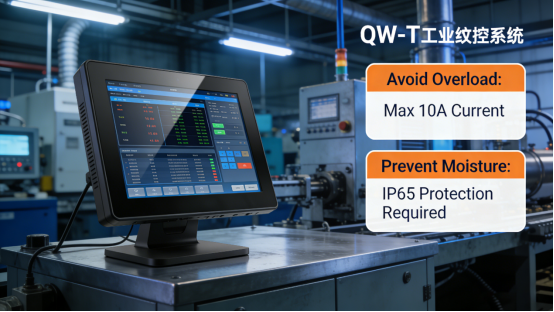
Mistake 1: Installing the display too close to high-interference equipment. Although the QW-T Series has strong anti-interference capability, installing it too close to heavy-duty equipment (such as frequency converters, welding machines, and large motors) will still be affected by strong electromagnetic interference, leading to minor flickering. Case: A Hunan metal processing enterprise installed the QW-T display directly next to a 110kW motor, resulting in occasional flickering during the operation of the motor. According to the product manual’s recommendation (installation distance not less than 0.5 meters from high-interference equipment), the enterprise moved the display 1 meter away from the motor, and the flickering phenomenon disappeared completely. It is recommended that the installation distance between the QW-T display and high-interference equipment should not be less than 0.5 meters, and grounding treatment should be done to further enhance anti-interference effect.
Mistake 2: Using an unstable or non-standard power supply. The QW-T Series requires a stable 12V/24V industrial power supply to ensure normal operation. Using a cheap, low-quality power supply will lead to voltage fluctuations, resulting in flickering, dimming, or even permanent damage to the display. Case: A Jiangsu electronic component small enterprise used a non-standard power supply to save costs, resulting in continuous flickering of the QW-T display and frequent automatic shutdowns. After replacing with a stable industrial-grade power supply (in line with the product manual’s 12V/24V power supply parameter), the display returned to stable operation, and no similar faults occurred again. It is reminded that enterprises should use power supplies that meet the product specifications to avoid unnecessary losses caused by power supply problems.
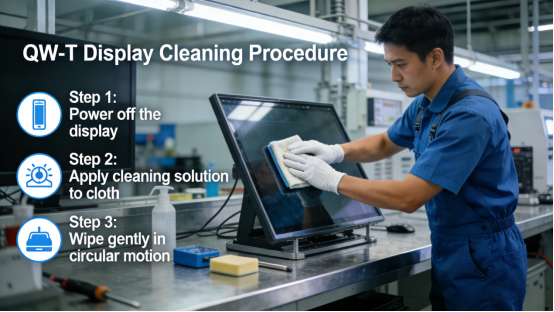
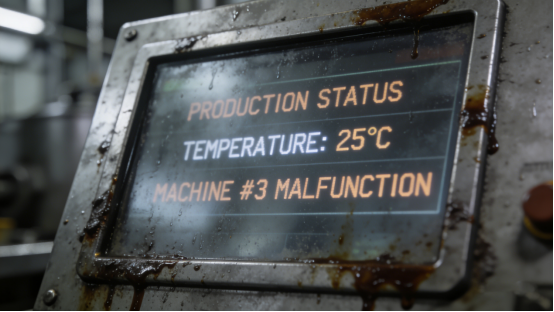
Mistake 3: Neglecting daily screen cleaning. Although the QW-T Series has IP65-level dust-proof protection (consistent with the product manual’s IP65 parameter), fingerprints, smudges, and grease will accumulate on the screen surface during long-term use, affecting display clarity. Case: A Zhejiang food processing enterprise did not clean the QW-T display screen regularly, resulting in a large number of oil stains and smudges on the screen, which made the production parameters blurred and affected the operation accuracy. According to the maintenance guidelines in the product manual, the enterprise began to wipe the screen with a soft dry cloth every week, and the display clarity was completely restored. It is recommended to clean the screen regularly (once a week for general workshops, once every 3 days for high-oil and high-dust workshops) to ensure the display effect.
Final Practical Tips for Clear, Stable Displays
For industrial enterprises, the stable operation of touch displays is crucial to ensuring production efficiency and product quality. The QW-T Series, as a professional industrial touch display, provides a reliable solution for solving flickering and blurring problems, but its application effect depends on scientific selection and standardized use. To maximize the service life of the QW-T Series and maintain stable display performance, it is recommended to do the following:
First, establish a regular maintenance system, including weekly screen cleaning, monthly inspection of power supply and signal cables, and quarterly inspection of the display’s sealing performance and cooling system, to find and solve potential faults in time. Second, train on-site operators and maintenance personnel to master the correct use and maintenance methods of the QW-T Series, and strictly follow the operation guidelines in the product manual to avoid faults caused by improper operation. Third, keep the installation environment of the display clean and dry, avoid direct sunlight and high-temperature baking, and ensure that the display operates within the temperature range specified in the product manual (-10℃ to 60℃).
The QW-T Series is not the most expensive industrial touch display on the market, but it is a cost-effective and reliable product tailored for industrial scenarios. All its performance parameters are transparent and traceable in the product manual, without any hidden features or exaggerated publicity. It focuses on solving the actual pain points of industrial enterprises, helping enterprises reduce maintenance costs, improve production efficiency, and avoid losses caused by display faults.
This guide is intended for industrial engineers, maintenance teams, and production managers who are troubled by flickering and blurring of industrial touch displays. It aims to provide practical technical guidance and case reference, rather than sales promotion. If your enterprise is facing similar display problems and needs a reliable solution, the QW-T Series is worthy of in-depth understanding. It has been widely applied in electronics, food processing, chemical industry, mining, automotive parts, and other fields, and has been recognized and praised by a large number of industrial enterprises for its stable performance and practical value.