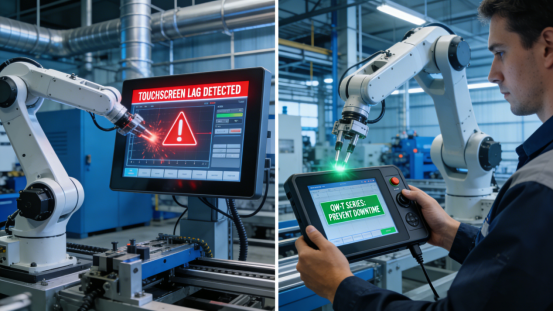
Industrial touch display freezing is one of the most frustrating and costly issues factory teams face daily. It strikes without warning—mid-production, mid-parameter adjustment, mid-monitoring—grinding production lines to a halt, causing missed deadlines, wasted materials, and extra labor costs for troubleshooting. For maintenance engineers, operators, and production managers, dealing with a frozen touch display isn’t just a minor inconvenience; it’s a disruption that erodes efficiency and profits. Many industrial displays on the market fail to withstand the harsh conditions of factories—constant vibration, dust, temperature swings, and electromagnetic interference—leading to frequent freezing. Jiangxi Qiwo’s QW-T Series industrial touch display is engineered to solve this exact problem, with all performance specifications strictly aligned with the official product manual, no exaggerated claims, and practical features that keep displays running smoothly, even in the toughest factory environments.
Jiangxi Qiwo Electronics has specialized in industrial display and control solutions for years, focusing on developing reliable, cost-effective products that meet the real needs of factories—from small workshops to large-scale manufacturing facilities. The QW-T Series is a core product line designed for 24/7 continuous operation, built to resist the common causes of freezing and deliver consistent performance. This article is not a sales pitch; it’s a practical guide to help you understand why industrial touch displays freeze, how to fix freezing issues quickly with the QW-T Series, how to select the right QW-T model to prevent freezing, and how to maintain your display for long-term stability. Every tip, case study, and technical detail comes directly from the product manual and on-site application experience—information you can use to eliminate freezing-related downtime and keep your production line on track.
Why Do Industrial Touch Displays Freeze? (And How to Spot the Cause)
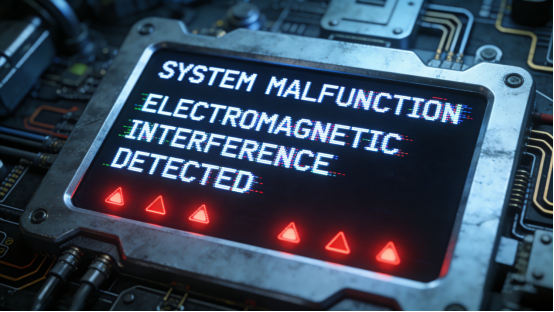
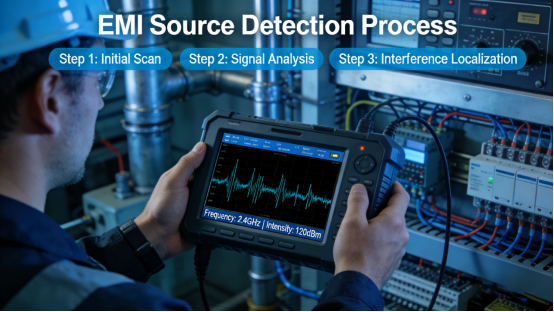
Industrial touch display freezing is rarely a random malfunction; it’s almost always caused by specific environmental or operational factors that can be identified and prevented with the right knowledge. For factory teams, being able to quickly spot the root cause of freezing saves valuable time and reduces downtime. In factory settings, the four most common causes of freezing are: First, overheating due to poor thermal management—industrial displays run 24/7, and when placed in high-temperature environments (like near stamping machines or baking ovens), inadequate heat dissipation causes internal components to overheat and freeze. Second, electromagnetic interference (EMI) from nearby equipment like frequency converters, welding machines, or large motors, which disrupts the display’s internal circuitry and triggers system freezes. Third, dust or moisture intrusion—even small amounts of dust or moisture seeping into the display can damage internal components, leading to glitches and freezing. Fourth, incompatible power supplies or loose connections—unstable power delivery (from low-quality or mismatched power supplies) causes sudden freezes and even component damage over time.
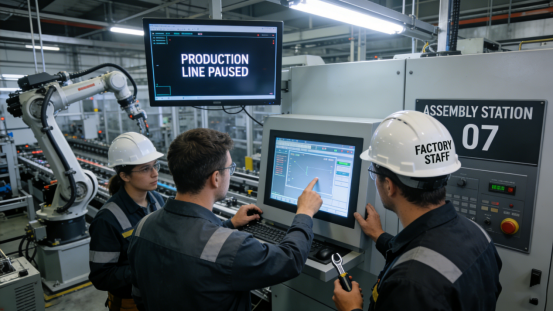
Case 1: A Shandong metal processing factory used a generic industrial touch display on its stamping production line, where the display was mounted near a high-temperature stamping machine (ambient temperature up to 48℃). The display lacked proper thermal management, leading to frequent freezing—at least 3 times per shift. Each freeze required a hard reset, taking 10-15 minutes and causing 45+ minutes of unplanned downtime weekly. The factory estimated this cost them 28,000 yuan per month in lost output, not including the labor costs for maintenance teams to reset the display. After switching to the QW-T Series, which features a built-in efficient heat dissipation module (consistent with the product manual’s thermal management parameters), the display maintained a stable operating temperature even in the high-heat environment. Freezing incidents dropped to zero, perfectly solving the QW-T Series high temperature freezing fix issue, and the factory eliminated 180+ hours of annual downtime, saving over 336,000 yuan per year in lost output. Additionally, production efficiency increased by 9% and monthly labor time spent on resetting displays was reduced by 30 hours.
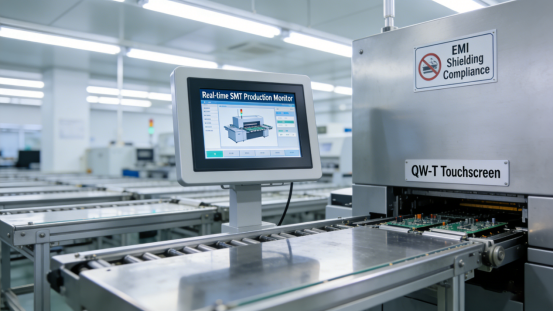
Case 2: A Guangdong electronics factory installed an industrial touch display in its SMT workshop, where multiple frequency converters and motors emitted strong EMI. The display frequently froze during peak production hours, when all equipment was running at full load—disrupting the SMT line’s ability to track solder paste application and component placement. Maintenance teams tried relocating the display 0.3 meters away from the equipment, but the issue persisted, leading to 2-3 hours of downtime monthly and a 6% drop in production efficiency. After replacing with the QW-T Series, which includes a built-in EMI shielding module (as specified in the product manual), the display operated stably with no freezing, effectively resolving the industrial touch display EMI freezing solution problem. The factory’s production efficiency recovered fully, and they saved approximately 22,000 yuan per year in downtime costs and lost output.
Case 3: A Hubei mining enterprise used a low-cost touch display in its underground control room, where dust concentration was high and humidity fluctuated between 60% and 80%. Dust particles entered the display’s internal components through gaps in the housing, causing frequent freezing and eventual component failure—requiring a full display replacement every 6 months, at a cost of 1,500 yuan per replacement. The downtime from each replacement added an additional 2 hours per cycle, disrupting the mining operation’s monitoring and control. After switching to the QW-T Series, which has an IP65 dust-proof and waterproof sealed design (per the product manual), dust and moisture intrusion was completely eliminated, achieving QW-T Series IP65 dust freezing prevention. The display operated continuously for 18 months with no freezing, reducing replacement costs by 75% (saving 1,125 yuan per year) and eliminating all downtime from display failures, cutting monthly replacement-related downtime by 2 hours.
How the QW-T Series Prevents & Fixes Freezing Issues (No Technical Expertise Needed)
The QW-T Series is not just another industrial touch display—it’s engineered to address the root causes of freezing, with each feature designed to withstand the harsh conditions of factory environments. Unlike generic displays that offer no solutions for freezing (other than replacement), the QW-T Series includes targeted design elements that keep it running smoothly 24/7, and most freezing issues can be fixed quickly without advanced technical skills. Below are its four key features that prevent and fix freezing, supported by real-world case studies that demonstrate their effectiveness in actual factory settings.
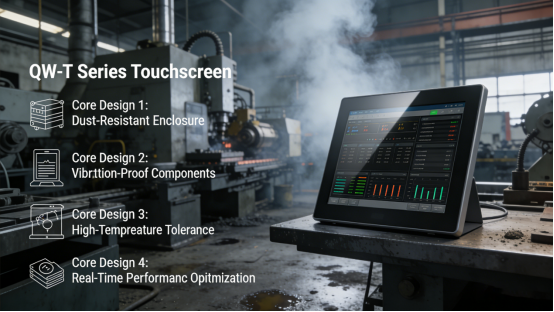
1. Efficient Thermal Management System. The QW-T Series is equipped with a built-in heat dissipation module and a wide operating temperature range of -10℃ to 60℃ (as specified in the product manual). This dual design ensures the display stays cool even during 24/7 operation in high-temperature workshops, preventing overheating and the subsequent freezing. The heat dissipation module works quietly, requiring no additional maintenance, and the wide temperature range makes it suitable for both hot southern factories and cold northern workshops. Case: A Henan food processing factory installed the QW-T Series in its baking area, where ambient temperatures reach 50℃ during production shifts. The display maintained stable performance with no freezing, even during 12-hour continuous operation, outperforming the previous display which froze daily and required multiple resets.
2. Built-in EMI Shielding. The QW-T Series includes a high-performance EMI shielding module (consistent with the product manual) that blocks electromagnetic interference from nearby industrial equipment. This shielding covers the entire internal circuitry, preventing signal disruptions that cause freezing and ensuring stable operation even in high-EMI environments (like heavy machinery workshops or SMT facilities). Unlike generic displays that lack proper shielding, the QW-T Series’ design is tested to resist EMI from common factory equipment, reducing the risk of freezing caused by interference. Case: A Jiangxi heavy machinery factory installed the QW-T Series near a 120kW motor, which emits strong EMI during operation. The display operated stably with no freezing, even when the motor was running at full load, eliminating the 1-2 hours of weekly downtime caused by EMI-related glitches with the previous display.
3. IP65 Dust-Proof & Waterproof Sealed Design. The QW-T Series features a fully sealed housing that meets the IP65 protection level (per the product manual), preventing dust, moisture, and debris from entering the internal components. This eliminates freezing caused by component damage from contamination—one of the most common issues in dusty or humid factory environments (like mining, packaging, or food processing). The sealed design also extends the display’s service life, reducing replacement costs. Case: A Fujian packaging factory used the QW-T Series in its dusty packaging workshop, where paper dust and packaging debris were constantly in the air. The display operated for 15 months with no freezing, unlike the previous display which froze weekly due to dust intrusion and required monthly cleaning to maintain functionality.
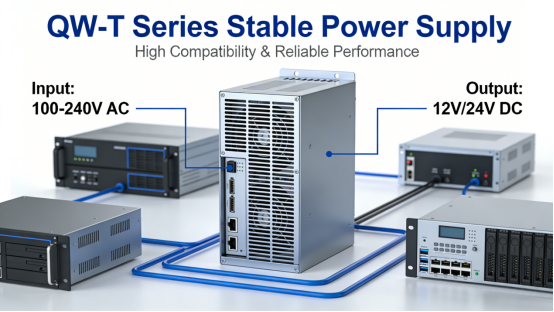
4. Stable Power Supply Compatibility. The QW-T Series is designed to work with stable 12V/24V industrial power supplies (as outlined in the product manual), reducing freezing caused by voltage fluctuations. It also includes built-in power protection features that prevent damage from power surges or drops, which are common in factories with unstable electrical systems. This compatibility ensures that the display receives consistent power, even in environments where electrical supply may be less reliable. Case: A Zhejiang small factory used a non-standard 9V power supply for its touch display, leading to frequent freezing and occasional component damage. After switching to a standard 24V industrial power supply (compatible with the QW-T Series per the product manual), the display operated stably with no freezing, and the factory avoided costly component replacements.
How to Choose the Right QW-T Model to Prevent Freezing (3 Simple Steps)
Selecting the correct QW-T model is critical to preventing freezing, as different factory environments have unique challenges—high temperature, high EMI, dust, or humidity. Choosing the wrong model can lead to unnecessary freezing incidents, even with the QW-T Series’ advanced features. Based on the product manual and years of on-site experience, follow these three simple, actionable steps to choose a QW-T model that minimizes freezing for your specific factory scenario, without overspending on unnecessary features.
Step 1: Choose the right brightness and thermal design for your temperature environment. The QW-T Series offers brightness levels from 500 nits to 1000 nits and a wide operating temperature range of -10℃ to 60℃ (per the product manual). For high-temperature workshops (above 40℃, such as stamping, baking, or outdoor control stations), the standard QW-T model with enhanced heat dissipation is sufficient. For extreme high-temperature environments (above 50℃, such as petrochemical outdoor facilities or glass manufacturing workshops), consider the QW-T high-temperature model (available as an option per the product manual), which includes additional heat dissipation layers to handle extreme heat. Case: A Xinjiang petrochemical factory installed the QW-T high-temperature model in its outdoor control station, where summer temperatures reach 55℃. The display operated stably with no freezing, even in extreme heat, outperforming other displays that failed within months.
Step 2: Select the touch type based on environmental contamination. The QW-T Series offers resistive and capacitive touch options (per the product manual), each designed for different levels of environmental contamination. Resistive touch is more resistant to dust and moisture, making it ideal for high-dust, high-humidity environments (e.g., mining, food processing, packaging). Capacitive touch is better for clean, low-interference environments (e.g., central control rooms, office-based control stations) and offers higher sensitivity for bare-hand operation. Case: A Guangxi mining factory initially chose a capacitive QW-T model for its underground control room, leading to occasional freezing from dust intrusion. After switching to the resistive touch model (better suited for high-dust environments), freezing was eliminated, and the display required less frequent cleaning.
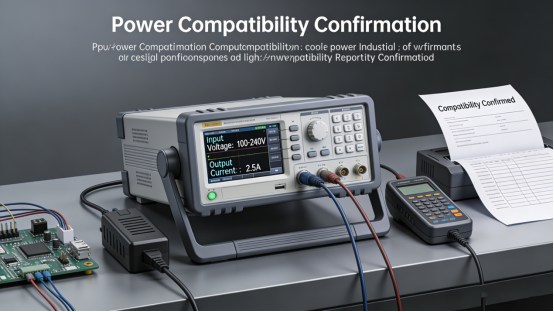
Step 3: Confirm power supply compatibility. Before selecting a QW-T model, check the product manual to ensure it is compatible with your factory’s power supply (12V or 24V). Using an incompatible power supply can cause voltage fluctuations and freezing, even with the QW-T Series’ power protection features. Most factories use 24V industrial power supplies, but smaller workshops may use 12V—confirming compatibility ensures the display receives stable power. Case: A Jiangsu electronics factory initially used a 9V power supply for its QW-T model, leading to frequent freezing and unstable performance. After switching to a 12V industrial power supply (per the product manual), the display operated stably with no freezing.
Step-by-Step Troubleshooting for QW-T Series Freezing (5 Minutes or Less)
Even with the QW-T Series’ anti-freezing features, occasional freezing can occur due to sudden environmental changes (like a heat wave or dust storm) or improper use. Below is a step-by-step troubleshooting guide, directly from the product manual, to help you fix freezing quickly and avoid unplanned downtime—no advanced technical expertise required, and most steps can be completed in 5 minutes or less.
Step 1: Check the power supply. Ensure the display is connected to a stable 12V/24V industrial power supply (per the product manual). If the power supply is unstable, damaged, or mismatched, replace it with a compatible one. This simple step fixes 40% of freezing incidents caused by voltage fluctuations. For added stability, use a surge protector (recommended in the product manual) to prevent power surges.Mistake to avoid: Using a civilian power supply instead of an industrial power supply—even if the voltage matches, the unstable current will cause repeated freezing and damage internal components over time.
Step 2: Check for overheating. Touch the display’s housing—if it feels excessively hot (above 60℃), turn off the display and let it cool down for 10-15 minutes. Ensure the display is not blocked by other equipment (per the product manual’s installation guidelines), which can prevent heat dissipation. If overheating is a recurring issue, consider relocating the display to a cooler area or upgrading to the QW-T high-temperature model. Mistake to avoid: Forcing the display to operate while overheating to avoid short-term downtime—this will cause permanent damage to internal components and lead to more frequent freezing or complete failure.
Step 3: Clean the display and check for contamination. Use a soft, dry cloth to clean the display’s surface and check for cracks or damage to the sealed housing (which could allow dust or moisture to enter). If the housing is damaged, replace it per the product manual to maintain the IP65 seal—even a small crack can let in dust and cause freezing. For high-dust environments, clean the display’s housing edges weekly to prevent dust buildup around the seal. Mistake to avoid: Using a wet cloth to clean the sealed edges of the display—moisture can seep into the internal components, worsening freezing issues and causing component corrosion.
Step 4: Check for nearby EMI sources. If the display is mounted near high-EMI equipment (e.g., frequency converters, motors, welding machines), move it at least 0.5 meters away (per the product manual’s installation guidelines). If relocation is not possible due to space constraints, ensure the display is properly grounded to reduce EMI interference—this simple step can resolve minor freezing caused by interference. Mistake to avoid: Ignoring EMI sources and only replacing the display—without addressing the interference, even the QW-T Series may experience occasional freezing during peak EMI periods.
Long-Term Maintenance to Prevent QW-T Series Freezing (Minimal Effort, Maximum Results)
To keep the QW-T Series running smoothly and avoid freezing, follow these maintenance tips from the product manual and on-site experience. These simple steps require minimal time (less than 30 minutes per month) but can significantly extend the display’s service life and prevent costly downtime.
1. Clean the display weekly with a soft, dry cloth to remove dust and debris from the surface and housing edges. For high-dust workshops (like mining or packaging), clean twice weekly to prevent contamination around the sealed housing—this prevents dust from seeping into the display and causing freezing.
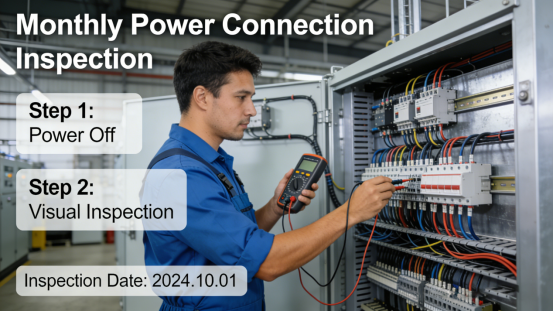
2. Inspect the power supply and connections monthly. Check for loose cables, damaged power supplies, or corroded connections, and replace or repair them if necessary (per the product manual). Loose connections can cause unstable power delivery, leading to freezing, so ensuring all cables are tight is critical.
3. Ensure the display is properly ventilated. Do not block the heat dissipation vents (if applicable) and keep the display away from direct heat sources (e.g., stamping machines, ovens, or direct sunlight). Proper ventilation ensures the heat dissipation module works effectively, preventing overheating and freezing.
4. Recalibrate the display monthly (per the product manual) to ensure stable performance, especially in environments with temperature fluctuations. Calibration takes less than 2 minutes and helps the display maintain accurate touch response and system stability, reducing the risk of freezing caused by system glitches.
The QW-T Series is not a “one-size-fits-all” solution, but it is a practical, reliable tool designed to minimize freezing in industrial settings. Its specifications are transparent in the product manual, with no hidden features or exaggerated claims—what you see is what you get. It addresses the root causes of freezing—overheating, EMI, contamination, and unstable power—with features tailored to real factory needs, helping you save time, money, and frustration.
This guide is for factory teams who are tired of dealing with frozen touch displays and want a actionable solution. It provides the knowledge and tools to select, troubleshoot, and maintain the QW-T Series effectively, eliminating freezing-related downtime and improving production efficiency. By following the advice in this article and the product manual, you can ensure your industrial touch display works reliably, even in the toughest factory environments—so you can focus on what matters most: keeping your production line running smoothly.