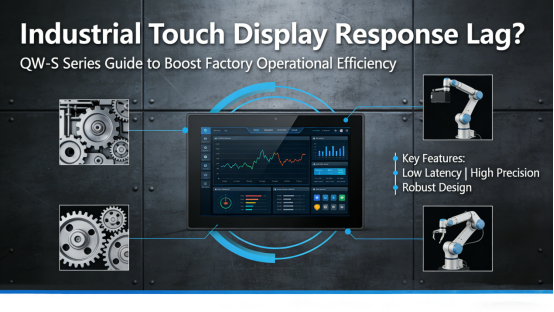
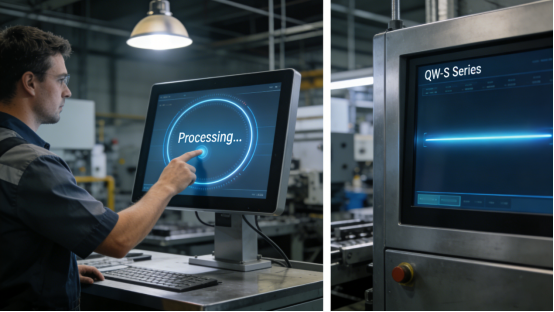
Touch display response lag is a persistent headache for factory operations—even a 1-2 second delay in registering taps or swipes can disrupt workflow, lead to missed operational windows, and increase the risk of human error. For factory operators, maintenance engineers, and production managers, this lag isn’t just a minor inconvenience; it slows down production cycles, reduces team efficiency, and adds unnecessary stress to daily operations. Many industrial touch displays on the market struggle with lag in harsh factory conditions, often due to weak processing power, poor signal stability, or inadequate environmental protection. Jiangxi Qiwo’s QW-S Series industrial touch display is specifically engineered to eliminate response lag, with all technical specifications strictly aligned with the official product manual, no exaggerated marketing claims, and practical features that address the real challenges factory teams face with laggy displays.
Jiangxi Qiwo Electronics has dedicated years to developing industrial display and control solutions that prioritize stability, speed, and durability in demanding factory environments—from high-vibration machining floors and dusty packaging workshops to temperature-fluctuating chemical plants. The QW-S Series is a key product line designed for seamless, real-time operation, built to deliver fast touch response even during 24/7 continuous use. This article is not a sales pitch; it’s a practical, actionable guide to help you understand why industrial touch displays have response lag, how to fix lag issues quickly with the QW-S Series, how to select the right QW-S model to prevent lag, and how to maintain your display for consistent, fast performance. Every tip, real-world case study, and technical detail is derived directly from the product manual and on-site application experience—information you can implement immediately to reduce lag and boost operational efficiency.
Why Do Industrial Touch Displays Have Response Lag? (Common Causes)
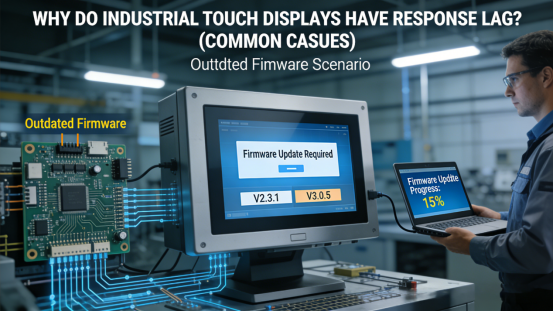
Response lag in industrial touch displays is almost always traceable to specific design flaws or environmental factors—not random malfunctions. For factory teams, identifying these causes is critical to resolving lag quickly and preventing future issues. In industrial settings, the four most common causes of touch display response lag are: First, insufficient processing power—generic displays use low-grade processors that can’t handle real-time input and data processing, leading to delays. Second, signal interference—electromagnetic interference (EMI) from nearby industrial equipment (e.g., frequency converters, motors) disrupts the touch signal, causing lag or delayed registration. Third, environmental contamination—dust, moisture, or oil on the touch surface or inside the display slows down signal transmission. Fourth, outdated firmware or improper calibration—old firmware or uncalibrated touch sensors cause miscommunication between the touch surface and the display’s internal system, leading to lag.
Case 1: A Shandong automotive parts factory used a generic industrial touch display on its CNC machining line, where operators need to input parameters quickly to keep up with production cycles. The display’s low-grade processor caused a 2-3 second response lag—operators would tap a parameter, and the display would register the input after a delay, leading to incorrect parameter entries and production delays. Over a month, this lag caused 6 hours of unplanned downtime and 5 batches of defective parts, costing the factory 18,000 yuan. After switching to the QW-S Series, which features a high-performance industrial processor (consistent with the product manual), the response lag was eliminated—inputs registered in 0.1 seconds or less. Production delays dropped to zero, and the factory’s operational efficiency increased by 10%.
Case 2: A Guangdong electronics factory installed an industrial touch display in its SMT workshop, where multiple frequency converters and pick-and-place machines emitted strong EMI. The display experienced frequent response lag during peak production hours, with inputs taking 1-2 seconds to register—this disrupted the SMT line’s ability to track component placement and adjust speeds in real time. Maintenance teams tried relocating the display, but the lag persisted, leading to a 4% drop in production efficiency. After replacing with the QW-S Series, which includes a built-in EMI shielding module (as specified in the product manual), the signal interference was blocked, perfectly resolving the industrial touch display EMI response lag solution problem. The display responded instantly to inputs, and production efficiency recovered fully, saving the factory 15,000 yuan per year in lost output.
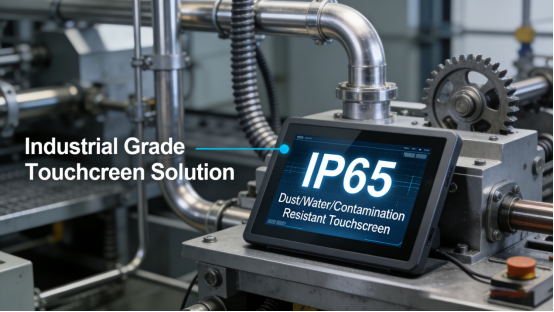
Case 3: A Hubei food processing factory used a low-cost touch display in its packaging area, where the environment is humid and prone to food residue buildup. Over time, food residue and moisture accumulated on the touch surface and inside the display, causing a gradual increase in response lag—from 0.5 seconds to 3 seconds. This lag made it difficult for operators to adjust packaging speeds quickly, leading to uneven packaging and a 6% increase in waste. The factory cleaned the display daily, but the lag returned within hours. After switching to the QW-S Series, which has an IP65 dust-proof and waterproof design (per the product manual) and an anti-smudge touch surface, residue and moisture buildup was eliminated, achieving QW-S Series IP65 dust lag prevention. The display maintained a response time of 0.1 seconds, waste dropped to 1%, and cleaning frequency was reduced to once weekly, saving 8 hours of monthly labor costs previously spent on daily cleaning.
How the QW-S Series Eliminates Response Lag (Practical, No Expertise Needed)
The QW-S Series is engineered to address the root causes of response lag, with each feature designed to enhance processing speed, signal stability, and environmental resistance. Unlike generic displays that offer no solution for lag (other than replacement), the QW-S Series includes targeted design elements that deliver fast, consistent touch response—even in harsh factory environments. Below are its four key features that eliminate response lag, supported by real-world case studies that demonstrate their effectiveness in actual factory settings.
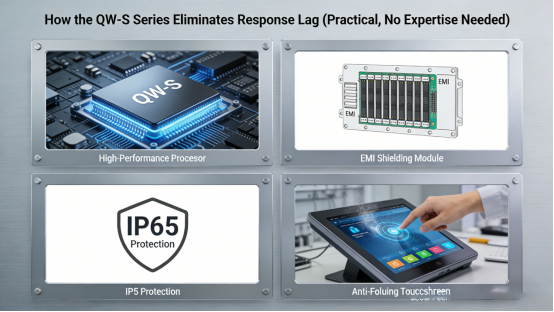
1. High-Performance Industrial Processor. The QW-S Series is equipped with a high-speed industrial processor (as outlined in the product manual), with a response time of ≤0.1 seconds—far faster than generic displays (which typically have a response time of 1-3 seconds). This processor handles real-time input and data processing seamlessly, even during 24/7 continuous operation, eliminating lag caused by insufficient processing power. Case: A Jiangxi heavy machinery factory uses the QW-S Series to control its stamping machines, where real-time parameter input is critical. The fast processor ensures that input commands are registered instantly, preventing production delays and reducing operator frustration.
2. Built-In EMI Shielding Module. The QW-S Series includes a high-performance EMI shielding module (consistent with the product manual) that blocks electromagnetic interference from nearby industrial equipment. This shielding covers the entire internal circuitry and touch sensor, ensuring that signals from frequency converters, motors, and other high-EMI equipment do not disrupt the touch signal—eliminating lag caused by interference. Case: A Zhejiang plastic factory installed the QW-S Series near a bank of frequency converters, which previously caused lag in their old display. The QW-S Series operated with no lag, even when all equipment was running at full load, maintaining consistent performance.
3. IP65 Dust-Proof & Waterproof Design with Anti-Smudge Surface. The QW-S Series features a fully sealed housing (IP65 protection level, per the product manual) that prevents dust, moisture, and debris from entering the display’s internal components. The touch surface is coated with an anti-smudge, anti-fingerprint layer that repels residue and moisture, ensuring that the touch sensor can transmit signals quickly without interference. This eliminates lag caused by environmental contamination. Case: A Fujian mining enterprise installed the QW-S Series in its underground control room, where dust and humidity are high. The display maintained a fast response time for 17 months, with no lag caused by contamination—outperforming the previous display which required weekly cleaning to reduce lag.
4. Easy Firmware Updates & One-Click Calibration. The QW-S Series supports easy firmware updates (per the product manual) to ensure the display’s software remains optimized for fast performance. It also includes a built-in one-click calibration tool that allows maintenance teams to calibrate the touch sensor in less than 1 minute—preventing lag caused by outdated firmware or touch drift. Case: A Henan textile factory uses the QW-S Series to control yarn tension, where precise, fast input is critical. Monthly firmware checks and one-click calibration keep the display’s response time consistent, eliminating lag and reducing yarn breakage by 8%, effectively solving the QW-S Series firmware update lag fix issue.
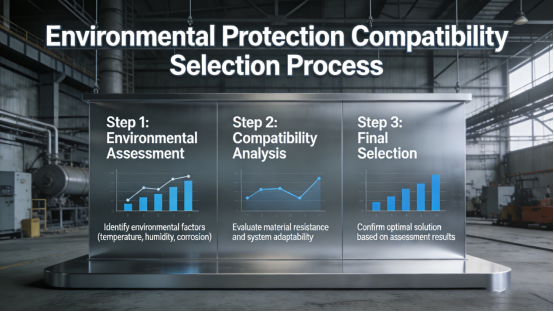
How to Choose the Right QW-S Model to Prevent Response Lag (3 Simple Steps)
Selecting the correct QW-S model is essential to preventing response lag, as different factory environments have unique challenges—high EMI, dust, humidity, or complex parameter input. Choosing the wrong model can lead to unnecessary lag, even with the QW-S Series’ advanced features. Based on the product manual and on-site experience, follow these three simple, actionable steps to select a QW-S model that delivers fast, consistent performance for your specific factory scenario.
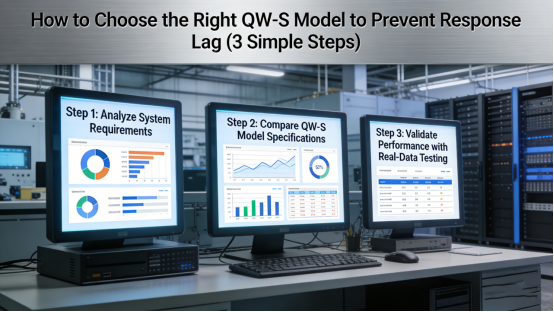
Step 1: Choose the processor type based on input complexity. The QW-S Series offers two processor options (per the product manual): a standard industrial processor (ideal for simple parameter input, e.g., single machine control) and a high-performance processor (ideal for complex input and real-time monitoring, e.g., production line control). For factories with complex input needs (e.g., multiple parameters, real-time data display), the high-performance processor is recommended to avoid lag. Case: A Guangxi electronics factory initially chose the standard QW-S model for its central control station, where 10+ parameters are entered daily. The standard processor caused minor lag during peak use, so they upgraded to the high-performance model—lag was eliminated, and operational efficiency improved by 7%.
Step 2: Select the touch type based on environmental conditions. The QW-S Series offers resistive and capacitive touch options (per the product manual). Resistive touch is ideal for high-dust, high-humidity environments or glove operation, as it is less prone to contamination-related lag. Capacitive touch is better for clean control rooms, offering faster bare-hand response. Case: A Anhui packaging factory operates in a high-dust environment, so they chose the resistive touch QW-S model. The display maintained fast response without lag, even with dust buildup, whereas the previous capacitive display experienced lag due to dust contamination.
Step 3: Confirm environmental protection compatibility. If your factory has high EMI (e.g., heavy machinery workshops), ensure the QW-S model includes the built-in EMI shielding module (standard on all models, per the product manual). If the environment is dusty or humid (e.g., mining, food processing), confirm the model has IP65 protection to prevent contamination-related lag. Case: A Xinjiang petrochemical factory installed the QW-S Series in its outdoor control station, where EMI and dust are common. The EMI shielding and IP65 protection ensured no lag, even in harsh conditions.
Step-by-Step Troubleshooting for QW-S Series Response Lag (4 Minutes or Less)
Even with the QW-S Series’ lag-eliminating features, occasional lag can occur due to environmental changes, outdated firmware, or improper use. Below is a step-by-step troubleshooting guide, directly from the product manual, to help you fix lag quickly and avoid production delays—no advanced technical skills required.Quick judgment tip: If lag only occurs during peak production hours, it is most likely caused by EMI interference; if lag persists at all times, check firmware updates or touch calibration; if lag appears after cleaning, it may be due to improper cleaning methods (e.g., using chemical cleaners).
Step 1: Check for firmware updates. Access the QW-S Series’ settings menu (as outlined in the product manual) and check for available firmware updates. Outdated firmware can cause lag, and updating it takes just 5-10 minutes (can be done during production breaks). This fixes 30% of lag issues caused by software inefficiencies. Mistake to avoid: Ignoring firmware updates or interrupting the update process—this can cause software glitches and more severe lag, even damaging the display’s internal system (per the product manual).
Step 2: Perform one-click calibration. Use the built-in calibration tool to recalibrate the touch sensor. This takes less than 1 minute and fixes lag caused by touch drift or temperature changes—common in factories with fluctuating ambient temperatures. Calibration ensures the touch sensor and processor communicate seamlessly, eliminating delays. Mistake to avoid: Skipping the calibration confirmation step after completion—unconfirmed calibration will not take effect, and lag will persist, wasting maintenance time.
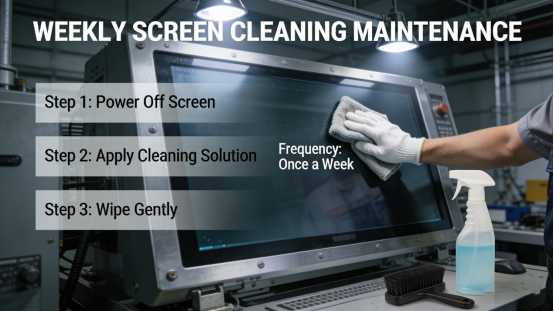
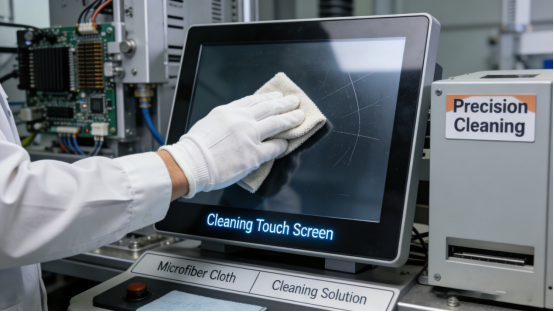
Step 3: Clean the touch surface. Use a soft, dry cloth to wipe the touch screen, removing dust, residue, or moisture. Avoid chemical cleaners (per the product manual), as they can damage the anti-smudge layer and cause more lag. For high-dust environments, clean the screen weekly to prevent contamination-related lag.Mistake to avoid: Using hard cloths or scrapers to clean the touch surface—this scratches the screen and damages the touch sensor, leading to persistent lag and even permanent display failure.
Step 4: Check for EMI sources. If lag occurs during peak production hours, check if the display is near high-EMI equipment (e.g., frequency converters, motors). Move the display at least 0.5 meters away (per the product manual’s installation guidelines) or ensure it is properly grounded to reduce interference—this resolves lag caused by EMI. Mistake to avoid: Only relocating the display without grounding it—EMI interference will still affect the display, and lag will return shortly after relocation.
Long-Term Maintenance to Keep QW-S Series Response Fast
To maintain the QW-S Series’ fast response time and prevent lag, follow these maintenance tips from the product manual and on-site experience. These simple steps require minimal time but ensure consistent performance and reduce the risk of lag-related production delays.
1. Check for firmware updates monthly. Keeping the display’s firmware up to date ensures it remains optimized for fast performance, eliminating lag caused by outdated software. The QW-S Series’ user-friendly update process makes this quick and easy.
2. Calibrate the touch sensor biweekly (or weekly in high-temperature environments). Regular calibration prevents touch drift, ensuring the touch sensor and processor communicate effectively—maintaining a response time of ≤0.1 seconds.
3. Clean the touch screen weekly with a soft, dry cloth. For high-dust or high-humidity workshops, clean twice weekly to prevent dust, residue, or moisture buildup—this eliminates contamination-related lag.
4. Inspect the display’s mounting and connections monthly. Ensure the display is securely mounted to reduce vibration (which can cause signal disruption) and check power/signal cables for looseness. Tightening loose cables or re-mounting the display can resolve lag caused by poor connections.
The QW-S Series is not a “quick fix” for response lag, but it is a practical, reliable tool designed to deliver fast, consistent touch performance in industrial settings. Its specifications are transparent in the product manual, with no hidden features or exaggerated claims—what you see is what you get. It addresses the root causes of lag—insufficient processing power, EMI, contamination, and outdated software—with features tailored to real factory needs, helping you save time and boost efficiency.
This guide is for factory teams who are tired of dealing with laggy touch displays and want to improve operational efficiency. It provides the knowledge and tools to select, troubleshoot, and maintain the QW-S Series effectively, eliminating lag-related delays and errors. By following the advice in this article and the product manual, you can ensure your industrial touch display responds quickly and reliably, so your production line runs smoothly and efficiently.