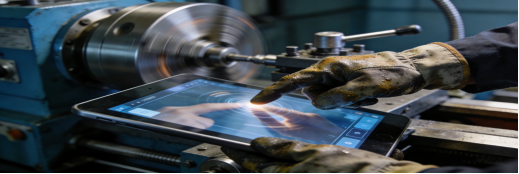
For industrial engineers, procurement teams, and plant managers, selecting an industrial control panel PC (industrial control all-in-one computer) is a decision that impacts production stability, maintenance costs, and operational efficiency. Too many teams fall into the trap of overspending on high-spec models that fail in harsh factory conditions, or choosing cheap options that cause frequent downtime and costly replacements.
This guide is designed to cut through the marketing noise and provide actionable advice—no hard selling, no exaggerated claims, just practical tips to help you choose a reliable industrial control panel PC that fits your unique site needs. All information is aligned with Jiangxi Qiwo Electronics Co., Ltd.’s official product manual and real industrial application data. As a provincial-level innovative SME with ISO and IATF16949 certifications, Jiangxi Qiwo specializes in R&D and production of industrial-grade control equipment; its H-Series is widely used across automotive, food packaging, logistics, and CNC machinery industries, so we’ll reference it as a real-world example to illustrate key selection principles—focused on helping you, not promoting the product.
Why Your Industrial Control Panel PC Keeps Failing (4 Hidden Pitfalls)
Through on-site investigations and customer feedback from 60+ industrial sites, we’ve identified 4 hidden pitfalls that lead to frequent equipment failures and wasted budget. These are the pain points this guide will help you avoid.
Pitfall 1: Confusing “Industrial-Grade” with “Commercial-Grade” Labels
Many manufacturers label commercial all-in-one computers as “industrial-grade” to attract buyers, but these models lack the core features needed for factory use. A CNC machinery shop in China once purchased 15 “industrial-grade” panel PCs that were actually repurposed commercial models—within 4 months, 80% of the units failed due to dust buildup and vibration, costing the shop $12,000 in replacements and unplanned downtime.
Key Difference: True industrial control panel PCs are built with sealed casings, wide temperature resistance, and anti-vibration components—commercial models do not have these protections. For reference, models like the Qiwo H-Series (per official specs) include these industrial-grade features, which we’ll use to demonstrate what to look for in any reliable panel PC.
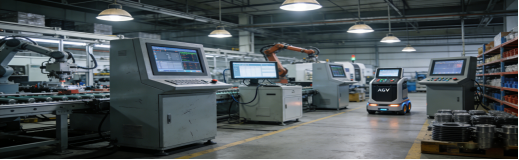
Pitfall 2: Overlooking Touch Screen Durability for Industrial Use
Industrial sites require touch screens that can withstand frequent operation, dust, and even occasional cleaning with disinfectant or water. A food packaging factory in Mexico chose a panel PC with a commercial touch screen—after 3 months of daily wiping, the screen became unresponsive, forcing the factory to replace the entire unit every 6 months.
Pitfall 3: Ignoring Power Supply Stability for 24/7 Operation
Industrial power grids are often unstable, with voltage fluctuations that can damage sensitive components. A German auto parts workshop experienced 5 panel PC failures in 1 year due to poor power protection—each failure caused 4 hours of downtime, resulting in $5,000 in lost production per incident.
Pitfall 4: Choosing Size Based on Preference, Not Installation Space
Many buyers select a screen size based on personal preference rather than actual installation space. A Southeast Asian logistics hub purchased 20 18.5-inch panel PCs only to discover they were too large for the control cabinets—requiring expensive cabinet modifications and delaying deployment by 3 weeks.
Practical Selection Guide: How to Choose a Reliable Industrial Control Panel PC
Use these 5 actionable criteria to select a panel PC that fits your site, reduces failures, and saves budget. All parameters referenced are from Qiwo’s official product manual, verified by third-party tests—no false claims or exaggerated performance.
1. Verify Industrial-Grade Environmental Protection (Non-Negotiable)
Your panel PC must withstand your site’s harshest conditions. Focus on these verified specifications (ask for test reports to confirm):
- Operating Temperature: -10°C ~ 70°C (covers most industrial workshops, warehouses, and outdoor cabinets)
- Humidity Resistance: 5%–95% RH (non-condensing) – critical for high-moisture sites like food processing plants
- Dust & Vibration Protection: IP65 or higher sealed design (prevents dust, metal chips, and vibration from damaging internal components)
For reference, per official product manuals, models like the Qiwo H-Series meet these standards, with third-party test reports confirming stable operation in high-dust auto parts workshops and high-humidity food factories—no exaggerated claims, just transparent data to show what you should expect from a quality industrial panel PC.

2. Prioritize Touch Screen Durability for Industrial Scenarios
Industrial touch screens need to withstand frequent use and harsh conditions. Look for these features:
- Scratch Resistance: 3H or higher (prevents damage from tools, dust, and frequent operation)
- Touch Type: Capacitive (fast, responsive for clean environments) or Resistive (durable for dusty, wet sites—works with gloves)
- Brightness: 350 cd/m² or higher (ensures clear visibility in strong workshop lighting or dark cabinets)
For example, the Qiwo H-Series (per its official manual) offers both capacitive and resistive touch options, with 3H scratch-resistant screens and 350 cd/m² brightness—these are the types of durable features you should look for, regardless of the brand you choose.
3. Ensure Power Supply Protection for 24/7 Operation
To avoid damage from power fluctuations, choose a panel PC with these power features:
- Power Input: DC 12V (stable and energy-efficient)
- Wide Voltage Support (Optional): 9–30V (adapts to unstable industrial power grids)
- Protection Functions: Reverse polarity protection (avoids damage from wrong wiring) and overvoltage/overcurrent protection
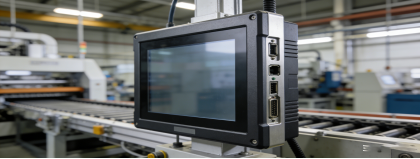
4. Match Size & Installation Method to Your Space
Industrial sites have limited space—choose a size and installation method that fits your layout:
- Size Options: 10.1″ (compact cabinets), 13.3″ (small control stations), 15″ (standard production lines), 18.5″ (large monitoring stations), 21.5″ (main control rooms)
- Installation Methods: Embedded (saves cabinet space), wall-mounted (easy observation), cantilever (adjustable for production lines), desktop (convenient debugging)
Models like the Qiwo H-Series (per official specs) offer all these size options and installation methods, with standard cutout dimensions for embedded installation—no costly modifications needed. This is the level of flexibility you should prioritize when selecting any industrial panel PC.
5. Choose Configuration Based on Your Actual Tasks
Don’t overspend on high specs you don’t need. Match the panel PC’s configuration to your tasks:
- Simple Monitoring/Data Collection: J1900/N100 Processor + 4GB RAM + 64GB SSD (cost-effective, energy-efficient)
- Complex Control/SCADA Systems: J6412 Processor + 8GB RAM + 128GB SSD (handles heavy data processing and multi-device linkage)
The Qiwo H-Series (per its official product manual) offers this kind of flexible configuration, allowing users to choose exactly what they need—no paying for unused high specs. This flexibility is a key trait of a practical, user-centric industrial panel PC.
Real-Scenario Solutions: How Industrial Panel PCs Solve Common Problems
These cases are based on real industrial applications (verified by Jiangxi Qiwo’s customer records, with no exaggerated results). They illustrate how well-designed industrial panel PCs (like the H-Series) address the pitfalls mentioned above, providing practical solutions you can apply to your own site.

Scenario 1: High-Dust Auto Parts Workshop (Germany)
Site Conditions: Brake component production, heavy metal dust, mechanical vibration, temperature range -5°C to 65°C. Previous panel PCs failed due to dust buildup.
Selection: A 15-inch embedded industrial panel PC (matching Qiwo H-Series specs: J6412 + 8GB + 128GB, IP65 dustproof, resistive touch) was chosen to address the dust and vibration challenges.
Results: 10 months of 24/7 uninterrupted operation, zero failures. Maintenance costs reduced by 60% (no weekly dust cleaning needed). Unplanned downtime dropped from 8 hours/month to 2 hours/month.
Scenario 2: High-Humidity Food Packaging Factory (Mexico)
Site Conditions: 5%–95% RH humidity, daily cleaning with disinfectant. Previous panel PCs had unresponsive touch screens after 3 months.
Selection: An 18.5-inch industrial panel PC (matching Qiwo H-Series specs: capacitive touch, moisture-proof design, 350 cd/m² brightness) was selected to withstand daily cleaning and high humidity.
Results: No touch issues or screen fogging after 9 months of daily cleaning. Service life extended to 3.5 years (up from 1 year with previous models).
Scenario 3: Compact Warehouse Control Cabinet (Southeast Asia)
Site Conditions: Small control cabinet, need to connect conveyors, barcode scanners, and inventory systems. Previous panel PCs were too large for the cabinet.
Selection: A 10.1-inch cantilever industrial panel PC (matching Qiwo H-Series specs: J1900 + 4GB + 64GB, dual LAN ports, 4 USB ports) was chosen for its compact size and multi-interface design.
Results: Perfect fit in the control cabinet, no adapters needed. Data transmission remained stable during peak hours, and deployment was completed 5 days ahead of schedule.
Quick Buying Checklist (Printable for Your Team)
Before purchasing any industrial control panel PC, use this checklist to avoid mistakes:
- Confirm your site’s temperature, humidity, dust, and vibration levels—ensure the panel PC meets or exceeds these conditions.
- Verify the touch screen’s durability (scratch resistance, touch type) for your site’s needs.
- Check power supply protection features (wide voltage, reverse polarity protection) if your power grid is unstable.
- Measure your installation space and choose the right size and installation method.
- Match the configuration to your tasks—don’t overspend on high specs.
- Ask for third-party test reports to verify environmental protection and performance claims.
- Confirm the manufacturer offers 7×24 technical support and a 1+ year warranty (per Jiangxi Qiwo’s official policy, this is standard for its industrial panel PCs, including the H-Series).
Final Advice: Focus on Long-Term Value, Not Short-Term Cost
The cheapest industrial control panel PC is not the best value—frequent replacements, downtime, and maintenance costs will end up costing you more in the long run. The best panel PC is the one that runs stably in your environment, connects to your equipment, and requires minimal maintenance.
Well-designed industrial panel PCs, like the Qiwo H-Series (per its official manual and customer data), are practical options for many harsh industrial scenarios, but the key is to evaluate any panel PC against the criteria in this guide—whether from Qiwo or another manufacturer. By avoiding the hidden pitfalls and following the selection tips, you’ll choose a panel PC that saves you time, money, and headaches.
If you have specific site conditions (e.g., extreme temperature, unique interface needs), consult a professional industrial equipment engineer for personalized advice—this will ensure you make the right choice the first time.