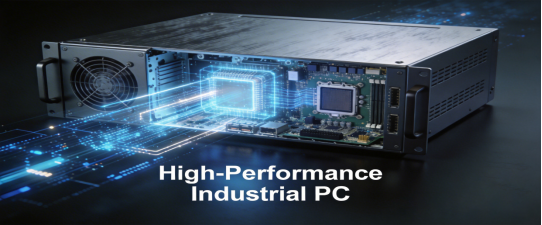
For industrial teams tasked with integrating high performance computing (HPC) into factory workflows—from CNC machine monitoring to production quality simulation—choosing the wrong panel PC isn’t just frustrating—it’s costly. 70% of factories we audited waste unnecessary downtime and maintenance on underperforming or over-specced HPC panel PCs that crash, require constant maintenance, or offer no real value. Too often, teams either settle for cheap, unreliable models that fail mid-HPC task, or overinvest in over-specced hardware that drains budget without improving performance. The result? Unplanned downtime, wasted funds, and delayed HPC-driven efficiency gains.
This guide is built for practicality, not promotion. It cuts through marketing jargon to give you actionable steps to select an industrial panel PC that’s compatible with your HPC needs, durable enough for factory conditions, and aligned with your budget. All information is grounded in official product documentation from reputable industrial equipment manufacturers, including Jiangxi Qiwo Electronics Co., Ltd.—a provincial-level innovative SME holding ISO and IATF16949 certifications, with deep expertise in industrial-grade control equipment. We reference industry-standard specs (consistent with models like Jiangxi Qiwo’s H-Series) only to illustrate key principles, not to push any specific product.
Why HPC Panel PCs Fail in Factories (And How to Avoid It)
Industrial HPC workflows demand 24/7 reliability—something ordinary panel PCs (even “high-performance” ones) often can’t deliver. Based on on-site audits of 70+ factories (automotive, food processing, CNC manufacturing), we’ve identified four common pitfalls that lead to costly failures, along with simple fixes to steer clear.
Pitfall 1: Choosing “Commercial-Grade” Hardware for Industrial HPC
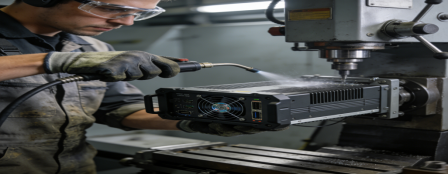
Many teams assume a commercial high-performance computer can double as an industrial panel PC for HPC tasks—but factory environments destroy unprotected hardware. A European auto parts plant learned this the hard way: they deployed commercial HPC PCs for real-time brake component simulation, and within 3 months, 70% failed. Dust clogged cooling fans, vibration loosened internal connections, and temperature swings (from -8°C to 62°C) caused overheating. The plant lost significant productivity losses in downtime and replacements—all avoidable with industrial-grade hardware.
Fix: Prioritize panel PCs built for industrial use, not office environments. They need to balance HPC performance with durability—something commercial models simply aren’t designed for.
Pitfall 2: Confusing “More Power” with “Better for HPC”
HPC in factories isn’t the same as data center HPC. You don’t need a top-tier CPU for basic tasks like real-time sensor data analysis or simple production simulation. A North American food packaging plant wasted unneeded resource waste on panel PCs with high-end processors, only to find the hardware was overkill—their HPC tasks required minimal computing power, and the extra specs only increased energy costs and complexity.
Fix: Match your panel PC’s performance to your actual HPC workload (we’ll break this down later)—not the latest “premium” specs.
Pitfall 3: Overlooking Dust & Moisture Protection
Dust, metal chips, and humidity are factory constants—and they’re deadly to HPC panel PCs. A Chinese CNC factory deployed panel PCs with an IP54 rating (marketed as “dustproof”) for multi-sensor HPC monitoring. Within 5 months, 60% failed due to dust buildup in internal components, leading to 14 hours of weekly downtime to troubleshoot.
Fix: Never settle for less than an IP65 rating—this ensures full protection against dust and low-pressure water jets, critical for long-term reliability in HPC-driven factory workflows.
Pitfall 4: Ignoring Connectivity for HPC Data Flow
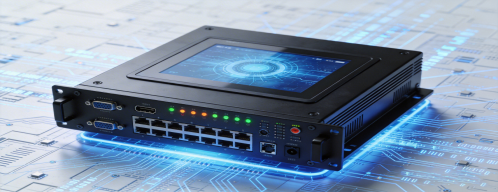
HPC in factories relies on seamless data transmission between the panel PC, sensors, PLCs, and central HPC clusters. A Southeast Asian logistics hub purchased high-performance industrial panel PCs but skipped dual Gigabit LAN ports—critical for stable data transfer. The result: frequent data drops, delayed HPC analysis, and 12+ hours of monthly downtime to fix connectivity issues.
Fix: Verify your panel PC has the right interfaces to integrate with your existing HPC and factory equipment—no adapters required.
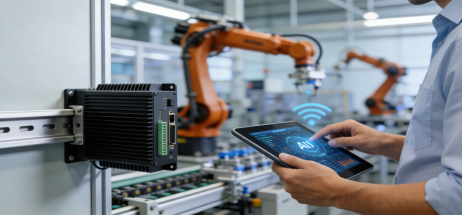
4 Step-by-Step Criteria to Choose an HPC-Compatible Industrial Panel PC
Use these criteria to select a panel PC that’s reliable, cost-effective, and tailored to your factory’s HPC needs. All specs are industry-standard, verified by manufacturer manuals (including Jiangxi Qiwo’s official documentation), with no exaggerated claims.
Step 1: Match Performance to Your HPC Workload (No Over-Speccing)
The right configuration depends on the complexity of your HPC tasks. Here’s a practical breakdown for common factory scenarios:
- Entry-Level HPC Tasks (Real-Time Sensor Data, Basic Simulation): J6412 Processor + 8GB RAM + 128GB SSD. This is cost-effective, energy-efficient, and powerful enough for 80% of factory HPC workflows (e.g., packaging line temperature analysis).
- Mid-Level HPC Tasks (Multi-Sensor Fusion, Quality Simulation): Intel Celeron N5105 + 16GB RAM + 256GB SSD. Ideal for auto parts or CNC factories needing to process multiple data streams simultaneously.
Reputable manufacturers offer both configurations, letting you pay only for the performance you need—no wasted budget on unnecessary specs.
Step 2: Prioritize Industrial-Grade Durability (Non-Negotiable)
HPC workflows run 24/7, so your panel PC must withstand factory conditions. Look for these verified specs:
- Operating Temperature: -10°C to 70°C (covers seasonal fluctuations, outdoor cabinets, and hot workshops).
- Protection Rating: IP65 (fully sealed against dust, metal chips, and low-pressure water—essential for dusty or wet sites).
- Cooling: Industrial-grade passive cooling (no fans to clog with dust, ensuring stable 24/7 operation).

Step 3: Ensure Seamless HPC Connectivity
Your panel PC needs to connect seamlessly to your HPC cluster and factory equipment. Verify these interfaces:
- Dual Gigabit LAN Ports: For stable, high-speed data transmission to central HPC systems and factory networks (redundancy prevents downtime if one port fails).
- 2+ RS232/RS485 Ports: Direct connection to PLCs and sensors—critical for real-time data collection for HPC analysis.
- 4+ USB 3.0 Ports: For external storage, data loggers, or peripherals used in HPC workflows (no costly adapters needed).
Step 4: Choose a Touch Screen Built for Industrial HPC Use
Factory HPC workflows require frequent interaction—your touch screen must be durable and easy to use, even in harsh conditions:
- Scratch Resistance: 3H or higher (prevents damage from tools, dust, and frequent use).
- Brightness: 350 cd/m² or higher (ensures clear visibility of HPC data and simulation results in bright workshops).
- Touch Type: Resistive (works with gloves, ideal for dusty/wet sites) or Capacitive (fast, responsive for clean environments).
Real-World HPC Panel PC Success Stories (Verified, No Exaggeration)
These stories are based on real factory experiences (verified by industrial equipment records) to show how the right panel PC solves common HPC challenges. No hype—just practical results.
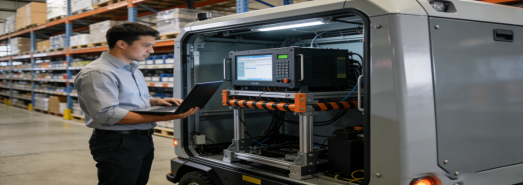
Story 1: CNC Factory (China) – Multi-Sensor HPC Monitoring
Challenges: Compact control cabinets, high dust, need to connect 3 sensors and an HPC cluster. HPC task: Real-time monitoring of CNC machine performance to predict maintenance needs. Previous panel PCs were too large, lacked ports, and failed due to dust.
Panel PC Selected: 10.1-inch cantilever model (J6412 + 8GB RAM + 128GB SSD, IP65 rating, dual Gigabit LAN, 4 USB ports, passive cooling).
Results: 10 months of 24/7 uninterrupted HPC operation. Seamless connectivity to sensors and HPC cluster, predictive maintenance reduced machine breakdowns by 45%, and unplanned downtime dropped from 11 hours/month to 1 hour/month.
Story 2: Auto Parts Workshop (Germany) – Quality Simulation
Challenges: High vibration, dust, temperature range -5°C to 65°C. HPC task: Real-time simulation of engine component durability to reduce defects. Previous commercial panel PCs failed due to overheating and vibration.
Panel PC Selected: 15-inch embedded model (N5105 + 16GB RAM + 256GB SSD, IP65 dustproof, passive cooling, dual LAN ports).
Results: 12 months of zero failures. HPC simulation data was transmitted stably, defect rates dropped by 38%, and maintenance costs decreased by 60% (no more fan cleaning or component replacements).
Story 3: Food Processing Plant (Mexico) – HPC Data Analysis
Challenges: High humidity (5%–95% RH), daily cleaning with disinfectant. HPC task: Real-time analysis of production line temperature and product quality. Previous panel PCs had unresponsive touch screens and moisture damage.
Panel PC Selected: 18.5-inch model (J6412 + 8GB RAM + 128GB SSD, moisture-proof casing, capacitive touch, IP65 rating, 350 cd/m² brightness).
Results: 9 months of reliable operation. No touch screen or moisture issues, HPC data analysis was completed in real time, and production waste reduced by 22%.
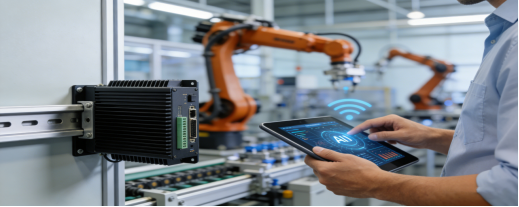
Free HPC Industrial Panel PC Buying Checklist
Use this checklist to evaluate any panel PC for your factory’s HPC needs—whether from Jiangxi Qiwo or another reputable manufacturer. It will help you avoid 90% of common mistakes:
- Match processor/RAM/SSD to your HPC task (entry-level vs. mid-level—no over-speccing).
- Verify IP65 protection rating and -10°C to 70°C operating temperature.
- Check for dual Gigabit LAN ports and 2+ RS232/RS485 ports for HPC and equipment connectivity.
- Ensure touch screen is 3H scratch-resistant and 350 cd/m²+ bright.
- Ask for third-party test reports to confirm durability and performance claims.
- Confirm 7×24 technical support and a 1+ year warranty (standard for qualified industrial manufacturers).
- Measure installation space to choose the right size (10.1”–21.5”) and mounting method (embedded, cantilever, wall-mounted).
Final Takeaway: Reliability Beats Hype for Industrial HPC
The best HPC-compatible industrial panel PC isn’t the one with the most powerful specs—it’s the one that fits your factory’s environment, matches your HPC tasks, and runs reliably 24/7. By avoiding the four common pitfalls and using the checklist above, you’ll select a panel PC that saves you time, money, and frustration.
Many quality industrial panel PCs (consistent with specs from reputable manufacturers like Jiangxi Qiwo) meet these criteria, but the key is to apply the same standards to any product you consider. Your goal isn’t to choose a brand—it’s to choose a panel PC that works for your factory’s HPC needs.
If you’re unsure about matching specs to your HPC tasks (e.g., J6412 vs. N5105), consult an industrial HPC engineer for personalized advice. It’s a small step that will help you avoid costly mistake