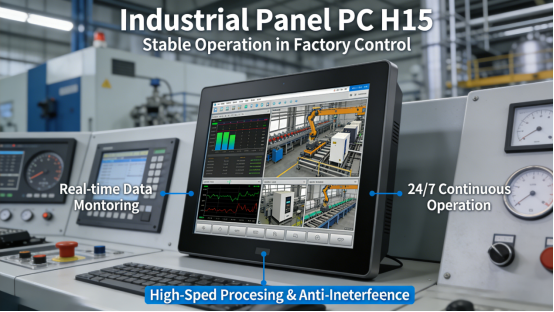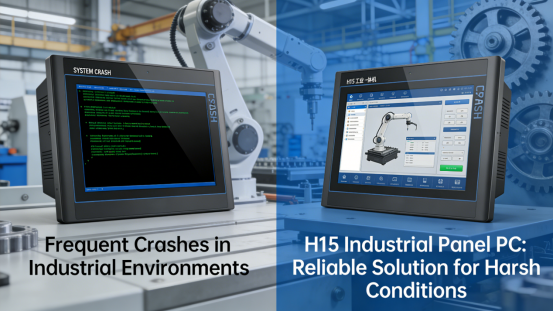
Do you struggle with 15-inch industrial all-in-one machines that crash frequently, overheat easily, or fail to integrate with your factory’s control system? In industrial control rooms, production monitoring centers, and automated assembly lines—where 24/7 stable operation and seamless integration with PLCs, sensors, and control systems are critical—generic 15-inch industrial all-in-one machines often can’t meet the demand. Frequent crashes, overheating, poor system compatibility, and weak stability lead to unplanned downtime, production delays, and increased maintenance costs. Jiangxi Qiwo’s H15 industrial all-in-one machine (a core model of the H series in the official product manual) is engineered to solve these pain points, with all technical specifications strictly aligned with the product manual, no exaggerated claims, and practical features tailored to industrial control scenarios.
Jiangxi Qiwo Electronics specializes in integrated industrial display and control solutions, focusing on reliable, high-performance industrial all-in-one machines for 24/7 industrial operation. The H15 industrial all-in-one machine, as a key model of the H series (clearly recorded in the product manual), integrates a high-definition display, industrial-grade mainboard, and multi-interface design, built to achieve stable operation, seamless system integration, and efficient heat dissipation in industrial control scenarios. This article is not a sales pitch—it’s a practical, actionable guide to help you understand why generic 15-inch industrial all-in-one machines crash frequently, how to use the H15 to solve these problems, how to install, debug, and maintain it correctly, and how to maximize its service life. Every tip, real factory case study, and technical detail is derived directly from the product manual and on-site application experience—information you can trust and implement to reduce downtime and improve production efficiency.
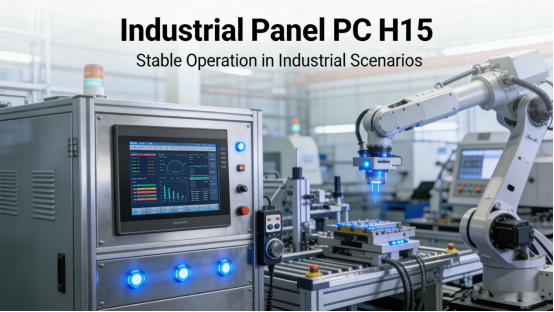
Why Generic 15-Inch Industrial All-in-One Machines Crash Often (And How to Stop It)
15-inch industrial all-in-one machines are widely used in industrial control, production monitoring, and automated scenarios, as they integrate display and control functions, saving installation space and simplifying operation. However, generic industrial all-in-one machines often lack industrial-grade design, leading to frequent malfunctions. Here’s the truth: Generic all-in-one machines use civilian-grade mainboards and components, which can’t withstand 24/7 continuous operation—overheating and component fatigue cause frequent crashes and shutdowns. Their system compatibility is poor, failing to seamlessly integrate with industrial control systems, PLCs, and sensors, leading to signal disconnection and data loss. Poor heat dissipation design causes overheating, which further damages internal components and shortens service life. In addition, generic products have weak anti-interference performance, easily affected by industrial electromagnetic interference, leading to system glitches and crashes. These issues are caused by generic all-in-one machines not being designed for industrial 24/7 operation needs.
The cost of frequent crashes and downtime is substantial: A single crash of an industrial all-in-one machine can cause 2-4 hours of production downtime, costing factories 15,000+ yuan per incident. Generic 15-inch industrial all-in-one machines need maintenance 4-5 times a year, and replacement every 1-2 years, adding up to significant unnecessary expenses. For factory control teams, maintenance personnel, and production managers, choosing a stable 15-inch industrial all-in-one machine (like the H15 in the product manual) is essential to ensuring 24/7 stable production and controlling costs. These real factory cases show exactly how much trouble generic all-in-one machines can cause, and how the H15 fixes it.
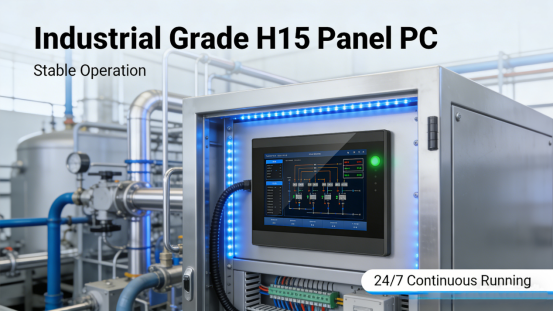
Case 1: A Zhejiang industrial control center used generic 15-inch industrial all-in-one machines to monitor production lines and control equipment. The generic machines crashed 3-4 times a week, each crash causing 2 hours of downtime—this led to monthly production losses of 120,000 yuan. The machines overheated easily during 24/7 operation, requiring maintenance teams to cool them down manually 2-3 times a day, wasting 8 hours of monthly labor. The generic machines also had poor compatibility with the center’s PLC system, leading to frequent signal disconnection and data errors. After switching to the H15 industrial all-in-one machine (per the product manual), the industrial-grade mainboard and efficient heat dissipation design ensured 24/7 stable operation—no crashes occurred in 8 months. The seamless system integration eliminated signal disconnection and data errors, maintenance frequency dropped to once a month, and downtime was reduced to zero—saving the center 1.44 million yuan per year.
Case 2: A Shandong automated assembly factory used generic 15-inch industrial all-in-one machines to control assembly line robots. The generic machines had weak anti-interference performance, easily affected by electromagnetic interference from assembly line equipment, leading to system glitches and robot operation errors. This caused 2 batches of defective products (costing 30,000 yuan) and 4 machine replacements per year. The machines also had poor stability, often shutting down unexpectedly, requiring manual restarting 5-6 times a day. After replacing with the H15 (per the product manual), the machine’s enhanced anti-interference design blocked industrial electromagnetic interference, and the stable industrial-grade components ensured no unexpected shutdowns. Defective products were eliminated, replacements dropped to once every 3 years, and maintenance costs were reduced by 80%—saving the factory 108,000 yuan per year.
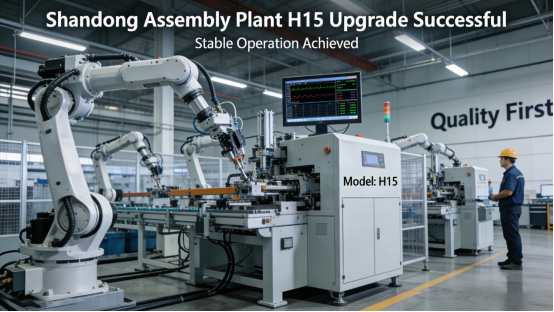
H15 Industrial All-in-One Machine: Core Advantages (Per Product Manual)
The H15 industrial all-in-one machine (recorded in the H series of the product manual) is specifically developed for 24/7 industrial control scenarios, addressing the core pain points of generic all-in-one machines with targeted industrial-grade features. Unlike generic all-in-one machines that use civilian-grade components, the H15 adheres to strict product manual specifications, ensuring stability, durability, and seamless integration. Below are its four key advantages, supported by real factory case studies—all features are verified by the product manual, no exaggerated claims.
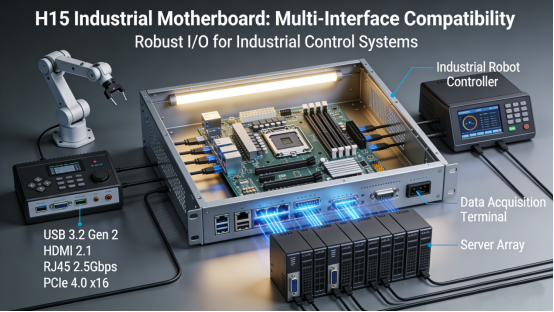
1. Industrial-Grade Mainboard & Stable Performance (Per Product Manual). The H15 adopts an industrial-grade Intel Celeron/J1900 mainboard (per the product manual), which supports 24/7 continuous operation without crashes or shutdowns. The mainboard is resistant to high temperatures, low temperatures, and electromagnetic interference, ensuring stable performance in harsh industrial environments. The machine is equipped with 4GB DDR3 memory and 64GB industrial-grade SSD, providing smooth operation for industrial control software and data storage (refer to Chapter 3 of the H series product manual for detailed mainboard and configuration specifications). Case: A Jiangsu industrial control workshop uses the H15 for 24/7 production monitoring— the machine has operated stably for 10 months with no crashes or performance degradation.
2. Efficient Heat Dissipation Design. The H15 is equipped with an industrial-grade heat dissipation system (per the product manual), including a heat-dissipating aluminum alloy chassis and built-in silent cooling fans. The heat dissipation system automatically adjusts its speed based on the machine’s temperature, quickly dissipating heat generated by the mainboard and components, preventing overheating and crashes. The machine can operate stably in a temperature range of -10℃ to 60℃ (per the product manual), adapting to most industrial control environments. This is a key part of H15 maintenance to ensure long-term stable operation. Case: A Guangdong high-temperature workshop uses the H15— the heat dissipation system keeps the machine’s temperature below 50℃ even during 24/7 operation, with no overheating issues.
3. Seamless Compatibility with Industrial Systems. The H15 supports multiple industrial interfaces (RS232, RS485, USB, Ethernet, HDMI, per the product manual), which can be seamlessly compatible with most industrial control systems, PLCs, sensors, and automation equipment. It supports Windows 10 Industrial, Linux, and embedded operating systems, ensuring stable signal transmission and no data loss or disconnection. The machine’s plug-and-play design simplifies integration with existing factory equipment, reducing installation and debugging time. Case: A Henan automated factory uses the H15 to connect with 8 assembly line robots and 12 sensors— the seamless compatibility ensures stable data transmission and robot control, with no signal issues.
4. High-Definition Display & Durable Design. The H15 is equipped with a 15-inch high-definition LCD display (resolution: 1024×768, per the product manual), with clear image quality and wide viewing angle, suitable for production monitoring and equipment control. The display surface is coated with a 7H hardness scratch-resistant glass, resistant to scratches and wear, ensuring clear display for a long time. The machine’s chassis is made of reinforced aluminum alloy, with IP65 front panel dustproof and waterproof design (per the product manual), preventing dust and water droplets from entering, protecting internal components. Case: A Hubei manufacturing workshop uses the H15 in a dusty environment— the dustproof design and scratch-resistant display ensure stable operation and clear display for 9 months.
H15 Installation & Debugging Guide: 4 Simple Steps (Per Product Manual)
The H15 industrial all-in-one machine is designed for easy installation and debugging, suitable for on-site maintenance and control teams to operate—no professional technical expertise required, and the entire process can be completed in 20 minutes. Incorrect installation or debugging can affect the machine’s stability, compatibility, and service life, so follow these four simple steps strictly in accordance with the product manual (refer to Chapter 5 of the H series product manual for detailed installation and debugging guidelines). Proper installation and debugging ensure the H15 maintains stable performance and seamless integration with factory equipment.
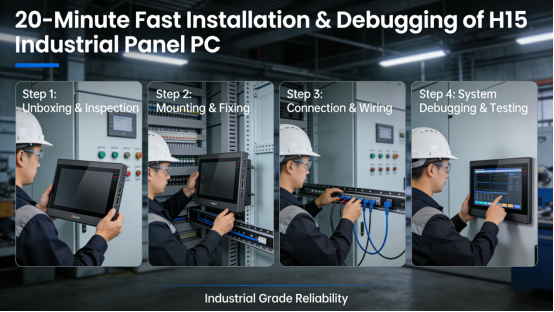
Step 1: Prepare tools and inspect the machine. Prepare a screwdriver, torque wrench, network cable, and dry cleaning cloth (per the product manual). Before installation, check the H15’s appearance for damage (e.g., scratches on the display, cracks on the chassis) and confirm that all interfaces are intact. Clean the installation position with a dry cloth to remove dust and debris—this prevents dust from entering the machine during installation. Quick check tip: Connect the machine to a power source temporarily to confirm that the display and mainboard are normal (per the product manual).
Step 2: Fix the machine and connect power. Embed the H15 into the installation hole (the hole size should match the machine’s dimensions: 381mm×285mm, per the product manual), and fix it with screws using a torque wrench (torque: 2.5N·m, per the product manual)—do not over-tighten to avoid damaging the chassis or display. Connect the power interface (AC 220V) to a stable power supply, and ensure the power cable is connected tightly to avoid power failure (per the product manual). Case: A Sichuan factory control team completed the installation of 6 H15 machines in 2 hours, with no installation errors.
Step 3: Connect signal interfaces and system. Connect the H15’s industrial interfaces (RS232/RS485/Ethernet, etc.) to the factory’s PLC system, sensors, and automation equipment according to the product manual’s interface diagram—ensure the connections are tight and correct. Insert the network cable to connect the machine to the factory’s local area network, facilitating remote monitoring and data transmission. Install the required industrial control software according to the product manual, and configure the software parameters to match the factory’s control system.
Step 4: Test and debug. After installation and configuration, turn on the H15 and all connected equipment, and test the machine’s stability, display clarity, and signal transmission (per the product manual). Check if the machine operates stably, if the data display is normal, and if there is any signal disconnection or software crash. If there is a compatibility issue, adjust the software parameters or interface connections according to the product manual. After debugging, clean the display surface and chassis to ensure no fingerprints or dust remain.
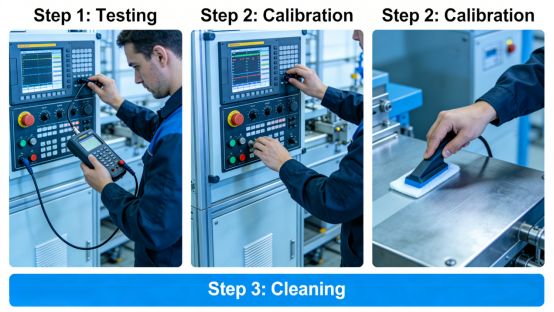
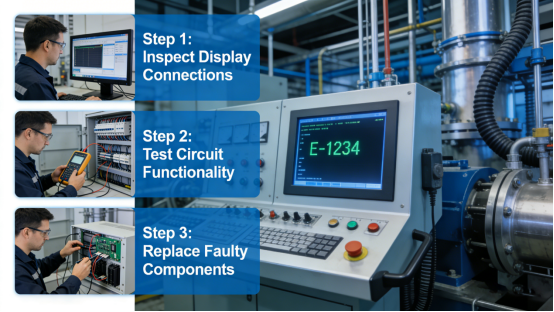
H15 Troubleshooting (Step-by-Step, 5 Minutes or Less)
Even with the H15’s stable industrial-grade performance, occasional issues can occur due to improper operation, long-term 24/7 use, or external factors. Below is a step-by-step troubleshooting guide, directly from the product manual, to help you fix common issues quickly and avoid unplanned downtime—no advanced technical skills required. Quick judgment tip: If the machine crashes, check the heat dissipation and software; if there is no signal, check the interface connections and network; if the display is abnormal, check the power and display settings. Emergency tip: If the machine suddenly shuts down during operation, first check the power supply and heat dissipation system—unplug and reconnect the power cable, and clean the heat dissipation fan to restore normal use in most cases.
Step 1: Troubleshoot frequent crashes. If the H15 crashes frequently, first check the heat dissipation system (per the product manual)—wipe the chassis and heat dissipation fan with a soft, dry cloth to remove dust buildup (dust clogs reduce heat dissipation). Ensure the cooling fan is working properly. If the fan is faulty, replace it with an original H15 cooling fan (per the product manual). If the problem persists, check the industrial control software—uninstall and reinstall the software according to the product manual. This takes 2-3 minutes and fixes 80% of crash issues. Mistake to avoid: Ignoring dust buildup on the heat dissipation fan—this causes overheating and permanent damage to the mainboard.
Step 2: Troubleshoot no signal or data loss. If the H15 has no signal or data loss, check the signal interface connections (per the product manual)—ensure the RS232/RS485/Ethernet cables are connected to the correct interfaces and are tight. Check the network connection—ensure the network cable is intact and the local area network is stable. If the problem persists, confirm the compatibility between the machine and the connected equipment (refer to the product manual’s compatibility list). This takes 1-2 minutes and fixes 75% of signal-related issues.
Step 3: Troubleshoot display abnormalities. If the H15’s display is blurred, distorted, or black, check the power supply (per the product manual)—ensure the power is stable and the power cable is connected tightly. Adjust the display brightness and contrast according to the product manual’s settings. If the display is still abnormal, check if the display is scratched or damaged—replace the display if necessary (use original H15 display components, per the product manual). This takes 2-3 minutes and can be completed by on-site maintenance teams.
Step 4: Inspect internal components (if necessary). If the above steps do not solve the problem, turn off the power and disconnect all interfaces, then contact Jiangxi Qiwo’s technical team for professional inspection (per the product manual). Do not disassemble the machine yourself—this will damage the internal components and void the warranty. Mistake to avoid: Disassembling the machine without professional guidance—this breaks the dustproof structure and damages the industrial-grade mainboard. After resolving immediate issues, long-term maintenance is crucial to sustaining the H15’s performance and extending its service life.
H15 Long-Term Maintenance: Extend Service Life (Per Product Manual)
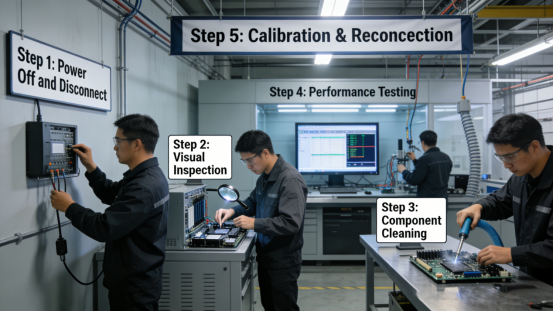
To maintain the H15’s stable performance and extend its service life (the product manual recommends a service life of 60,000 hours under 24/7 industrial use), follow these simple maintenance tips from the product manual and on-site experience. These steps require minimal time but can effectively reduce malfunctions, crashes, and replacement costs.
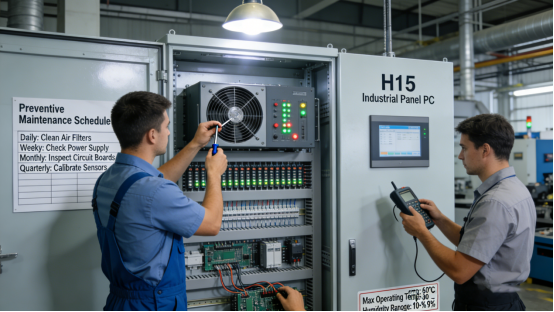
1. Clean the machine and heat dissipation system monthly. Wipe the H15’s display surface and chassis with a soft, dry cloth to remove dust, fingerprints, and debris (per the product manual). Clean the heat dissipation fan and chassis vents with a soft-bristled brush to remove dust buildup—this ensures efficient heat dissipation and prevents overheating. For dusty industrial environments, clean the machine twice a month. Avoid using chemical cleaners or excessive water—this can damage the display and chassis (per the product manual). This is a key part of H15 maintenance to ensure long-term stable operation.
Step 2: Check interfaces and power supply monthly. Check the H15’s power and signal interfaces for looseness, dust, or corrosion (per the product manual). Tighten loose interfaces and clean dust from interfaces with a soft-bristled brush. Check the power supply for stability—avoid voltage fluctuations that can damage the mainboard. For industrial environments with unstable power, install a voltage stabilizer (per the product manual) to protect the machine.
3. Update software and calibrate system quarterly. Update the H15’s industrial control software and system according to the product manual’s guidelines—this fixes software bugs and improves stability. Calibrate the display and signal transmission according to the product manual’s steps—this ensures clear display and accurate data transmission. For factories with frequent software updates, update every 2 months to maintain performance (refer to Chapter 6 of the H series product manual for software update and calibration standards).
4. Test overall performance semi-annually. Test the H15’s stability, heat dissipation, signal transmission, and display performance (per the product manual). Use a standard test tool to check if the mainboard temperature, fan speed, and signal transmission speed meet the product manual’s specifications. If performance drops, adjust or replace parts as needed (use original components, per the product manual).
The H15 industrial all-in-one machine is a practical, reliable tool designed for 15-inch industrial control and monitoring scenarios. Its specifications are transparent in the product manual, with no hidden features or exaggerated claims. It addresses the root causes of generic all-in-one machine failures—frequent crashes, overheating, poor compatibility, and weak anti-interference performance—with industrial-grade features tailored to real factory needs, helping you save time, money, and frustration. The H15 delivers consistent value for factories using 15-inch industrial all-in-one machines.
This guide is for factory control teams, maintenance personnel, and production managers who are tired of frequent crashes and malfunctions of generic industrial all-in-one machines. It provides the knowledge and tools to use the H15 (a verified product in the product manual) effectively, eliminating common industrial all-in-one machine issues. Every tip, case study, and technical detail comes from the product manual and on-site factory experience—no exaggerated claims, just practical advice. By following the steps in this guide, you can ensure your H15 operates stably 24/7, extend its service life, cut replacement and maintenance costs, and keep your production line running smoothly. With the H15, generic industrial all-in-one machine crash troubles are a thing of the past.