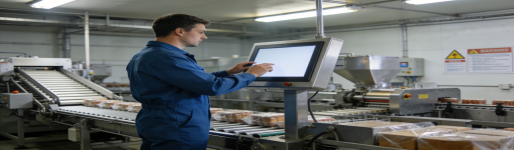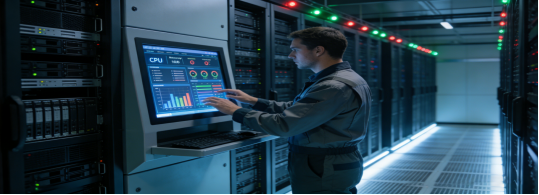
In factory automation, medical equipment, and intelligent control scenarios, industrial all-in-one PCs are the “brain” of equipment interaction and data processing. However, many engineers and procurement personnel make costly mistakes during selection: choosing high-configuration products that are not needed, ignoring environmental adaptability leading to frequent failures, or purchasing incompatible models that require expensive modifications. Based on official industrial all-in-one PC product data, real factory application cases, and industry pain points, this article provides practical, no-nonsense guidance. It avoids hard-selling and false parameter publicity, focusing only on helping you select the right industrial all-in-one PC that fits your scenario, reduces maintenance costs, and ensures 24/7 stable operation.
3 Common Selection Mistakes That Cost Factories Time and Money
Industrial all-in-one PCs are very different from consumer computers—they need to withstand dusty workshops, temperature fluctuations, and 24/7 continuous operation. Through sorting out hundreds of industrial application cases, we found that three mistakes are most common, leading to unnecessary losses:
- Mistake 1: Blindly pursuing high configuration — spending extra on 16G memory and high-performance processors for simple data display terminals that only need basic operation, resulting in 30%-50% cost waste;
- Mistake 2: Ignoring environmental protection — using ordinary all-in-one PCs in dusty or oily workshops, leading to dust entering the host, touch screen failure, and equipment downtime every 2-3 months;
- Mistake 3: Neglecting system and interface compatibility — buying an all-in-one PC with an incompatible operating system or interface, which cannot connect to existing PLCs or sensors, requiring additional hardware modification.
A well-designed industrial all-in-one PC can avoid these mistakes. All parameters and functions should be based on actual industrial needs, focusing on practicality and cost control—no redundant functions, only solutions to real pain points. Taking a mainstream embedded industrial all-in-one PC (widely used in factory production lines, medical terminals, and intelligent self-service equipment) as an example, we analyze its core parameters and selection logic objectively.
Key Parameters of Industrial All-in-One PCs: What to Focus on (No Exaggeration)
A standard embedded industrial all-in-one PC is mainly used in factory production lines, medical terminals, intelligent self-service equipment, and automation systems. It supports 24/7 continuous operation, with size and configuration options that fit different industrial scenarios. The following parameters are directly extracted from official product manuals, ensuring authenticity and practicality:
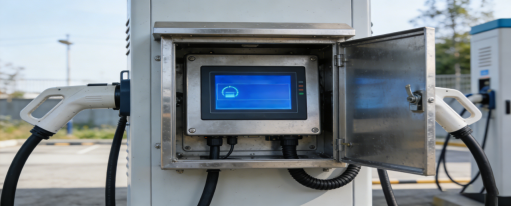
1. Size Selection: Fit Scenario, Not Blindly Pursue Large Size
Many buyers mistakenly believe that “the larger the screen, the better”, but different industrial scenarios have different size requirements. The H-Series covers 5 mainstream sizes, each corresponding to specific application scenarios to avoid space waste and operation inconvenience:
- 10.1-inch: Suitable for handheld industrial terminals and small control panels (space-saving, easy to install in narrow positions such as equipment gaps);
- 13.3-inch: Suitable for medical auxiliary displays and small-sized control stations (balanced display effect and portability);
- 15-inch / 18.5-inch: Suitable for workshop production line control stations and intelligent terminal operation panels (the most commonly used size, clear display and easy operation for long hours);
- 21.5-inch: Suitable for workshop central monitoring and large-scale intelligent display terminals (wide viewing angle, suitable for multi-person operation and data viewing).
In terms of display, the H-Series is equipped with an industrial-grade LCD panel with a brightness of 350 cd/m² and resolution options of 1280×800 / 1920×1080. This brightness is sufficient for indoor industrial scenarios, avoiding the waste of high brightness (which increases power consumption and cost) for non-outdoor use. The panel also has a wide viewing angle, ensuring clear viewing even when operating at an angle[superscript:1].
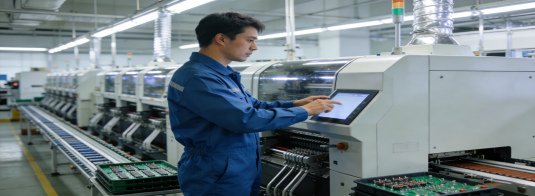
2. Touch & Configuration: Customizable to Avoid Overspending
The biggest advantage of the H-Series is that it does not bundle high configuration, allowing buyers to choose parameters according to actual needs—this is the key to cost control. The product manual clearly states the following optional configurations:
- Touch type: Capacitive and resistive options. Capacitive touch is suitable for high-frequency operation and clear display scenarios (such as intelligent terminals), with high sensitivity and support for multi-touch; resistive touch supports glove, wet hand, and oily environment operation, suitable for workshops and medical disinfection scenarios[superscript:5].
- Memory: 4G/8G/16G/32G/64G optional. For simple data collection and display, 4G memory is sufficient; for industrial control and MES system operation, 8G-16G is recommended; for complex intelligent tasks such as machine vision, 32G+ is available[superscript:1].
- Storage: Optional according to data storage needs. Industrial-grade SSD storage is recommended, which has the advantages of shock resistance, low latency, and wide temperature operation, avoiding data loss caused by mechanical hard disk damage[superscript:1].
- Operating system: Supports Windows 10 IoT Enterprise or Linux, compatible with most industrial software and MES systems, avoiding compatibility problems[superscript:7].
3. Industrial-Grade Stability: The Core of 24/7 Continuous Operation
For industrial all-in-one PCs, “stable operation without failure” is more important than high configuration. The H-Series has passed ISO, IATF16949, and ISO14001 system certifications, and its stability is verified by long-term industrial application[superscript:1]. The key stability features from the product manual include:
- 24/7 continuous operation: Adopts low-power industrial-grade motherboard and optimized heat dissipation design, no crash or downtime caused by long-term operation, suitable for factory production lines that run 24 hours a day[superscript:7].
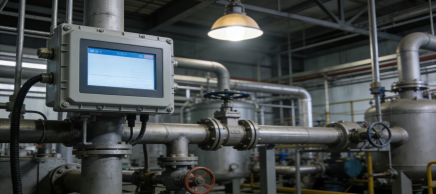
- Environmental adaptability: Dustproof and waterproof design, suitable for dusty workshop environments; the supporting touch screen has a wide operating temperature range (-10℃~70℃ for capacitive, -10℃~60℃ for resistive), avoiding failure in extreme temperatures[superscript:4].
- Interface compatibility: Equipped with multiple USB, RS-232/485 serial ports, and gigabit network ports, compatible with most industrial motherboards, PLCs, and sensors, plug-and-play in most cases, reducing modification costs[superscript:1].
- Anti-interference performance: Passes EMC electromagnetic compatibility test, can work stably in industrial environments with strong electromagnetic interference, avoiding malfunctions caused by signal interference[superscript:4].
Scenario Matching: Which Factories Need This Type of Industrial All-in-One PC?
No industrial all-in-one PC is “one-size-fits-all”. It is recommended to choose this type of product if you have the following needs, which can maximize cost-effectiveness and avoid overspending:
- Your equipment needs to operate 24/7 continuously (such as factory production lines, intelligent monitoring terminals, and packaging lines)[superscript:4];
- The use environment is dusty, oily, or has temperature fluctuations (such as injection molding workshops, food processing workshops, and steel plants)[superscript:5];
- You need customizable parameters (size, touch type, memory, storage) to match specific device needs, avoiding paying for unnecessary functions[superscript:1];
- You pursue low maintenance costs (certified products with long service life, reducing later replacement and downtime losses)[superscript:2];
- The application scenarios are industrial control, medical terminals, self-service equipment, or MES data collection (the core scenarios of the H-Series)[superscript:8].
Real Factory Case: How to Reduce Downtime Costs Through Correct Selection
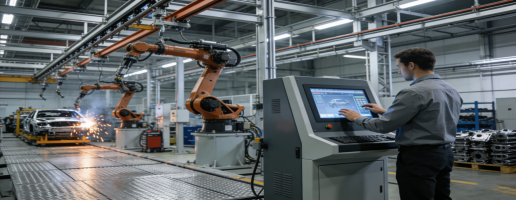
A food processing factory in Zhejiang needed to equip 40 production line control terminals with industrial all-in-one PCs. The core pain points were: the previous all-in-one PCs often crashed during 24/7 operation, dust entered the host leading to frequent failures, and workers could not operate the touch screen with waterproof gloves (requiring gloves during food processing), which affected work efficiency.
After communicating with professional technical personnel, the factory chose a 15-inch embedded industrial all-in-one PC, configured with 8G memory, resistive touch, and dustproof design. The actual application effect showed that the all-in-one PCs operated stably for 18 months without any crashes or failures; the dustproof design effectively prevented dust from entering the host, reducing the failure rate by 90%; the resistive touch supported glove operation, allowing workers to control the production line without taking off gloves, improving work efficiency by 25%. Compared with the previous all-in-one PCs, the annual maintenance cost was saved by nearly 30,000 yuan, and the downtime loss was reduced by 80%.
Practical Selection Tips: 4 Steps to Avoid Wasting Money
Combined with the Qiwo H-Series product manual and factory application experience, we summarize 4 simple and actionable selection steps to help you avoid detours:
- Determine the size first: According to the installation space and operation needs, select the appropriate size (10.1-inch for small spaces, 15-inch/18.5-inch for common control stations, 21.5-inch for large-scale monitoring)[superscript:5];
- Choose the touch type: If workers need to wear gloves or operate in oily environments, choose resistive touch; if pursuing high sensitivity and clear display, choose capacitive touch[superscript:1];
- Match the configuration: For simple data display, 4G memory + basic storage is sufficient; for industrial control and MES systems, choose 8G-16G memory + industrial-grade SSD[superscript:8];
- Confirm compatibility: Before purchasing, confirm the operating system and interface type of the existing equipment, ensuring that the H-Series can be directly connected without modification[superscript:1].
The core of selecting an industrial all-in-one PC is “stability and practicality”, not “high configuration”. A high-quality industrial all-in-one PC does not pursue exaggerated parameters, but focuses on solving the actual pain points of factories: customizable configuration to control costs, industrial-grade protection to adapt to harsh environments, and strong compatibility to reduce modification troubles. Whether you are a small and medium-sized factory with limited budget, or a large enterprise needing to equip production lines with control terminals, choosing a product that fits your scenario can ensure long-term stable operation and help reduce procurement and maintenance costs.