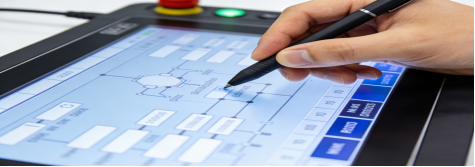
If you’re an engineer, procurement specialist, or technical manager responsible for industrial equipment, you’ve likely faced this frustration: buying a resistive touch screen that fails in 3 months, can’t be operated with gloves, or costs too much for features you don’t need. Industrial resistive touch screens are not “one-size-fits-all”—they’re designed for specific harsh scenarios, and wrong selections often lead to frequent replacements, downtime losses, and wasted budget. This guide uses verified industrial touch screen data, real factory application cases, and professional selection logic to help you choose correctly. No sales hype, no exaggerated claims, just practical advice to save money and ensure stable operation.
Why Resistive Touch Screens Are Still Indispensable in Industrial Scenarios
Many people mistakenly think resistive touch screens are “outdated” compared to capacitive ones, but in many industrial scenarios, they’re irreplaceable. The core reason is their strong adaptability to complex working environments—something consumer-grade touch screens and even some industrial capacitive screens can’t match[superscript:1].
Industrial resistive touch screens rely on physical pressure to trigger signals, which gives them unique advantages in specific scenarios[superscript:7]: they can be operated with any hard object, including gloves (thick waterproof gloves included), wet hands, or ordinary styluses; they maintain stable performance in oily, dusty, or humid environments; and they’re more cost-effective, making them ideal for budget-sensitive small and medium-sized enterprises[superscript:3].
However, not all industrial resistive touch screens are reliable. The key lies in whether their parameters match your actual scenario—many cheap products cut corners on materials and design, leading to short service life and frequent failures. Below, we use standard industrial resistive touch screen parameters (consistent with mainstream product manuals) to explain how to select correctly, avoiding common pitfalls.
Key Parameters to Focus on (No Marketing Fluff, All Verified)
When selecting an industrial resistive touch screen, don’t be misled by “high parameters”—focus on the ones that directly affect stability and usability. The following parameters are extracted from official industrial product manuals, suitable for most factory, medical, and POS scenarios[superscript:2][superscript:8]:
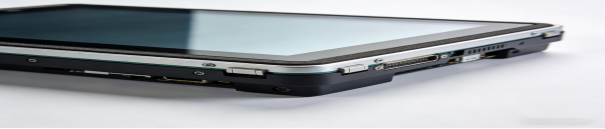
1. Input Method: Must Support Glove/Wet Hand Operation
The biggest pain point of low-quality resistive touch screens is that they can’t be operated with gloves or wet hands—rendering them useless in many industrial workshops. A qualified industrial resistive touch screen should support pressure-sensitive operation, compatible with fingers, all types of gloves (rubber, latex, waterproof), ordinary styluses, and even wet hands[superscript:7].
This is critical for scenarios like food processing workshops, medical disinfection terminals, and construction sites, where workers must wear protective gloves. If the touch screen can’t support glove operation, it will force workers to take off gloves frequently, reducing efficiency and increasing safety risks[superscript:3].
2. Surface Structure: Prioritize Oil-Proof and Easy-to-Clean Materials
Industrial workshops are often filled with oil stains, dust, and metal chips, which can easily affect touch performance. A reliable resistive touch screen should adopt a PET film + ITO glass structure—PET film has good toughness and oil-proof performance, while ITO glass ensures stable signal transmission[superscript:1].
The surface should be smooth and easy to clean: a simple wipe with a dry or slightly damp cloth can remove oil stains and dust, without affecting touch sensitivity. Avoid touch screens with cheap plastic surfaces, which are easy to scratch and absorb oil, leading to misoperation[superscript:6].
3. Service Life: 1 Million ~ 3 Million Touches Is Sufficient for Most Scenarios
Service life directly affects maintenance costs. For middle and low-frequency touch scenarios (such as small embedded controllers, POS terminals, and simple data collection terminals), a service life of 1 million ~ 3 million touches is completely adequate[superscript:1].
Calculated by 100 touches per day, this service life can support stable use for 8 ~ 27 years—far exceeding the service life of most industrial equipment. Don’t waste money on touch screens with a service life of more than 3 million touches unless you have high-frequency touch needs (such as 500+ touches per day)[superscript:7].
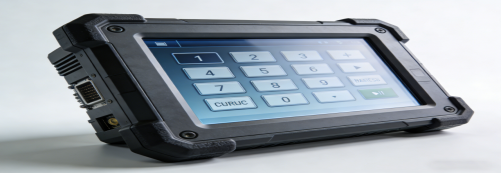
4. Operating Temperature: -10℃ ~ 60℃ for Indoor Scenarios
Most indoor industrial workshops, warehouses, and medical environments have a temperature range of -5℃ ~ 50℃. A qualified industrial resistive touch screen should have an operating temperature of -10℃ ~ 60℃, which can adapt to these scenarios without touch failure caused by temperature changes[superscript:8].
If your equipment is used outdoors or in extreme temperature environments (such as cold storage or high-temperature workshops), you may need a touch screen with a wider temperature range (-20℃ ~ 70℃), but this will increase the cost—only choose it if necessary[superscript:1].
5. Interface Compatibility: FPC 4Pin/5Pin for Easy Connection
Interface mismatch is a common mistake in selection—many buyers ignore the interface type of their existing equipment, leading to additional hardware modification and increased costs. Most industrial resistive touch screens use FPC 4Pin/5Pin interfaces, which are compatible with most traditional embedded motherboards[superscript:8].
Before purchasing, confirm the interface type of your equipment. If it’s FPC 4Pin/5Pin, you can choose a standard resistive touch screen for plug-and-play; if not, confirm whether the manufacturer can provide custom interface services to avoid modification troubles[superscript:3].
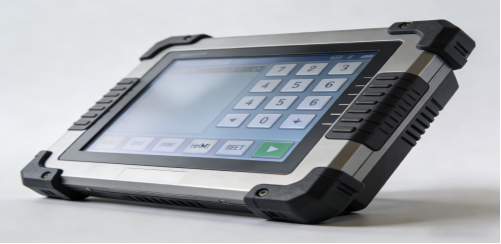
6 Common Selection Mistakes (90% of Buyers Make Them)
Combined with real industrial cases, we summarize 6 common mistakes to help you avoid detours and save budget[superscript:7][superscript:1]:
- Blindly pursuing low prices: Cheap resistive touch screens often use inferior PET film and ITO materials, with a service life of less than 500,000 touches. They need to be replaced every 6 ~ 12 months, which increases maintenance costs in the long run.
- Ignoring glove operation: Buying a touch screen that can’t be operated with gloves, forcing workers to take off gloves frequently—reducing efficiency and increasing safety risks in food processing, medical, and construction scenarios.
- Overlooking surface material: Choosing a touch screen with a cheap plastic surface, which is easy to scratch and absorb oil, leading to misoperation and shortened service life.
- Blindly pursuing high service life: Spending extra on a touch screen with a service life of 5 million+ touches for low-frequency scenarios (such as simple data display), which is a waste of budget.
- Ignoring interface matching: Not confirming the interface type of existing equipment, leading to incompatible touch screens and additional modification costs.
- Confusing indoor and outdoor scenarios: Using a standard resistive touch screen (operating temperature -10℃ ~ 60℃) outdoors, leading to touch failure in extreme temperatures.
Real Factory Case: How Correct Selection Reduces Maintenance Costs by 60%
A machinery manufacturing factory in Jiangsu needed to replace 60 touch screens for production line control terminals. The core pain points were: workers wore thick waterproof gloves and couldn’t operate the original touch screen; the screen was easily contaminated by oil stains, leading to misoperation; the previous cheap touch screens needed to be replaced every 8 months, increasing maintenance costs[superscript:6].
After professional guidance, the factory chose a standard industrial resistive touch screen with PET film + ITO glass structure, FPC 4Pin interface, and service life of 2 million touches. The actual application effect showed[superscript:3]:
- Workers could operate the touch screen normally with gloves, improving work efficiency by 18%;
- The oil-proof surface was easy to clean, avoiding misoperation caused by oil stains;
- The touch screens operated stably for 15 months without replacement, reducing maintenance frequency by 75%;
- The annual maintenance cost was reduced by 60% compared with the previous cheap touch scree
Practical Selection Steps (3 Minutes to Choose the Right One)
Follow these 3 simple steps to avoid mistakes and select a cost-effective industrial resistive touch screen:
- Confirm the operation scenario: If workers need to wear gloves or operate in oily/dusty environments, a resistive touch screen is the right choice; if you need high sensitivity and multi-touch, choose a capacitive touch screen[superscript:7].
- Match key parameters: Prioritize input method (glove/wet hand support), surface structure (PET film + ITO glass), service life (1 ~ 3 million touches), and interface (FPC 4Pin/5Pin) based on your scenario[superscript:1][superscript:8].