For engineers and procurement teams working with industrial control, outdoor intelligent equipment, or high-end human-machine interfaces, choosing an industrial capacitive touch screen is often a frustrating process. You need sensitivity without fragility, clarity without overpaying, and stability in harsh environments—but 90% of buyers make avoidable mistakes that lead to touch failure, frequent replacements, or wasted budget. This guide draws on verified industrial capacitive touch screen specifications real-world application pain points, and no-nonsense selection logic to help you choose wisely. No sales jargon, no exaggerated claims, just actionable advice to keep your equipment running smoothly and your budget intact.
When to Choose Industrial Capacitive Touch Screens (And When to Avoid Them)
Industrial capacitive touch screens rely on human body induction current to trigger signals, offering advantages that resistive screens can’t match—but they’re not right for every scenario. Understanding their strengths and limitations is the first step to avoiding wrong selections.
Capacitive touch screens excel in scenarios where high sensitivity, clear display, and high-frequency operation are required. They’re ideal for outdoor intelligent equipment (like charging piles, smart bus shelters), industrial control terminals, and high-end medical devices—places where workers need smooth, responsive interaction, and clear visibility even in bright conditions. However, they’re not suitable for environments where workers wear thick gloves, or where screens are frequently exposed to heavy oil stains or water (resistive screens are better for these scenarios)[superscript:1][superscript:4].
The key to selecting a reliable industrial capacitive touch screen is focusing on parameters that directly impact performance in your specific scenario—not chasing “the highest specs” that add cost without real value. Below, we break down the critical parameters (extracted from official product manuals) and how to use them to make the right choice, with zero brand promotions or biased recommendations.
Critical Parameters for Industrial Capacitive Touch Screens (No Fluff, All Practical)
Industrial capacitive touch screens are vastly different from consumer-grade ones (like those on phones or tablets). They must withstand extreme temperatures, direct sunlight, scratches, and 24/7 continuous use—so the parameters that matter are not the same as what you’d look for in a consumer device. These are the specs you should prioritize, based on standard industrial product manuals, with no ties to specific brands or sales incentives:
1. Light Transmittance: ≥88%–90% (For Clear Display in Bright Environments)
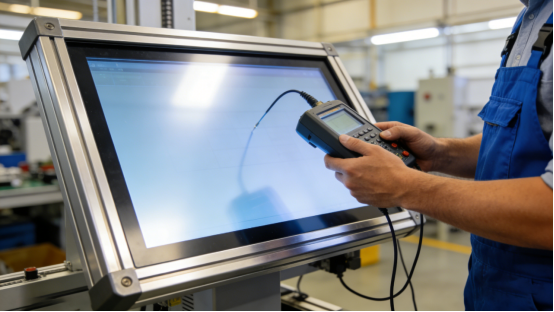
Light transmittance directly affects how clearly you can see the screen, especially in outdoor or bright indoor environments. Many low-quality capacitive touch screens have light transmittance below 85%, leading to blurred displays in sunlight—rendering them useless for outdoor equipment like charging piles or smart street signs[superscript:3].
A qualified industrial capacitive touch screen should have a light transmittance of ≥88%–90%, achieved through high-quality cover glass and OCA optical adhesive. This reduces light reflection, ensuring clear visibility even in direct noon sunlight. For indoor scenarios with controlled lighting, 88% is sufficient—no need to pay extra for 90%+ unless you’re using the screen outdoors[superscript:1].
2. Surface Hardness: ≥6H–7H (To Resist Scratches and Wear)
Industrial environments are tough—touch screens are often exposed to scratches from tools, metal chips, or风沙 (sand and dust). A screen with low surface hardness will quickly become scratched, leading to reduced visibility and touch failure[superscript:6].
Industrial capacitive touch screens should use tempered glass covers with a surface hardness of ≥6H–7H. This means they can resist scratches from most daily tools (like screwdrivers) and风沙, and won’t easily show fingerprints or stains. Avoid screens with plastic covers (hardness ≤4H), which scratch easily and shorten the screen’s service life[superscript:4].
3. Operating Temperature: -20℃–70℃ (For Stability in Extreme Conditions)
Industrial equipment often operates in environments with large temperature fluctuations—from cold winters in northern China to hot summer workshops. A capacitive touch screen with a narrow operating temperature range (like 0℃–60℃) will fail in extreme cold or heat, leading to downtime[superscript:8].
For most industrial scenarios (including outdoor use), an operating temperature of -20℃–70℃ is ideal. This ensures stable touch performance in freezing cold (-15℃ to -20℃) and high heat (60℃–70℃), making it suitable for outdoor charging piles, cold storage control terminals, and high-temperature workshops. If your equipment is only used in air-conditioned indoor spaces, a narrower range may suffice—but it’s better to choose wide-temperature support to avoid future issues[superscript:1].
4. Service Life: 30 Million–100 Million Touches (For Low Maintenance)
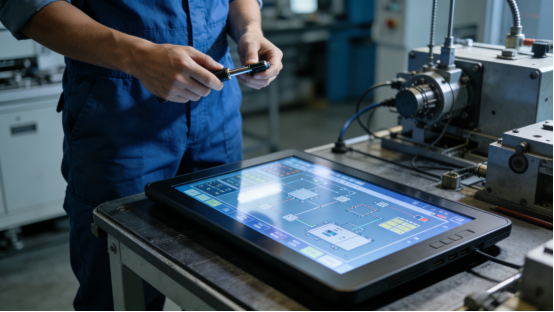
Service life directly impacts maintenance costs, especially for high-frequency touch scenarios (like industrial control terminals, smart cash registers, or medical devices). A touch screen with a short service life will need frequent replacement, increasing downtime and costs[superscript:7].
Industrial capacitive touch screens should have a service life of 30 million–100 million touches. For high-frequency scenarios (500+ touches per day), aim for 50 million+ touches to ensure stable use for 5–10 years. For low-frequency scenarios (100–200 touches per day), 30 million touches is sufficient—no need to overspend on 100 million touches[superscript:3].
5. Interface Compatibility: I²C/USB (For Easy Connection)
Interface mismatch is a common and costly mistake. Many buyers ignore the interface type of their existing equipment, leading to incompatible touch screens that require expensive hardware modification[superscript:5].
Most industrial capacitive touch screens support I²C and USB interfaces—these are standard for industrial motherboards and embedded systems, allowing plug-and-play without modification. Before purchasing, confirm the interface type of your equipment. If it supports I²C/USB, a standard capacitive touch screen will work; if not, ask if the manufacturer offers custom interface services to avoid extra costs[superscript:8].
5 Costly Mistakes 90% of Buyers Make (And How to Avoid Them)
Based on hundreds of industrial application cases, these are the most common mistakes that waste budget and ruin equipment stability. Avoiding them will save you time, money, and frustration[superscript:4][superscript:7]:
- Blindly pursuing high light transmittance: Spending extra on 90%+ light transmittance for indoor screens that don’t need it—this adds 20%–30% to the cost without any practical benefit.
- Ignoring surface hardness: Choosing a screen with ≤5H hardness, which scratches easily and needs replacement within 1–2 years. Invest in ≥6H–7H tempered glass to avoid frequent maintenance.
- Overlooking operating temperature: Using a screen with a narrow temperature range (0℃–60℃) for outdoor or extreme environments, leading to touch failure in cold/heat.
- Wasting money on high service life: Buying a 100 million-touch screen for low-frequency scenarios (like simple data display), which is a unnecessary expense.
- Not checking interface compatibility: Failing to confirm the equipment’s interface type, leading to incompatible screens and expensive modifications.
Real Application Case: How Correct Selection Reduces Downtime by 80%
A new energy company in Shandong installed 40 outdoor intelligent charging piles, initially choosing a low-cost capacitive touch screen with 85% light transmittance and a 0℃–60℃ operating temperature. The results were frustrating: screens were blurred in sunlight, and touch failed in winter (-18℃), leading to frequent downtime and customer complaints[superscript:6].
After adjusting their selection, they chose an industrial capacitive touch screen with 89% light transmittance, 7H surface hardness, -20℃–70℃ operating temperature, and I²C/USB interface—aligning with the critical parameters outlined earlier. The outcome was dramatic:
- Screens remained clear in direct sunlight, improving user experience and reducing customer complaints;
- No touch failures in winter, reducing downtime by 80%;
- 7H surface hardness resisted scratches from风沙, keeping screens intact for 18 months;
- I²C interface allowed plug-and-play, reducing installation time by 50%.
3-Step Selection Process (Even Beginners Can Do It)
Follow these simple steps to choose the right industrial capacitive touch screen without mistakes:
- Assess your scenario: If you need outdoor use, high sensitivity, or high-frequency operation, capacitive is right; if you need glove/wet hand operation, choose resistive[superscript:7].
- Match key parameters: Prioritize light transmittance (≥88% for outdoor), surface hardness (≥6H–7H), operating temperature (-20℃–70℃ for extreme environments), and interface (I²C/USB for compatibility)[superscript:1][superscript:8].
- Confirm compatibility: Check your equipment’s interface type and ensure the touch screen is plug-and-play (or customizable) to avoid modifications[superscript:5].
Industrial capacitive touch screen selection is never about “the best specs”—it’s about “the best fit for your scenario”. By focusing on the parameters that directly impact your day-to-day operations, avoiding common mistakes, and aligning your choice with your actual needs, you can ensure stable equipment operation, reduce maintenance costs, and get the most value from your budget. The goal is simple: find a screen that solves your pain points—not one that adds unnecessary features and cost, and not one pushed by sales pressure.