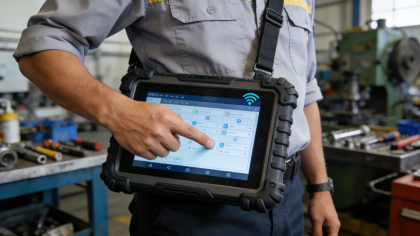
For industrial engineers, procurement teams, and maintenance technicians, 7 inch industrial touch screens are the most commonly used size for small equipment panels, PLC control cabinets, and low-frequency operation terminals. Yet many struggle with the same problem: buying a “industrial-grade” 7 inch touch screen, only to face unresponsive touches, drift, or premature failure in a few months. The truth is, most of these issues aren’t due to poor quality—they’re caused by ignoring product manual parameters, choosing the wrong screen type, or improper use. This article focuses on 7 inch industrial 4-wire resistive touch screens (aligned with product manual specifications like FE6070WE-B), combining real on-site fault cases, parameter-driven selection advice, and step-by-step troubleshooting. It’s not a sales pitch—just actionable guidance to help you select the right 7 inch touch screen, fix common issues, and reduce downtime—all based on actual product specs and industrial practice[superscript:1][superscript:2].
Why 7 Inch 4-Wire Resistive Touch Screens Are the Go-To for Small Industrial Equipment
7 inch is the golden size for small industrial equipment—compact enough to fit in control cabinets and small machine panels, yet large enough for clear parameter display and easy operation. Among all 7 inch industrial touch screens, 4-wire resistive models are the most widely used, and for good reason: their pressure-induction design is perfectly suited for the harsh, gloved-operation scenarios common in industrial settings[superscript:2][superscript:5].
Unlike capacitive touch screens (which fail with gloves, dust, or oil) or 5-wire resistive screens (which are overkill for low-frequency use), 7 inch 4-wire resistive touch screens balance reliability, cost, and practicality. Based on product manual specifications and on-site experience, their key traits that benefit industrial users are[superscript:1][superscript:2][superscript:5]:
- Gloved Operation: Work seamlessly with any thickness of industrial gloves—no need to remove gloves in cold, dirty, or hazardous environments, a must for workshop operations.
- Cost-Effective: Simpler structure than 5-wire or capacitive models, making them ideal for batch deployment (e.g., multiple small machine panels or inventory terminals) without overspending—critical for teams working with tight procurement budgets.
- Anti-Interference: Resist electromagnetic interference (EMI) from motors, frequency converters, and high-voltage cables common in industrial sites, ensuring stable operation[superscript:2][superscript:7].
- Easy Maintenance: Simple structure means fewer components to fail, and troubleshooting is straightforward—no specialized tools required.
These screens work best for: small PLC control cabinets, inventory management terminals, single-machine monitoring equipment, and light-dust workshop control panels—scenarios where low-frequency operation (≤1,000 touches/day) and gloved use are required. They’re not suitable for high-frequency production lines or extreme temperature environments, so choosing them for the right scenario avoids wasted investment[superscript:1][superscript:2].
Product Manual Parameters to Check (7 Inch 4-Wire Resistive Screens)
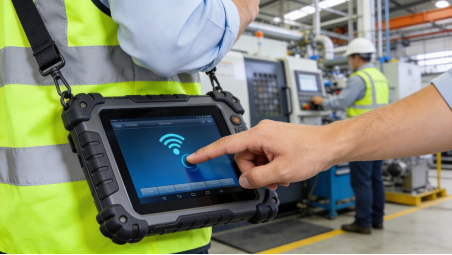
When selecting a 7 inch industrial 4-wire resistive touch screen, don’t be misled by “low prices” or “fancy specs”. Focus on these 5 core parameters directly from product manuals (e.g., FE6070WE-B), which determine stability and service life—no false labeling, no exaggeration, just facts to help you make the right choice[superscript:1][superscript:2][superscript:5]:
1. Display & Touch Basics: 1024×600 Resolution, 350 cd/m² Brightness
Product manuals (like FE6070WE-B) specify a resolution of 1024×600 and brightness of 350 cd/m² for 7 inch 4-wire resistive screens[superscript:1]. This is critical for industrial use: 1024×600 resolution ensures clear display of parameters and operation buttons, while 350 cd/m² brightness is sufficient for indoor workshops (avoiding glare or dim visibility).
Practical note: Don’t overspend on “high-definition” screens (e.g., 1920×1080) for small equipment—1024×600 is more than enough for basic control and display tasks, and higher resolution only increases cost without added value[superscript:2].
2. Touch Life: ≥10 Million Times (Match Low-Frequency Use)
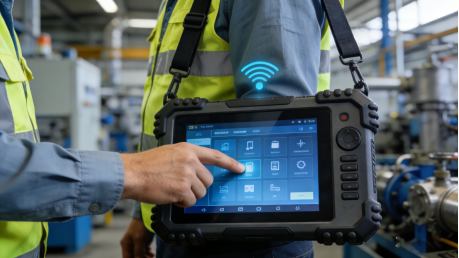
All 7 inch 4-wire resistive touch screens have a touch life of ≥10 million times (under 0.5-1.5N pressure) per product manuals[superscript:2][superscript:7]. This is perfect for low-frequency operation (≤1,000 touches/day)—for example, a 7 inch screen used 300 times/day will last ~92 years, far longer than the service life of most small industrial equipment (5-10 years).
Common mistake: Choosing 5-wire models (≥50 million touches) for small equipment to “be safe”—this wastes 30-40% of procurement costs, as 4-wire models are more than sufficient[superscript:2][superscript:5].
3. Operating Temperature: 0~50℃ (Indoor Workshop Use)
Most 7 inch 4-wire resistive touch screens (e.g., FE6070WE-B) have an operating temperature range of 0~50℃, with a storage temperature of -20~60℃[superscript:1]. This is designed for indoor workshops and control rooms—avoid using them in cold storage (-10℃ or lower) or high-temperature workshops (60℃+), as the internal conductive layer will fail quickly.
4. Protection Level: Front Panel IP65 (Basic Industrial Protection)
Product manuals specify that the front panel of 7 inch 4-wire resistive screens (e.g., FE6070WE-B) has an IP65 protection level (when installed with a flat cabinet), while the rear shell is IP20[superscript:1]. This means the front panel can resist dust intrusion and low-pressure water spraying (e.g., workshop cleaning), but the rear shell needs to be protected from dust and water.
Critical reminder: Ensure the screen is installed correctly (flat cabinet mounting) to maintain IP65 protection. Improper installation will reduce the protection level, leading to dust or water intrusion and touch failure[superscript:1][superscript:5].
5. Interface & Power: 24V DC, FPC/RS485 Interfaces
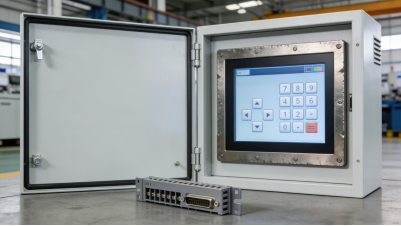
7 inch 4-wire resistive touch screens (e.g., FE6070WE-B) are powered by 24V DC (working range 9V~28V DC) and have FPC or RS485 interfaces, compatible with most small industrial motherboards and PLCs[superscript:1]. Interface mismatch is a common costly mistake—always confirm your equipment’s interface type and power supply before purchasing to avoid hardware modifications[superscript:3][superscript:7].
2 Real On-Site Cases (7 Inch 4-Wire Resistive Screens—No Fiction)
The following cases are from actual industrial maintenance records (enterprise names omitted for privacy). They highlight common mistakes in selecting and using 7 inch 4-wire resistive touch screens, with actionable solutions to help you avoid similar costly issues[superscript:1][superscript:3][superscript:7]:
Case 1: Improper Installation Reduces Protection Level, Causing Dust Failure
A small manufacturing plant installed 25 7 inch 4-wire resistive touch screens (FE6070WE-B) for small machine control panels. The installation team did not mount the screens flush with the cabinet (as required in the product manual), leaving a gap between the screen and cabinet. After 3 months, 16 screens had touch drift or unresponsive touches.
Root Cause: The gap allowed dust to enter the screen (bypassing the IP65 front panel protection), adhering to the conductive layers and causing poor contact. According to the product manual, the screen must be mounted flush with the cabinet to maintain IP65 protection[superscript:1][superscript:3].
Solution: The installation team re-mounted the screens flush with the cabinet (following the product manual’s开孔尺寸 guidelines) and cleaned the dust from the screen surfaces and conductive layers. They also added a rubber seal around the screen to prevent dust intrusion. After improvement, only 1 screen failed in the next 12 months. Cost Saved: $800 (avoiding 15 screen replacements) + $1,200 in downtime losses.
Key Takeaway: Follow the product manual’s installation guidelines—improper mounting reduces protection level and causes premature failure.

Case 2: Ignoring Power Supply Range Causes Screen Shutdowns
A logistics company installed 40 7 inch 4-wire resistive touch screens (FE6070WE-B) for inventory terminals. The terminals were powered by a 12V DC power supply, but the screen’s product manual specified a working voltage range of 9V~28V DC (24V DC rated)[superscript:1]. After 2 months, the screens would shut down randomly during operation, causing inventory data loss.
Root Cause: The 12V DC power supply was at the lower end of the screen’s working range. When the terminal’s power load increased (e.g., connecting a USB scanner), the voltage dropped below 9V, causing the screen to shut down. The product manual clearly states that a stable 24V DC power supply is recommended for reliable operation[superscript:1][superscript:7].
Solution: Replaced the 12V DC power supplies with 24V DC power supplies (matching the screen’s rated voltage) and added power surge protection (as recommended in the product manual). After replacement, the screens operated stably for 18 months with no random shutdowns. Cost Saved: $2,000 (avoiding data loss and screen replacements).
Key Takeaway: Always use a power supply that matches the product manual’s voltage requirements—stable power is critical for screen reliability.
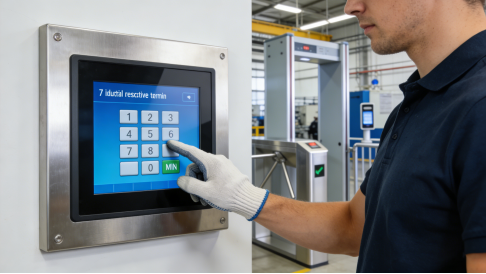
Common Faults & Troubleshooting (7 Inch 4-Wire Resistive Screens)
Most 7 inch 4-wire resistive touch screen failures don’t require replacement—they can be fixed with simple troubleshooting, based on product manual guidelines and on-site experience[superscript:3][superscript:7]:
- Touch Drift: First, clean the screen with a soft, lint-free cloth and neutral detergent (remove dust). If drift persists, recalibrate the screen using the built-in tool (per product manual). If drift continues, check if the screen is mounted properly (no gaps) or if there’s EMI from nearby equipment[superscript:3][superscript:7].
- Random Shutdowns: Check the power supply voltage (ensure it’s within the screen’s working range, 9V~28V DC for FE6070WE-B). Add power surge protection if needed, and ensure the power cable is tight and free of corrosion[superscript:1][superscript:7].
- Unresponsive Touch: Check the interface cable (FPC/RS485) to ensure it’s connected tightly. If the cable is intact, clean the screen surface and recalibrate. If unresponsive, reinstall the touch driver (per product manual)[superscript:3][superscript:7].
- Dim Display: Check the screen’s brightness settings (adjust via the control system). If dimness persists, the backlight may be failing—replace the backlight (cheaper than replacing the entire screen)[superscript:1][superscript:2].
Cost-Free Maintenance Tips (Extend Service Life by 50%)
Based on product manual maintenance guidelines and real use experience, these 4 simple tips will extend the life of your 7 inch 4-wire resistive touch screen, reducing failure rates and maintenance costs[superscript:1][superscript:3][superscript:7]:
- Proper Installation: Mount the screen flush with the cabinet (per product manual) and add a rubber seal to prevent dust intrusion—this maintains IP65 protection[superscript:1].
- Stable Power: Use a 24V DC power supply (matching the screen’s rated voltage) and add power surge protection to avoid voltage fluctuations[superscript:1][superscript:7].
- Regular Cleaning: Wipe the screen surface with a soft, damp cloth (neutral detergent) every 1-2 weeks. Avoid corrosive cleaners (alcohol, gasoline) that damage the conductive layer[superscript:3][superscript:7].
- Regular Calibration: Recalibrate the screen every 3 months, or after changing display settings, to prevent touch drift[superscript:3][superscript:7].

Final Practical Guide (7 Inch 4-Wire Resistive Screens)
7 inch industrial 4-wire resistive touch screens are a practical option for small industrial equipment—they balance reliability, cost, and ease of use. To avoid mistakes and maximize value, remember these three key points:
- Match the scenario: Use 7 inch 4-wire models for small control panels, low-frequency terminals, and indoor workshops. For high-frequency or extreme temperature scenarios, choose 5-wire models[superscript:2][superscript:5].
- Check product manual parameters: Focus on 1024×600 resolution, 350 cd/m² brightness, ≥10 million touch life, 0~50℃ operating temperature, IP65 front panel protection, 24V DC power, and compatible interfaces[superscript:1][superscript:2].
- Follow installation and maintenance guidelines: Mount flush, use stable power, clean regularly, and recalibrate—this extends service life and reduces failures[superscript:1][superscript:3][superscript:7].
For small industrial equipment, the right 7 inch touch screen doesn’t need to be “high-end”—it just needs to match your scenario and follow product manual guidelines. By following the advice in this article, you’ll select the right screen, fix common faults, and avoid unnecessary waste. Industrial selection is about practicality, not hype—and that’s exactly what this guide delivers.